Canva vs Picsart
Side-by-side comparison of features, pricing, and ratings
At a glance
| Dimension | Canva | Picsart |
|---|---|---|
| Pricing | Free with paid plans from $12.99/mo (Pro) to $30/mo (Teams) | Free with paid plans from $5/mo (Plus) to $13/mo (Pro) |
| Best For | Graphic design for non-designers, team collaboration, presentations | Social media content creators, quick edits, mobile-first users |
| AI Features | Magic Eraser, background remover, limited AI generation | AI image generation, AI enhance, object removal, background removal |
| Templates | Thousands of customizable templates for various media | Stickers, templates, collage maker |
| Collaboration | Team collaboration, shared folders, real-time editing | Limited collaboration features |
| Platform | Web, mobile, desktop app | Mobile-first, web, desktop app |
If you need quick, AI-powered photo edits for social media and prefer a mobile-first experience, Picsart is better. For team collaboration, presentations, and a broader template library, Canva is the winner. Both are freemium, but Canva's free tier is more generous for design. Choose based on your primary use case.
Feature-by-feature
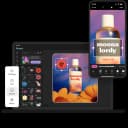
Picsart excels in AI-powered editing: its AI image generation, background removal, photo retouching, and object removal are more advanced than Canva's basic Magic Eraser and background remover. Picsart also offers video editing, text effects, and a collage maker built-in. Canva, on the other hand, shines with its drag-and-drop editor and vast template library (thousands for social media, presentations, posters, etc.). It also provides better team collaboration features like shared folders and real-time editing, plus a Brand Kit for consistent branding. Canva's stock photo library is larger, while Picsart focuses on stickers and effects. For professional vector tools or desktop-class layer control, neither is suitable. Both are intuitive for non-designers, but Picsart is more mobile-first and Canva is more web-based.
Pricing compared
Both adopt freemium models. Picsart's free version includes ads and limited premium assets. Paid tiers: Plus ($5/mo) and Pro ($13/mo) unlock advanced features like AI enhance and object removal. Canva's free tier is more generous (hundreds of templates, 5GB storage). Paid Pro ($12.99/mo) adds unlimited premium assets, background removal, and Brand Kit; Teams ($30/mo) adds collaboration features. For individuals, Picsart's Plus is cheaper at $5/mo vs Canva's $12.99/mo. However, Canva's Pro offers more design flexibility for non-professionals. Team pricing favors Canva if shared resources are needed. Both have annual discounts. Overall, Picsart is budget-friendly for mobile editors, while Canva gives more value for desktop design and teamwork.
Who should pick which
- Social media content creatorPick: Picsart
AI tools for quick photo edits, video editing, and text effects are ideal for fast turnaround on Instagram or TikTok.
- Small business ownerPick: Canva
Brand Kit and team collaboration help maintain consistent branding across marketing materials.
- EducatorPick: Canva
Presentation mode and thousands of templates make creating engaging lesson materials easy.
- Mobile-first casual editorPick: Picsart
Photo retouching, stickers, and collage maker work well on mobile devices for personal use.
- Marketing teamPick: Canva
Real-time collaboration, shared folders, and brand kits streamline team workflows for asset creation.
Frequently Asked Questions
Are Picsart and Canva free?
Yes, both have free tiers with limited features. Picsart free includes ads; Canva free offers more templates and storage.
Which is better for video editing?
Picsart has built-in video editing; Canva's video tools are basic. Picsart is better for short videos.
Does Canva have AI features like Picsart?
Canva has Magic Eraser and background remover, but not advanced AI image generation or object removal like Picsart.
Which tool is better for team collaboration?
Canva excels with shared folders, real-time editing, and brand kits. Picsart lacks similar team features.
Can I use Picsart on desktop?
Yes, Picsart offers a web version and desktop app, but it's optimized for mobile.
Is Canva suitable for professional design?
No, Canva is for non-designers. Professionals need advanced tools like Adobe Illustrator or Photoshop.
Which has more templates?
Canva has thousands of templates for various media. Picsart offers stickers and some templates but fewer categories.
Does Picsart have a background remover?
Yes, background removal is a core feature in Picsart, included in free and paid plans.
More Canva or Picsart comparisons
For marketers and small businesses needing professional AI video and automated workflows, Picsart’s Ultra plan ($25/mo) with cutting-edge models like Seedance 2.0 and 15+ AI agents is worth the invest
Choose Envato Elements if you're a creative professional needing unlimited assets for commercial projects and have existing design software. Choose Canva if you're a non-designer who needs quick, simp
If your primary need is quick graphic design for social media and presentations, Canva's massive template library and ease of use win. If you're building a professional website with AI-assisted design
Choose Pixlr if you need powerful AI-driven photo editing, generation, and retouching tools at an affordable price. Choose Canva if you prioritize a vast template library and collaborative design feat
Explore each tool further
Browse these categories
One email a week — new tools, honest comparisons, no spam.