
2short.ai
2short.ai turns long YouTube videos into vertical, square, or horizontal short clips with AI moment detection, facial tracking, and animated subtitles.
2short.ai is a solid pick if your library is already on YouTube and you want shorts with minimal fiddling. Center stage facial tracking and one-click animated subtitles handle the two most tedious parts of vertical editing, and 1080p exports are watermark-free even on Starter. The catch is source flexibility: it processes videos with captions and imports only from YouTube and Google Drive, so creators with raw MP4s or Vimeo libraries should compare against Opus Clip or Vizard before committing. For podcasters and educators repurposing YouTube back catalogs, the Lite plan at $9.90/mo is a low-risk test.
Verified 7d ago · liveness 69/100 · cite: rightaichoice.com/tools/2short-ai
- YouTube-first content creators repurposing long videos
- Podcasters producing highlight clips
- Educational and lecture video creators
- Social media marketers managing multiple platforms
- Creators whose footage has no captions or no speech
- Editors who need timeline-level manual cutting and effects
- Teams whose source video lives outside YouTube and Google Drive
We scan live Reddit threads, YouTube comments, X posts, G2 reviews and other communities — and hand you an honest verdict in under a minute.
- Honest verdict, not marketing
- Real pros & cons from real users
- Attributed quotes with receipts
3 free scans · no card needed
Skip 2short.ai if your source footage lives in Vimeo, Dropbox, or raw local files rather than YouTube or Google Drive, or if you need timeline-grade manual editing.
Your monthly AI video analysis meter resets, it doesn't roll over — a quiet month on Pro's 15 hours doesn't buy you extra headroom the next month.
Entry into paid use is cheap — Lite at $9.90/mo undercuts most repurposing rivals' starter tiers — but the jump to Pro at $19.90/mo for 15 analysis hours and unlimited exports is where most active creators land. Agencies publishing constantly will need Premium at $49.90/mo for 50 hours; at that volume, compare against Opus Clip's comparable tier before committing.
In short
2short.ai — 2short.ai turns long YouTube videos into vertical, square, or horizontal short clips with AI moment detection, facial tracking, and animated subtitles. Best for YouTube-first content creators repurposing long videos, Podcasters producing highlight clips, Educational and lecture video creators. Free to start; paid plans from $9.9/mo.
What's new in 2short.ai
Checked 7 days agoAcross the latest 1 update: 1 feature update.
Viability Score
How well maintained and how widely used is 2short.ai? Built from what the vendor actually publishes (docs, changelog, tutorials, integrations, pricing), whether the site is live, and how much real users discuss it. How we calculate this
Last calculated: October 2026
How we score →Key Features
- AI video analysis to auto-detect the most engaging spoken moments
- Center stage facial tracking to auto-center active speakers
- One-click animated subtitles
- Subtitle support for 25+ languages including Spanish, Japanese, and Ukrainian
- Unlimited 1080p watermark-free exports on Pro and Premium
- Vertical, square, and horizontal aspect ratios
- Advanced editing and cropping tools when auto face tracking falls short
- Brand presets with logos and overlays
- Import from YouTube links
- Import videos from Google Drive
- Public URL video imports on Lite and above
- Fast server-side exports (60 min/mo on Lite, unlimited on Pro)
- View and export already generated short clips on the free Starter plan
- Automatic short clip generation driven by spoken-word captions
About 2short.ai
2short.ai is an AI video repurposing tool that pulls the most engaging moments out of long-form videos and converts them into short clips for YouTube Shorts, TikTok, and Instagram Reels. Paste a YouTube link or import straight from Google Drive (a newer source option) and the tool analyzes the spoken content and captions to suggest clip candidates, then helps you cut, crop, and subtitle them before exporting at 1080p. Its standout features are center stage facial tracking, which keeps active speakers framed automatically when auto-tracking isn't enough, and one-click animated subtitles with brand presets for logos and overlays. Subtitles cover 25+ languages, including Turkish, Ukrainian, and Indonesian. Every plan, including the free Starter tier, unlocks the full feature set; tiers differ mainly in AI video analysis hours and server-side export allowance. It works best on spoken-word footage such as podcasts, lectures, reviews, and commentary, and it needs videos that have captions, though YouTube auto-generates captions for most uploads.
Behind the Verdict
The core promise here is narrow and honest: take talking-head or spoken-word video you already published and cut it into shorts. Where 2short.ai earns its keep is the automation layer around that. Center stage facial tracking keeps the active speaker centered so you don't hand-keyframe a vertical crop for every clip, and one-click animated subtitles with brand presets means a podcaster can go from a two-hour episode to several branded, captioned verticals without touching a timeline. Advanced editing and cropping tools exist for when the automatic tracking gets the frame wrong, which matters on multi-speaker panels. Platform coverage is flexible: vertical, square, and horizontal aspect ratios let one source clip become a Short, a Reel, and a landscape post. Language support is genuinely broad, with 25+ subtitle languages listed including Bulgarian, Czech, Greek, Hungarian, and Ukrainian, which is better than many US-centric rivals. The genuine limits are the source pipeline and the analysis meter. It only processes videos with captions, and it does not take direct uploads or non-YouTube, non-Google-Drive sources, so if your footage lives in Dropbox or on a Vimeo account you have a conversion step on every project. Analysis is also metered: Starter gives 30 minutes a month, Lite 5 hours, Pro 15 hours, and Premium 50 hours, so a podcaster publishing three long episodes a week will burn through Pro's 15 hours quickly and need Premium. Server-side fast exports are capped at 60 minutes a month on Lite before the unlimited allowance on Pro. Where it fits: solo creators, podcasters, and small marketing teams with a YouTube-first workflow who want branded verticals fast. Where it doesn't: anyone needing timeline-grade editing, non-spoken B-roll repurposing, or source files that aren't YouTube links or Google Drive imports.
Researching 2short.ai? Get your full AI stack in 60 seconds.
Free, no signup — tell us your goal and get tools matched to your budget & existing stack.
Real-world workflow fit
Concrete scenarios for the personas 2short.ai actually fits — and what changes day-one when you adopt it.
Paste the YouTube link for this week's episode, let 2short.ai surface candidate moments from the transcript, then apply a brand preset and animated subtitles before exporting three vertical clips.
Outcome: Several branded, captioned shorts ready for TikTok and Reels without touching a video editor.
Import a recorded webinar from Google Drive, generate clips, adjust the crop with the advanced editing tools where facial tracking misses, and export square versions for LinkedIn plus vertical for Shorts.
Outcome: One recording becomes platform-specific assets in a single session.
Take a long lecture upload with auto-generated captions, pull the clearest explanation segments, and add subtitles in the course's language.
Outcome: Short teaching clips that reach students on mobile feeds.
Use Cases
- Turn a weekly podcast episode into several captioned vertical clips for TikTok and Reels.
- Repurpose a long YouTube review into Shorts with the speaker auto-centered.
- Cut lecture highlights for an education channel without manual vertical cropping.
- Produce branded short clips with logo overlays for a marketing team's social calendar.
- Import a Google Drive recording and export square and horizontal versions for different platforms.
Models Under the Hood
as of 2026-09-23
Limitations
- 2short.ai only processes videos that have captions, so silent or caption-less footage won't work, though YouTube auto-generates captions for most uploads and will tell you.
- It targets spoken-word content, so B-roll, music videos, and footage without narration are out of scope.
- Sources are limited to YouTube links, public URLs (Lite and above), and Google Drive imports; there is no direct file upload and no other platform import.
- Analysis is metered per month: 30 minutes on Starter, 5 hours on Lite, 15 hours on Pro, 50 hours on Premium.
- Fast server-side exports are capped at 60 minutes per month on Lite before becoming unlimited on Pro.
as of 2026-10-01
Verification history
We have re-verified 2short.ai 6 times since . Each pass re-reads the vendor's own pages and re-checks every listed field against that evidence; passes where nothing had changed are marked as such.
- — re-checked, vendor evidence unchanged
- — re-checked, vendor evidence unchanged
- — re-verified summary, description, our verdict, our analysis, pricing model, pricing tiers, features, integrations, who it suits, who should skip it
- — re-checked, vendor evidence unchanged
- — re-verified summary, description, our verdict, our analysis, pricing model, pricing tiers, features, integrations, who it suits, who should skip it
- — re-verified summary, description, our verdict, our analysis, pricing model, pricing tiers, features, integrations, who it suits, who should skip it
Free to cite with attribution — this page re-verifies continuously.
12-month cost
Project the real annual outlay, including the implied monthly cost when only an annual tier is published.
Vendor list price only. Add-on usage, seat overages, and contract minimums are surfaced under Hidden costs & gotchas.
Plans compared
For each published 2short.ai tier: who it actually fits, and what it adds vs. the previous tier. Cross-reference the cost calculator above for projected annual outlay.
Starter
$0/mo
Ideal for
A creator testing whether AI clip detection fits their workflow before paying anything.
What this tier adds
Free entry point with 30 minutes of AI video analysis per month and full feature access, but includes ads.
Lite
$9.90/mo
Ideal for
A hobbyist podcaster or small channel publishing a few long videos a month who needs Google Drive and URL imports.
What this tier adds
Adds 5 hours of monthly analysis, 60 minutes of fast server-side exports, Google Drive plus public URL imports, and removes ads.
Pro
$19.90/mo
Ideal for
A professional creator or growing channel publishing regularly who needs exports without a monthly cap.
What this tier adds
Raises analysis to 15 hours per month and makes fast server-side exports unlimited.
Premium
$49.90/mo
Ideal for
A content team or agency running multiple channels with a high publishing volume and beta feature needs.
What this tier adds
Lifts analysis to 50 hours per month and adds priority support plus access to newest beta features.
Where the pricing makes sense
The company stage and team size where 2short.ai's pricing actually pencils out — and where peers do it cheaper.
Entry into paid use is cheap — Lite at $9.90/mo undercuts most repurposing rivals' starter tiers — but the jump to Pro at $19.90/mo for 15 analysis hours and unlimited exports is where most active creators land. Agencies publishing constantly will need Premium at $49.90/mo for 50 hours; at that volume, compare against Opus Clip's comparable tier before committing.
Setup time & first value
How long it actually takes to get something useful out of 2short.ai — broken out by persona, not the marketing-page minute.
Paste a YouTube link and the first AI-generated clips appear in about the time it takes to analyze the segment you chose — most creators see usable output on their first video in one sitting. Going from signup to a branded export with your logo and subtitles takes a little longer the first time while you build the brand preset; subsequent videos are a paste-and-export flow.
Switching to or from 2short.ai
How to bring data in from common predecessors and how to get it back out — written for the switcher, not the buyer.
- →From manual editing in Premiere Pro or CapCut: paste your YouTube link into 2short.ai for moment detection, then use its crop and subtitle tools instead of hand-cutting.
- →From Opus Clip: export your existing clips first, then rebuild brand presets inside 2short.ai's brand settings.
- →From Vizard or Klap: re-add your source videos as YouTube links, since these tools don't export a portable project file.
- ↗To Descript: downloadable 1080p exports import cleanly for further transcript-based editing.
- ↗To CapCut or Premiere Pro: export the 1080p clips from 2short.ai and finish with manual timeline work.
- ↗To Opus Clip or Vizard: export your clips before switching, as there's no direct project transfer.
Integrations
Resources & Guides
Tutorials & Learning
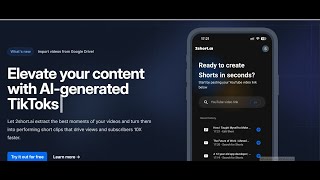
2Short.ai Tutorial: Convert Long YouTube Videos into Viral Shorts & Reels
Prorecruit Learning Society

AI Long Video To Short Video Cutter (2short.ai) #shorts #technology #ai
AI Insider

Como Fazer Cortes Para Tiktok, YouTube Shorts e Reels Com a 2short.ai
IA Online
YouTube returned 6 videos for “2short.ai”, and we withheld 1: 1 could not be judged, because “2short.ai” is a single word that other videos use for other things. Showing the 5 we can prove are about 2short.ai.
Official links
Tools that pair well with 2short.ai
Common stack mates teams adopt alongside 2short.ai, with the specific reason each pairing earns its keep.

OpusClip
OpusClip turns long videos into short vertical clips with AI clipping, animated captions, and reframing.

Klap
Klap turns long videos into vertical TikTok, Reels, and Shorts clips using AI topic extraction and auto-reframing

Wisecut AI
AI video editor that turns long videos and YouTube live streams into captioned short clips on Autopilot.
Featured Head-to-Head Comparisons
2short Ai vs Storyfile
These tools serve opposite needs. 2short.ai is a budget-friendly, self-service option for creators repurposing long videos into shorts. StoryFile is a high-touch, enterprise-grade platform for museums, families, and institutions wanting conversational AI avatars from real footage. Pick 2short.ai for quick social media growth; choose StoryFile for immersive, interactive legacy exhibits.
2short Ai vs Landr Mastering
Choose 2short.ai if you need to turn long videos into viral shorts with AI-powered clip extraction and subtitles. Choose LANDR Mastering if you're a musician needing professional audio mastering at a fraction of the cost. They serve completely different needs — video repurposing vs. audio mastering.
2short Ai vs Splice
If you’re a content creator repurposing long videos into shorts, 2short.ai is the clear choice with its AI clip extraction and animated subtitles. For music producers needing royalty-free samples or rent-to-own plugins like Serum 2, Splice is unmatched. No direct competition; choose based on your creative medium.
Alternatives to 2short.ai
View all
OpusClip
OpusClip turns long videos into short vertical clips with AI clipping, animated captions, and reframing.

Klap
Klap turns long videos into vertical TikTok, Reels, and Shorts clips using AI topic extraction and auto-reframing

Wisecut AI
AI video editor that turns long videos and YouTube live streams into captioned short clips on Autopilot.
Frequently Asked Questions
Categories
Best-of guides
Topics
Used 2short.ai? Help shape our editorial sentiment research.