
Adobe Lightroom
Adobe Lightroom puts AI photo editing and one synced catalog on desktop, web, and mobile.
If your shoot backlog lives on a phone, a laptop, and a browser tab, Lightroom's synced catalog plus Generative Remove and AI masking is the shortest path from memory card to delivered frame. Pick the Lightroom plan if editing is your only need; step up to the Photography plan when Photoshop round-trips are routine. Skip it if you want a perpetual license or Capture One-grade grading depth.
Verified 23h ago · liveness 81/100 · cite: rightaichoice.com/tools/adobe-lightroom
- Photographers who edit across phone, laptop, and browser and want one synced catalog
- High-volume shooters who need AI culling and Generative Remove to cut editing time
- Adobe ecosystem users who round-trip between Lightroom and Photoshop
- Travel and event photographers working from mobile as often as desktop
- Buyers who want a perpetual license instead of a monthly subscription
- Studio pros who need Capture One-level color science and grading control
- Photographers who archive primarily on local drives rather than the cloud
We scan live Reddit threads, YouTube comments, X posts, G2 reviews and other communities — and hand you an honest verdict in under a minute.
- Honest verdict, not marketing
- Real pros & cons from real users
- Attributed quotes with receipts
3 free scans · no card needed
Skip Lightroom if you want a one-time perpetual license, keep your archive on local drives, or need Capture One-level color grading rather than a synced cloud catalog.
Editing keeps working only while the subscription runs — cancel and you eventually lose access to the editing engine, not just cloud storage.
Lightroom sits in the middle of the photo-editing market: cheaper than a full Creative Cloud Pro subscription and more expensive than one-off tools like Affinity Photo, but it bundles a synced cloud catalog that perpetual-license editors do not offer. Pick it if cross-device workflow matters more than owning the software; pick Capture One or DxO PhotoLab if your budget is one-time and your grading demands are heavy.
In short
Adobe Lightroom — Adobe Lightroom puts AI photo editing and one synced catalog on desktop, web, and mobile. Best for Photographers who edit across phone, laptop, and browser and want one synced catalog, High-volume shooters who need AI culling and Generative Remove to cut editing time, Adobe ecosystem users who round-trip between Lightroom and Photoshop. Free to start; paid plans from $11.99/mo.
No head-to-head comparison for Adobe Lightroom yet — the alternatives below are the closest matches we list.
What people actually say about Adobe Lightroom — is it worth it?
We ran a structured research pass across product reviews, community discussions, and post-purchase forum threads to surface the patterns vendors won't publish themselves. Below: the recurring strengths, the hidden costs people mention most, and the cohort that consistently regrets adopting this tool.
42 mentions across 4 sources (Hacker News, YouTube, Stack Overflow, Lemmy) · researched Oct 14, 2026.
Weighted by the 67 posts each of 4 sources contributed.
- +Generative Remove erases unwanted objects in seconds, even during complex edits.
- +AI masking for subjects, skies, and backgrounds removes hours of manual brush work.
- +One synced catalog across desktop, web, iOS, and Android genuinely works.
- +Non-destructive editing means experiments never damage the original raw file.
- +AI denoise quality draws respect even from developers comparing it to DxO DeepPRIME.
- −No perpetual license — you rent access and lose editing if you stop paying.
- −Lightroom vs. Lightroom Classic split is a confusing maze for newcomers.
- −Migrating a large catalog out of Lightroom is documented as a multi-weekend nightmare.
- −Color grading control is shallower than Capture One for demanding retouchers.
- −Linux users get no official support and must rely on Wine hacks.
- • Cloud storage top-ups beyond the plan limit are metered and can surprise heavy shooters
- • No perpetual license, so long-term cost compounds indefinitely
- • Cancelling drops you to a stripped free tier — your edits become inaccessible practice-only
- • Introductory pricing can renew at higher rates, and one YouTube commenter couldn't even find the advertised $9.99 plan
Viability Score
How well maintained and how widely used is Adobe Lightroom? Built from what the vendor actually publishes (docs, changelog, tutorials, integrations, pricing), whether the site is live, and how much real users discuss it. How we calculate this
Last calculated: October 2026
How we score →Key Features
- AI masking for subjects, skies, people, and backgrounds
- Generative Remove for content-aware object removal
- Lens Blur with AI presets for depth-of-field simulation
- Adaptive Presets for one-tap edits tuned per photo
- AI-powered Assisted Culling for fast photo selection
- Quick Actions for skin retouching and blemish removal
- Dust Removal tool for sensor spot cleanup
- Generative upscale up to 4x for high-resolution output
- Non-destructive editing across every platform
- Cross-device sync across desktop, web, iOS, and Android
- Keyword and face recognition for library organization
- Panorama and HDR merge for multi-frame composites
- Native iOS and Android mobile apps with camera capture
- Browser-based editor for edits without installing desktop software
About Adobe Lightroom
Adobe Lightroom is the editing and catalog app photographers open first after a shoot. Cull on your phone during the ride home, start color and crop there, then finish the same raw file on a laptop or in a browser tab without exporting a single JPEG. Everything stays non-destructive, so a bad experiment never touches the original capture. The AI layer is aimed squarely at the tedious parts. Generative Remove erases unwanted objects from a frame, AI masking detects subjects, skies, people, and backgrounds so you can adjust just those; Lens Blur fakes shallow depth of field, Adaptive Presets land a one-tap edit tuned per photo, and Assisted Culling flags keepers after a high-volume shoot. Generative upscaling takes images to 4x. Library tools — keywords, face recognition, panorama and HDR merge — keep tens of thousands of frames findable. It fits photographers who roam between devices and want one library rather than three. It also pairs naturally with Photoshop when a shot needs compositing beyond Lightroom's reach. Subscription pricing is the main friction: there is no perpetual license, and color graders who want Capture One-grade control or local-drive archiving should weigh alternatives before committing.
Behind the Verdict
We reach for Lightroom when speed matters more than surgical control. A wedding shooter with 4,000 frames gets the most out of it: Assisted Culling plus AI masking turns a two-day back end into an afternoon. The catalog is the real product — one library that follows you from iPhone to MacBook to a browser tab, no file shuffling, no export/import dance. Where it bites is color. Lightroom's sliders are quick and good, but photographers who grade for a living still reach for Capture One's color editor, and landscape shooters who want raw-level highlight recovery and DxO's lens corrections often prefer those tools. Lightroom wins on convenience, not on the last five percent of tonal control. The subscription is the other friction point. There is no perpetual-license option, so buyers who hate renting software should price out Capture One or DxO PhotoLab before signing up. Archive-on-local-drive photographers also feel the cloud-first design push them toward storage plans they did not want. On Linux, the situation is unchanged: there is no native Adobe build. A developer did port Lightroom CC to Linux recently using Wine/Proton, but it is unofficial, community-run, and unsupported by Adobe — fine for tinkering, not something to build a business on.
Researching Adobe Lightroom? Get your full AI stack in 60 seconds.
Free, no signup — tell us your goal and get tools matched to your budget & existing stack.
Real-world workflow fit
Concrete scenarios for the personas Adobe Lightroom actually fits — and what changes day-one when you adopt it.
Shoot raw on a mirrorless camera, import to Lightroom mobile over hotel Wi-Fi during the trip, and cull with Assisted Culling while the images sync to the cloud catalog.
Outcome: By the time you are home, the keepers are already sorted and edited in the same non-destructive state on your desktop.
Import several thousand frames after an event, use Assisted Culling to cut the rejects, then apply Adaptive Presets to the selects and Generative Remove to clear distracting objects.
Outcome: Delivery time drops from days of manual sorting to an afternoon of AI-assisted selection and one-tap edits.
Start a portrait edit in Lightroom with AI masking for the subject and Lens Blur for depth of field, then round-trip to Photoshop for heavier retouching.
Outcome: The edit stays in one workflow instead of juggling separate catalogs and exports between apps.
Use Cases
- Edit raw photos on mobile during a shoot and sync to desktop for final touches.
- Use Generative Remove to erase tourists or power lines from landscape shots.
- Apply Quick Actions to batch-enhance a series of travel snapshots.
- Organize thousands of family photos with facial recognition and keyword tags.
- Create HDR or panorama composites from bracketed exposures.
- Publish edited photos directly to Adobe Portfolio or social platforms.
- Use Lens Blur to add a depth-of-field effect to portraits.
- Cull a wedding or event shoot with Assisted Culling before editing.
Models Under the Hood
as of 2026-10-16
Limitations
- The free mobile app watermarks exports.
- Cloud processing needs a stable internet connection for some features.
- Advanced masking and noise reduction sit behind paid tiers.
- Because it is subscription-first, stopping payment eventually ends access to the editing engine, not just storage.
- There is no official Linux build — a community Wine/Proton port of Lightroom CC appeared in May 2026 but is unofficial and unsupported by Adobe.
- Photographers who archive on local drives will find the cloud-first catalog design fights their workflow.
as of 2026-09-29
Verification history
We have re-verified Adobe Lightroom 19 times since . Each pass re-reads the vendor's own pages and re-checks every listed field against that evidence; passes where nothing had changed are marked as such.
- — re-checked, vendor evidence unchanged
- — re-verified summary, description, our verdict, our analysis, pricing model, pricing tiers, features, integrations, who it suits, who should skip it
- — re-verified summary, description, our verdict, our analysis, pricing model, pricing tiers, features, integrations, who it suits, who should skip it
- — re-checked, vendor evidence unchanged
- — re-verified summary, description, our verdict, our analysis, pricing model, pricing tiers, features, integrations, who it suits, who should skip it
- — re-verified summary, description, our verdict, our analysis, pricing model, pricing tiers, features, integrations, who it suits, who should skip it
Showing the 6 most recent of 19 verification passes.
Free to cite with attribution — this page re-verifies continuously.
12-month cost
Project the real annual outlay, including the implied monthly cost when only an annual tier is published.
Vendor list price only. Add-on usage, seat overages, and contract minimums are surfaced under Hidden costs & gotchas.
Plans compared
For each published Adobe Lightroom tier: who it actually fits, and what it adds vs. the previous tier. Cross-reference the cost calculator above for projected annual outlay.
Free
$0/mo
Ideal for
Casual mobile shooters who want to try the editing tools before paying, and who accept watermarked exports.
What this tier adds
Free entry point: basic mobile and web editing with watermarked exports and limited cloud storage.
Lightroom
$11.99/mo
Ideal for
Solo photographers who live in Lightroom on phone, laptop, and browser and need watermark-free exports plus 1TB of cloud storage.
What this tier adds
Adds desktop, web, and mobile Lightroom with 1TB storage, AI masking, Generative Remove, Lens Blur, Adaptive Presets, Assisted Culling, and up to 4x generative upscale.
Photography
$19.99/mo
Ideal for
Photographers who want Lightroom plus Photoshop for heavier retouching and cross-app round-trips without buying the full Creative Cloud library.
What this tier adds
Adds Adobe Photoshop and Photoshop-to-Lightroom round-trips on top of everything in the Lightroom plan.
Creative Cloud Pro
$69.99/mo
Ideal for
Creators and small teams who need the full Adobe app library — Premiere Pro and the broader Creative Cloud set — alongside Lightroom and Photoshop.
What this tier adds
Adds the full Creative Cloud app library and a higher cloud storage allotment on top of the Photography plan.
Where the pricing makes sense
The company stage and team size where Adobe Lightroom's pricing actually pencils out — and where peers do it cheaper.
Lightroom sits in the middle of the photo-editing market: cheaper than a full Creative Cloud Pro subscription and more expensive than one-off tools like Affinity Photo, but it bundles a synced cloud catalog that perpetual-license editors do not offer. Pick it if cross-device workflow matters more than owning the software; pick Capture One or DxO PhotoLab if your budget is one-time and your grading demands are heavy.
Setup time & first value
How long it actually takes to get something useful out of Adobe Lightroom — broken out by persona, not the marketing-page minute.
Most photographers get first value in under an hour: install Lightroom on desktop and mobile, sign in, and the app walks you through importing a folder into the cloud catalog. Assisted Culling and Adaptive Presets are ready on the first shoot; heavier workflows like Photoshop round-trips depend on which plan you are on.
Switching to or from Adobe Lightroom
How to bring data in from common predecessors and how to get it back out — written for the switcher, not the buyer.
- →From Apple Photos: export the originals, then import the folder into Lightroom and let face recognition and keywords rebuild your searchable library.
- →From Capture One: export as DNG or TIFF with edits baked in, then re-apply looks with Lightroom presets since catalogs do not transfer directly.
- →From local drive folders: point Lightroom at the folder and let it build the cloud catalog, keeping the originals as a backup.
- ↗To Capture One: export raws with Lightroom edits baked into TIFF, then rebuild your catalog in Capture One and re-grade from scratch.
- ↗To DxO PhotoLab: export processed TIFFs and re-apply optical corrections in PhotoLab, since no direct catalog migration exists.
Integrations
Resources & Guides
- Resourcehelpx.adobe.com
Adobe Learn
Sign into Adobe Creative Cloud to access your favorite Creative Cloud apps, services, file management, and more. Log in to start creating.
- Resourcehelpx.adobe.com
Adobe Learn
Sign into Adobe Creative Cloud to access your favorite Creative Cloud apps, services, file management, and more. Log in to start creating.
- Resourcehelpx.adobe.com
Adobe Learn
Sign into Adobe Creative Cloud to access your favorite Creative Cloud apps, services, file management, and more. Log in to start creating.
- Resourcehelpx.adobe.com
Organize Photos
Helpful link from helpx.adobe.com
- Resourcehelpx.adobe.com
Keyword Tagging
Helpful link from helpx.adobe.com
- Resourcehelpx.adobe.com
Cloud Sync
Helpful link from helpx.adobe.com
- Resourcehelpx.adobe.com
Adobe Learn
Sign into Adobe Creative Cloud to access your favorite Creative Cloud apps, services, file management, and more. Log in to start creating.
- Resourcehelpx.adobe.com
Adobe Learn
Sign into Adobe Creative Cloud to access your favorite Creative Cloud apps, services, file management, and more. Log in to start creating.
- Resourcehelpx.adobe.com
Select Subject
Helpful link from helpx.adobe.com
- Resourcehelpx.adobe.com
Adobe Learn
Sign into Adobe Creative Cloud to access your favorite Creative Cloud apps, services, file management, and more. Log in to start creating.
Tutorials & Learning
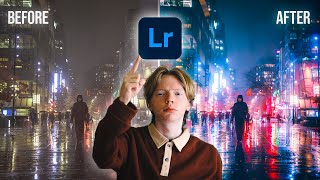
YouTube returned 6 videos for “Adobe Lightroom”, and we withheld 5: 5 did not mention Adobe Lightroom. Showing the 1 we can prove is about Adobe Lightroom.
Official links
Tools that pair well with Adobe Lightroom
Common stack mates teams adopt alongside Adobe Lightroom, with the specific reason each pairing earns its keep.

Airbrush
Airbrush is an AI photo editor for one-click portrait retouching, background removal, and object swaps on web, desktop, and mobile.

Topaz Labs
AI photo and video enhancement that repairs noisy, soft, low-res, and 8-bit GenAI files — on desktop, in the browser, and on mobile.

Adobe Photoshop
Adobe Photoshop: AI image editing with Firefly Generative Fill and layer-level precision
Alternatives to Adobe Lightroom
View all
Airbrush
Airbrush is an AI photo editor for one-click portrait retouching, background removal, and object swaps on web, desktop, and mobile.

Topaz Labs
AI photo and video enhancement that repairs noisy, soft, low-res, and 8-bit GenAI files — on desktop, in the browser, and on mobile.

Adobe Photoshop
Adobe Photoshop: AI image editing with Firefly Generative Fill and layer-level precision
Frequently Asked Questions
Categories
Topics
Used Adobe Lightroom? Help shape our editorial sentiment research.