AI Color Match is live · free plan, paid from $9.99/mo · last verified 24 Oct 2026 · viability monitor

AI Color Match
A free Polarr browser tool that copies the color look of any reference image onto your photo and exports it as a LUT or Lightroom Profile.
Reach for AI Color Match when the job is 'put this reference look on my photo and hand me something reusable', not 'grade this photo'. The LUT and Lightroom Profile export is the real feature: you leave with a look you can apply across a whole product catalog in Lightroom or Polarr Next, which one-click AI filters do not give you. It is a single-image browser utility, though — Polarr itself points you to the Polarr Next app for parameterized adjustments, full-sized exports and RAW. If you need scopes, layers or a batch queue, this is not that tool.
Verdict generatedVerified 5d ago · liveness 66/100 · cite: rightaichoice.com/tools/ai-color-match
- Photographers who have a reference look and want it on their own image
- Brand and e-commerce shooters chasing palette consistency across a campaign
- Lightroom or Polarr Next editors who want reusable LUTs and profiles
- Beginners who don't want to learn manual color grading
- Professional colorists needing frame-level controls and scopes
- Anyone grading a full sequence or multiple camera angles at once
- RAW shooters who need full-resolution output without leaving the browser
We scan live Reddit threads, YouTube comments, X posts, G2 reviews and other communities — and hand you an honest verdict in under a minute.
- Honest verdict, not marketing
- Real pros & cons from real users
- Attributed quotes with receipts
3 free scans · no card needed
Skip AI Color Match if you need to grade a whole shoot in one pass with scopes, curves and layers in front of you — it matches one image at a time in the browser and points heavier work to the Polarr Next app.
AI Color Match's pricing fits teams whose volume aligns with the published tiers. Compare against the alternatives listed below for stage-specific value.
In short
AI Color Match — A free Polarr browser tool that copies the color look of any reference image onto your photo and exports it as a LUT or Lightroom Profile. Best for Photographers who have a reference look and want it on their own image, Brand and e-commerce shooters chasing palette consistency across a campaign, Lightroom or Polarr Next editors who want reusable LUTs and profiles. Free to start; paid plans from $9.99/mo.
What is AI Color Match?
AI Color Match — A free Polarr browser tool that copies the color look of any reference image onto your photo and exports it as a LUT or Lightroom Profile. Best for Photographers who have a reference look and want it on their own image, Brand and e-commerce shooters chasing palette consistency across a campaign, Lightroom or Polarr Next editors who want reusable LUTs and profiles. Free to start; paid plans from $9.99/mo.
AI Color Match is a free browser tool from Polarr that recreates the editing style of any image on your own photo. You upload a source image, then pick a reference from Polarr's built-in samples or import your own jpeg, png or webp file. The Polarr Next AI reads the reference's color characteristics and transfers that look onto your shot, and a Strength slider controls how heavily the reference lands. It is built for people who already know the look they want — a brand palette, a film emulation, a movie still, a competitor's campaign — and need that look on their own frame without learning color grading by hand. You can download the finished edit straight from the browser. What separates it from one-click AI filter apps is the exit path. The matched look saves as a Lightroom Profile or a LUT, so it can be reused in Polarr Next, Lightroom, or other editors you already work in. The look travels with you instead of being trapped in someone else's app. The page carries a v1.0.7 version stamp and a 2025 copyright. Polarr positions the web tool as the quick path and the Polarr Next app (iOS, Android, macOS, Windows) as the place for parameterized adjustments, full-sized exports and RAW support, with a Polarr AI SDK listed as a separate product for developers. Versus filter apps, the LUT and profile export is the reason to pick this one; versus a real grading suite, single-image, browser-only framing is the ceiling.
Key features
- AI color style transfer from a reference image onto your own photo
- Built-in sample reference library
- Import your own reference as jpeg, png or webp
- Strength slider controlling how heavily the reference look is applied
- Export the matched look as a Lightroom Profile
- Export the matched look as a LUT for Polarr Next, Lightroom or other editors
- Download the finished edit directly from the browser
- Runs entirely in the browser with no installation
- Replace-image control to swap the source photo and re-match
- Companion Polarr Next apps for iOS and Android
- Companion Polarr Next apps for macOS and Windows
- Polarr Next adds parameterized adjustments, full-sized exports and RAW support
- Polarr AI SDK listed as a separate product for developers
- v1.0.7 build with a 2025 copyright stamp
Behind the verdict
AI Color Match is deliberately narrow, and that narrowness is its value. The workflow is three inputs: a source image you want to change, a reference image whose look you want, and a Strength slider. Polarr supplies sample references so you can see the transfer working before you trust it with your own files, and it accepts jpeg, png and webp uploads for the reference. Strengths. First, the export. The matched look saves as a LUT or a Lightroom Profile, which means the browser session produces an asset, not a screenshot. That matters for anyone running a campaign across dozens of frames: match the look once, export a LUT, apply it in the editor your team already uses. Second, no install — it runs in the browser, so a client-side or freelance collaborator can reach it without a license. Third, the samples lower the learning curve to near zero for a beginner who does not want to learn curves and wheels by hand. Weaknesses. The page describes one source image per match; there is no batch queue, so a 40-frame catalog is 40 manual passes. References are limited to jpeg, png and webp, and the page makes no video claim. Everything heavier — parameterized adjustments, full-sized exports, RAW handling — is handed off to the Polarr Next app, so the web tool is explicitly the lightweight path. Nothing on the page describes curve editing, multi-layer grading or scopes, which rules it out for anyone who needs to inspect and correct a look rather than accept it. Where it fits. Brand and e-commerce shooters chasing palette consistency, photographers who have a reference (a film still, a hero shot) and want it on their own frame, and Lightroom or Polarr Next editors who want to bank reusable LUTs and profiles. It also works as a preview step: match, look at it, decide whether the grade is worth committing to. Where it doesn't. Professional colorists need frame-level controls and scopes this does not offer. Anyone grading a sequence or multiple camera angles at once will fight the one-image-at-a-time model. RAW shooters who want full-resolution output without leaving the browser are pointed back to the Polarr Next app by Polarr's own footer note. One ownership note worth knowing: this is Polarr's free entry point into a wider product line — Polarr iOS/Android, Polarr macOS/Windows, and a Polarr AI SDK — so treat it as the doorway, not the destination.
Limitations
- The tool page describes a single source image per match, not a batch queue, so a large catalog means one manual pass per frame.
- Reference images are limited to jpeg, png and webp, and the page makes no video claim.
- Full-sized exports, parameterized adjustments and RAW handling are pointed toward the Polarr Next app rather than the web tool, so the browser version is the lightweight path by Polarr's own description.
- Nothing on the page describes curve editing, multi-layer grading, or scopes — you accept the transferred look rather than inspect and correct it.
as of 2026-10-24
Researching AI Color Match? Get your full AI stack in 60 seconds.
Free, no signup — tell us your goal and get tools matched to your budget & existing stack.
Is AI Color Match still active?
AI Color Match is live · free plan, paid from $9.99/mo · last verified 24 Oct 2026 · viability monitor.
Viability score
How well maintained and how widely used is AI Color Match? Built from what the vendor actually publishes (docs, changelog, tutorials, integrations, pricing), whether the site is live, and how much real users discuss it. How we calculate this
Last calculated: October 2026
How we score →What do users say about AI Color Match?
What people actually say about AI Color Match — is it worth it?
We ran a structured research pass across product reviews, community discussions, and post-purchase forum threads to surface the patterns vendors won't publish themselves. Below: the recurring strengths, the hidden costs people mention most, and the cohort that consistently regrets adopting this tool.
Researched25 mentions across 3 sources (YouTube, Product Hunt, Lemmy) · researched Oct 24, 2026.
Weighted by the 37 posts each of 3 sources contributed.
- +Free browser tool requires no installation and works immediately
- +LUT and Lightroom Profile export lets the look travel into real editing workflows
- +Strength slider gives fine control over how heavily the reference look lands
- +Built-in sample library plus custom jpeg/png/webp reference import
- +Maker explicitly designed it for novices who know the look but not the adjustments
- −Web tool is single-photo and browser-only, with no batch processing
- −No RAW support in the free browser version — a dealbreaker for many shooters
- −Support responsiveness is questionable; at least one user reported no reply
- −Genuine community feedback is very sparse, making reliability hard to verify
- −Export is limited to Lightroom Profile or LUT formats — no direct Resolve integration
- • Polarr Next subscription likely required for RAW and full-sized exports
- • SDK is a separate paid product for developers
- • No transparent pricing information in the scraped source data
How we verified this
Every listed fact about AI Color Match— pricing, features, links, status — is re-read from the vendor's own pages by our verification pipeline and each change is logged with a date; the last pass ran on 24 Oct 2026. Pages mix model-assisted synthesis with human review; see how we verify.
Verification history
We have re-verified AI Color Match 10 times since . Each pass re-reads the vendor's own pages and re-checks every listed field against that evidence; passes where nothing had changed are marked as such.
- — changed features, use cases, who it suits, switching out, who should skip it, setup time, hidden costs, summary, description, limitations, our verdict, switching in
- — changed our verdict, pricing tiers, description
- — changed features, pricing tiers, who should skip it, description, summary, who it suits, our verdict
- — changed setup time, who it suits, description, our verdict, features, hidden costs, limitations, switching in, switching out, who should skip it, pricing fit, summary, use cases
- — changed SSL certificate, domain expiry
- — changed hidden costs, summary, who should skip it, switching in, setup time, switching out, description, who it suits, pricing fit
Showing the 6 most recent of 10 verification passes.
Free to cite with attribution — this page re-verifies continuously.
How much does AI Color Match cost in 2026?
AI Color Match: Free to start; paid plans from $9.99/mo. Pricing last verified 24 Oct 2026.
12-month cost
Project the real annual outlay, including the implied monthly cost when only an annual tier is published.
Vendor list price only. Add-on usage, seat overages, and contract minimums are surfaced under Hidden costs & gotchas.
Where the pricing makes sense
The company stage and team size where AI Color Match's pricing actually pencils out — and where peers do it cheaper.
AI Color Match's pricing fits teams whose volume aligns with the published tiers. Compare against the alternatives listed below for stage-specific value.
Has AI Color Match's pricing changed?
No plan price for AI Color Match has moved since we began logging in Aug 2026; the pricing page is re-read on every verification pass.
Who should pick AI Color Match?
Pick AI Color Match if you are Photographers who have a reference look and want it on their own image, Brand and e-commerce shooters chasing palette consistency across a campaign, Lightroom or Polarr Next editors who want reusable LUTs and profiles, Beginners who don't want to learn manual color grading.
Look elsewhere if you are Professional colorists needing frame-level controls and scopes, Anyone grading a full sequence or multiple camera angles at once, RAW shooters who need full-resolution output without leaving the browser, Teams needing multi-user review or approval workflows inside the tool.
Skip it if Skip AI Color Match if you need to grade a whole shoot in one pass with scopes, curves and layers in front of you — it matches one image at a time in the browser and points heavier work to the Polarr Next app.
GeneratedReal-world workflow fit
Concrete scenarios for the personas AI Color Match actually fits — and what changes day-one when you adopt it.
You have an approved hero shot with the palette the brand signed off on, and 30 new product frames that came back flat. You upload one frame as the source, set the hero as the reference, tune Strength until the palette reads right, then export a LUT.
Outcome: The LUT goes into Lightroom and the remaining frames get the approved palette in a batch instead of 30 browser sessions.
A client sends a film still as the look they want. You upload your frame, import the still as a jpeg reference, and slide Strength until the transfer sits where you want it, then download the finished edit to show them.
Outcome: A concrete preview the client can react to in the same conversation, and a Lightroom Profile saved for when the full shoot lands.
You like a look you saw but don't know how to build it with curves. You open the tool, pick one of Polarr's built-in samples as the reference, drop in your photo and adjust the Strength slider.
Outcome: A finished edit downloaded from the browser without installing anything or learning manual grading.
Use cases
- Copy the look of a film still or reference photo onto your own image.
- Extract a brand's palette from a hero shot and reuse it as a LUT across a product catalog.
- Build a reusable Lightroom Profile from a look you like rather than re-grading each frame.
- Preview how a different color treatment reads before committing to a full grade.
- Match a set of campaign images to a single approved reference for consistency.
- Move a look created in the browser into Polarr Next or Lightroom for full-resolution work.
Setup time & first value
How long it actually takes to get something useful out of AI Color Match — broken out by persona, not the marketing-page minute.
E-commerce shooters: about 5-10 minutes to first usable LUT, since you already have a reference frame. Freelancers with a client mood board: 5 minutes to a shareable preview, longer if you iterate on Strength with the client. Beginners: 2 minutes to a first download, because Polarr's built-in samples mean you don't need to source a reference image before you start.
Switching to or from AI Color Match
How to bring data in from common predecessors and how to get it back out — written for the switcher, not the buyer.
- →From one-click AI filter apps: instead of a finished edit trapped in the app, match the look here and export a LUT or Lightroom Profile you keep.
- →From manual Lightroom grading: use a reference image you already like as the target and export the resulting profile rather than rebuilding the look wheel by wheel.
- →From Polarr Next app: the browser tool takes the same matched look and hands it back as a LUT or profile for full-resolution work in the app.
- ↗To Polarr Next: carry the matched look over as a LUT or Lightroom Profile, then use the app for parameterized adjustments, full-sized exports and RAW.
- ↗To Lightroom: import the exported Lightroom Profile or LUT and apply it across a catalog in your existing workflow.
- ↗To other editors: take the exported LUT into any editor that reads LUT files.
Resources & guides
Tutorials & Learning

Step-by-Step Guide: AI Color Match in CapCut PC | How to Copy Movie Color Grading Using Screenshot
Creative Suite Tutorials
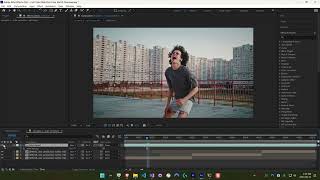
AI Color Match Tutorial
Mister X

Evoto AI Color Match is reinventing the way we edit photos! MUST SEE!
Josh Russell
YouTube returned 6 videos for “AI Color Match”, and we withheld 2: 2 did not mention AI Color Match. Showing the 4 we can prove are about AI Color Match.
Official links
What are the best AI Color Match alternatives?
The closest alternatives to AI Color Match we list are Topaz Labs, Unmark and Fotor. Ranked by direct product-type match, not category overlap.
| Alternative | Pricing | Starts at | Last verified |
|---|---|---|---|
| Topaz Labs | Paid | Pricing not published | — |
| Unmark | Freemium | Pricing not published | — |
| Fotor | Freemium | Pricing not published | — |
Alternatives to AI Color Match
View all
Topaz Labs
Topaz Labs AI photo and video enhancement: denoise, sharpen, and upscale images up to 16x in the browser, on mobile, or offline on desktop.


Tools that pair well with AI Color Match
Common stack mates teams adopt alongside AI Color Match, with the specific reason each pairing earns its keep.

Topaz Labs
Topaz Labs AI photo and video enhancement: denoise, sharpen, and upscale images up to 16x in the browser, on mobile, or offline on desktop.

Unmark
Unmark removes the Gemini sparkle watermark from AI images and Veo or Google Flow videos free in your browser.

Fotor
Fotor bundles a full AI photo editor with a multi-model AI image generator and AI video generator in one browser tab
AI Color Match vs its closest rival
AI Color Match's closest head-to-head is with Splice — AI Color Match is the clear choice for visual creators needing fast, AI-driven color grading for photos and videos. Splice is unmatched for music producers seeking a huge royalty-free sample library and rent-to-own plugins. Your pick depends on whether you work in visuals or audio—or you might need both tools. Verdict generated
Head-to-head comparisons
Ai Color Match vs Splice
AI Color Match is the clear choice for visual creators needing fast, AI-driven color grading for photos and videos. Splice is unmatched for music producers seeking a huge royalty-free sample library and rent-to-own plugins. Your pick depends on whether you work in visuals or audio—or you might need both tools.
GeneratedAi Color Match vs The New Black
These tools serve entirely different domains: AI Color Match is for photo/video color grading, while The New Black is for fashion design generation. Choose AI Color Match if you need to quickly match color styles across images or videos; choose The New Black if you are creating apparel or accessory designs from text prompts.
GeneratedAi Color Match vs Storyfile
Choose AI Color Match if you need fast, affordable AI color grading for images or videos. Choose StoryFile if you need authentic, interactive conversational AI avatars for museums, legacy preservation, or high-profile digital twins. The tools serve completely different needs, so your decision depends on whether you want to color correct media or create a human-like AI experience.
GeneratedFrequently asked questions
Best-of guides
Used AI Color Match? Help shape our editorial sentiment research.