
AI Interview Copilot
Real-time AI interview assistant for Apple devices — 57-language voice transcription plus GPT-4o answers driven from your clipboard.
AI Interview Copilot does one narrow job well: it feeds you real-time answers during a technical interview while you are on camera and sharing your screen. The mechanism is coherent — 57-language voice transcription, clipboard-based image recognition, GPT-4o answer generation for algorithmic problems, and mouse-only control so you never touch the keyboard. The deciding factor is platform. If you interview on Windows, Android, or in a browser, this tool cannot help you at all. Buy it if you live on macOS 14+ or iOS/iPadOS 17+ and interview virtually. Otherwise spend the money on Interviewing.io for live practice reps or LeetCode Premium for the underlying skill.
Verified 5d ago · liveness 51/100 · cite: rightaichoice.com/tools/ai-interview-copilot
- Software engineers in virtual technical interviews
- Data scientists facing algorithmic screens
- Non-native English speakers interviewing in a second language
- Apple-only candidates (Mac, iPhone, iPad) who want a discreet live assistant
- Windows, Android, or browser-only candidates — there is no web or Android version
- In-person or onsite interviews
- Roles that aren't technical or algorithmic
We scan live Reddit threads, YouTube comments, X posts, G2 reviews and other communities — and hand you an honest verdict in under a minute.
- Honest verdict, not marketing
- Real pros & cons from real users
- Attributed quotes with receipts
3 free scans · no card needed
Skip AI Interview Copilot if you interview on Windows, Android, or in a browser — it requires iOS/iPadOS 17+ or macOS 14+, and there is no web or Android build.
The homepage says you can try AI Interview Copilot for free but does not publish tiers, caps, or rates, so cost comparison at this stage is guesswork. Against practice platforms that sell recurring reps — Interviewing.io and LeetCode Premium — the comparison to make is per-interview value: this is a live aid for Apple-only candidates, not a trainer you reuse across a job search.
In short
AI Interview Copilot — Real-time AI interview assistant for Apple devices — 57-language voice transcription plus GPT-4o answers driven from your clipboard. Best for Software engineers in virtual technical interviews, Data scientists facing algorithmic screens, Non-native English speakers interviewing in a second language. Free to use.
What people actually say about AI Interview Copilot — is it worth it?
We ran a structured research pass across product reviews, community discussions, and post-purchase forum threads to surface the patterns vendors won't publish themselves. Below: the recurring strengths, the hidden costs people mention most, and the cohort that consistently regrets adopting this tool.
15 mentions across 2 sources (Hacker News, Lemmy) · researched Jul 3, 2026.
Average across the 2 sources that answered — each source counts once, not each post.
- +Real-time voice transcription in 57 languages – very broad language support.
- +GPT-4o integration provides high-quality code and answer generation.
- +Cross-device clipboard integration on Apple devices is smooth and fast.
- +One-click question sending from screenshot or clipboard minimizes typing.
- +Algorithmic problem-solving with code snippets aids technical interviews.
- −Apple-only – no Android, web, or Windows support.
- −Free tier is limited; paid plans may not justify value.
- −Privacy concerns – using AI during interviews may breach company policies.
- −Strong competition from free open-source alternatives like Second Brain.
- −Very sparse community feedback makes reliability uncertain.
- • Paid tier pricing not publicly listed – risk of surprise charges
- • Requires GPT-4o API costs if usage exceeds included limit
Viability Score
How well maintained and how widely used is AI Interview Copilot? Built from what the vendor actually publishes (docs, changelog, tutorials, integrations, pricing), whether the site is live, and how much real users discuss it. How we calculate this
Last calculated: October 2026
How we score →Key Features
- Real-time voice transcription during the interview
- Transcription supports 57 languages
- Image and screenshot recognition from the clipboard
- Algorithmic problem solving for technical interview questions
- Real-time code snippet generation
- Answers generated with GPT-4o
- Prompt switching with a single click or tap
- One-button question sending
- Mouse/trackpad-only control — no typing during the interview
- Prompts entered once before the interview
- Cross-device clipboard integration across Apple devices
- Works while screen-sharing via the shared clipboard
- iOS/iPadOS 17+ support
- macOS 14+ support
About AI Interview Copilot
AI Interview Copilot is a macOS and iOS app that runs alongside you during a virtual job interview. It converts the spoken conversation into on-screen text and supports 57 languages, so you can read what was asked instead of translating in your head. When a question arrives as an image or a screenshot — a coding challenge, a whiteboard photo — you copy it to the clipboard and the app sends it for an answer. Answers are generated by GPT-4o, and for technical roles the tool works through algorithmic problems and produces code snippets. The control model is deliberately minimal: you write your prompts once before the interview, then drive everything with a mouse or trackpad, so you never type mid-call. A shared clipboard across Apple devices lets you paste a question on one device and read the answer on another, including while your Mac is sharing its screen. It requires iOS/iPadOS 17+ or macOS 14+, and there is no web or Android build, so it only fits candidates who interview from Apple hardware. The homepage states you can try it for free; it does not publish usage caps, so confirm limits before you rely on it in a live interview.
Behind the Verdict
The interesting design decision here is what the app refuses to do. Most AI interview assistants bolt on a text box so you can type follow-ups mid-call; this one makes you set prompts once before the interview and then control everything with a mouse or trackpad. That is the right call for the actual setting — you are on camera, often sharing your screen, and typing is both conspicuous and slow. The one-button send and single-click prompt switching keep the interaction to a gesture.\n\nThe second real feature is the cross-device clipboard across Apple devices. Practically, this means your Mac can hold the video call and screen share while the answer renders on an iPhone or iPad next to you. The vendor explicitly notes this works while you are screen-sharing, which is the scenario that usually breaks overlay-style assistants.\n\nThird, the input side is broader than voice. Clipboard image and screenshot recognition means a coding problem delivered as an image, or a whiteboard snapshot, can be submitted without retyping it. Combined with algorithmic problem solving and real-time code snippet generation, the tool is aimed squarely at software engineers and data scientists in technical screens rather than at behavioral rounds.\n\nWhere this gets uncomfortable is coverage. Voice transcription plus clipboard handoff are both load-bearing: if transcription drifts or the clipboard sync stalls mid-interview, the help degrades exactly when you need it. Prompts are also front-loaded — you cannot meaningfully rewrite your instructions once the call starts. And the platform requirement is hard: iOS/iPadOS 17+ or macOS 14+, with no web or Android version, which rules out a large share of candidates outright. There is also no published usage cap on the homepage, so anyone planning to lean on this in a high-stakes loop should get the limits confirmed in writing first.\n\nCompared with the wider field: Interviewing.io sells you repeated practice with real engineers, which builds the skill rather than supplying the answer; LeetCode Premium drills the underlying algorithms. AI Interview Copilot is a live aid, not a trainer. Use it alongside practice, not instead of it — and read your target employer's interview and technology policies before you decide what to bring into a call.
Researching AI Interview Copilot? Get your full AI stack in 60 seconds.
Free, no signup — tell us your goal and get tools matched to your budget & existing stack.
Real-world workflow fit
Concrete scenarios for the personas AI Interview Copilot actually fits — and what changes day-one when you adopt it.
They install the app on a Mac, enter their prompts before the call, and start the interview with transcription running in their native language. When a question comes in as a shared screen or a pasted screenshot, they copy it to the clipboard and press the one button to send it.
Outcome: They read the question as text at their own pace instead of decoding fast speech in real time, and get a GPT-4o answer on screen without typing mid-call.
A coding challenge arrives as an image in the interviewer's shared screen. The candidate screenshots it, the clipboard syncs to their iPad, and they send it with one tap while their Mac keeps sharing the screen.
Outcome: They get a worked approach and a code snippet from the algorithmic problem solver without breaking the screen share or reaching for the keyboard.
The call pivots from system design to a data question. They switch to a different pre-written prompt template with a single click, then send the next question with the one-button control.
Outcome: They stay on the same setup with no retyping, though they cannot rewrite the underlying prompts once the interview has started.
Use Cases
- Read a live transcript of an interview question in your second language instead of translating in your head
- Screenshot a coding challenge, paste it to the clipboard, and get a worked solution mid-call
- Generate a code snippet on the fly when a technical question catches you cold
- Switch between pre-written prompt templates with one click as the interview shifts topics
- Read answers on an iPhone or iPad while your Mac handles the screen share
Models Under the Hood
as of 2026-10-15
Limitations
- The app requires iOS/iPadOS 17+ or macOS 14+, so Windows, Android, and browser-only candidates cannot use it at all.
- Real-time help depends on two load-bearing pieces: voice transcription of the conversation and clipboard-based image/screenshot handoff.
- If either breaks mid-interview, the assistance degrades.
- Prompts are configured before the interview rather than during it, so ad-hoc customization on the fly is limited.
- The homepage does not publish usage caps, so confirm limits — and how the free tier is bounded — in writing before you rely on it in a live interview.
- Finally, this is a live aid, not interview training: it does not build the underlying skill the way practice platforms do.
as of 2026-10-13
Verification history
We have re-verified AI Interview Copilot 10 times since . Each pass re-reads the vendor's own pages and re-checks every listed field against that evidence; passes where nothing had changed are marked as such.
- — re-checked, vendor evidence unchanged
- — re-checked, vendor evidence unchanged
- — re-checked, vendor evidence unchanged
- — re-checked, vendor evidence unchanged
- — re-checked, vendor evidence unchanged
- — re-checked, vendor evidence unchanged
Showing the 6 most recent of 10 verification passes.
Free to cite with attribution — this page re-verifies continuously.
12-month cost
Project the real annual outlay, including the implied monthly cost when only an annual tier is published.
Vendor list price only. Add-on usage, seat overages, and contract minimums are surfaced under Hidden costs & gotchas.
Where the pricing makes sense
The company stage and team size where AI Interview Copilot's pricing actually pencils out — and where peers do it cheaper.
The homepage says you can try AI Interview Copilot for free but does not publish tiers, caps, or rates, so cost comparison at this stage is guesswork. Against practice platforms that sell recurring reps — Interviewing.io and LeetCode Premium — the comparison to make is per-interview value: this is a live aid for Apple-only candidates, not a trainer you reuse across a job search.
Setup time & first value
How long it actually takes to get something useful out of AI Interview Copilot — broken out by persona, not the marketing-page minute.
Setup is short because the app asks little of you: install on macOS 14+ or iOS/iPadOS 17+, then write your prompts once before the call. Budget five to ten minutes to draft prompt templates and confirm the shared clipboard is syncing between your Mac and your second Apple device before you join a live interview.
Resources & Guides
Tutorials & Learning
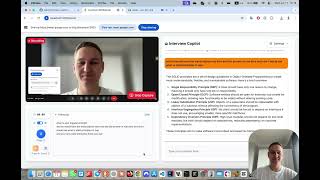
AI Interview Copilotのセットアップ方法【2分で完了】
AI Interview Copilot
LockedIn AI Interview Copilot Tutorial
LockedIn AI
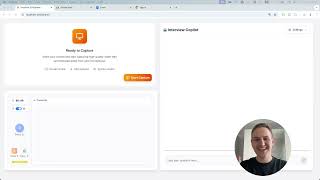
AI Interview Copilot — Real-Time Answers & 2-Min Setup (Lifetime Access)
AI Interview Copilot
YouTube returned 6 videos for “AI Interview Copilot”, and we withheld 2: 2 did not mention AI Interview Copilot. Showing the 4 we can prove are about AI Interview Copilot.
Official links
Tools that pair well with AI Interview Copilot
Common stack mates teams adopt alongside AI Interview Copilot, with the specific reason each pairing earns its keep.

Featured Head-to-Head Comparisons
Ai Interview Copilot vs Surge Ai
Choose AI Interview Copilot if you're a job seeker needing discreet, real-time AI help during technical interviews—it's purpose-built for that moment. Choose Surge AI if you're building or evaluating frontier models and need expert human feedback, rigorous benchmarks, and red-teaming support. They serve completely different needs; there's no direct overlap.
Ai Interview Copilot vs Praktika
If your goal is to improve spoken fluency in a new language through immersive AI conversation, Praktika is the clear choice with its structured feedback and adaptive plans. If you're a software engineer preparing for technical interviews and need a discreet Apple-powered assistant that generates answers in real time, AI Interview Copilot is uniquely suited. They solve entirely different problems, so pick based on whether you need language practice or interview support.
Alternatives to AI Interview Copilot
View all
Interview Pilot
Interview Pilot is a real-time AI interview copilot that drafts resume-tailored answers in about 1 second across 99+ languages.
Popular in Resume, Career & Interview Prep


Frequently Asked Questions
Categories
Best-of guides
Used AI Interview Copilot? Help shape our editorial sentiment research.