
AI Product Photos
AI-generated product photography for e-commerce brands, with unlimited free generations and pay-per-download pricing.
Pick AI Product Photos if you sell physical products and need on-brand backgrounds without booking a photographer or paying per failed generation. The drag-and-drop editor, hundreds of category templates, and unlimited free generations with downloads starting at $2.99 mean you can iterate freely. At $32/month Pro you get 10 downloads, so a catalog with hundreds of SKUs will push you toward Business ($82/month) or Business Plus ($115/month). If you need photorealistic human models, CreatorKit points you to its AI Actors product; for deeper editing or a different generation engine, compare Claid or Zyro AI before committing.
Verified 11h ago · liveness 66/100 · cite: rightaichoice.com/tools/ai-product-photos
- E-commerce brands that need product photos without hiring a photographer
- Small to medium businesses managing multiple product lines who want unlimited free generations
- Marketing agencies producing product imagery for social ads and catalogs
- DTC brands optimizing product pages with varied backgrounds
- Users needing photorealistic human models in product shots (CreatorKit points to its AI Actors product)
- Advanced image editing such as compositing multiple products or fine retouching
- Non-e-commerce users seeking general-purpose AI image generation
We scan live Reddit threads, YouTube comments, X posts, G2 reviews and other communities — and hand you an honest verdict in under a minute.
- Honest verdict, not marketing
- Real pros & cons from real users
- Attributed quotes with receipts
3 free scans · no card needed
Skip AI Product Photos if you need photorealistic human models in the shot, heavy compositing or retouching, or general-purpose AI image generation — this tool is purpose-built for e-commerce product backgrounds and download caps are low on cheap tiers.
Pro is $32/month for only 10 downloads, so a mid-size catalog quickly pushes you to Business at $82/month or Business Plus at $115/month.
Pricing fits solo sellers and small brands on the $0 Free tier and lean operators on Pro at $32/month, but the 10-download cap doesn't stretch far. Business ($82/month) and Business Plus ($115/month) are where agencies and multi-SKU stores land. Per-download at $2.99 competes well against per-generation tools like Claid and Zyro AI, but if you need high download volume, compare Business Plus against those competitors' volume plans before committing.
In short
AI Product Photos — AI-generated product photography for e-commerce brands, with unlimited free generations and pay-per-download pricing. Best for E-commerce brands that need product photos without hiring a photographer, Small to medium businesses managing multiple product lines who want unlimited free generations, Marketing agencies producing product imagery for social ads and catalogs. Free to start; paid plans from $32/mo.
What people actually say about AI Product Photos — is it worth it?
We scanned public community sources for AI Product Photos on Jul 3, 2026 and could not establish that the discussion we found is about this tool rather than something else sharing its name. Our own analysis of that scan says the posts were off-subject. Rather than publish a sentiment score built on the wrong subject, we publish nothing here and re-run the scan.
Viability Score
How well maintained and how widely used is AI Product Photos? Built from what the vendor actually publishes (docs, changelog, tutorials, integrations, pricing), whether the site is live, and how much real users discuss it. How we calculate this
Last calculated: October 2026
How we score →Key Features
- AI background generation optimized for e-commerce product photos
- Drag-and-drop editor with direct control over AI backgrounds and compositions
- Hundreds of category-specific templates (supplements, beauty, beverages, candles, furniture, jewelry, perfumes, skincare, bags, shoes)
- Unlimited free AI image generations on every plan, including Free
- Pay-per-download pricing starting at $2.99 per image
- Remove background and replace with AI-generated backgrounds
- Text prompt and product image upload for custom backgrounds
- High-resolution image downloads
- Watermark removal on paid plans
- 24-hour priority support on Pro and Business plans
- Real-time support on Business Plus and Enterprise
- Shopify integration for generating photos inside the Shopify admin
- Brand Kit integration for automatic branding across images
- Custom scenes and custom AI clones on Enterprise
- Video editing for performance, available on Enterprise
About AI Product Photos
AI Product Photos is CreatorKit's e-commerce product photography tool. It launched in 2022 with AI-generated backgrounds blended into your product image, and the 2024 rebuild replaced the earlier randomness with a drag-and-drop editor that gives you direct control over AI-generated backgrounds and compositions. You work through hundreds of templates tuned to specific product categories — supplements, beauty, beverages, candles, furniture, jewelry, perfumes, skincare, bags, and shoes — with backgrounds optimized using data from thousands of e-commerce stores selling AI-generated imagery. Generations are unlimited and free on every plan, including the free tier; you only pay for the images you actually download, starting at $2.99 per image. Paid plans run Pro at $32/month (10 downloads), Business at $82/month (50 downloads), and Business Plus at $115/month (100 downloads), with an Enterprise tier for custom AI clones, done-for-you services, custom scenes, and video editing. A deep Shopify integration lets you generate photos straight from the Shopify admin and reuse them in CreatorKit's video templates. Over 35,000 businesses use it, from small brands to large agencies. It's built specifically for e-commerce product imagery rather than general-purpose AI image generation.
Behind the Verdict
The strongest part of AI Product Photos is the economics. CreatorKit made every generation free and unlimited across all plans, including the $0 free tier, and charges only when you download an image. That inverts how most AI image tools work — you stop paying for outputs you throw away. The 2024 rebuild matters too: the original 2022 version produced random backgrounds, and the drag-and-drop editor that replaced it gives you real control over composition instead of rolling the dice. Category templates go deeper than generic prompts. There are dedicated sets for supplements, beauty, beverages, candles, furniture, jewelry, perfumes, skincare, bags, and shoes, and backgrounds are tuned against patterns from thousands of e-commerce stores using CreatorKit. The Shopify integration is the other standout: you generate photos inside the Shopify admin and carry them into CreatorKit's video templates, which keeps one workflow for both statics and video. The limits are worth naming. Downloads, not generations, are the real currency, so every plan has a hard ceiling — 5 on Free, 10 on Pro, 50 on Business, 100 on Business Plus — and the free tier watermarks images unless you upgrade. Pro's $32/month buys only 10 downloads, which works for a small brand testing creatives but not for a retailer refreshing a large catalog. The tool is purpose-built for product photography, so it isn't a general image editor: compositing multiple products or fine retouching isn't the job here, and human models require CreatorKit's separate AI Actors product. There's no desktop app — it's browser-based plus the Shopify app. Where it fits: DTC and marketplace sellers, agencies producing ad creatives at volume, and founders launching products often who want cheap, fast imagery. Where it doesn't: teams needing heavy retouching, general-purpose AI art, or photorealistic models in the shot.
Researching AI Product Photos? Get your full AI stack in 60 seconds.
Free, no signup — tell us your goal and get tools matched to your budget & existing stack.
Real-world workflow fit
Concrete scenarios for the personas AI Product Photos actually fits — and what changes day-one when you adopt it.
Uploads a product bottle photo, picks the supplements category template, generates multiple AI backgrounds for free, then downloads the two or three variants that look right at $2.99 each or via a Pro subscription.
Outcome: Gets on-brand product images for the listing and ad tests in minutes without a photographer or a per-generation bill.
Builds multiple background variations for a client's beauty SKUs using the drag-and-drop editor and Brand Kit, then downloads the approved set on Business or Business Plus to stay inside the plan's download allotment.
Outcome: Delivers consistent, varied static creative for client ad campaigns at a fraction of studio cost and turnaround.
Generates product photos directly inside the Shopify admin via the CreatorKit app, then reuses them in CreatorKit's video templates for the same listing.
Outcome: Keeps static and video creative in one workflow without exporting between tools.
Use Cases
- Generate product photos for an entire supplement line in minutes using category-specific templates.
- Create consistent background styles across all SKUs for a beauty brand with Brand Kit integration.
- Produce multiple background variations quickly to A/B test Facebook and Instagram ad creatives.
- Design seasonal product imagery for a candle business without reshooting product.
- Refresh a jewelry store's catalog with clean, professional looks for Shopify listings.
Models Under the Hood
as of 2026-09-25
Limitations
- Generations are unlimited and free on every plan, but downloads are capped: 5 on Free, 10 on Pro, 50 on Business, and 100 on Business Plus.
- The free tier watermarks images, and removing the watermark requires a paid plan; Pro at $39/month covers only 10 downloads, so catalog-scale work pushes you to Business or Business Plus.
- The tool is optimized for e-commerce product photography with category templates rather than being a general image generator or full image editor, and photorealistic human models require CreatorKit's separate AI Actors product.
- It runs in the browser as part of the CreatorKit suite alongside the Shopify admin integration.
as of 2026-09-14
Verification history
We have re-verified AI Product Photos 8 times since . Each pass re-reads the vendor's own pages and re-checks every listed field against that evidence; passes where nothing had changed are marked as such.
- — re-checked, vendor evidence unchanged
- — re-checked, vendor evidence unchanged
- — re-checked, vendor evidence unchanged
- — re-checked, vendor evidence unchanged
- — re-checked, vendor evidence unchanged
- — re-checked, vendor evidence unchanged
Showing the 6 most recent of 8 verification passes.
Free to cite with attribution — this page re-verifies continuously.
12-month cost
Project the real annual outlay, including the implied monthly cost when only an annual tier is published.
Vendor list price only. Add-on usage, seat overages, and contract minimums are surfaced under Hidden costs & gotchas.
Plans compared
For each published AI Product Photos tier: who it actually fits, and what it adds vs. the previous tier. Cross-reference the cost calculator above for projected annual outlay.
Free
$0/mo
Ideal for
Solo seller or small brand testing AI product photos before committing budget.
What this tier adds
Free entry point: unlimited generations with 5 image downloads, watermarked, plus chat support.
Pro
$32/mo
Ideal for
Small DTC brand that needs unwatermarked images for a handful of SKUs each month.
What this tier adds
Adds watermark removal and 24-hour priority support while raising downloads to 10.
Business
$82/mo
Ideal for
Growing store or agency managing several product lines and regular ad creative.
What this tier adds
Raises downloads from 10 to 50 per month on top of Pro's watermark removal and priority support.
Business Plus
$115/mo
Ideal for
Agency or multi-line e-commerce brand producing high volumes of product imagery.
What this tier adds
Raises downloads from 50 to 100 per month and upgrades support to real-time.
Enterprise
Custom
Ideal for
Large brands and agencies needing custom scenes, custom AI clones, and hands-on services.
What this tier adds
Adds custom AI clones, done-for-you services, unlimited revisions, custom scenes, and video editing for performance on top of Business Plus.
Where the pricing makes sense
The company stage and team size where AI Product Photos's pricing actually pencils out — and where peers do it cheaper.
Pricing fits solo sellers and small brands on the $0 Free tier and lean operators on Pro at $32/month, but the 10-download cap doesn't stretch far. Business ($82/month) and Business Plus ($115/month) are where agencies and multi-SKU stores land. Per-download at $2.99 competes well against per-generation tools like Claid and Zyro AI, but if you need high download volume, compare Business Plus against those competitors' volume plans before committing.
Setup time & first value
How long it actually takes to get something useful out of AI Product Photos — broken out by persona, not the marketing-page minute.
For a Shopify store owner, first value comes fastest: install the CreatorKit Shopify app, generate photos from the admin, and download within the free 5-download allotment in under an hour. A browser-only user can sign up, pick a category template, and generate free images the same session. Agencies handling multiple client brand kits should budget a bit more time for Brand Kit setup before the
Switching to or from AI Product Photos
How to bring data in from common predecessors and how to get it back out — written for the switcher, not the buyer.
- →From a traditional product photographer: upload existing product shots, generate AI backgrounds in CreatorKit, and download the approved set instead of booking a reshoot.
- →From a per-credit AI image tool: move product shots into CreatorKit's category templates and switch to pay-per-download, so only images you keep are billed.
- →From manual Photoshop background removal: use the remove-background plus AI-background flow and the drag-and-drop editor to replace the layer-by-layer process.
- ↗To Claid: export your downloaded images and move if you need a different generation engine or broader editing.
- ↗To Zyro AI: switch if you want a different tool's output style for product imagery.
- ↗To general-purpose AI image tools: leave when you need art beyond e-commerce product photos, accepting that you lose the category templates and pay-per-download model.
Integrations
Resources & Guides
Tutorials & Learning
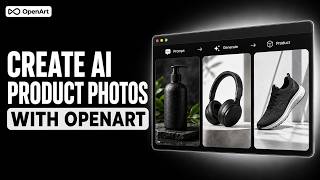
YouTube returned 6 videos for “AI Product Photos”, and we withheld 5: 5 did not mention AI Product Photos. Showing the 1 we can prove is about AI Product Photos.
Official links
Tools that pair well with AI Product Photos
Common stack mates teams adopt alongside AI Product Photos, with the specific reason each pairing earns its keep.

Pacdora AI Background Generator
Free AI background generator that replaces and generates realistic 3D product scenes for e-commerce listings.

Ecom Design Lab
AI product photos, virtual try-on and 5-second video ads for fashion e-commerce brands.

DaivenciAI
Free, no-login AI creative studio bundling dozens of guided image tools — baby prediction, e-commerce product photos, portraits, and style conversion.
Featured Head-to-Head Comparisons
Ai Product Photos vs Adobe Firefly Services
For quick, affordable e-commerce product photos with simple drag-and-drop, AI Product Photos is the winner with its unlimited free generations and e-commerce templates. For enterprise teams needing compliance, custom models, and scalable API automation, Adobe Firefly Services is the right choice despite higher complexity and cost.
Ai Product Photos vs Qoves
QOVES and AI Product Photos serve entirely different needs: QOVES is a paid AI facial analysis platform for individuals seeking a data-driven, non-surgical glow-up plan, while AI Product Photos is a freemium tool for e-commerce brands needing quick, professional product photos. There is no direct competition; the choice depends on whether you need beauty analysis or product imagery.
Ai Product Photos vs The New Black
If you need AI-generated fashion designs with tech pack exports, The New Black is purpose-built for apparel prototyping. For e-commerce product photos with unlimited free generations, AI Product Photos offers more accessible pricing and category-specific templates. Choose based on your output need: fashion design vs product photography.
Alternatives to AI Product Photos
View all
Pacdora AI Background Generator
Free AI background generator that replaces and generates realistic 3D product scenes for e-commerce listings.

Ecom Design Lab
AI product photos, virtual try-on and 5-second video ads for fashion e-commerce brands.

DaivenciAI
Free, no-login AI creative studio bundling dozens of guided image tools — baby prediction, e-commerce product photos, portraits, and style conversion.
Frequently Asked Questions
Categories
Best-of guides
Used AI Product Photos? Help shape our editorial sentiment research.