
Android CLI
Google's terminal toolkit that lets any AI agent scaffold, build, and deploy Android apps with far fewer tokens.
Android CLI is worth adopting if you already drive Android work through an agent in a terminal. The two numbers Google published — over 70% less LLM token usage and 3x faster task completion versus standard toolsets in internal experiments — come from the vendor's own testing, so treat them as directional, not benchmarked independently. What is concrete is the command surface: android create, android sdk install, android emulator, android run, android update, android skills, android docs. If you live in Android Studio with visual debugging, the CLI adds little on its own. If you're scripting CI or running Gemini CLI, Claude Code, or Codex against an Android repo, the Android Knowledge Base
Verified 1h ago · liveness 70/100 · cite: rightaichoice.com/tools/android-cli
- Android developers driving work through Gemini CLI, Claude Code, Codex, or Antigravity
- Teams scripting Android builds and deploys in CI
- Agent builders who want Android commands that don't blow up token budgets
- Multi-platform teams needing quick Android scaffolding from the terminal
- Developers who want GUI layout editing and visual debugging as their primary workflow
- People who don't work in a terminal and don't use an AI agent
- Projects targeting iOS or web with no Android component
We scan live Reddit threads, YouTube comments, X posts, G2 reviews and other communities — and hand you an honest verdict in under a minute.
- Honest verdict, not marketing
- Real pros & cons from real users
- Attributed quotes with receipts
3 free scans · no card needed
Skip Android CLI if you don't work in a terminal or with an AI agent — it's built for agentic and scripted Android workflows, and Google itself points you to Android Studio for visual debugging and layout work.
Android CLI's pricing fits teams whose volume aligns with the published tiers. Compare against the alternatives listed below for stage-specific value.
In short
Android CLI — Google's terminal toolkit that lets any AI agent scaffold, build, and deploy Android apps with far fewer tokens. Best for Android developers driving work through Gemini CLI, Claude Code, Codex, or Antigravity, Teams scripting Android builds and deploys in CI, Agent builders who want Android commands that don't blow up token budgets. Free to use.
What's new in Android CLI
Checked 6 days agoAcross the latest 1 update: 1 launch.
What people actually say about Android CLI — is it worth it?
We ran a structured research pass across product reviews, community discussions, and post-purchase forum threads to surface the patterns vendors won't publish themselves. Below: the recurring strengths, the hidden costs people mention most, and the cohort that consistently regrets adopting this tool.
33 mentions across 3 sources (Hacker News, Product Hunt, Lemmy) · researched Jul 3, 2026.
Average across the 3 sources that answered — each source counts once, not each post.
- +Reduces LLM token usage by over 70% for faster agent workflows.
- +Structured 'skills' replace vague documentation with precise step-by-step instructions.
- +Live knowledge base keeps agents updated with official Android APIs.
- +Works with any AI agent - Gemini, Claude Code, Codex and more.
- +Selective SDK downloads only what's needed, saving space and time.
- −Windows install script returns 404, blocking some users initially.
- −Google collects usage data by default (commands, flags) - opt-out not obvious.
- −Community validation is shallow - only launch hype, no long-term reviews.
- −Little discussion of real-world '3x faster' claim from actual projects.
- −Knowledge base update mechanism is undocumented, raising freshness concerns.
- • Potential bandwidth for SDK downloads
- • Time to set up telemetry opt-out if desired
Viability Score
How well maintained and how widely used is Android CLI? Built from what the vendor actually publishes (docs, changelog, tutorials, integrations, pricing), whether the site is live, and how much real users discuss it. How we calculate this
Last calculated: October 2026
How we score →Key Features
- SDK management via android sdk install, downloading only the components you need
- Project creation from official templates via android create
- Virtual device creation and management via android emulator
- App deployment to devices via android run
- Self-updating toolchain via android update
- Android Skills GitHub repository of modular SKILL.md instruction sets
- Skills trigger automatically when your prompt matches their metadata
- Skill coverage for Navigation 3 setup and migration
- Skill coverage for edge-to-edge support
- Skill coverage for AGP 9 and XML-to-Compose migrations
- Skill coverage for R8 config analysis
- Android Knowledge Base accessed via android docs for agent grounding
- Knowledge Base draws on Android developer docs, Firebase, Google Developers, and Kotlin docs
- Works with Gemini CLI, Claude Code, Codex, Antigravity, and Gemini in Android Studio
- Designed to streamline CI, maintenance, and scripted automation
About Android CLI
Android CLI is Google's command-line interface for doing Android development from the terminal instead of Android Studio. Announced on the Android Developers Blog on 16 April 2026, it gives AI agents a lightweight, programmatic way to touch the Android SDK: android sdk install pulls down only the components you need, android create generates a new project from Google's official templates so recommended architecture is baked in from the first line, android emulator spins up a virtual device, android run deploys to it, and android update keeps the toolchain current. In Google's internal experiments, this setup reduced LLM token usage by more than 70% and finished tasks 3x faster than when agents tried the same work with standard toolsets. Two companion resources ship alongside it: Android Skills, a GitHub repository of modular SKILL.md instruction sets (Navigation 3 setup and migration, edge-to-edge support, AGP 9 and XML-to-Compose migrations, R8 config analysis) that trigger automatically when your prompt matches, and the Android Knowledge Base, reachable through android docs, which lets an agent search current guidance from Android developer docs, Firebase, Google Developers, and Kotlin docs so it isn't stuck on an old training cutoff. It is agent-agnostic — the blog names Gemini in Android Studio, Gemini CLI, Antigravity, Claude Code, and Codex — and Google positions it as a complement to Android Studio rather than a replacement, with the option to move into the IDE for visual fine-tuning.
Behind the Verdict
Android CLI's real pitch is not that it replaces Android Studio — Google says plainly that Android Studio remains where the state-of-the-art tools and agents live, and that you can transition there whenever you want. The pitch is that agents are bad at improvising Android setup. They hallucinate Gradle configs, reach for outdated patterns, and burn context reading documentation they then half-remember. Android CLI attacks that from two directions. First, it narrows the surface: instead of an agent discovering the SDK layout, it runs android sdk install for the specific components needed, android create for a template-scaffolded project, android emulator to bring up a device, and android run to deploy. Fewer tool calls, fewer tokens — which is where Google's claim of over 70% token reduction and 3x faster completion comes from. Second, it grounds the model: Android Skills ships modular SKILL.md files that describe a specific task precisely and fire automatically when your prompt matches the skill's metadata, so you don't hand-attach docs to every prompt. The initial set covers Navigation 3 setup and migration, edge-to-edge, AGP 9 and XML-to-Compose migrations, and R8 config analysis. The Android Knowledge Base, reached with android docs, does the same job for reference material, pulling current guidance from Android developer docs, Firebase, Google Developers, and Kotlin docs — which matters because a model's training cutoff will always lag Android's release train. The agent-agnostic stance is the smartest part: Google names Gemini in Android Studio, Gemini CLI, Antigravity, Claude Code, and Codex, and explicitly says the mission is high-quality Android development everywhere rather than lock-in to one assistant. Where it falls short: this is a terminal tool for people who already work in a terminal, the launch is recent, and the skills repository is described as a growing collection rather than a complete one. Teams that need layout editing, profiling, or visual debugging still end up in Android Studio. Treat Android CLI as the fast path for scaffolding, device management, and scripted automation, and Android Studio as where the app gets polished.
Researching Android CLI? Get your full AI stack in 60 seconds.
Free, no signup — tell us your goal and get tools matched to your budget & existing stack.
Real-world workflow fit
Concrete scenarios for the personas Android CLI actually fits — and what changes day-one when you adopt it.
You want a new app started without hand-writing Gradle files. You run android sdk install for the components you need, then android create to generate the project from Google's official template.
Outcome: A project with recommended architecture in place from the first line of code, set up with far fewer agent tool calls than navigating the SDK manually.
Your pipeline needs to build and deploy on every commit. You script android sdk install, android create, and android run into the job instead of driving Android Studio or hand-rolled Gradle steps.
Outcome: A scriptable build and deploy path Google designed for CI, maintenance, and other scripted automation.
You're moving a codebase to Navigation 3 or converting XML to Compose. You install the matching Android Skill from the repository so it triggers when your prompt matches, and use android docs to pull current guidance.
Outcome: The agent follows the current Android patterns rather than outdated ones, grounded in the Android Knowledge Base.
Use Cases
- Scaffold a new Android project from Google's official templates with a single android create command.
- Download only the SDK components a specific project needs instead of a full SDK install.
- Spin up an Android Virtual Device and deploy to it without manual device configuration.
- Give an agent the Navigation 3 or edge-to-edge skill so it follows current patterns automatically.
- Automate Android builds and deployments in a CI pipeline using scripted CLI commands.
- Ground an agent's answers in current Android docs through the Android Knowledge Base.
- Run an AGP 9 or XML-to-Compose migration with a skill guiding the agent.
- Start a project in the terminal and hand off to Android Studio for visual fine-tuning.
Models Under the Hood
as of 2026-10-16
Limitations
- Android CLI is a terminal toolkit for agentic Android development, and Google positions it as a complement to Android Studio, not a replacement.
- The 70% token reduction and 3x faster completion figures come from Google's internal experiments, not independent benchmarking, so treat them as directional.
- Android Studio remains where Google points for state-of-the-art tools, agents, and visual work.
- The launch is recent (16 April 2026) and the Android Skills repository is described as an initial release and a growing collection, so coverage of individual workflows will vary.
- Advanced profiling and layout editing still require a full IDE.
as of 2026-10-01
Verification history
We have re-verified Android CLI 8 times since . Each pass re-reads the vendor's own pages and re-checks every listed field against that evidence; passes where nothing had changed are marked as such.
- — re-checked, vendor evidence unchanged
- — re-checked, vendor evidence unchanged
- — re-checked, vendor evidence unchanged
- — re-checked, vendor evidence unchanged
- — re-verified summary, description, our verdict, our analysis, pricing model, pricing tiers, features, integrations, who it suits, who should skip it
- — re-verified summary, description, our verdict, our analysis, pricing model, pricing tiers, features, integrations, who it suits, who should skip it
Showing the 6 most recent of 8 verification passes.
Free to cite with attribution — this page re-verifies continuously.
Where the pricing makes sense
The company stage and team size where Android CLI's pricing actually pencils out — and where peers do it cheaper.
Android CLI's pricing fits teams whose volume aligns with the published tiers. Compare against the alternatives listed below for stage-specific value.
Setup time & first value
How long it actually takes to get something useful out of Android CLI — broken out by persona, not the marketing-page minute.
If you already have an agent and a terminal open, expect minutes rather than hours: install the CLI, run android sdk install for the components a project needs, then android create to generate a project. The blog presents android create as making a project in seconds. Teams wiring the CLI into an existing CI pipeline should plan for a normal scripting pass rather than a one-command drop-in.
Switching to or from Android CLI
How to bring data in from common predecessors and how to get it back out — written for the switcher, not the buyer.
- →From manual SDK setup: replace piecemeal downloads with android sdk install to fetch only the components needed.
- →From hand-written project scaffolding: use android create so official templates and recommended architecture apply from the first line.
- →From manual device and deploy cycles: switch to android emulator and android run to remove guesswork.
- →From prompt-attached documentation: install Android Skills so SKILL.md instruction sets trigger automatically on matching prompts.
- →From stale model knowledge: use android docs to ground the agent in current Android Knowledge Base content.
- ↗To Android Studio: continue the same project with visual layout editing, profiling, and the IDE's AI-powered tooling.
- ↗To a full IDE workflow: move once the app needs visual fine-tuning rather than terminal scaffolding.
Integrations
Resources & Guides
Tutorials & Learning
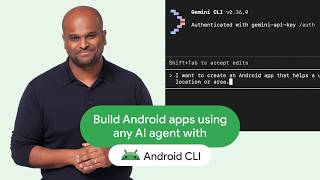
Build Android apps using any AI agent with Android CLI and skills
Android Developers、他 2 チャンネル
![[Android]Android CLIをさわる回 - 202608122110Wed #android](https://img.youtube.com/vi/_lG3HJw0_Sw/mqdefault.jpg)
[Android]Android CLIをさわる回 - 202608122110Wed #android
モケラボ

Android CLI ! 에이전트와 CLI 만으로 안드로이드 개발 가능한 세상이 왔음
오준석의 생존코딩
YouTube returned 6 videos for “Android CLI”, and we withheld 1: 1 did not mention Android CLI. Showing the 5 we can prove are about Android CLI.
Official links
Tools that pair well with Android CLI
Common stack mates teams adopt alongside Android CLI, with the specific reason each pairing earns its keep.

Cosine Genie
Cosine Genie is a coding agent built on the Lumen models, deployable fully air-gapped inside your own security perimeter.

v0 by Vercel
v0 by Vercel turns prompts and screenshots into deployable React and Next.js apps you can ship live in seconds.
Claude Code
Anthropic's agentic coding assistant that plans, edits, and runs commands across your repo from the terminal, IDE, browser, or cloud session.
Featured Head-to-Head Comparisons
Android Cli vs Spider Cloud
Android CLI and Spider Cloud solve entirely different problems. Android CLI is a free, agent-first toolkit for building Android apps from the terminal, ideal for developers who already use AI coding agents. Spider Cloud is a paid web scraping API optimized for AI agent data ingestion. Pick Android CLI if you ship Android apps; pick Spider Cloud if your agents need live web data. No direct competition.
Android Cli vs Voyage Ai
Android CLI is a free, specialized tool for Android developers who want to build apps via AI agents in the terminal, drastically cutting token usage. Voyage AI is a paid enterprise embedding service for high-accuracy RAG on domain-specific data. They serve entirely different needs; choose Android CLI if you develop Android apps with AI agents, choose Voyage AI if you need embeddings for finance/legal RAG.
Android Cli vs Temporal Ai
If you're an Android developer using AI agents to build apps faster from the terminal, Android CLI is the obvious choice—it's free, token-efficient, and purpose-built. If you need durable execution for complex AI workflows or multi-step business logic that must survive failures, Temporal is the battle-tested platform used by OpenAI and others. They solve different problems; pick the one that matches your primary need.
Alternatives to Android CLI
View all
Cosine Genie
Cosine Genie is a coding agent built on the Lumen models, deployable fully air-gapped inside your own security perimeter.

v0 by Vercel
v0 by Vercel turns prompts and screenshots into deployable React and Next.js apps you can ship live in seconds.
Claude Code
Anthropic's agentic coding assistant that plans, edits, and runs commands across your repo from the terminal, IDE, browser, or cloud session.
Frequently Asked Questions
Categories
Used Android CLI? Help shape our editorial sentiment research.