
Anijam AI
Anijam AI turns a prompt, script, image, or audio track into a stylized animated video with AI voiceover and lip sync.
Pick Anijam when you want animated shorts with a recurring character and synced voiceover, and you'd rather choose a preset style than babysit a diffusion pipeline. The credit math decides it: Seedance 2.0 at 1080p is 138 credits per second, so the 3,000-credit Beginner tier yields roughly 21 seconds of that model — regular renderers should budget for Creator or higher. Pass if you need realistic people or frame-level craft.
Verified 18h ago · liveness 75/100 · cite: rightaichoice.com/tools/anijam-ai
- Solo creators producing YouTube intros, explainers, and Shorts on a repeatable schedule
- Marketing teams making AI ads, product promos, and UGC-style clips without an animation vendor
- Social media managers generating Reels, TikToks, and Stories in one consistent visual style
- Educators and businesses turning scripts into lesson, onboarding, and presentation animations
- Studios needing frame-by-frame animation control or complex 3D rigging
- Projects requiring realistic human avatars or photoreal dialogue footage
- High-volume renderers who'd burn past 3,000 credits in seconds on 1080p Seedance 2.0
We scan live Reddit threads, YouTube comments, X posts, G2 reviews and other communities — and hand you an honest verdict in under a minute.
- Honest verdict, not marketing
- Real pros & cons from real users
- Attributed quotes with receipts
3 free scans · no card needed
Skip Anijam if you need photoreal human footage, frame-by-frame animation control, 3D rigging, or a documented API for automated rendering pipelines.
Top-up credits are only available to subscribers, so a free account that runs dry cannot simply buy more credits — you have to subscribe first.
Anijam's paid ladder runs from Beginner at $16/mo billed annually ($25/mo monthly) to Master Pro at $166/mo billed annually ($300/mo monthly). That undercuts editors and studio animation vendors for short stylized clips, and sits in the same band as general AI video generators once you account for credit burn. Creator at $26/mo billed annually is the realistic entry point for anyone rendering weekly, because Beginner's 3,000 credits and 720P export ceiling run out fast.
In short
Anijam AI — Anijam AI turns a prompt, script, image, or audio track into a stylized animated video with AI voiceover and lip sync. Best for Solo creators producing YouTube intros, explainers, and Shorts on a repeatable schedule, Marketing teams making AI ads, product promos, and UGC-style clips without an animation vendor, Social media managers generating Reels, TikToks, and Stories in one consistent visual style. Free to start; paid plans from $16/mo.
No head-to-head comparison for Anijam AI yet — the alternatives below are the closest matches we list.
What's new in Anijam AI
Checked 8 days agoAcross the latest 1 update: 1 launch.
What people actually say about Anijam AI — is it worth it?
We ran a structured research pass across product reviews, community discussions, and post-purchase forum threads to surface the patterns vendors won't publish themselves. Below: the recurring strengths, the hidden costs people mention most, and the cohort that consistently regrets adopting this tool.
10 mentions across 1 source (YouTube) · researched Jul 31, 2026.
Average across the 1 source that answered — each source counts once, not each post.
- +Beginners can generate stylized animated videos in minutes with no skills.
- +Offers attractive preset styles like Ghibli, Minecraft, and 3D cinematic.
- +Chat-based workflow feels like the 'ChatGPT of animation'.
- +Lip-sync with AI voices in 30+ languages covers diverse content needs.
- +Supports text, image, and audio inputs for flexibility.
- −Free-tier credits too low for even a 45-second video.
- −Not available in multiple countries—signup errors reported.
- −Only Google signup—no temporary emails or other providers.
- −Credit system is confusing and confusingly explained.
- −Claims of 'free' are misleading due to heavy limitations.
- • Credits run out fast—you likely need to upgrade to produce any meaningful video.
- • VPN costs if you're in a geo-blocked region.
- • Potential watermark removal or export upgrades hidden in paid tiers.
Viability Score
How well maintained and how widely used is Anijam AI? Built from what the vendor actually publishes (docs, changelog, tutorials, integrations, pricing), whether the site is live, and how much real users discuss it. How we calculate this
Last calculated: October 2026
How we score →Key Features
- Text to Animation from a written prompt
- Script to Animation that splits a full script into scenes
- Image to Animation that brings a still image to life
- Audio to Animation driven by a voice or music track
- Character Generator for creating reusable AI characters
- Character Animation Toolkit for animating custom characters
- Consistent Character slots: 10 / 60 / 120 by tier
- Lip Sync matching mouth movement to any audio track
- AI voiceover in 30+ languages with unlimited Eleven Multilingual v2
- Scene Editor for fixing individual frames without re-rolling
- Preset styles: Ghibli, Minecraft, 3D Cinematic, Cartoon
- AI Movie Maker, Series Generator, and Storyboard Generator
- Marketing generators for AI Ads, Product Video, UGC, and TikTok
- Image models: Nano Banana Pro, Seedream 5.0 Pro, GPT Image 2, Grok Imagine
- Video models: Seedance 2.0 (incl. Fast, Mini), Wan 2.7 / 3.0 / 3.0 Prime, Kling O3, Kling 2.6 / 3.0 Motion, Minimax
About Anijam AI
Anijam AI is an AI animation tool for people who need motion content but don't animate. You hand it one of four inputs — a written prompt, a full script it splits into scenes, a still image, or a voice or music track — pick a look, and the agent assembles the video. Four preset styles anchor most briefs: Ghibli (soft hand-painted), Minecraft (block-style 3D), 3D Cinematic, and Cartoon. Beyond the core modes, the platform ships task-specific generators for AI Ads, Product Video, UGC, TikTok, and short dramas, plus story tools for multi-episode series and storyboards. A Character Generator and Character Animation Toolkit let you build a recurring cast instead of a new protagonist every render. The pricing table shows Consistent Character (and Pro Style) slots of 10 on Beginner, 60 on Creator and Master, and 120 on Master Pro. After generation, Lip Sync matches mouth movement to any audio, a Voice Generator produces voiceover in 30+ languages, and a Scene Editor lets you fix individual frames instead of re-rolling a whole clip. Image models you can route through include Nano Banana Pro, Seedream 5.0 Pro, Grok Imagine, and GPT Image 2 at resolutions up to 4K; video models include Seedance 2.0 (plus Fast and Mini variants), Wan 2.7, 3.0 and 3.0 Prime, Kling O3, Kling 2.6 and 3.0 Motion, Minimax Hailuo H3, and Gemini Omni Flash. Output is up to 1080p, with upscaling to 8K on Master and Master Pro. Eleven Multilingual v2 voice is unlimited across every paid tier. Against general video generators like Runway or Pika, Anijam leans into stylization and preset looks rather than photoreal footage, and bundles voiceover, lip sync, and frame editing in one place. It is not built for realistic human avatars, frame-by-frame craft, or 3D rigging.
Behind the Verdict
The appeal here isn't raw generation quality — it's the pipeline. Most AI video tools hand you a clip and leave the rest to you. Anijam bundles the whole chain: character creation, scene splitting, voiceover in 30+ languages, lip sync, and a Scene Editor for repair work. For a solo creator shipping weekly shorts, that saves real hours. We'd reach for it when a consistent cast matters. The Consistent Character slots are the honest differentiator — 10 slots on Beginner is enough to test an idea, but anyone running a series will feel the squeeze and want Creator's 60. That's the upgrade trigger, not the model list. The credit system is where this tool bites. Per the published rate card, Seedance 2.0 at 1080p is 138 credits per second while Seedance 2.0 Mini 480P runs 16 credits per second — nearly a 9x gap. Cheap drafts on Mini, final renders on the premium model, is the workflow that keeps a plan viable. Anyone rendering a 3-minute 1080p piece in one go will burn through credits fast. When to pass: studios that need frame-by-frame control or 3D rigging won't find it here, and neither will teams chasing photoreal human dialogue. If realistic avatars are the brief, HayGen or Synthesia are the closer fit; if you want a general-purpose video model with a prompt box, Runway and Pika are the more direct comparisons — Anijam trades photorealism for stylization on purpose. One caveat worth flagging: Anijam announced a Music Video feature that turns a track into a finished video, listed as 'Coming Soon.' Don't buy on that promise yet. Also note top-up credits are subscribers-only and expire after a year, so don't stockpile.
Researching Anijam AI? Get your full AI stack in 60 seconds.
Free, no signup — tell us your goal and get tools matched to your budget & existing stack.
Real-world workflow fit
Concrete scenarios for the personas Anijam AI actually fits — and what changes day-one when you adopt it.
You paste a 300-word video script into Script to Animation, choose the Cartoon preset, and let the agent split it into scenes. You run the Voice Generator for narration, then apply Lip Sync to the character you saved in the Character Generator so the same mascot returns across episodes.
Outcome: A 60-second explainer with consistent character and synced voiceover, cut into individual scenes you can re-order in the Scene Editor rather than re-rolling the whole render.
You upload a product photo into Image to Animation, pick a preset style, and add an ElevenLabs Music track. You then test two hooks by editing scenes individually instead of regenerating everything.
Outcome: Two Reels variants in one sitting, watermark-free on the Beginner plan, ready for TikTok and Stories in a consistent visual style.
You turn a lesson outline into a script, animate it with the 3D Cinematic preset, and use the Voice Generator's 30+ languages to produce two language versions of the same clip from one render.
Outcome: A short onboarding or lesson animation delivered in each language, with the same visual style and character across versions.
Use Cases
- Create animated explainer videos from blog posts
- Rapidly prototype animation ideas for social media
- Generate short educational clips from lesson scripts
- Produce branded marketing animations with consistent characters
- Make YouTube intros and shorts
- Create TikTok and Reels content
- Design business presentation and onboarding animations
- Build meme and holiday content like birthday or Christmas clips
Models Under the Hood
as of 2026-10-16
Limitations
- Anijam is credit-based, with paid plans running from Beginner ($16/mo billed annually, $25/mo monthly) through Creator ($26/mo billed annually, $50/mo monthly) to Master ($58/mo billed annually, $100/mo monthly).
- Monthly credit allocations are 3,000 (Beginner), 6,000 (Creator), and 16,000 (Master).
- Export resolution is tier-gated: the cheapest plan caps at 720P, while higher tiers export up to 1080P with upscaling, and Seedance 2.0 exclusive access, Oscar Mode, Motion Control, and advanced AI creation tools start at the Creator tier.
- Top-up credits are available on all plans.
- A Music Video feature is listed as 'Coming Soon'.
as of 2026-09-30
Verification history
We have re-verified Anijam AI 20 times since . Each pass re-reads the vendor's own pages and re-checks every listed field against that evidence; passes where nothing had changed are marked as such.
- — re-verified summary, description, our verdict, our analysis, pricing model, pricing tiers, features, integrations, who it suits, who should skip it
- — re-checked, vendor evidence unchanged
- — re-verified summary, description, our verdict, our analysis, pricing model, pricing tiers, features, integrations, who it suits, who should skip it
- — re-checked, vendor evidence unchanged
- — re-verified summary, description, our verdict, our analysis, pricing model, pricing tiers, features, integrations, who it suits, who should skip it
- — re-verified summary, description, our verdict, our analysis, pricing model, pricing tiers, features, integrations, who it suits, who should skip it
Showing the 6 most recent of 20 verification passes.
Free to cite with attribution — this page re-verifies continuously.
12-month cost
Project the real annual outlay, including the implied monthly cost when only an annual tier is published.
Vendor list price only. Add-on usage, seat overages, and contract minimums are surfaced under Hidden costs & gotchas.
Plans compared
For each published Anijam AI tier: who it actually fits, and what it adds vs. the previous tier. Cross-reference the cost calculator above for projected annual outlay.
Free
$0/mo
Ideal for
Anyone testing whether Anijam's stylized output fits their content before committing a card — try one short clip with core text, script, image, and audio inputs.
What this tier adds
Starting tier: $0 access with watermarked exports, basic AI models, and pay-as-you-go credit top-ups instead of a monthly credit allocation.
Beginner
$16/mo billed annually | $25/mo monthly
Ideal for
Solo creator or hobbyist publishing occasional shorts who can live with 720P delivery and does not need Seedance 2.0, Oscar Mode, or Motion Control.
What this tier adds
Adds 3,000 credits/mo, watermark removal, image and video editing, 5 concurrent tasks, and 720P export — but caps resolution at 720P, below every higher tier.
Creator
$26/mo billed annually | $50/mo monthly
Ideal for
A creator or social manager publishing weekly who needs 1080P delivery and access to the stronger Seedance 2.0 video model.
What this tier adds
Doubles the credit pool to 6,000/mo, raises 10 concurrent tasks and 1080P export with 1080p upscale, and unlocks Seedance 2.0 exclusive access, Oscar Mode, Motion Control, and advanced AI creation tools.
Master
$58/mo billed annually | $100/mo monthly
Ideal for
Small marketing team or daily publisher running multiple concurrent renders and needing high-resolution upscaling for client-facing output.
What this tier adds
Raises credits to 16,000/mo, 15 concurrent tasks, upscale to 8K, and 60 Consistent Character slots versus 10 on the lower tiers.
Master Pro
$166/mo billed annually | $300/mo monthly
Ideal for
Agency or high-volume studio producing many stylized clips a month who needs the largest credit pool, the biggest asset library, and the most concurrent jobs.
What this tier adds
Tops the ladder at 50,000 credits/mo, 20 concurrent tasks, a 200 GB asset library, and 120 Consistent Character slots.
Where the pricing makes sense
The company stage and team size where Anijam AI's pricing actually pencils out — and where peers do it cheaper.
Anijam's paid ladder runs from Beginner at $16/mo billed annually ($25/mo monthly) to Master Pro at $166/mo billed annually ($300/mo monthly). That undercuts editors and studio animation vendors for short stylized clips, and sits in the same band as general AI video generators once you account for credit burn. Creator at $26/mo billed annually is the realistic entry point for anyone rendering weekly, because Beginner's 3,000 credits and 720P export ceiling run out fast.
Setup time & first value
How long it actually takes to get something useful out of Anijam AI — broken out by persona, not the marketing-page minute.
Realistically 15-30 minutes to your first finished clip: pick an input mode, choose a preset style, generate, then run lip sync and a voice pass. Building and saving a consistent character with the Character Generator and reusing it across episodes takes an extra session, but pays back from episode two onward. Creators with a script ready can often get a usable draft in a single sitting.
Switching to or from Anijam AI
How to bring data in from common predecessors and how to get it back out — written for the switcher, not the buyer.
- →From a general AI video generator (Runway, Pika): re-render existing short scripts through Script to Animation and pick a preset style instead of rebuilding the diffusion prompt stack.
- →From hand-built AI image prompts: move your character work into the Character Generator and reuse the saved 10-120 Consistent Character slots instead of re-describing the protagonist each time.
- →From a separate voiceover tool plus a video editor: consolidate by running the Voice Generator, Lip Sync, and Scene Editor in one Anijam project.
- →From stock B-roll and slideshow editors: import the script you already wrote and let Scene to Animation lay out the shot list.
- ↗To a general video generator (Runway, Pika): export your clips first, since timelines and model routing do not transfer, and you will need to re-source lip sync and voiceover elsewhere.
- ↗To a professional animation suite (After Effects, Blender): export rendered clips then redo frame-level work there — Anijam's Scene Editor does not hand off editable project files.
- ↗To a self-hosted or API-driven pipeline: expect to rebuild from scratch, as no API access is documented on Anijam's site.
- ↗To a dedicated voiceover platform: your Anijam voice tracks export as audio within the finished video, so keep clean audio copies before leaving.
Resources & Guides
Tutorials & Learning

【AIアニメ制作】台本を投げるだけでアニメが作れる「Anijam」が革命的すぎる
ITとAIのルーティンラボ
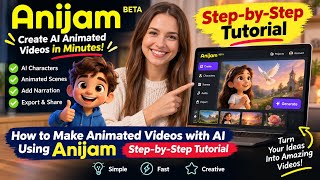
AnijamでAIアニメーション動画を作る方法|ステップバイステップ解説チュートリアル 🎬✨ #anijam
All In One

【革命】チャットだけでアニメが完成?「アニメ版ChatGPT」Anijamが凄すぎる!
オガワダン
YouTube returned 6 videos for “Anijam AI”, and we withheld 2: 2 could not be judged, because “Anijam AI” is a single word that other videos use for other things. Showing the 4 we can prove are about Anijam AI.
Official links
Tools that pair well with Anijam AI
Common stack mates teams adopt alongside Anijam AI, with the specific reason each pairing earns its keep.

Kaiber
Kaiber turns your track plus raw images or clips into beat-synced AI music videos — no prompting needed.

Overchat AI
One $14.99/mo subscription bundling 50+ chat, image and video models plus 100+ mini AI apps on web, iOS and Android.

Invideo AI
Agentic AI video editing: one plain-language instruction applies across every shot on a real multitrack timeline.
Alternatives to Anijam AI
View all
Kaiber
Kaiber turns your track plus raw images or clips into beat-synced AI music videos — no prompting needed.

Overchat AI
One $14.99/mo subscription bundling 50+ chat, image and video models plus 100+ mini AI apps on web, iOS and Android.

Invideo AI
Agentic AI video editing: one plain-language instruction applies across every shot on a real multitrack timeline.
Frequently Asked Questions
Used Anijam AI? Help shape our editorial sentiment research.