Applitools is live · pricing from $667/mo billed annually · last verified 25 Oct 2026 · viability healthy

Applitools
Applitools pairs Visual AI with a deterministic language model to catch visual and functional bugs in AI-generated UI.
The most credible answer I've seen to a real problem: agents write UI faster than anyone can review it, and checking it with another LLM gives you expensive guesswork. Putting visual tests inside the agent's chat and Figma frames in as baselines meets teams where they actually work. The catch is price and metering — checkpoints and active pages, not seats.
Verdict generatedVerified 5d ago · liveness 76/100 · cite: rightaichoice.com/tools/applitools
- Enterprise QA teams running Playwright, Cypress, Selenium or Appium that need visual and functional coverage in one suite
- Teams shipping AI-generated UI who want deterministic visual ground truth instead of LLM-based validation
- Regulated finance, healthcare and pharma orgs requiring ISO 27001 / SOC 2 Type II, SSO/SAML and on-prem or private cloud
- Manual testers and QA leads authoring end-to-end flows in plain English with the Deterministic Language Model
- Indie developers or tiny startups needing a sub-$100/mo screenshot diff
- API-only or backend projects with little meaningful UI surface
- Teams that can't forecast checkpoint and active-page metering as viewport coverage grows
We scan live Reddit threads, YouTube comments, X posts, G2 reviews and other communities — and hand you an honest verdict in under a minute.
- Honest verdict, not marketing
- Real pros & cons from real users
- Attributed quotes with receipts
3 free scans · no card needed
Skip Applitools if your project has no meaningful UI surface or your test budget tops out well below $667/mo paid annually — the Starter tier is the only publicly priced plan and it meters by checkpoints, not seats.
Starter is billed annually at $667/mo, so the real commitment at signup is roughly $8,004 up front rather than a month-to-month charge you can stop.
Applitools fits mid-market and enterprise QA orgs with an established framework and a real visual-regression budget — Starter at $667/mo paid annually is the entry point, and Professional/Enterprise are quoted against active pages and components. Below that, Percy and Chromatic sell visual regression at a fraction of the price; above it, BrowserStack and TestMu bundle visual checks into broader device-cloud contracts. Applitools' justification is deterministic Visual AI plus plain-English
In short
Applitools — Applitools pairs Visual AI with a deterministic language model to catch visual and functional bugs in AI-generated UI. Best for Enterprise QA teams running Playwright, Cypress, Selenium or Appium that need visual and functional coverage in one suite, Teams shipping AI-generated UI who want deterministic visual ground truth instead of LLM-based validation, Regulated finance, healthcare and pharma orgs requiring ISO 27001 / SOC 2 Type II, SSO/SAML and on-prem or private cloud. Plans from $667/mo billed annually.
No head-to-head comparison for Applitools yet — the alternatives below are the closest matches we list.
What is Applitools?
Applitools — Applitools pairs Visual AI with a deterministic language model to catch visual and functional bugs in AI-generated UI. Best for Enterprise QA teams running Playwright, Cypress, Selenium or Appium that need visual and functional coverage in one suite, Teams shipping AI-generated UI who want deterministic visual ground truth instead of LLM-based validation, Regulated finance, healthcare and pharma orgs requiring ISO 27001 / SOC 2 Type II, SSO/SAML and on-prem or private cloud. Plans from $667/mo billed annually.
Applitools is a testing platform for teams whose release volume has outrun their review capacity. It sits on top of the frameworks you already run — Playwright, Cypress, Selenium, Appium — and adds pixel-level verification, so a test fails when the rendered UI drifts, not just when a selector breaks. Two products split the job: Eyes plugs Visual AI into existing test code, while Autonomous lets manual testers and QA leads describe user journeys in plain English through a Deterministic Language Model instead of authoring selectors. The pitch is aimed squarely at the agentic development cycle. Applitools argues that validating AI-written code with another probabilistic LLM produces flaky CI and token burn, and positions its visual baselines as an objective, zero-variance check. Eyes MCP Server now carries test inspection tools, so Claude, Copilot or Cursor can review visual tests from inside the chat rather than working blind. Recent Eyes releases add Figma design baselines straight from a frame URL — no plugin, no manual export — and NLP test steps in the Playwright SDK, where plain-language actions and assertions replace CSS and XPath. Coverage extends past screenshots: WCAG accessibility checks, Storybook component testing, PDF and mobile validation, codeless API testing, self-healing, and root cause analysis that explains a diff in words. Execution runs on the Ultrafast Grid, capturing a DOM state once and re-rendering it across browsers, viewports and devices. Deployment is SaaS, a dedicated cloud on AWS, Azure or GCP, or fully on-prem, with ISO 27001 and SOC 2 Type II, SSO and SAML. Against Chromatic and Percy, Applitools asks for far more money and hands back governance, on-prem options and enterprise compliance. If your UI surface is small or your budget is a few hundred a month, that trade won't land.
Key features
- Visual AI regression testing for web, mobile and PDF documents
- Deterministic Language Model for plain-English end-to-end test authoring
- NLP test steps in the Eyes Playwright SDK — actions and assertions without CSS/XPath
- Eyes MCP Server lets Claude, Copilot or Cursor inspect and add visual tests from chat
- Figma design baselines from a frame URL to flag design-to-code drift without a plugin
- Storybook component testing before components assemble into pages
- Ultrafast Grid re-renders one DOM capture across dozens of browser and device combos
- Dynamic Match Level ignores dates, prices and IDs by default
- Self-healing tests with automated maintenance
- Root cause analysis with plain-English descriptions of visual diffs
- WCAG accessibility testing via Visual AI
- Codeless API testing and test data generation
- PDF document and mobile app visual validation
- SaaS, dedicated cloud (AWS/Azure/GCP) or on-prem deployment with SSO/SAML
- MCP server and SDKs for embedding visual checks in agentic workflows
Behind the verdict
Pick Applitools when a wrong pixel costs real money and you can prove it. Regulated orgs, design-system owners, and any team whose CI already runs Playwright or Cypress at scale get the most out of it: deterministic baselines, WCAG checks in the same run, and root cause analysis that tells a junior dev which element moved instead of handing them a red image. The agent story is the reason to look again this quarter. Eyes MCP Server now lets Claude, Copilot or Cursor inspect visual tests from chat, and the Playwright SDK accepts plain-language steps. In practice that means an agent can generate a screen, then check its own work against a baseline without a human opening a diff viewer. Figma baselines from a frame URL close the design-to-code loop the same way — drop the frame, flag the drift, no export step. Where it bites: metering. You're buying checkpoints and active pages, not seats, and coverage grows quietly as you add viewports and devices. Budget owners discover mid-quarter that "more tests" is a line item. Price it against your expected page count before you sign. Pass if your UI is thin, backend-heavy, or you just want a pull-request screenshot diff. Chromatic fits component libraries and Storybook-first teams at a fraction of the cost; Percy slots into existing CI cheaply. Applitools wins on governance and deployment flexibility, not on entry price. On-prem and dedicated cloud on AWS, Azure or GCP matter more than the marketing suggests — plenty of buyers in finance and healthcare can't ship screenshots to a vendor cloud, and that option alone decides the RFP. One caution on the deterministic framing: it's a strong guardrail for visual truth, not a replacement for functional logic testing. Treat it as the layer that catches what your assertions don't.
Models under the hood
as of 2026-10-23
Limitations
- Pricing is only published for the Starter tier ($667/mo paid annually, with 100,000 component or 1,000 page checkpoints); the Professional tier is custom-quoted starting at 150 active pages / 1,500 components, and Enterprise pricing is not shown, so a full bill cannot be modeled from the site.
- Metering runs on component checkpoints and active pages rather than seats, so expanding coverage raises cost in a way seat-based tools do not.
- NLP test steps are available only for the Playwright Fixtures SDK, with broader web and mobile support described as coming soon.
- The platform is aimed at teams already running test automation (developers, QA engineers/SDETs) and positions itself as a deterministic Visual AI guardrail alongside AI coding agents rather than a general-purpose app builder.
as of 2026-10-09
Researching Applitools? Get your full AI stack in 60 seconds.
Free, no signup — tell us your goal and get tools matched to your budget & existing stack.
Is Applitools still active?
Applitools is live · pricing from $667/mo billed annually · last verified 25 Oct 2026 · viability healthy.
Viability score
How well maintained and how widely used is Applitools? Built from what the vendor actually publishes (docs, changelog, tutorials, integrations, pricing), whether the site is live, and how much real users discuss it. How we calculate this
Last calculated: October 2026
How we score →What's new in Applitools
Checked 5 days agoAcross the latest 3 updates: 2 feature updates and 1 changelog entry.
Eyes MCP Server adds test inspection tools
Eyes MCP Server update lets AI coding agents inspect visual tests from chat, beyond the existing ability to add tests.
Figma design baselines integration in Eyes
Drop a Figma frame URL to set a design baseline — no plugin or manual exports. Applitools matches viewport and flags design-to-code drift.
Eyes Playwright SDK adds NLP test steps
NLP test steps let Playwright users write actions and assertions in plain language instead of CSS/XPath selectors, powered by Applitools' deterministic language model.
What do users say about Applitools?
What people actually say about Applitools — is it worth it?
We scanned public community sources for Applitools on Oct 14, 2026 and could not establish that the discussion we found is about this tool rather than something else sharing its name. Only 0 of the posts we fetched could be positively tied to Applitools. Rather than publish a sentiment score built on the wrong subject, we publish nothing here and re-run the scan.
How we verified this
Every listed fact about Applitools— pricing, features, links, status — is re-read from the vendor's own pages by our verification pipeline and each change is logged with a date; the last pass ran on 25 Oct 2026. Pages mix model-assisted synthesis with human review; see how we verify.
Verification history
We have re-verified Applitools 19 times since . Each pass re-reads the vendor's own pages and re-checks every listed field against that evidence; passes where nothing had changed are marked as such.
- — changed summary, who should skip it, pricing tiers, description, who it suits, features, our verdict
- — changed pricing page
- — changed pricing tiers, who should skip it, summary, our verdict, who it suits, features, description
- — changed our verdict, pricing tiers, features, who it suits, summary, who should skip it, description
- — changed limitations, pricing page, pricing fit, hidden costs, switching out, switching in, our verdict, description, who should skip it, models, setup time
- — changed use cases, who it suits, description, our verdict, features, hidden costs, integrations, limitations, switching in, switching out, who should skip it, pricing fit, setup time, summary
Showing the 6 most recent of 19 verification passes.
Free to cite with attribution — this page re-verifies continuously.
How much does Applitools cost in 2026?
Applitools: Plans from $667/mo billed annually. Pricing last verified 25 Oct 2026.
Plans compared
Every published Applitools tier, its price as the vendor publishes it, who it fits, and what it adds over the tier below. The 12-month cost projection follows.
| Plan | Price | Billing | Who it's for |
|---|---|---|---|
| Starter | $667/mo billed annually | monthly, billed annually | A single team validating components, websites or apps with Visual AI who can commit to an annual contract at $667/mo paid annually (~$8,004/year).Adds: Starting tier: unlimited users with 100,000 component checkpoints or 1,000 page checkpoints, Visual AI, the MCP server, Figma and Storybook integration, cross-browser testing and CI/CD integrations. |
| Professional | Custom | quote | Growing QA orgs testing hundreds of pages and thousands of components at unlimited frequency who need functional and API coverage, not just visual.Adds: Adds unlimited executions, unlimited browsers and devices per Visual AI check, AI-driven functional testing, NLP-based authoring, codeless API testing and test data generation — starting at 150 active pages / 1,500 components. |
| Enterprise | Custom | quote | Regulated enterprises in finance, healthcare or pharma needing on-prem or dedicated cloud, SSO/SAML, custom SLAs and a named technical account manager.Adds: Includes dedicated/private cloud, SSO/SAML, custom SLAs with a 99.99% uptime guarantee, premier support with a weekly TAM and up to 5 custom executive dashboards — starting at 350 active pages / 1,500 components. |
12-month cost
Project the real annual outlay, including the implied monthly cost when only an annual tier is published.
Vendor list price only. Add-on usage, seat overages, and contract minimums are surfaced under Hidden costs & gotchas.
Where the pricing makes sense
The company stage and team size where Applitools's pricing actually pencils out — and where peers do it cheaper.
Applitools fits mid-market and enterprise QA orgs with an established framework and a real visual-regression budget — Starter at $667/mo paid annually is the entry point, and Professional/Enterprise are quoted against active pages and components. Below that, Percy and Chromatic sell visual regression at a fraction of the price; above it, BrowserStack and TestMu bundle visual checks into broader device-cloud contracts. Applitools' justification is deterministic Visual AI plus plain-English
Has Applitools' pricing changed?
No plan price for Applitools has moved since we began logging in Aug 2026; the pricing page is re-read on every verification pass.
Who should pick Applitools?
Pick Applitools if you are Enterprise QA teams running Playwright, Cypress, Selenium or Appium that need visual and functional coverage in one suite, Teams shipping AI-generated UI who want deterministic visual ground truth instead of LLM-based validation, Regulated finance, healthcare and pharma orgs requiring ISO 27001 / SOC 2 Type II, SSO/SAML and on-prem or private cloud, Manual testers and QA leads authoring end-to-end flows in plain English with the Deterministic Language Model.
Look elsewhere if you are Indie developers or tiny startups needing a sub-$100/mo screenshot diff, API-only or backend projects with little meaningful UI surface, Teams that can't forecast checkpoint and active-page metering as viewport coverage grows, Component-library teams wanting a cheap pull-request visual diff — Chromatic and Percy fit that budget better.
Skip it if Skip Applitools if your project has no meaningful UI surface or your test budget tops out well below $667/mo paid annually — the Starter tier is the only publicly priced plan and it meters by checkpoints, not seats.
GeneratedReal-world workflow fit
Concrete scenarios for the personas Applitools actually fits — and what changes day-one when you adopt it.
Add Applitools Eyes to a Playwright repository, replace brittle screenshot assertions at the checkout and dashboard checkpoints with Visual AI checks, and let the Dynamic Match Level ignore the live prices and order IDs that used to fail every run.
Outcome: Visual regressions surface as real diffs with plain-English root cause descriptions, and the same suite re-renders across dozens of browser and viewport combinations through the Ultrafast Grid from one DOM capture.
Use Applitools Autonomous to describe a login-to-checkout journey in plain English, add if/else-if/else branches for logged-in vs guest paths, and let the Deterministic Language Model author and execute the flow.
Outcome: End-to-end functional, visual and API coverage exists without anyone writing test code, and self-healing plus automated maintenance keeps the flow passing as the UI shifts.
Connect the Eyes MCP Server to Claude, Copilot or Cursor so the agent can inspect, review and resolve visual tests directly in the agent chat, pulling pixel diff evidence and DOM context before it declares a UI task done.
Outcome: AI-generated UI is verified deterministically instead of being self-graded by another probabilistic model, catching layout hierarchy breaks and WCAG violations before the branch merges.
Use cases
- Validate visual consistency across 100+ browser, viewport and device combinations per CI build
- Automate WCAG accessibility checks alongside visual validation
- Write Playwright tests with plain-language actions and assertions instead of CSS/XPath selectors
- Set a Figma frame as the design baseline and flag drift between design and shipped UI
- Govern AI-generated UI by giving Claude, Copilot or Cursor agents pixel diff evidence via the Eyes MCP Server
- Shift-left component testing by validating Storybook UI components before merge
- Run functional, visual and API end-to-end flows without writing test code
- Centralize PDF and document validation for HR or financial applications
Setup time & first value
How long it actually takes to get something useful out of Applitools — broken out by persona, not the marketing-page minute.
Indie or single-suite teams: adding the Eyes SDK to an existing Playwright or Cypress repo and running a first visual check is typically under an hour, since you are inserting checkpoints into tests you already have. QA leads starting on Autonomous: expect a day or two to model your first full user journey and tune the plain-English steps. Enterprise: dedicated/private cloud or on-prem deployment
Switching to or from Applitools
How to bring data in from common predecessors and how to get it back out — written for the switcher, not the buyer.
- →From Percy: swap the percySnapshot calls for Eyes checkpoints at the same viewport points; Visual AI replaces the screenshot diff and the Dynamic Match Level removes most environment-noise failures.
- →From Chromatic: move Storybook component baselines into Applitools component testing and keep the same CI step, then extend the same project to full-page Visual AI checks.
- →From a homegrown pixel-diff script: replace the image comparison step with Eyes SDK calls so dates, prices and IDs stop triggering false failures, and gain root cause explanations on the diffs that remain.
- →From manual QA checklists: rewrite the highest-value journeys in Autonomous plain-English steps with if/else-if/else branches, and let self-healing maintain them.
- ↗To Percy: map each Eyes checkpoint back to a percySnapshot call, accepting a return to environment-noise false positives that Visual AI was absorbing.
- ↗To Chromatic: keep Storybook component coverage there and accept that full-page and cross-browser visual validation moves to a screenshot-diff model.
- ↗To a homegrown screenshot pipeline: export baselines and reimplement comparison in CI, losing root cause analysis, self-healing and the plain-English diff descriptions.
- ↗To a device-cloud bundle: fold visual checks into a broader BrowserStack or TestMu contract, trading Applitools' deterministic match levels for vendor-bundled comparisons.
Integrations
Resources & guides
- Documentationapplitools.com
Applitools Documentation
Learn how to get started visual testing today
- Resourceapplitools.com
Blog
Explore intelligent test automation insights, best practices, and the latest thinking from the team behind Applitools Eyes, Autonomous, and the Intelligent Testing Platform.
- Resourceapplitools.com
Resources
Helpful link from applitools.com
- Documentationapplitools.com
Overview of Visual UI Testing
Introduction
Tutorials & Learning
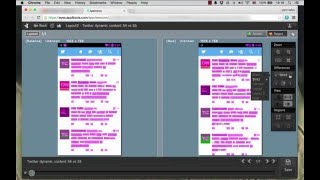
1クリックのビジュアルテストで手動テストを革新 - Applitools Eyes Expressデモ
Applitools: AI-powered testing you can depend on.
YouTube returned 6 videos for “Applitools”, and we withheld 5: 5 could not be judged, because “Applitools” is a single word that other videos use for other things. Showing the 1 we can prove is about Applitools.
Official links
What are the best Applitools alternatives?
The closest alternatives to Applitools we list are Visual PR Testing with AI, Testim and RenderLog. Ranked by direct product-type match, not category overlap.
| Alternative | Pricing | Starts at | Last verified |
|---|---|---|---|
| Visual PR Testing with AI | Contact Sales | Custom pricing | — |
| Testim | Freemium | Pricing not published | — |
| RenderLog | Paid | Pricing not published | — |
Alternatives to Applitools
View all
Visual PR Testing with AI
Visual PR testing with AI agents that test every pull request in its preview environment before review starts.


Tools that pair well with Applitools
Common stack mates teams adopt alongside Applitools, with the specific reason each pairing earns its keep.

Visual PR Testing with AI
Visual PR testing with AI agents that test every pull request in its preview environment before review starts.

Testim
AI-assisted UI and functional test automation for Salesforce, web and mobile, with self-healing locators and agentic test authoring.

RenderLog
No-code web testing and visual regression that bills per successful run, not per seat
Frequently asked questions
Categories
Used Applitools? Help shape our editorial sentiment research.