
Arvin
Arvin is a Chrome-extension AI assistant combining chat with GPT, Claude and Gemini, one-click writing tools, web translation, PDF reading and template-based
Arvin earns its place as a hotkey sidebar for people who bounce between chat, translation and throwaway graphics all day. The Alt/Option + A hotkey, inline Gmail and LinkedIn buttons, Quick Actions on selected text and Chat with PDF cover the everyday loop well, and Arvin Design produces usable logos, signatures and business cards from templates. Pick it over ChatGPT Plus if you want translation, PDF conversion and quick brand assets in one place; pick ChatGPT Plus instead if you only need deep chat, and pick Canva or Illustrator if you need vector control and print-ready output. Reviewers on the vendor site report that free daily usage covers a lot of routine work.
Verified 4d ago · liveness 61/100 · cite: rightaichoice.com/tools/arvin
- Freelancers who want chat, translation and quick brand assets in one sidebar
- Small business owners needing a logo, signature, business card or flyer without a designer
- Content creators drafting articles, emails and social posts
- Students summarizing PDFs, translating pages and cleaning up writing
- Professional graphic designers who need vector control and print-ready output
- Developers looking for API access to build Arvin into their own products
- Teams needing offline or air-gapped use
We scan live Reddit threads, YouTube comments, X posts, G2 reviews and other communities — and hand you an honest verdict in under a minute.
- Honest verdict, not marketing
- Real pros & cons from real users
- Attributed quotes with receipts
3 free scans · no card needed
Skip Arvin if you need vector design control, print-ready export, or a design tool you can hand to a professional designer.
Arvin's pricing fits teams whose volume aligns with the published tiers. Compare against the alternatives listed below for stage-specific value.
In short
Arvin — Arvin is a Chrome-extension AI assistant combining chat with GPT, Claude and Gemini, one-click writing tools, web translation, PDF reading and template-based. Best for Freelancers who want chat, translation and quick brand assets in one sidebar, Small business owners needing a logo, signature, business card or flyer without a designer, Content creators drafting articles, emails and social posts. Free to start; paid plans from $9.99/mo.
What's new in Arvin
Checked 4 days agoAcross the latest 4 updates: 4 news mentions.
15 Cool Signature Generator Ideas For Email Signature From Autographs
A blog post collecting signature generator ideas aimed at email signature use, tying into Arvin's signature generator tool.
100+ A to Z Best Signature Ideas For My Name (With Examples)
A roundup of over 100 signature ideas from A to Z with examples, aimed at people naming their own signature design in Arvin.
How to Create a Handwritten Signature Online? (2025)
A guide walking through creating a handwritten signature online for business documents and agreements.
10 Best AI Digital Signature Generator Online for Work [Free, Tested]
A tested roundup of ten AI digital signature generators for professional use, published on Arvin's blog.
What people actually say about Arvin — is it worth it?
We ran a structured research pass across product reviews, community discussions, and post-purchase forum threads to surface the patterns vendors won't publish themselves. Below: the recurring strengths, the hidden costs people mention most, and the cohort that consistently regrets adopting this tool.
51 mentions across 5 sources (Hacker News, Product Hunt, App Store, GitHub, Lemmy) · researched Jul 2, 2026.
Average across the 5 sources that answered — each source counts once, not each post.
- +User-friendly interface that simplifies complex AI tasks
- +Good for quick logo, signature, and business card creation
- +All-in-one design suite reduces need for multiple tools
- +Video generation feature is praised as creative and fun
- +Positive feedback from Product Hunt on ease of use
- −Extremely slow generation for ideas and images
- −App was changed to logo-only, removing other features
- −Pro-plan users can't access the service they paid for
- −Logos contain misspelled words with no spell check
- −Images and videos are often distorted or not true to size
- • Pro-plan may become unusable after app updates, as reported by users
- • Hidden feature limitations: some advanced templates may require additional purchases
Viability Score
How well maintained and how widely used is Arvin? Built from what the vendor actually publishes (docs, changelog, tutorials, integrations, pricing), whether the site is live, and how much real users discuss it. How we calculate this
Last calculated: October 2026
How we score →Key Features
- Universal AI chat with GPT, Claude and Gemini in one sidebar
- Chrome extension hotkey (Alt/Option + A) opens the assistant on any page
- Inline AI buttons on Gmail, LinkedIn and Twitter
- Chat with uploaded PDFs and images
- Quick Actions to translate, explain or summarize any selected text
- Search Enhance shows Arvin answers alongside normal search results
- Web Summary and Gmail summary for long pages and email threads
- Compose drafts text and inserts it into any page in one click
- AI article writer for articles, blogs and emails
- AI email writer with multiple reply styles
- Grammar checker and writing improver
- Web translator covering 25+ languages
- AI logo generator with thousands of templates and 3D mockups
- Signature, icon, business card, poster, flyer, social post, headshot and tattoo generators
- Background remover, background changer and image upscaler
About Arvin
Arvin packs a universal AI chat sidebar, an AI writer, a set of reading and translation tools, and a template-driven design module into one Chrome extension plus web app. Pressing Alt/Option + A opens a sidebar on any page where you can chat with GPT, Claude and Gemini, run search, or use Quick Actions on selected text. The extension also adds inline AI buttons on Gmail, LinkedIn and Twitter, and it can summarize a whole web page or an email thread. Writing jobs get an article writer, an email writer with multiple reply styles, a grammar checker and a writing improver. Reading jobs get Chat with PDF, area summary, and PDF to Word, PNG and JPG conversion. Arvin Design, the separate design surface, generates logos, signatures, icons, business cards, posters, flyers, social posts, headshots and tattoo concepts from thousands of templates, with real-time 3D mockups. Image tools also remove backgrounds, change backgrounds and upscale. It is aimed at freelancers, small business owners, content creators and students who want one sidebar instead of five subscriptions. It is a convenience bundle, not a Canva or Illustrator replacement, and it is not aimed at print-grade design control, SSO and admin tooling, API access or offline use.
Behind the Verdict
Arvin's strongest argument is proximity. Instead of opening a chat tab, a translator and a design tool, you press Alt/Option + A and the sidebar appears over whatever you are already reading. The pieces that make that argument hold up are the hotkey launch, Quick Actions (translate, explain, summarize any selected text, even with your own prompts), Search Enhance that shows Arvin's answers next to normal search results, Gmail summary, area summary, and Compose for inserting drafted text straight into a page. On the writing side there is an article writer, an email writer with multiple reply styles, a grammar checker and a writing improver. On the reading side there is Chat with PDF plus PDF to Word, PNG and JPG conversion. Arvin Design extends the same one-click philosophy to graphics: logos, signatures, icons, business cards, posters, flyers, social posts, headshots and tattoo concepts, built from thousands of templates with real-time 3D mockups, plus background removal, background changing and upscaling. The honest limits are equally clear. Design output is template-based and there are no vector exports or fine-grained editing controls, so the moment a project needs a print-ready identity you are leaving for Illustrator or a designer. There is no native mobile or desktop app, so everything runs through the browser and needs a connection. The extension covers Gmail, LinkedIn and Twitter specifically; broader stack coverage is not something this scrape documents. Set expectations accordingly: Arvin is an everyday utility that removes tab-switching, not a design suite or a platform you build on.
Researching Arvin? Get your full AI stack in 60 seconds.
Free, no signup — tell us your goal and get tools matched to your budget & existing stack.
Real-world workflow fit
Concrete scenarios for the personas Arvin actually fits — and what changes day-one when you adopt it.
Opens a client brief PDF, hits Alt/Option + A, runs Chat with PDF to pull the key requirements, then uses the email writer to draft a scoped reply in the sidebar without leaving the tab.
Outcome: A scoped reply goes out in one browser session, with the brief's key points quoted accurately rather than paraphrased from memory.
Opens Arvin Design, picks a logo template, downloads the mark, then generates a matching business card and signature with 3D mockups to check how they look in real settings.
Outcome: A coherent logo, card and email signature exist the same afternoon, without a designer invoice.
Uses the extension to translate a foreign-language article, runs Web Summary for the key points, then Quick Actions on selected paragraphs to explain passages that still read awkwardly.
Outcome: Source material is understood and cited correctly in a fraction of the reading time.
Use Cases
- Generate a professional logo and business card in one click using Arvin Design.
- Summarize a PDF or ask questions about an uploaded image in the chat sidebar.
- Rewrite an email or article with a different tone using the AI writer.
- Remove a background from product photos and replace it with an AI-generated scene.
- Translate a web page instantly while browsing via the Chrome extension.
- Create an AI signature for email or formal documents.
- Generate a headshot for a LinkedIn profile.
- Create a poster or flyer for a local event.
Models Under the Hood
as of 2026-09-24
Limitations
- Arvin's design tools are template-based and lack vector exports or fine-grained editing, so professional designers will find them limiting once a job needs print-ready artwork.
- As a Chrome extension and web app, it needs an internet connection and there is no native mobile or desktop app.
- The documented inline integrations are limited to Gmail, LinkedIn and Twitter, so it is not a hub for a wider stack.
- The extension and web app are built around a single-user sidebar experience rather than shared team workspaces.
as of 2026-10-05
Verification history
We have re-verified Arvin 9 times since . Each pass re-reads the vendor's own pages and re-checks every listed field against that evidence; passes where nothing had changed are marked as such.
- — re-verified summary, description, our verdict, our analysis, pricing model, pricing tiers, features, integrations, who it suits, who should skip it
- — re-verified summary, description, our verdict, our analysis, pricing model, pricing tiers, features, integrations, who it suits, who should skip it
- — re-checked, vendor evidence unchanged
- — re-checked, vendor evidence unchanged
- — re-checked, vendor evidence unchanged
- — re-checked, vendor evidence unchanged
Showing the 6 most recent of 9 verification passes.
Free to cite with attribution — this page re-verifies continuously.
12-month cost
Project the real annual outlay, including the implied monthly cost when only an annual tier is published.
Vendor list price only. Add-on usage, seat overages, and contract minimums are surfaced under Hidden costs & gotchas.
Where the pricing makes sense
The company stage and team size where Arvin's pricing actually pencils out — and where peers do it cheaper.
Arvin's pricing fits teams whose volume aligns with the published tiers. Compare against the alternatives listed below for stage-specific value.
Setup time & first value
How long it actually takes to get something useful out of Arvin — broken out by persona, not the marketing-page minute.
Extension install to first value is minutes: add it from the Chrome Web Store, open any page, press Alt/Option + A and ask a question or run Quick Actions on selected text. Arvin Design is a separate web surface that works on first load with a template pick.
Switching to or from Arvin
How to bring data in from common predecessors and how to get it back out — written for the switcher, not the buyer.
- →From ChatGPT in a browser tab: keep Arvin's sidebar open instead and use Alt/Option + A so answers appear over the page you are reading.
- →From Google Translate: replace page-by-page translation with the extension's web translator, which covers 25+ languages in place.
- →From a separate logo builder: move logo, signature and business card work into Arvin Design's template library with 3D mockups.
- →From manual PDF handling: use PDF to Word, PNG or JPG conversion plus Chat with PDF instead of copy-pasting into another tool.
- ↗To Canva or Adobe Illustrator: export your Arvin Design logo or asset and rebuild it as vector artwork when a project needs print-ready output.
- ↗To ChatGPT Plus or Claude directly: move long-form chat and drafting work over if you only use Arvin for conversation.
- ↗To a dedicated headshot or background tool: switch when you need more control than the template-based generators provide.
Integrations
Resources & Guides
Tutorials & Learning
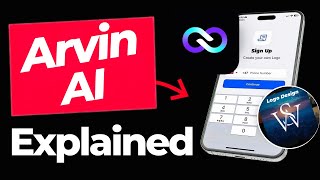
YouTube returned 6 videos for “Arvin”, and we withheld 5: 5 could not be judged, because “Arvin” is a single word that other videos use for other things. Showing the 1 we can prove is about Arvin.
Official links
Tools that pair well with Arvin
Common stack mates teams adopt alongside Arvin, with the specific reason each pairing earns its keep.

Writingmate
Writingmate puts 350+ chat, image, and video models plus web search and files in one $20/month workspace.

Mindverse
Second Me builds a personalized AI clone from your notes, voice and ideas — so it answers with your judgment, not generic chatbot filler.

Typli.ai
Typli.ai bundles 188 AI writing tools, multi-model chat, and AI image generation into one credit-based subscription.
Featured Head-to-Head Comparisons
Arvin vs The New Black
If you are a fashion brand or designer needing specialized apparel design tools with tech pack exports and virtual try-on, The New Black is the clear choice. For general writing, image editing, and multi-model AI chat at a lower price, Arvin offers broader utility. Choose based on your primary need: fashion-specific or all-purpose AI assistance.
Arvin vs Letterhead
For a solo content creator or small business needing a Swiss Army knife of AI writing, image generation, and document tools at a low cost, Arvin is the clear choice. But if your team runs multiple newsletters and needs portfolio-level analytics, AI-driven curation, and ad revenue tools, Letterhead's specialized email OS (with its new MCP server for AI agents) is far more powerful. There's almost no overlap in use cases.
Arvin vs Poke Interaction Co
Choose Poke if you want an AI assistant that lives in your messaging apps, automating emails, calendar, and health tracking with proactive Recipes. Choose Arvin if you need a one-stop browser extension for writing, image generation, and design tasks like logos and business cards. Poke is for workflow automation; Arvin is for content and media creation.
Alternatives to Arvin
View all
Writingmate
Writingmate puts 350+ chat, image, and video models plus web search and files in one $20/month workspace.


Frequently Asked Questions
Categories
Best-of guides
Used Arvin? Help shape our editorial sentiment research.