Astria Video is live · pricing not published · last verified 25 Oct 2026 · viability healthy

Astria Video
Fine-tune a custom AI video model so one character's face holds across every generated clip.
Character drift is what kills AI video work, and Astria attacks it at the source by letting you own the trained model instead of re-describing your subject every prompt. The monthly engine churn means you're rarely stuck on a stale stack, and Lynx quietly fixes the logo-and-print problems that wreck product clips. Beginners will bounce off the parameter depth, and nobody should expect a compositor here.
Verdict generatedVerified 4d ago · liveness 74/100 · cite: rightaichoice.com/tools/astria-video
- Creators who need one character to look identical across every clip and post
- Social teams building a recurring mascot or persona for short-form video
- Brand and ecommerce teams training on product shots so a garment or print stays consistent
- Existing Astria image users who want video in the same workspace
- Filmmakers needing broadcast-grade VFX or frame-accurate live-plate camera moves
- Anyone who requires real-time video generation
- Long-form narrative video that must hold continuity across several minutes
We scan live Reddit threads, YouTube comments, X posts, G2 reviews and other communities — and hand you an honest verdict in under a minute.
- Honest verdict, not marketing
- Real pros & cons from real users
- Attributed quotes with receipts
3 free scans · no card needed
Skip Astria Video if you need broadcast-grade compositing, precise live-plate camera moves or real-time generation, or if you want a plain prompt-in/clip-out tool rather than training your own model first.
Video generation runs on credits, so extended experimentation across several takes on one clip burns through your balance faster than stills do.
Astria sells the whole creative platform, not just video, so you are paying for image and video in one workspace. If your work is mostly video and you already pay for a general text-to-video service, the argument for Astria is character consistency — a fine-tuned model that holds your subject across shots — rather than a lower per-clip price. Teams already using Astria for image work get video with no new vendor relationship. Budget-check your credit burn before committing, because iteration on
In short
Astria Video — Fine-tune a custom AI video model so one character's face holds across every generated clip. Best for Creators who need one character to look identical across every clip and post, Social teams building a recurring mascot or persona for short-form video, Brand and ecommerce teams training on product shots so a garment or print stays consistent. Pricing not published.
What is Astria Video?
Astria Video — Fine-tune a custom AI video model so one character's face holds across every generated clip. Best for Creators who need one character to look identical across every clip and post, Social teams building a recurring mascot or persona for short-form video, Brand and ecommerce teams training on product shots so a garment or print stays consistent. Pricing not published.
Astria Video is the motion side of Astria's creative workspace, built around a single idea: train a model on your own reference photos, then reuse that trained subject across video generations so the same face, product or style survives from shot to shot. You pick from the platform's video engines, feed it a text prompt plus reference images, and the fine-tune does the identity-keeping work rather than a detailed prompt you rewrite every time. If you already run an Astria image model for character or product work, the video composer opens without retraining anything. The engine roster is what keeps people in the workspace. Seedance 2.5 improved retention on longer takes, MiniMax H3 brought 2K output with audio and tighter text rendering, and Gemini Omni Flash covers text-to-video with synchronized audio. October 2026 brought identity face inpainting, precise drawn edits, original music and film grain to motion output, so you can retouch a face or add a soundtrack without leaving the tool. The image side stays current in the same tabs, with Nano Banana 2.1, FLUX 3's ten-reference combining and the GPT Image 2.5 models added in October. Control sits well past a prompt box: weighted and negative prompts, LoRA conditioning, super-resolution and HiRes fix, portrait face correction, adjustable scale, steps, seed, size and sampler, plus a Kling 2.6 motion preset. Astria Lynx auto-refines product details like logos and printed text before you generate. The public prompt and model gallery lets you remix someone else's settings instead of guessing, and the keyboard map (Alt+V for the video composer, Alt+G for Generate) keeps fast iteration hands-on-keyboard. It's aimed at artists, social creators and brand teams chasing identity retention more than cinematic finish - mascots, recurring personas, garment-consistent campaign clips. Against standalone video tools you're buying the fine-tune plus a model roster that refreshes monthly, not a finishing suite.
Key features
- Fine-tune a custom video model on your own reference photos for identity retention
- Reuse one trained subject model across multiple video and image engines
- Seedance 2.5 video generation with improved retention on longer takes
- MiniMax H3 2K video output with audio and stronger text rendering
- Gemini Omni Flash text-to-video and image-to-video with synchronized audio
- Identity-preserving face inpainting and precise drawn edits on video
- Original music generation and film grain for motion output
- Astria Lynx auto-refines logos, text and plaques during generation
- Weighted prompts, negative prompts and LoRA style conditioning
- Super-resolution upscaling and HiRes fix
- Face correction tuned for portrait shots
- Adjustable scale, steps, seed, size and sampler selection
- Kling 2.6 motion control preset
- Nano Banana 2.1 and FLUX 3 multi-reference image models in the same workspace
- Mockup Lab for shirt and bedding ecommerce mockups
Behind the verdict
Where this earns its keep is recurring-character and product work. Train once on a mascot, a spokesperson or a garment, then push the same model through whichever engine handles the shot you want - Seedance 2.5 for longer takes, MiniMax H3 when you need 2K with audio. In practice that means your prompt budget goes to describing the scene, not policing whether the face still looks like the face. The October 2026 releases tightened the ecommerce workflow considerably. Identity face inpainting lets you fix a bad expression without scrapping the take, drawn edits make small corrections precise, and Lynx cleans up logos, plaques and printed text automatically when you flip it on before generating. If your output sells a product, that trio removes a manual cleanup pass. Pick Astria Video when a character or product has to stay recognizable across a whole campaign, and when you want the same workspace to handle the stills and mockups around the clips. Mockup Lab now covers shirts and bedding, which matters if you're shooting apparel differently than home textiles. The course series on ecommerce and fashion workflows is worth an afternoon if your team is new to this. Pass if you need frame-accurate camera moves on live plates, real-time generation, or multi-minute narrative continuity - those are finishing-house problems, not fine-tune problems. Teams that want one fixed engine and zero monthly model churn to track will find the constant additions more noise than signal. Caveats worth knowing. The parameter surface (LoRA weights, samplers, steps, seeds) rewards someone who has used diffusion tools before; total beginners should budget for the Academy. The Photoshop plugin needs to be on v2 - older builds fail on requests. And since pricing wasn't visible in our scrape,
Models under the hood
as of 2026-10-24
Limitations
- The live homepage evidence is a keyboard-shortcut map and site navigation rather than a video capability page, so concrete video limits aren't documented there.
- Fine-tuning a custom subject model adds a training step beyond plain prompting, so identity-consistent work takes setup.
- Model availability shifts frequently — using the correct live model and up-to-date plugin builds matters before building a workflow.
as of 2026-10-09
Researching Astria Video? Get your full AI stack in 60 seconds.
Free, no signup — tell us your goal and get tools matched to your budget & existing stack.
Is Astria Video still active?
Astria Video is live · pricing not published · last verified 25 Oct 2026 · viability healthy.
Viability score
How well maintained and how widely used is Astria Video? Built from what the vendor actually publishes (docs, changelog, tutorials, integrations, pricing), whether the site is live, and how much real users discuss it. How we calculate this
Last calculated: October 2026
How we score →What's new in Astria Video
Checked 4 days agoAcross the latest 10 updates: 4 feature updates, 3 launches, 1 pricing change, 1 changelog entry and 1 news mention.
Mockup Lab adds shirt and bedding mockups for ecommerce
Astria Mockup Lab now produces apparel and home-textile mockups, turning plain shirt and duvet surfaces into printed composites.
Identity face inpainting, drawn edits, music and film grain added
Update adds identity-preserving face inpainting, precise drawn edits, original music and film grain for motion output.
Astria Lynx auto-fixes logos, text and prints during generation
Lynx, toggled in the settings cog before generation, refines product details like logos, text and plaques without manual edits.
Astria publishes Course Series 1+2 on ecommerce and fashion AI
Fifteen short lessons covering first lookbooks through reusable templates, aimed at ecommerce and fashion workflows.
Darkroom tools, color matching, collaborative review and Magento support
Release adds softer film looks, color matching, improved exports, collaborative review and Magento integration.
Nano Banana 2.1 model now available in Astria
Nano Banana 2.1 added to Astria for reference-led portraits, product scenes and marketing imagery.
FLUX 3 arrives in Astria with multi-reference control
FLUX 3 is live in Astria; it combines up to ten inputs to support late art-direction changes without regenerating an image.
Astria warns users to update Nano Banana Photoshop plugin to v2
Astria flagged that Photoshop requests from pre-v2 plugin builds are failing and asked users to move to the current stable build.
Crypto payments, WooCommerce and finer mockups added
Stablecoin payment at Stripe Checkout, WooCommerce support, better mockups, relighting, private Agent chats and Compare shipped.
Nano Banana Photoshop Plugin v2 rebuilt with layer separation model
Version 2 of the Photoshop plugin adds a new panel, steadier placement, closer color, better references and editable layer separation.
What do users say about Astria Video?
What people actually say about Astria Video — is it worth it?
We ran a structured research pass across product reviews, community discussions, and post-purchase forum threads to surface the patterns vendors won't publish themselves. Below: the recurring strengths, the hidden costs people mention most, and the cohort that consistently regrets adopting this tool.
ResearchedDiscussed by users across 2 sources (Product Hunt, Lemmy) · researched Oct 24, 2026.
Weighted by the 15 posts each of 2 sources contributed.
- +Fine-tune one subject and reuse it across video and image engines without retraining
- +Current engine roster includes Seedance 2.5, MiniMax H3 and Gemini Omni Flash
- +Controls go beyond prompts: weighted/negative prompts, LoRA, sampler and seed selection
- +Super-resolution, HiRes fix and portrait face correction target the identity-retention use case
- +Public prompt and model gallery lets you remix working settings instead of guessing
- −Almost no substantive hands-on user reports beyond launch-day congratulations
- −2.83-star average from six reviews undercuts the enthusiastic comment thread
- −Training time and recommended reference-image count are unanswered in community discussion
- −Monthly engine churn means workflows and presets may shift under you
- −Identity retention on longer takes is claimed but not independently verified
- • Training compute for custom subject models is not itemised in community discussion
- • Generation credits across multiple engines may vary by model tier
- • Super-resolution and HiRes fix passes can multiply per-clip cost
How we verified this
Every listed fact about Astria Video— pricing, features, links, status — is re-read from the vendor's own pages by our verification pipeline and each change is logged with a date; the last pass ran on 25 Oct 2026. Pages mix model-assisted synthesis with human review; see how we verify.
Verification history
We have re-verified Astria Video 11 times since . Each pass re-reads the vendor's own pages and re-checks every listed field against that evidence; passes where nothing had changed are marked as such.
- — changed description, features, summary, our verdict, who it suits
- — changed limitations, pricing page
- — changed features, who it suits, summary, who should skip it, integrations, our verdict, description
- — changed models, platforms, limitations, pricing page
- — changed summary, our verdict, description, features, who it suits, who should skip it
- — changed pricing page
Showing the 6 most recent of 11 verification passes.
Free to cite with attribution — this page re-verifies continuously.
How much does Astria Video cost in 2026?
Astria Video: Pricing not published. Pricing last verified 25 Oct 2026.
Where the pricing makes sense
The company stage and team size where Astria Video's pricing actually pencils out — and where peers do it cheaper.
Astria sells the whole creative platform, not just video, so you are paying for image and video in one workspace. If your work is mostly video and you already pay for a general text-to-video service, the argument for Astria is character consistency — a fine-tuned model that holds your subject across shots — rather than a lower per-clip price. Teams already using Astria for image work get video with no new vendor relationship. Budget-check your credit burn before committing, because iteration on
Has Astria Video's pricing changed?
No plan price for Astria Video has moved since we began logging in Aug 2026; the pricing page is re-read on every verification pass.
Who should pick Astria Video?
Pick Astria Video if you are Creators who need one character to look identical across every clip and post, Social teams building a recurring mascot or persona for short-form video, Brand and ecommerce teams training on product shots so a garment or print stays consistent, Existing Astria image users who want video in the same workspace.
Look elsewhere if you are Filmmakers needing broadcast-grade VFX or frame-accurate live-plate camera moves, Anyone who requires real-time video generation, Long-form narrative video that must hold continuity across several minutes, Beginners with no grounding in diffusion models, prompts or LoRA weights.
Skip it if Skip Astria Video if you need broadcast-grade compositing, precise live-plate camera moves or real-time generation, or if you want a plain prompt-in/clip-out tool rather than training your own model first.
GeneratedReal-world workflow fit
Concrete scenarios for the personas Astria Video actually fits — and what changes day-one when you adopt it.
You upload a dozen photos of your character or mascot, train an Astria model on them, then generate a batch of short clips through the video composer (Alt+V) using Seedance 2.5, swapping prompts between takes to vary the scene while the character stays constant.
Outcome: A set of short-form clips where the same character is recognisable across every scene, without re-describing their face in each prompt.
You train a model on product shots so a garment or object stays identical, then generate campaign clips with MiniMax H3 2K for the high-resolution hero cut and Gemini Omni Flash for the quick social variants with synchronized audio.
Outcome: Consistent product visuals across a campaign without booking a shoot for each variant, with the same trained model reused across engines.
You use frame syntax prompts to choreograph shot-to-shot changes and a LoRA for extra style conditioning, then push the sampler and step settings until the dreamlike transition you want lands, and remix the settings from a public gallery model as a starting point.
Outcome: Abstract or music-video segments with deliberate scene transitions rather than whichever one the model happens to produce.
Use cases
- Create a video portrait of a character trained on your own photos.
- Generate a music video clip with style transitions using a fine-tuned model.
- Produce animated anatomical diagrams for educational content.
- Experiment with dreamlike scene transitions for abstract art projects.
- Make short social media clips with consistent branded characters.
- Use MiniMax H3 2K for high-resolution video with synchronized audio.
- Use Gemini Omni Flash for quick text-to-video with audio.
- Train on product shots so a garment or object stays identical across campaign clips.
Setup time & first value
How long it actually takes to get something useful out of Astria Video — broken out by persona, not the marketing-page minute.
For someone already using Astria for image work, video is close to immediate: open the video composer with Alt+V, point at a model you have already trained, and generate. For a first-time user the real clock is the fine-tune, not the interface — gathering reference images, training the model, then running several takes before you get a usable clip. Hobbyists with no diffusion grounding should
Switching to or from Astria Video
How to bring data in from common predecessors and how to get it back out — written for the switcher, not the buyer.
- →From a general text-to-video service: recreate a character by training an Astria model on your existing reference stills, then use the public prompt gallery to translate your old prompt style into frame syntax.
- →From Astria image-only workflow: your existing trained models carry over — open Alt+V and point at the model you already use for stills.
- →From a Photoshop-based workflow: the Astria Photoshop plugin uses the same model pool, so trained models are shared rather than rebuilt.
- →From manual prompt iteration: seed your sampler, steps and seed settings from a public gallery model to reach a usable baseline faster.
- ↗To a general text-to-video service: export your generation history and reference stills, and rebuild the character description as a written prompt since third-party tools will not accept an Astria-trained model.
- ↗To a dedicated film or VFX pipeline: treat Astria output as pre-viz or insert shots and hand off to a compositor for anything needing precise camera moves.
- ↗To an in-house diffusion setup: you keep your reference image set, but the trained model itself does not transfer.
Integrations
Resources & guides
Tutorials & Learning
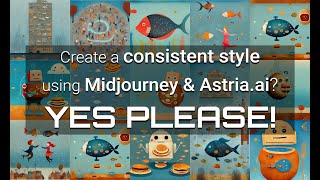
Astria Video Tutorial - How to create a consistent style using Midjourney & Astria.ai
Shahar Fleisher Media Production

AI Animation Tutorial - How to create an AI video using Astria.AI website
Shahar Fleisher Media Production
YouTube returned 6 videos for “Astria Video”, and we withheld 4: 4 did not mention Astria Video. Showing the 2 we can prove are about Astria Video.
Official links
What are the best Astria Video alternatives?
The closest alternatives to Astria Video we list are Runway Gen-4, Pika and Invideo AI. Ranked by direct product-type match, not category overlap.
| Alternative | Pricing | Starts at | Last verified |
|---|---|---|---|
| Runway Gen-4 | Freemium | Pricing not published | — |
| Pika | Freemium | Pricing not published | — |
| Invideo AI | Paid | Pricing not published | — |
Alternatives to Astria Video
View all
Runway Gen-4
Runway Gen-4 keeps characters, objects and locations consistent across shots using reference images — no fine-tuning.
Pika
Pika bundles video, image and audio generation into one credit-metered subscription across third-party and in-house models

Invideo AI
Agentic video editor that applies one plain-language instruction across every shot on a real multitrack timeline.
Tools that pair well with Astria Video
Common stack mates teams adopt alongside Astria Video, with the specific reason each pairing earns its keep.

Runway Gen-4
Runway Gen-4 keeps characters, objects and locations consistent across shots using reference images — no fine-tuning.
Pika
Pika bundles video, image and audio generation into one credit-metered subscription across third-party and in-house models

Invideo AI
Agentic video editor that applies one plain-language instruction across every shot on a real multitrack timeline.
Astria Video vs its closest rival
Astria Video's closest head-to-head is with Landr Mastering — These tools serve entirely different purposes. Astria Video is for AI video art generation from images/text, while LANDR Mastering is for audio mastering. If your need is video creation, choose Astria; if audio mastering, choose LANDR. There's no overlap, so the decision depends on your project type. Verdict generated
Head-to-head comparisons
Astria Video vs Landr Mastering
These tools serve entirely different purposes. Astria Video is for AI video art generation from images/text, while LANDR Mastering is for audio mastering. If your need is video creation, choose Astria; if audio mastering, choose LANDR. There's no overlap, so the decision depends on your project type.
GeneratedAstria Video vs Splice
Choose Splice if you're a music producer needing massive royalty-free sample libraries and rent-to-own plugins like Serum 2, with deep DAW integration and recent MCP support. Choose Astria Video if you're a digital artist wanting to fine-tune AI models on custom images to generate personalized video art. They serve completely different creative domains.
GeneratedAstria Video vs Storyfile
If you want to create synthetic video art from text prompts using fine-tuned models, choose Astria Video. If you need authentic, interactive conversations with real people (like historical figures or family members) for museums or legacy preservation, StoryFile is the clear choice—as seen in their recent museum exhibits with George Takei and Holocaust testimony. The tools address fundamentally different needs: generative creation vs. conversational preservation.
GeneratedFrequently asked questions
Categories
Best-of guides
Used Astria Video? Help shape our editorial sentiment research.