
Astropad Workbench
Mac-only remote desktop for controlling AI agents and headless Mac minis from iPhone, iPad, or another Mac.
Workbench is a narrow tool that does one thing unusually well: remote control of an Apple-only Mac, which makes it a strong fit if you run AI agents on a headless Mac mini and want to babysit them from an iPad or iPhone. LIQUID streaming, unified display, voice dictation, and remote job restart are the practical wins. The catch is the ecosystem lock: macOS hosts only, Apple client devices only, and a free tier capped at 20 minutes a day. If you're cross-platform or need group policies and mass deployment, a broader IT tool like TeamViewer is the better call. At $10/month it's cheap for a Mac loyalist; it's the wrong tax if you aren't one.
Verified 15d ago · liveness 68/100 · cite: rightaichoice.com/tools/astropad-workbench
- AI engineers running agents on headless Mac minis
- Developers monitoring long-running tasks on remote Macs
- Creative professionals who need remote access to Mac-only apps
- Apple-first users who prefer native apps over IT-style RDP tools
- Windows or Linux users, since Workbench hosts are Mac-only
- Teams needing group policies or mass deployment
- Anyone requiring cross-platform remote desktop such as Mac-to-Windows
We scan live Reddit threads, YouTube comments, X posts, G2 reviews and other communities — and hand you an honest verdict in under a minute.
- Honest verdict, not marketing
- Real pros & cons from real users
- Attributed quotes with receipts
3 free scans · no card needed
Skip Workbench if you're not entirely on Apple hardware or you need cross-platform access and IT-grade controls like group policies, since it's Mac-host only with no Windows, Android, or Linux client.
The free tier stops at 20 minutes of access per day, so any real monitoring session pushes you into the $10/mo or $79.99/yr unlimited plan.
At $10/month or $79.99/year, Workbench is priced for individual developers, AI engineers, and small Apple-centric teams running a headless Mac mini. It undercuts broad IT remote-desktop suites in per-seat terms, but those suites include cross-platform reach and enterprise management Workbench doesn't offer. If you only need occasional checks, the 20-minute free tier may be enough; anyone needing sustained access or multiple seats should budget for unlimited plans.
In short
Astropad Workbench — Mac-only remote desktop for controlling AI agents and headless Mac minis from iPhone, iPad, or another Mac. Best for AI engineers running agents on headless Mac minis, Developers monitoring long-running tasks on remote Macs, Creative professionals who need remote access to Mac-only apps. Free to start; paid plans from $10/mo.
What people actually say about Astropad Workbench — is it worth it?
We ran a structured research pass across product reviews, community discussions, and post-purchase forum threads to surface the patterns vendors won't publish themselves. Below: the recurring strengths, the hidden costs people mention most, and the cohort that consistently regrets adopting this tool.
31 mentions across 3 sources (Hacker News, Product Hunt, App Store) · researched Jul 3, 2026.
Average across the 3 sources that answered — each source counts once, not each post.
- +Low-latency streaming that feels like a local connection.
- +Perfect for monitoring headless Mac mini AI agents remotely.
- +Apple Pencil support enables precise cursor control on iPad.
- +Voice dictation from iPhone/iPad to Mac is a unique productivity boost.
- +Unified display combines multiple Mac screens into one view.
- −Connection drops frequently when switching apps or idle.
- −Escape key closes the app instead of sending to remote.
- −Mac keyboard shortcuts like app switcher don't work properly.
- −Crashes every 10-15 minutes on some setups.
- −Forced re-authentication after every disconnect is frustrating.
- • No pricing listed publicly—users may be surprised by subscription costs after trial
Viability Score
How well maintained and how widely used is Astropad Workbench? Built from what the vendor actually publishes (docs, changelog, tutorials, integrations, pricing), whether the site is live, and how much real users discuss it. How we calculate this
Last calculated: September 2026
How we score →Key Features
- LIQUID proprietary multi-codec streaming engine
- Perceptually lossless visuals with Retina support
- Unified display combining multiple Mac displays into one screen
- Mini-map for navigating large desktops
- Voice dictation from iPhone or iPad to Mac
- Speech-to-text input directly to the Mac
- Apple Pencil cursor control
- Gesture-based zoom and pan navigation
- Full middle mouse button support for 3D and CAD tools
- Keyboard input with shortcut support
- Device catalog for managing multiple Macs
- Global relay network spanning 11 regions
- Connection without port forwarding or router configuration
- End-to-end AES-256 encryption
- Remote restart of automated jobs and headless Mac mini monitoring
About Astropad Workbench
Astropad Workbench is a remote desktop app built specifically for the AI era, letting you control a Mac from an iPhone, iPad, or another Mac using fully native Apple apps. It's aimed at AI engineers and developers running agents on headless Mac minis who need to check on jobs without connecting a monitor or peripherals. The app streams your Mac's display using LIQUID, Astropad's proprietary multi-codec engine that delivers perceptually lossless visuals with Retina support, low latency, and vibrant colors across variable networks. A global relay network spanning 11 regions means you connect without port forwarding or router changes, and sessions are secured with end-to-end AES-256 encryption. Built-in workflows include real-time log and progress review, remote restart of automated jobs, a unified display that combines multiple Mac displays into one screen, a mini-map for navigation, voice dictation and speech-to-text from iPhone or iPad, keyboard input with shortcuts, Apple Pencil cursor control, gestures, and full middle mouse support for 3D and CAD tools. Workbench only runs on Apple hardware: hosts must be Intel or Apple Silicon Macs running macOS 15 or later, and clients are native Mac, iPad, and iPhone apps. Windows and Linux are not supported. The free tier gives you 20 minutes of access per day with full features, and unlimited access is $10/month or $79.99/year.
Behind the Verdict
Workbench's pitch is sharper than a generic remote desktop because it names a specific job: watching AI agents run on a headless Mac mini. The core strengths are concrete. LIQUID, the same proprietary multi-codec engine behind Luna Display and Astropad Studio, is tuned for perceptually lossless streaming with Retina support and velocity control that adapts to changing network conditions. The unified display is genuinely useful for headless setups, because it collapses your Mac's virtual displays into a single screen sized to your iPhone, iPad, or other Mac, which is exactly what you want when there's no monitor attached. Voice dictation and speech-to-text let you push prompts and commands to the Mac from an iPhone or iPad, and the mini-map plus Apple Pencil cursor control make navigating a large desktop on a small screen tolerable. Middle mouse support matters more than it sounds if you're driving 3D or CAD tooling remotely. On the plumbing side, the global relay network spanning 11 regions removes port forwarding and router configuration, and end-to-end AES-256 encryption means the vendor can't see your screen or input. Where Workbench is limited is by design: it's Apple-only. Hosts must be macOS 15 or later on Intel or Apple Silicon, clients are native Mac, iPad, and iPhone apps, and there's no Windows, Android, Linux, or browser client. There's also no sign of IT-grade management like group policies or mass deployment, and the documentation suggests no API. The free tier is generous in features but stingy in time at 20 minutes per day, which is fine for a quick log check and frustrating for a long monitoring session. Compared with TeamViewer, Workbench trades cross-platform reach and IT administration for better streaming quality and Apple-native ergonomics on the specific headless-Mac use case. If you live in the Mac ecosystem and your agents run on a Mac mini, this is a clean fit; if you need broad device coverage or enterprise controls, look elsewhere.
Researching Astropad Workbench? Get your full AI stack in 60 seconds.
Free, no signup — tell us your goal and get tools matched to your budget & existing stack.
Real-world workflow fit
Concrete scenarios for the personas Astropad Workbench actually fits — and what changes day-one when you adopt it.
You kick off a long training or agent job before leaving the office, then open Workbench on your iPhone from home to review logs and progress over the relay network.
Outcome: You spot a stalled job, use voice dictation to send a restart command, and confirm it's running again without driving back or attaching a monitor.
You're away from your studio Mac but need to check a render or make a quick edit in a Mac-only app like Final Cut Pro or Logic Pro from your iPad.
Outcome: LIQUID's low-latency streaming and Apple Pencil cursor control let you make the edit remotely with Retina-quality visuals.
Use Cases
- Review AI agent logs and restart stuck jobs from an iPhone while away from your desk
- Run a Mac mini as a dedicated AI computer and check in remotely without attaching a monitor
- Dictate prompts and commands into your Mac from an iPad using voice input
- Navigate complex desktop apps with Apple Pencil for precise cursor control
- Monitor job progress and adjust automated workflows while traveling
- Access Mac-only creative software from an iPad on the go
- Swap between multiple remote Macs from a single device catalog
Limitations
- Workbench is Apple-only: it uses fully native apps built for Mac, iPad, and iPhone, and its stated purpose is controlling AI agents, headless Mac minis, and always-on Macs.
- The free trial is limited to 20 minutes of access per day.
- The scraped pages do not describe an API.
- Note that the live pricing page contains Astropad Studio drawing-app pricing rather than Workbench-specific plan details.
as of 2026-09-14
Verification history
We have re-verified Astropad Workbench 7 times since . Each pass re-reads the vendor's own pages and re-checks every listed field against that evidence; passes where nothing had changed are marked as such.
- — re-checked, vendor evidence unchanged
- — re-checked, vendor evidence unchanged
- — re-verified summary, description, our verdict, our analysis, pricing model, pricing tiers, features, integrations, who it suits, who should skip it
- — re-verified summary, description, our verdict, our analysis, pricing model, pricing tiers, features, integrations, who it suits, who should skip it
- — re-verified summary, description, our verdict, our analysis, pricing model, pricing tiers, features, integrations, who it suits, who should skip it
- — re-verified summary, description, our verdict, our analysis, pricing model, pricing tiers, features, integrations, who it suits, who should skip it
Showing the 6 most recent of 7 verification passes.
Free to cite with attribution — this page re-verifies continuously.
12-month cost
Project the real annual outlay, including the implied monthly cost when only an annual tier is published.
Vendor list price only. Add-on usage, seat overages, and contract minimums are surfaced under Hidden costs & gotchas.
Plans compared
For each published Astropad Workbench tier: who it actually fits, and what it adds vs. the previous tier. Cross-reference the cost calculator above for projected annual outlay.
Free
$0/mo
Ideal for
Someone trialing Workbench for quick daily check-ins on a headless Mac mini or AI agent job.
What this tier adds
Free entry point with the full feature set but capped at 20 minutes of access per day.
Unlimited
$10/mo or $79.99/yr
Ideal for
Developers, AI engineers, and creatives who need sustained remote access to a Mac throughout the day.
What this tier adds
Removes the 20-minute daily cap for unlimited access at $10/mo or $79.99/yr, the latter saving roughly 33%.
Where the pricing makes sense
The company stage and team size where Astropad Workbench's pricing actually pencils out — and where peers do it cheaper.
At $10/month or $79.99/year, Workbench is priced for individual developers, AI engineers, and small Apple-centric teams running a headless Mac mini. It undercuts broad IT remote-desktop suites in per-seat terms, but those suites include cross-platform reach and enterprise management Workbench doesn't offer. If you only need occasional checks, the 20-minute free tier may be enough; anyone needing sustained access or multiple seats should budget for unlimited plans.
Setup time & first value
How long it actually takes to get something useful out of Astropad Workbench — broken out by persona, not the marketing-page minute.
For a solo developer with a headless Mac mini, allowing for the macOS 15 host requirement and the free 20-minute tier to test, first value usually comes within a short single session since there's no port forwarding to configure. For teams standardizing on multiple Macs, expect longer as you install the client on each iPad, iPhone, or Mac and add them to the device catalog.
Switching to or from Astropad Workbench
How to bring data in from common predecessors and how to get it back out — written for the switcher, not the buyer.
- →From TeamViewer: install Workbench on the Mac host and Apple client devices and connect through the relay network without router changes, accepting that IT management features are not carried over.
- →From VNC or Screen Sharing: skip port forwarding and connect via Workbench's 11-region relay network with end-to-end AES-256 encryption.
- →From physical monitor and keyboard on a headless Mac mini: use the unified display and device catalog to check in remotely instead of attaching peripherals.
- ↗To TeamViewer or another cross-platform remote desktop: required if you add Windows or Android clients or need group policies and mass deployment.
- ↗To a browser-based remote tool: required if you need access from non-Apple devices.
- ↗To a self-hosted VNC setup: an option if you need direct network control instead of relying on a vendor relay network.
Resources & Guides
Tutorials & Learning
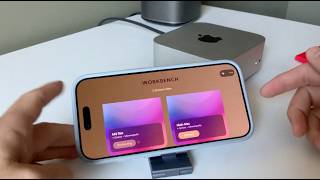
iPhoneをどこからでもMac miniに接続する方法 | Workbenchデモ
Astropad
Astropad Workbench 1.3のご紹介
Astropad
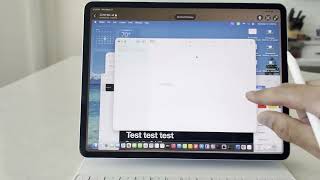
Macにリモート接続する最良の方法は…iPadから!
Astropad
YouTube returned 6 videos for “Astropad Workbench”, and we withheld 1: 1 did not mention Astropad Workbench. Showing the 5 we can prove are about Astropad Workbench.
Official links
Featured Head-to-Head Comparisons
Astropad Workbench vs Spider Cloud
These tools serve completely different purposes: Spider Cloud is a web data extraction API for AI agents and RAG pipelines, while Astropad Workbench is a Mac remote desktop tool for babysitting headless Macs. Choose Spider Cloud if you need real-time structured web data at low cost; choose Astropad if you manage remote Macs and need high-quality streaming. They are not substitutes.
Astropad Workbench vs Voyage Ai
Voyage AI and Astropad Workbench serve completely different needs: Voyage provides domain-specialized embedding models for enterprise RAG, while Workbench offers remote desktop for Mac. If you're building a retrieval pipeline for finance/legal, choose Voyage; if you need to babysit headless Mac minis running AI agents, choose Workbench. They are not direct competitors.
Astropad Workbench vs Temporal Ai
For teams building reliable AI agents that survive crashes, pick Temporal AI — it's purpose-built for durable orchestration with automatic recovery. Astropad Workbench is a different category: it's a Mac remote desktop tool for babysitting headless machines, not a workflow engine. If your need is simply to monitor remote Macs running agents, Workbench fits; but for true workflow resilience and multi-step AI pipeline management, Temporal wins hands down.
Popular in Developer Infrastructure

Temporal AI
Temporal is the durable execution platform for AI agents and long-running workflows that survive crashes, retries, and abandoned sessions.


Frequently Asked Questions
Categories
Topics
Used Astropad Workbench? Help shape our editorial sentiment research.