AutoDraw is live · free · last verified 9 Sep 2026 · viability monitor

AutoDraw
Autocorrect for your doodles—AI turns rough sketches into polished icons.
AutoDraw is a charming, zero-friction tool for turning rough sketches into clean icons. It's not a professional illustration tool—skip it if you need vector export or advanced editing. But for quick visual communication, it's hard to beat. Compared to alternatives like Draw.io or Excalidraw, AutoDraw's AI suggestion panel uniquely lowers the skill bar for non-artists. Best for presenters, teachers, and students who need a good-enough icon in seconds.
Verdict generatedVerified 9/9/2026 · liveness 62/100 · cite: rightaichoice.com/tools/autodraw
- Non-artists needing quick visual ideas
- Teachers creating simple visual aids
- Students sketching for projects
- Presenters adding icons to slides
- Professional illustrators needing advanced control
- Users requiring vector export or SVG
- People looking for collaborative drawing tools
We scan live Reddit threads, YouTube comments, X posts, G2 reviews and other communities — and hand you an honest verdict in under a minute.
- Honest verdict, not marketing
- Real pros & cons from real users
- Attributed quotes with receipts
3 free scans · no card needed
Skip AutoDraw if you need vector export, advanced editing, collaboration, or offline drawing; if you're a professional illustrator, you'll outgrow it instantly.
AutoDraw is completely free with no sign-up, making it accessible to anyone—perfect for students, teachers, and casual users. There are no hidden fees or premium tiers, unlike tools like Canva or Figma that charge for advanced features.
In short
AutoDraw — Autocorrect for your doodles—AI turns rough sketches into polished icons. Best for Non-artists needing quick visual ideas, Teachers creating simple visual aids, Students sketching for projects. Free to use.
What is AutoDraw?
AutoDraw — Autocorrect for your doodles—AI turns rough sketches into polished icons. Best for Non-artists needing quick visual ideas, Teachers creating simple visual aids, Students sketching for projects. Free to use.
AutoDraw is a free, web-based drawing tool that uses a neural network to predict what you're trying to draw and suggests professionally designed alternatives. It's built for non-artists who need quick, clean visuals without any drawing skill. The interface is simple: you sketch with your mouse or finger, and a panel of suggestions appears at the top of the canvas. Click one, and your rough doodle is replaced with a polished icon. AutoDraw works entirely in your browser—desktop or mobile—with no sign-up, no payment, and no installation. It offers a library of thousands of icons, a color picker, shape and text tools, and PNG export. While it's not a full illustration suite, it excels at fast visual communication for slide decks, notes, posters, and fun projects. AutoDraw is part of Google's AI Experiments family, so it's free and accessible to anyone with an internet connection.
Key features
- AI drawing recognition
- Suggestion panel with professionally designed icons
- Freehand drawing tool
- Shape tool (lines, circles, rectangles)
- Text tool
- Color picker and palette
- Color fill and stroke customization
- Undo/redo
- Canvas size adjustment
- Export as PNG image
- No account required
- Works in browser on desktop and mobile
- Keyboard shortcuts
- Touch support for mobile devices
Our long-form take has no recorded date, so it is being re-reviewed and is not shown.
Models under the hood
as of 2026-09-01
Limitations
- AutoDraw is limited to a fixed library of suggestions; it cannot recognize arbitrary objects outside its training set.
- Drawings are exported only as raster PNG, not SVG or other vector formats.
- The tool has no collaboration, layer support, or advanced editing features.
- It also requires an internet connection to access the AI suggestions.
as of 2026-09-09
Researching AutoDraw? Get your full AI stack in 60 seconds.
Free, no signup — tell us your goal and get tools matched to your budget & existing stack.
Is AutoDraw still active?
AutoDraw is live · free · last verified 9 Sep 2026 · viability monitor.
Viability score
How well maintained and how widely used is AutoDraw? Built from what the vendor actually publishes (docs, changelog, tutorials, integrations, pricing), whether the site is live, and how much real users discuss it. How we calculate this
Last calculated: October 2026
How we score →What do users say about AutoDraw?
What people actually say about AutoDraw — is it worth it?
We ran a structured research pass across product reviews, community discussions, and post-purchase forum threads to surface the patterns vendors won't publish themselves. Below: the recurring strengths, the hidden costs people mention most, and the cohort that consistently regrets adopting this tool.
ResearchedDiscussed by users across 2 sources (YouTube, Product Hunt) · researched Oct 24, 2026.
Weighted by the 27 posts each of 2 sources contributed.
- +Completely free with no sign-up, payment, or installation required
- +Instant sketch-to-icon suggestions make quick visuals feel effortless
- +Clean, intuitive interface that beginners can use in seconds
- +Browser-based and works on both desktop and mobile devices
- +Decent library of thousands of professionally designed icons
- −No eraser tool, a recurring and still-unaddressed user request
- −AI often misreads sketches, forcing you to redraw or settle
- −Icon library is finite — no custom or brand-specific illustrations
- −Licensing of the provided drawings is unclear for commercial use
- −No support channel, roadmap, or updates as a Google experiment
- • No monetary costs, but unclear licensing may create legal risk for commercial use
- • Time lost to redrawing when the AI misinterprets sketches
How we verified this
Every listed fact about AutoDraw— pricing, features, links, status — is re-read from the vendor's own pages by our verification pipeline and each change is logged with a date; the last pass ran on 9 Sep 2026. Pages mix model-assisted synthesis with human review; see how we verify.
Verification history
We have re-verified AutoDraw 8 times since . Each pass re-reads the vendor's own pages and re-checks every listed field against that evidence; passes where nothing had changed are marked as such.
- — changed SSL certificate
- — changed hidden costs, setup time, pricing fit, switching in, who should skip it, switching out
- — changed domain expiry
- — changed SSL certificate
- — changed models, pricing fit, switching out, setup time, switching in, who should skip it, hidden costs, features
Showing the 5 most recent of 8 verification passes.
Free to cite with attribution — this page re-verifies continuously.
How much does AutoDraw cost in 2026?
AutoDraw: Free to use. Pricing last verified 9 Sep 2026.
Plans compared
Every published AutoDraw tier, its price as the vendor publishes it, who it fits, and what it adds over the tier below. The 12-month cost projection follows.
| Plan | Price | Billing | Who it's for |
|---|---|---|---|
| Free | Free | — | Anyone who needs quick, clean visuals without cost or sign-up—students, teachers, presenters, and casual creators.Adds: Starting tier: unlimited drawings, AI suggestions, and PNG export at no cost. |
12-month cost
Project the real annual outlay, including the implied monthly cost when only an annual tier is published.
Vendor list price only. Add-on usage, seat overages, and contract minimums are surfaced under Hidden costs & gotchas.
Where the pricing makes sense
The company stage and team size where AutoDraw's pricing actually pencils out — and where peers do it cheaper.
AutoDraw is completely free with no sign-up, making it accessible to anyone—perfect for students, teachers, and casual users. There are no hidden fees or premium tiers, unlike tools like Canva or Figma that charge for advanced features.
Has AutoDraw's pricing changed?
No plan price for AutoDraw has moved since we began logging in Aug 2026; the pricing page is re-read on every verification pass.
Who should pick AutoDraw?
Pick AutoDraw if you are Non-artists needing quick visual ideas, Teachers creating simple visual aids, Students sketching for projects, Presenters adding icons to slides.
Look elsewhere if you are Professional illustrators needing advanced control, Users requiring vector export or SVG, People looking for collaborative drawing tools, Those needing offline functionality.
Skip it if Skip AutoDraw if you need vector export, advanced editing, collaboration, or offline drawing; if you're a professional illustrator, you'll outgrow it instantly.
GeneratedReal-world workflow fit
Concrete scenarios for the personas AutoDraw actually fits — and what changes day-one when you adopt it.
Core to add icons for key points but has no design skills
Outcome: Doodle rough concepts, pick from suggested professional icons, and export PNGs to embed in slides within minutes.
Wants to illustrate a lesson on food groups but can't draw well
Outcome: Sketches items like an apple and a carrot, uses AI suggestions to get clean icons, and prints a clear diagram for students.
Needs rough UI concepts for a brainstorming session
Outcome: Draws boxes and arrows, uses shape and text tools to label components, and exports a PNG to share with the team.
Use cases
- Quickly create icons for slide decks or reports
- Doodle concepts during brainstorming sessions
- Generate visual notes for lectures or meetings
- Make greeting cards or simple posters
- Enhance children's drawings with clean versions
- Sketch ideas for user interfaces or wireframes
Setup time & first value
How long it actually takes to get something useful out of AutoDraw — broken out by persona, not the marketing-page minute.
No setup: open the website and start drawing. For a simple icon, expect under 1 minute for a rough doodle plus AI suggestion selection. More complex drawings with multiple objects may take 5–10 minutes.
Switching to or from AutoDraw
How to bring data in from common predecessors and how to get it back out — written for the switcher, not the buyer.
- →From Paper: Instead of sketching on paper and scanning, use AutoDraw's AI suggestions to convert rough doodles into clean digital icons instantly.
- ↗To Figma or Illustrator: If you need vector editing, recreate your AutoDraw icons in a vector tool—AutoDraw's simple shapes make it a starting point, not a final product.
Resources & guides
Tutorials & Learning
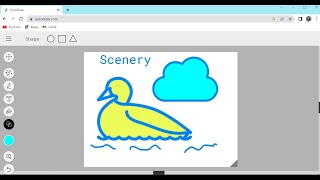
AutoDrawの使い方 | AutoDrawチュートリアル
Tarang Jindal

AutoDraw: Fast Drawing for Everyone
Google for Developers
AI Tools| Learn Google's AI-Auto Draw Tool - Autodraw.com| Artificial Intelligence in Education|
Intellect Kids Classroom
YouTube returned 6 videos for “AutoDraw”, and we withheld 3: 3 could not be judged, because “AutoDraw” is a single word that other videos use for other things. Showing the 3 we can prove are about AutoDraw.
Official links
What are the best AutoDraw alternatives?
The closest alternatives to AutoDraw we list are SciDraw AI, VectorArt.ai and Designs.ai. Ranked by direct product-type match, not category overlap.
| Alternative | Pricing | Starts at | Last verified |
|---|---|---|---|
| SciDraw AI | Freemium | Pricing not published | — |
| VectorArt.ai | Freemium | Pricing not published | — |
| Designs.ai | Contact Sales | Custom pricing | — |
Alternatives to AutoDraw
View all
SciDraw AI
SciDraw AI turns text prompts, rough sketches, or CSV data into editable scientific illustrations and journal-ready charts.

VectorArt.ai
AI vector art generator that turns text prompts, sketches, or photos into scalable SVG logos, icons, and illustrations.
Designs.ai
Designs.ai turns one brief into on-brand images, video, slides, audio, and copy through specialist AI agents.
Tools that pair well with AutoDraw
Common stack mates teams adopt alongside AutoDraw, with the specific reason each pairing earns its keep.

SciDraw AI
SciDraw AI turns text prompts, rough sketches, or CSV data into editable scientific illustrations and journal-ready charts.

VectorArt.ai
AI vector art generator that turns text prompts, sketches, or photos into scalable SVG logos, icons, and illustrations.
Designs.ai
Designs.ai turns one brief into on-brand images, video, slides, audio, and copy through specialist AI agents.
AutoDraw vs its closest rival
AutoDraw's closest head-to-head is with Adobe Firefly Services — Choose AutoDraw if you need a free, instant way to clean up rough sketches with no account or coding. Choose Adobe Firefly Services if you're a developer or enterprise needing programmable, compliant generative AI at scale. These tools serve completely different needs, so the choice is based on whether you want a simple browser toy or a production-grade API. Verdict generated
Head-to-head comparisons
Autodraw vs Adobe Firefly Services
Choose AutoDraw if you need a free, instant way to clean up rough sketches with no account or coding. Choose Adobe Firefly Services if you're a developer or enterprise needing programmable, compliant generative AI at scale. These tools serve completely different needs, so the choice is based on whether you want a simple browser toy or a production-grade API.
GeneratedAutodraw vs Qoves
QOVES and AutoDraw serve completely different needs: QOVES is a paid, data-driven facial analysis tool for non-surgical self-improvement, while AutoDraw is a free, fun web app that helps non-artists create clean doodles. Choose based on your goal—beauty insights or quick visual sketches—not price alone.
GeneratedAutodraw vs The New Black
These tools serve completely different purposes. Choose The New Black if you are in fashion design and need AI-driven, production-ready apparel concepts with tech packs. AutoDraw is a free, lightweight tool for quick doodles and icon creation, ideal for non-artists. Your choice depends on whether you need professional fashion design or casual sketching assistance.
GeneratedFrequently asked questions
Categories
Topics
Used AutoDraw? Help shape our editorial sentiment research.