
Baby AI Photo Editor LittleCam
Mobile-only baby photo editor that turns infant snapshots into milestone keepsakes and cards.
LittleCam is worth it if your goal is a monthly milestone frame or a birth announcement and you don't want to open Canva. The baby-specific face detection and background removal do the fussy part, and the monthly age markers are exactly what a first-year album needs. It is not worth it if you edit on a desktop, want raw files, layer and mask control, or shoot anything other than a baby. The realistic alternative is Canva or Adobe Express: more flexible, works in a browser, and handles a wider range of subjects — you just assemble the frame yourself. Pick LittleCam for speed and a narrow brief; pick Canva for range.
Verified 21h ago · liveness 58/100 · cite: rightaichoice.com/tools/baby-ai-photo-editor-littlecam
- New parents wanting quick, polished milestone photos without learning editing software
- Grandparents making keepsakes entirely from a phone
- Caregivers documenting a baby's first year with a single-purpose app
- DIY creators who need fast seasonal cards and birth announcements from presets
- Photographers who need raw editing, layers, masks, or a desktop workflow
- Families photographing pets or older children alongside the baby
- Editors who want to compose frames from scratch rather than pick a template
We scan live Reddit threads, YouTube comments, X posts, G2 reviews and other communities — and hand you an honest verdict in under a minute.
- Honest verdict, not marketing
- Real pros & cons from real users
- Attributed quotes with receipts
3 free scans · no card needed
Skip LittleCam if you edit on a desktop, need raw files and layer control, or want a single editor that also handles pets, older kids, and non-baby subjects.
Baby AI Photo Editor LittleCam's pricing fits teams whose volume aligns with the published tiers. Compare against the alternatives listed below for stage-specific value.
In short
Baby AI Photo Editor LittleCam — Mobile-only baby photo editor that turns infant snapshots into milestone keepsakes and cards. Best for New parents wanting quick, polished milestone photos without learning editing software, Grandparents making keepsakes entirely from a phone, Caregivers documenting a baby's first year with a single-purpose app. Contact Sales pricing.
What people actually say about Baby AI Photo Editor LittleCam — is it worth it?
We ran a structured research pass across product reviews, community discussions, and post-purchase forum threads to surface the patterns vendors won't publish themselves. Below: the recurring strengths, the hidden costs people mention most, and the cohort that consistently regrets adopting this tool.
15 mentions across 2 sources (YouTube, App Store) · researched Aug 20, 2026.
Average across the 2 sources that answered — each source counts once, not each post.
- +Easy and quick to create cute milestone photos
- +Lovely templates and sticker library for baby themes
- +Designed specifically for infant face detection including sleeping and tummy time
- +One-tap enhancement simplifies editing for beginners
- +No photography skills or studio equipment needed
- −Misleading 'free' labels — most features require paid subscription
- −No twin or multi-baby account; double payment for twins
- −Pricing is unclear and requires contacting developer
- −AI editing can produce fake-looking results
- −Very limited free trial (only two options)
- • Twins require two subscriptions ($120/year)
- • Features labeled 'free' may actually require payment
- • No free trial beyond two basic templates
Viability Score
How well maintained and how widely used is Baby AI Photo Editor LittleCam? Built from what the vendor actually publishes (docs, changelog, tutorials, integrations, pricing), whether the site is live, and how much real users discuss it. How we calculate this
Last calculated: October 2026
How we score →Key Features
- AI background removal tuned for baby photos
- Automatic infant face detection and template placement
- Face detection that works during tummy time and sleep
- Milestone frames with monthly age markers
- Seasonal and holiday themed templates
- Collage maker for multi-photo compositions
- Text overlay with customizable fonts
- Sticker library for embellishments
- Customizable frame colors and styles
- One-tap photo enhancement
- High-resolution export for printing
- Direct sharing to social media
- Birth announcement and card creation
- Mobile-only app experience (no web or desktop version)
- Simplified interface for non-technical users
About Baby AI Photo Editor LittleCam
Baby AI Photo Editor LittleCam is a mobile app from QYAI Tech, a Hong Kong digital service agency that also builds Raise Me, Weight Balance, and Cstory. The app is built for one job: taking ordinary phone photos of an infant and turning them into polished keepsakes. Baby-specific AI detects the infant's face even in awkward positions (tummy time, sleeping), removes the background, and drops your child into a pre-designed frame. Milestone frames carry monthly age markers so you can chart the first year as parents actually remember it. From there you get seasonal and holiday templates, a collage maker for multi-photo spreads, text overlays with customizable fonts, a sticker library, adjustable frame colors, and one-tap enhancement to brighten a shot before you export. Finished images export at high resolution for printing, or you share straight to social. The whole workflow replaces what would otherwise be an afternoon in Lightroom or Canva. It is deliberately narrow: mobile only, no web or desktop version, and scoped to baby photos — pets and adults are not its lane. QYAI's public site describes the company as a cross-platform app and web design studio for individual consumers, and does not publish a LittleCam feature, pricing, or integrations page, so specifics beyond the app's described capabilities are limited. If you want effortless baby cards and milestone frames from your phone, this is a purpose-built option; if you need layer control, raw files, or a desktop workflow, look elsewhere.
Behind the Verdict
What LittleCam gets right is the narrowing. General photo editors make you build the frame, position the subject, and clean the edges yourself. LittleCam's AI is tuned for infants specifically — the seed and vendor material describe face detection that holds up during tummy time or when the baby is asleep, which is precisely when a wriggly subject makes manual cropping miserable. Background removal then places the child into a template with monthly age markers, so the first-year album is a swipe-and-tap job instead of a Sunday afternoon in Lightroom. The supporting set is sensible for keepsake work: seasonal and holiday templates, a collage maker for multi-photo spreads, text overlays with adjustable fonts, a sticker library, configurable frame colors, one-tap enhancement, high-resolution export for printing, and direct social sharing. For a grandparent on an iPhone, that combination is close to ideal. The weaknesses are structural, not cosmetic. It is a single-purpose app on mobile only — no web version and no desktop app — so a photographer who lives in a layered editor will find the ceiling quickly. It is scoped to babies, so the moment you want the family dog or a five-year-old in the same frame you are back in a general editor. And the trade-off of speed is control: templates mean you are choosing from what exists rather than composing from scratch. Where it fits: new parents doing a monthly milestone series, grandparents making a birth announcement, caregivers documenting the first year, anyone who wants a print-ready image without learning software. Where it doesn't: professional photographers, families wanting a general family photo editor, and anyone who needs layers, masks, raw files, or unusual export formats. QYAI is a small Hong Kong studio with several consumer apps in its portfolio, so treat this as a focused utility rather than a platform you'll build a workflow around.
Researching Baby AI Photo Editor LittleCam? Get your full AI stack in 60 seconds.
Free, no signup — tell us your goal and get tools matched to your budget & existing stack.
Real-world workflow fit
Concrete scenarios for the personas Baby AI Photo Editor LittleCam actually fits — and what changes day-one when you adopt it.
On the 14th of each month you take a phone photo of your baby on the same blanket, open LittleCam, let the AI detect the face and cut the background, apply the month-N milestone frame, add a text overlay with the date, and export at high resolution.
Outcome: Twelve consistent, print-ready milestone images at the end of year one, produced in minutes per photo instead of an editing session each time.
You pick the hospital photo, use background removal to strip the busy room, choose a birth announcement template, type in the baby's name, weight and date, add a sticker, then share directly to the family group chat.
Outcome: A finished announcement the same afternoon, without installing a desktop editor or learning one.
You select four or five shots from Halloween or Christmas, use the collage maker for the multi-photo spread, apply the seasonal template and stickers, and run one-tap enhancement to even out indoor lighting.
Outcome: A shareable seasonal keepsake in one sitting, plus a high-resolution export if you want it printed.
Use Cases
- Create a monthly milestone photo for your baby's first year with automatic age markers.
- Make a holiday-themed collage of your baby's best moments in minutes.
- Remove a cluttered background from a baby photo and place your child into a clean frame.
- Design a birth announcement with the baby's name and date using pre-made templates.
- Produce a seasonal keepsake photo of your baby dressed up for Halloween or Christmas.
- Export a high-resolution, print-ready image for a physical photo album.
- Turn a tummy-time or sleeping-baby shot into a usable portrait without manual cropping.
Limitations
- LittleCam is a narrow tool and the constraints are the point.
- It is mobile only — there is no web or desktop version — so it does not slot into a desktop editing workflow.
- It is scoped to babies: pets and adults are explicitly outside its lane, which means you cannot use it as a general family photo editor.
- Output is template-driven, so you choose from the frames and stickers that exist rather than composing freely, and there is no support for layers, masks, raw files, or unusual export formats.
- QYAI's public site does not publish a LittleCam feature, pricing, or integrations page, so anything beyond the capabilities described here — including how plans and billing work — is not documented in the material available to us.
as of 2026-10-07
Verification history
We have re-verified Baby AI Photo Editor LittleCam 8 times since . Each pass re-reads the vendor's own pages and re-checks every listed field against that evidence; passes where nothing had changed are marked as such.
- — re-checked, vendor evidence unchanged
- — re-verified summary, description, our verdict, our analysis, pricing model, pricing tiers, features, integrations, who it suits, who should skip it
- — re-checked, vendor evidence unchanged
- — re-checked, vendor evidence unchanged
- — re-checked, vendor evidence unchanged
- — re-verified summary, description, our verdict, our analysis, pricing model, pricing tiers, features, integrations, who it suits, who should skip it
Showing the 6 most recent of 8 verification passes.
Free to cite with attribution — this page re-verifies continuously.
Where the pricing makes sense
The company stage and team size where Baby AI Photo Editor LittleCam's pricing actually pencils out — and where peers do it cheaper.
Baby AI Photo Editor LittleCam's pricing fits teams whose volume aligns with the published tiers. Compare against the alternatives listed below for stage-specific value.
Setup time & first value
How long it actually takes to get something useful out of Baby AI Photo Editor LittleCam — broken out by persona, not the marketing-page minute.
LittleCam is a mobile app, so first value is quick: install, pick a baby photo, and let the AI handle face detection and background removal — most parents get a finished milestone frame on the first photo in a single sitting. Grandparents should expect a few extra minutes to find the template they like. There is no desktop install or account setup burden described in the vendor material.
Switching to or from Baby AI Photo Editor LittleCam
How to bring data in from common predecessors and how to get it back out — written for the switcher, not the buyer.
- →From Canva: instead of building a baby frame from a blank canvas, pick a LittleCam milestone or holiday template and let the AI cut the background.
- →From Lightroom or Photoshop: keep those for anything that needs layers or raw files, and move the monthly milestone frames into LittleCam where the baby face detection does the cropping.
- ↗To Canva: export your LittleCam images and rebuild the layout on a canvas if you need custom composition for non-baby subjects.
- ↗To Adobe Express: use it for family photos that include pets or older children, which fall outside LittleCam's baby-only scope.
Resources & Guides
Tutorials & Learning
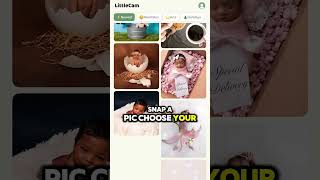
Transform Your Baby's Photos with AI Magic | LittleCam #baby #photoeditingapp #photoeditingsoftware
LittleCam AI Baby Photo Editor

Transform Your Baby's Photos with AI Magic | LittleCam #baby #photoeditingapp #photoeditingsoftware
LittleCam AI Baby Photo Editor
YouTube returned 6 videos for “Baby AI Photo Editor LittleCam”, and we withheld 4: 4 did not mention Baby AI Photo Editor LittleCam. Showing the 2 we can prove are about Baby AI Photo Editor LittleCam.
Official links
Tools that pair well with Baby AI Photo Editor LittleCam
Common stack mates teams adopt alongside Baby AI Photo Editor LittleCam, with the specific reason each pairing earns its keep.

Luminar Neo
Luminar Neo is Skylum's AI photo editor sold as a one-time perpetual license for desktop, mobile and (from Fall 2026) web, with 24+ AI tools and 100+ editing
Photoroom
AI photo editor and listing studio that turns catalogue-scale product shots into on-brand marketplace images.

Airbrush
Airbrush is a cross-platform AI photo editor for one-click portrait retouching, background removal, and outfit swaps across web, desktop, and mobile.
Featured Head-to-Head Comparisons
Baby Ai Photo Editor Littlecam vs Qoves
Choose Baby AI Photo Editor LittleCam if you want quick, adorable milestone photos of your baby—it's purpose-built for parents. Choose QOVES if you're into data-driven facial analysis and a non-surgical glow-up plan backed by research. They solve completely different problems; the decision hinges on whether your need is photography or self-analysis.
Baby Ai Photo Editor Littlecam vs Adobe Firefly Services
If you're a new parent wanting a simple app to turn baby photos into milestone keepsakes, LittleCam is the obvious choice. If you're an enterprise developer automating content creation at scale and need commercial safety, Adobe Firefly Services wins. They serve entirely different needs — pick the one that matches your job.
Baby Ai Photo Editor Littlecam vs The New Black
These tools serve completely different niches: LittleCam is for parents creating baby milestone photos with infant-optimized AI, while The New Black is for fashion professionals generating apparel designs. Choose based on your need: baby memories or fashion innovation. Neither is a substitute for the other.
Alternatives to Baby AI Photo Editor LittleCam
View all
Luminar Neo
Luminar Neo is Skylum's AI photo editor sold as a one-time perpetual license for desktop, mobile and (from Fall 2026) web, with 24+ AI tools and 100+ editing

Frequently Asked Questions
Best-of guides
Topics
Used Baby AI Photo Editor LittleCam? Help shape our editorial sentiment research.