
Backflip AI
Backflip AI converts 3D scans, engineering drawings, and phone photos into editable parametric CAD models with a real feature tree.
Backflip is worth a serious look if your parts are machined or turned, because it hands back a feature tree an engineer can keep editing instead of dead geometry. Thinking Mode at 50 credits a job works out to roughly $10 a part at Builder rates, so the first bracket you'd otherwise rebuild by hand pays for a lot of reconstructions. Engineers should also read the outside coverage before committing: Engineering.com's August 2026 piece explicitly asks whether the mesh-to-CAD claims hold up this time, while Develop3D reported the updated engine flips mesh into feature-tree CAD in seconds. Try the free 50 credits on your own parts first. Skip it entirely for sculptural or organic work — and
Verified 4d ago · liveness 68/100 · cite: rightaichoice.com/tools/backflip-ai
- Engineers reverse-engineering legacy or supplier parts with no existing CAD
- Manufacturers digitizing 3-axis CNC and turned components into editable models
- Product developers iterating from prototype scans toward production geometry
- Autodesk Fusion users who want scan-to-CAD inside their existing session
- Designers making organic or sculptural shapes — the output is mechanical, not artistic
- CAD beginners who can't read a feature tree and sketches to edit the result
- Anyone needing sheet metal or injection molding support today — both are listed as coming soon
We scan live Reddit threads, YouTube comments, X posts, G2 reviews and other communities — and hand you an honest verdict in under a minute.
- Honest verdict, not marketing
- Real pros & cons from real users
- Attributed quotes with receipts
3 free scans · no card needed
Skip Backflip if you need sheet metal or injection molding support, work in organic or sculptural forms, or expect to run more than a couple of Thinking Mode jobs a month without moving up a plan.
Thinking Mode burns 50 credits per job versus 10 for Fast Mode, so heavy agentic use drains a 100-credit Builder month in two parts.
Builder at $20/month for 100 credits fits an individual doing occasional reverse engineering — roughly two Thinking Mode parts a month. Pro at $50/month for 300 credits suits a power user or small team at about six Thinking Mode jobs. Business at $380/month for 2,500 credits is where growing teams get organization-level access separation and the enterprise no-training commitment. Cheaper mesh-to-surface converters exist; Backflip's premium buys an editable feature tree rather than dead geometry.
In short
Backflip AI — Backflip AI converts 3D scans, engineering drawings, and phone photos into editable parametric CAD models with a real feature tree. Best for Engineers reverse-engineering legacy or supplier parts with no existing CAD, Manufacturers digitizing 3-axis CNC and turned components into editable models, Product developers iterating from prototype scans toward production geometry. Free to start; paid plans from $20/mo.
What's new in Backflip AI
Checked 4 days agoAcross the latest 2 updates: 1 feature update and 1 launch.
Backflip AI Converts 2D Engineering Drawings and Photos into 3D CAD, Continuing the Path to Digitize the World
Backflip extended its conversion pipeline to 2D-to-3D CAD for engineering drawings and photos, widening the product beyond 3D scan reconstruction.
Autodesk: Turn 3D Scans Into Editable CAD Models in Autodesk Fusion with the New Backflip AI Add-In
The Backflip AI add-in for Autodesk Fusion lets users convert 3D scans into editable CAD models without leaving the Fusion session.
What people actually say about Backflip AI — is it worth it?
We scanned public community sources for Backflip AI on Jul 3, 2026 and could not establish that the discussion we found is about this tool rather than something else sharing its name. Our own analysis of that scan says the posts were off-subject. Rather than publish a sentiment score built on the wrong subject, we publish nothing here and re-run the scan.
Viability Score
How well maintained and how widely used is Backflip AI? Built from what the vendor actually publishes (docs, changelog, tutorials, integrations, pricing), whether the site is live, and how much real users discuss it. How we calculate this
Last calculated: October 2026
How we score →Key Features
- Scan-to-CAD conversion from STL, OBJ, GLB, GLTF, and PLY mesh files
- Parametric 3D model output with a full feature tree
- Logical sketch constraints and external references for downstream editing
- Drawing to CAD: reconstruct parametric 3D models from engineering drawings
- Photo to CAD: rebuild objects as parametric models from a few phone photos
- One known dimension scales a whole Photo to CAD reconstruction
- Fast Mode reconstructions at 10 credits per job
- Thinking Mode agentic problem-solving at 50 credits per job
- Export as a native parametric feature tree or a .STEP file
- Autodesk Fusion add-in for scan-to-CAD inside your CAD session
- Standalone web app for scan-to-CAD outside your CAD package
- Reasons through real CAD operations: extrude, revolve, pattern, chamfer, fillet
- Optimized for 3-axis CNC and turned parts
- Data encrypted in transit and at rest, with organization-level access separation
- Enterprise data never used to train Backflip models
About Backflip AI
Backflip AI is an AI copilot for mechanical CAD work. Feed it a mesh file — STL, OBJ, GLB, GLTF, or PLY — and it returns a native parametric model built with a familiar feature tree, logical sketch constraints, and external references you can keep editing rather than a frozen surface. The company says it does this by reasoning through a construction strategy with the same operations you would use: extrude, revolve, pattern, chamfer and fillet. The product has widened beyond scanning. Drawing to CAD inspects the geometry and dimensions in an engineering drawing and reconstructs it as a parametric 3D model, and Photo to CAD rebuilds a physical object from a few phone photos, using one known dimension to scale the rest. All three paths feed the same output: a parametric native feature tree or a .STEP export. Two effort modes let you trade cost for problem-solving: Fast Mode at 10 credits per job and Thinking Mode at 50 credits per job. Backflip is tuned for 3-axis CNC and turned parts today; sheet metal, injection molding and more are listed as coming soon. You can run it as a standalone web app or through the Autodesk Fusion add-in, with plug-ins for Onshape and other CAD software listed as future work. Pricing starts at a free account with 50 credits and no credit card, then Builder at $20/month for 100 credits, Pro at $50/month for 300 credits, and Business at $380/month for 2,500 credits; Enterprise is custom. Monthly credits do not roll over, and separate credit packs are spent only after your monthly balance runs out. Security posture targets engineering organizations: encryption in transit and at rest, organization-level access separation, a commitment not to train on enterprise data, and active work toward a SOC2 Type II audit.
Behind the Verdict
Backflip's bet is that engineers don't want a prettier STL — they want geometry that behaves like they modeled it. That shows up in the output format: a parametric native feature tree with sketch constraints and external references, or a .STEP export you can open anywhere. The company claims the underlying engine is a foundation model for CAD that natively reasons in construction operations (extrude, revolve, pattern, chamfer, fillet) rather than wrapping a surface around your mesh. The strongest thing in the data is the breadth of inputs feeding one output. Scan-to-CAD takes STL, OBJ, GLB, GLTF and PLY meshes. Drawing to CAD reconstructs a parametric model from the geometry and dimensions in a legacy engineering drawing — useful when decades of knowledge are sitting in drawing archives. Photo to CAD rebuilds an object from a few phone photos, with one known dimension scaling the rest. Three entry points, one species of result. Cost is the part buyers should model carefully. Fast Mode is 10 credits a job, Thinking Mode is 50. Builder is $20/month for 100 credits, so a month of Thinking Mode work is two jobs; Pro at $50/month buys 300 credits, about six Thinking Mode runs. Monthly credits don't roll over, and credit packs expire 12 months from purchase. If you're doing iterative reverse engineering, budget around $10 per Thinking Mode part at Builder rates and size your plan from the number of parts, not the number of seats. Coverage is narrower than the marketing implies. Backflip says it is optimized for 3-axis CNC and turned parts, with sheet metal and injection molding listed as coming soon. Form-factor support is Autodesk Fusion via add-in plus the standalone web app, with Onshape and other plug-ins listed as future work. Some CAD import formats sit behind a paid tier. Security is aimed squarely at engineering organizations: encryption in transit and at rest, organization-level access separation, no training on enterprise data, and a SOC2 Type II audit the company says is in progress. For teams handling supplier or defense-adjacent geometry, that's the checklist that matters. The independent press is mixed in a useful way. Develop3D described the updated engine converting mesh into feature-tree CAD in seconds, and The 3D Printing Journal framed the value as roughly $10 a part. Engineering.com's headline was openly skeptical, asking whether the mesh-to-CAD AI is real this time — which is the right posture. Run the free 50 credits on a part you already know the answer for, then decide. Where it fits: legacy part reverse engineering, supplier part digitization, drawing archive recovery, and Fusion users who want scan-to-CAD without leaving the CAD session. Where it doesn't: organic or sculptural design, anyone who needs sheet metal or molding support today, and shops that only want a cleaned-up mesh.
Researching Backflip AI? Get your full AI stack in 60 seconds.
Free, no signup — tell us your goal and get tools matched to your budget & existing stack.
Real-world workflow fit
Concrete scenarios for the personas Backflip AI actually fits — and what changes day-one when you adopt it.
Scan an obsolete bracket with a 3D scanner, export the mesh as STL, upload it to Backflip in Thinking Mode, review the feature tree for sketch constraints and external references, then export a .STEP file and open it in your CAD package to adjust hole positions.
Outcome: A parametric model you can edit and re-release instead of a mesh you'd have to rebuild feature by feature.
Install the Backflip add-in inside Fusion, drop a supplier part scan in from a mesh file, run the reconstruction without leaving the CAD session, and keep modeling on top of the resulting feature tree.
Outcome: Scan-to-CAD stays inside the tool you already use, with no export/import step between apps.
Feed legacy engineering drawings into Drawing to CAD, let it inspect the geometry and dimensions and reconstruct a parametric model, then check the feature tree against the original print before releasing it.
Outcome: Decades of drawing knowledge becomes editable 3D geometry rather than a scanned PDF nobody can modify.
Use Cases
- Convert a 3D scan of a physical part into an editable parametric CAD model
- Reverse engineer legacy parts from mesh data for remanufacturing
- Rebuild a parametric 3D model from an archived engineering drawing
- Rebuild a physical object as a parametric model from a few phone photos
- Generate parametric models from meshes for 3-axis CNC or 3D printing
- Export .STEP files from scanned objects for use in any CAD system
- Import real-world object scans into an Autodesk Fusion session via the add-in
Limitations
- Backflip is optimized for 3-axis CNC and turned parts; the company lists sheet metal, injection molding and more as coming soon, so don't plan around them.
- Coverage is the Autodesk Fusion add-in plus the standalone web app, with Onshape and other CAD plug-ins described as future work, and some CAD import formats sit behind a paid tier.
- The credit model punishes iteration: Thinking Mode costs 50 credits a job, monthly credits don't roll over, and separately purchased credit packs expire 12 months from purchase.
- At Builder ($20/month for 100 credits) that's about two Thinking Mode parts a month; at Pro ($50/month for 300 credits) about six.
- Independent coverage is not uniformly convinced — Engineering.com's August 2026 piece questioned whether the mesh-to-CAD claims hold up, while Develop3D reported the updated engine delivers feature-tree CAD in seconds.
- Price and plans are subject to change at Backflip's discretion.
as of 2026-10-04
Verification history
We have re-verified Backflip AI 9 times since . Each pass re-reads the vendor's own pages and re-checks every listed field against that evidence; passes where nothing had changed are marked as such.
- — re-verified summary, description, our verdict, our analysis, pricing model, pricing tiers, features, integrations, who it suits, who should skip it
- — re-verified summary, description, our verdict, our analysis, pricing model, pricing tiers, features, integrations, who it suits, who should skip it
- — re-verified summary, description, our verdict, our analysis, pricing model, pricing tiers, features, integrations, who it suits, who should skip it
- — re-verified summary, description, our verdict, our analysis, pricing model, pricing tiers, features, integrations, who it suits, who should skip it
- — re-verified summary, description, our verdict, our analysis, pricing model, pricing tiers, features, integrations, who it suits, who should skip it
- — re-checked, vendor evidence unchanged
Showing the 6 most recent of 9 verification passes.
Free to cite with attribution — this page re-verifies continuously.
12-month cost
Project the real annual outlay, including the implied monthly cost when only an annual tier is published.
Vendor list price only. Add-on usage, seat overages, and contract minimums are surfaced under Hidden costs & gotchas.
Plans compared
For each published Backflip AI tier: who it actually fits, and what it adds vs. the previous tier. Cross-reference the cost calculator above for projected annual outlay.
Free
$0
Ideal for
Anyone evaluating whether Backflip's scan-to-CAD output is editable enough for their workflow — 50 credits, no credit card required.
What this tier adds
Starting tier: 50 signup credits that cover five Fast Mode jobs or one Thinking Mode job, with access to Scan-to-CAD, Drawing to CAD, and Photo to CAD.
Builder
$20/mo
Ideal for
A solo engineer doing occasional reverse engineering — enough for about two Thinking Mode parts a month or ten Fast Mode jobs.
What this tier adds
Adds 100 credits per month for $20/month, versus 50 one-time credits on the free tier; monthly credits don't roll over.
Pro
$50/mo
Ideal for
A power user or small team running regular reconstructions — roughly six Thinking Mode jobs or thirty Fast Mode jobs a month.
What this tier adds
Triples Builder's allowance to 300 credits per month for $50/month, enough headroom for several Thinking Mode jobs.
Business
$380/mo
Ideal for
Growing teams that need organizational data separation and a no-training-on-enterprise-data commitment alongside volume.
What this tier adds
Jumps to 2,500 credits per month for $380/month and adds organization-level access separation and the enterprise no-training commitment that lower tiers don't carry.
Enterprise
Custom
Ideal for
Large organizations that need custom credit volume, contract terms, and audit documentation for procurement.
What this tier adds
Custom credit volume with organization-level access separation, encryption in transit and at rest, and a SOC2 Type II audit the company says is in progress.
Where the pricing makes sense
The company stage and team size where Backflip AI's pricing actually pencils out — and where peers do it cheaper.
Builder at $20/month for 100 credits fits an individual doing occasional reverse engineering — roughly two Thinking Mode parts a month. Pro at $50/month for 300 credits suits a power user or small team at about six Thinking Mode jobs. Business at $380/month for 2,500 credits is where growing teams get organization-level access separation and the enterprise no-training commitment. Cheaper mesh-to-surface converters exist; Backflip's premium buys an editable feature tree rather than dead geometry.
Setup time & first value
How long it actually takes to get something useful out of Backflip AI — broken out by persona, not the marketing-page minute.
If you're an Autodesk Fusion user, installing the add-in and running your first scan-to-CAD job is a same-day task — the free account gives you 50 credits, so a Fast Mode run (10 credits) plus a short Thinking Mode run (50 credits) is roughly your whole free allowance. A standalone web app user is productive in minutes, though verifying that the returned feature tree actually matches your part
Switching to or from Backflip AI
How to bring data in from common predecessors and how to get it back out — written for the switcher, not the buyer.
- →From mesh-to-surface converters: export your STL, OBJ, GLB, GLTF, or PLY mesh into Backflip and get a parametric feature tree instead of a frozen surface.
- →From manual CAD reconstruction: upload the scan and let Backflip reason through the construction strategy rather than rebuilding extrudes and fillets by hand.
- →From a paper or scanned drawing archive: run the drawing through Drawing to CAD and reconstruct it as a parametric 3D model.
- ↗To any CAD package: export the .STEP file or the parametric native feature tree and continue editing in Fusion, SolidWorks, Inventor, CATIA, or NX.
- ↗To a pure mesh pipeline: if you decide you only need cleaned-up geometry, a mesh tool is a cheaper destination for that specific job.
Integrations
Resources & Guides
Tutorials & Learning

Generate 3D models from text with Backflip.AI! 🚀#techtok #websites #ai #3dmodeling #productivity
WebHub_ai
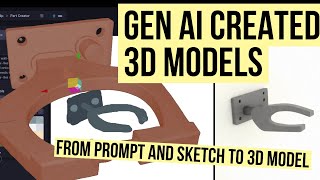
Tested: Turn Prompts into 3D Models with GenAI (Backflip Demo)
Chris Volta
AIで3Dモデルを作成しよう ― 完全無料! | Backflip.ai 🚀🧊
AI Mastermind
YouTube returned 6 videos for “Backflip AI”, and we withheld 3: 3 could not be judged, because “Backflip AI” is a single word that other videos use for other things. Showing the 3 we can prove are about Backflip AI.
Official links
Tools that pair well with Backflip AI
Common stack mates teams adopt alongside Backflip AI, with the specific reason each pairing earns its keep.

Polycam
Polycam turns phone LiDAR, photos, and drone footage into 3D models, floor plans, and point clouds.

Zoo
Zoo Design Studio is an AI-native CAD workspace where Zookeeper, a conversational agent, turns plain-language prompts into editable B-rep parametric models.

Prompt2CAD
Prompt2CAD turns plain-English briefs into editable parametric CAD models with STEP, DXF, and STL exports.
Featured Head-to-Head Comparisons
Backflip Ai vs Polycam
If you need to capture real-world objects or spaces and produce high-quality 3D models, floor plans, or digital twins today, Polycam is the clear choice — it’s widely available, feature-rich, and actively updated. Backflip AI shows promise for engineers who want to convert scans into parametric CAD instantly, but it’s still waitlist-only with no pricing, so only consider it if you’re willing to wait and your workflow revolves around reverse engineering.
Backflip Ai vs Bito
Choose Backflip AI if you need instant parametric CAD from 3D scans for reverse engineering or rapid prototyping. Choose Bito if your engineering team relies on AI coding agents and needs cross-repo context, impact analysis, and automated scoping. They serve entirely different domains—Backflip is physical product design, Bito is software development infrastructure.
Backflip Ai vs Cognition Ai
Cognition AI (Devin) is the safer bet for enterprise software teams needing an autonomous engineer with production-track record and financial guarantees. Backflip AI fills a niche for 3D reverse engineering but remains waitlist-only and Onshape-dependent. Unless your core need is converting physical objects to CAD, choose Cognition for immediate, proven productivity gains.
Alternatives to Backflip AI
View all
Polycam
Polycam turns phone LiDAR, photos, and drone footage into 3D models, floor plans, and point clouds.

Zoo
Zoo Design Studio is an AI-native CAD workspace where Zookeeper, a conversational agent, turns plain-language prompts into editable B-rep parametric models.

Prompt2CAD
Prompt2CAD turns plain-English briefs into editable parametric CAD models with STEP, DXF, and STL exports.
Frequently Asked Questions
Categories
Best-of guides
Topics
Used Backflip AI? Help shape our editorial sentiment research.