
Brilliant
Brilliant is an interactive math and coding tutor whose Koji AI guide asks questions and sketches on a shared canvas instead of handing you answers.
If you want math or coding to stick, Brilliant's Koji-guided problem solving beats watching someone else work the problem. The tutor's refusal to hand over answers is the point, not a flaw — it's why concepts survive past the next test. The genuine trade-offs are price and scope: the free tier stops at one daily lesson, Premium runs $30/mo month-to-month or $149.99/yr billed as one annual payment, and the catalog stops around early-advanced material rather than graduate-level specialization. Khan Academy covers more ground at $0; for guided practice that adapts to your gaps, Brilliant is the better-structured buy — just budget before your kid gets attached.
Verified 29m ago · liveness 66/100 · cite: rightaichoice.com/tools/brilliant
- Students in grades 5-12 who need interactive math and coding practice that sticks
- Homeschoolers wanting a structured, ACS WASC accredited STEM supplement
- Adults refreshing calculus, statistics, or Python fundamentals on their own schedule
- Teachers who want a free interactive program for an individual classroom
- Learners who want an answer handed to them rather than guided to it
- Professionals needing deep specialization in advanced or niche topics
- Anyone seeking an accredited degree or credential rather than a supplement
We scan live Reddit threads, YouTube comments, X posts, G2 reviews and other communities — and hand you an honest verdict in under a minute.
- Honest verdict, not marketing
- Real pros & cons from real users
- Attributed quotes with receipts
3 free scans · no card needed
Skip Brilliant if you want answers handed to you rather than guided out of you, if you need graduate-level or niche professional specialization, or if a fully free resource is the requirement — the free tier is one lesson a day and full access means Premium at $30/mo or $149.99/yr.
The monthly plan runs $30/mo, so a full year paid month-to-month costs roughly $360 versus $149.99 billed as one annual payment — the 50% saving only lands if you commit up front.
Brilliant sits in the mid-premium tutoring band: $149.99/yr billed as one annual payment is roughly the price of a few in-person sessions, which is how the company positions it, and the $30/mo month-to-month rate is a poor deal if you'll stay past a month. Khan Academy at $0 covers more ground for learners who only need content; paid human tutoring costs far more but adds a live instructor that Koji does not replace.
In short
Brilliant — Brilliant is an interactive math and coding tutor whose Koji AI guide asks questions and sketches on a shared canvas instead of handing you answers. Best for Students in grades 5-12 who need interactive math and coding practice that sticks, Homeschoolers wanting a structured, ACS WASC accredited STEM supplement, Adults refreshing calculus, statistics, or Python fundamentals on their own schedule. Free to start; paid plans from $30/mo.
What people actually say about Brilliant — is it worth it?
We ran a structured research pass across product reviews, community discussions, and post-purchase forum threads to surface the patterns vendors won't publish themselves. Below: the recurring strengths, the hidden costs people mention most, and the cohort that consistently regrets adopting this tool.
87 mentions across 6 sources (Hacker News, Product Hunt, App Store, Stack Overflow, GitHub, Lemmy) · researched Jul 2, 2026.
Average across the 6 sources that answered — each source counts once, not each post.
- +Interactive, visual problem-solving makes STEM concepts intuitive and fun
- +AI tutor Koji adapts to knowledge level and provides guided hints
- +Bite-sized lessons with instant feedback keep learning momentum
- +Gamified streaks and XP system motivates daily practice
- +Broad curriculum from arithmetic to Python and neural networks
- −Free tier limits to only 2 lessons per day after first week
- −$20/month subscription is expensive for casual learners
- −Instructions are often unclear, even for STEM graduates
- −App occasionally suffers from slow loading times
- −Overuse of shapes instead of numbers in math problems frustrates some
- • Annual subscription upsells may auto-renew at full price
- • No refund policy mentioned for partial months
Viability Score
How well maintained and how widely used is Brilliant? Built from what the vendor actually publishes (docs, changelog, tutorials, integrations, pricing), whether the site is live, and how much real users discuss it. How we calculate this
Last calculated: October 2026
How we score →Key Features
- Koji AI tutor that guides via questions and hints instead of giving answers
- Shared interactive canvas where Koji sketches and annotates your work
- Voice or chat guidance from Koji during lesson interventions
- Adaptive learning plans built around your mastery gaps
- Mastery assessments that trigger targeted practice when you fall short
- Personalized practice sessions focused on concepts needing review
- Interactive coding environment where you write and run code yourself
- Real-time progress dashboards showing strengths and weak areas
- Regular progress notifications for learners and parents
- Math courses from fractions and quadratics to derivatives, matrices, and calculus
- Computer science courses in Thinking in Python, recursion, algorithms, and neural networks
- Science courses including circuits, digital circuits, and quantum computing
- Data analysis courses in visualizing data, probability, clustering, and regression
- Real-world projects like Instagram-style image filters and website security
- iOS, Android, and web access with one subscription across devices
About Brilliant
Brilliant teaches math, computer science, science, and data analysis through interactive problem-solving rather than video lectures. Its AI tutor, Koji, works with you on a shared interactive canvas: he asks guiding questions, sketches on your screen, gives hints, and offers alternative explanations by voice or chat until you can solve the problem yourself. The company frames this deliberately against homework-help chatbots that just output an answer — Koji is built to make you think and to surface where your understanding breaks down. Koji tracks what you've mastered and what you've missed, then builds your learning plan around those gaps, speeding up when you're ready and slowing down when you're not. Regular mastery assessments trigger targeted practice when a concept doesn't land. The catalog spans 40+ interactive courses: fractions, quadratics, trigonometric functions, derivatives, matrices, vectors, and calculus on the math side; Thinking in Code, Thinking in Python, functions, recursion, algorithms, and Introduction to Neural Networks on the CS side; circuits, digital circuits, and quantum computing in science; and exploring data visually, probability, clustering, and regression in data analysis. Real-world examples — Instagram-style image filters, website security — anchor abstract ideas. Brilliant runs on web plus iOS and Android and is kidSAFE certified; the curriculum is built by learning designers from MIT, Harvard, Stanford, Cornell, and Caltech, and the company cites 10 million+ learners and 100,000+ five-star app store reviews. It is fully accredited by ACS WASC. For schools it is free for individual classrooms, with district pricing on request. It lands as a structured supplement for grades 5 through college and adults refreshing STEM fundamentals — not a replacement for a teacher or a degree.
Behind the Verdict
Brilliant's differentiator is a design decision, not a feature list: Koji will not give you the answer. Unlike homework-help chatbots that output a solution you can copy, Koji works alongside you on a shared interactive canvas — asking guiding questions, sketching on your screen, and offering hints and alternate explanations by voice or chat. When you fall short on a mastery assessment, he generates targeted practice on exactly that concept rather than moving on. Visual dashboards show what clicked and what didn't, and learners or parents get regular notifications covering completed lessons, mastery assessment results, strengths, and areas needing more work. The strength of the catalog is math and computer science. Math runs from fractions, percents, and proportional reasoning up through quadratics, functions, trigonometric functions, derivatives, matrices, vectors, limits, and calculus — roughly 28 additional topics beyond the headline list. CS covers Thinking in Code, Thinking in Python, functions, recursion in Python, algorithms in Python, computer science fundamentals, and an introduction to neural networks, taught in a shared coding environment where you write and run code yourself rather than reading it. Brilliant is explicit that the goal is the foundational thinking AI-era programmers need: designing programs, solving problems methodically, and reasoning about correctness, data, and cost — not generating code for you. Science (scientific thinking, circuits, digital circuits, quantum computing) and data analysis (exploring data visually, probability in data, clustering and classification, regression, predicting with probability) are real but narrower. Where it fits: students in grades 5-12 who need practice that sticks, homeschoolers wanting a structured supplement, adults refreshing calculus, statistics, or Python, and teachers who want a free interactive program for a single classroom — the student program is accredited by ACS WASC, which matters if you need documentation for a school district. Where it doesn't: anyone who wants the answer handed over, professionals needing deep niche specialization, and learners who need a zero-cost resource — the free tier limits you to one daily lesson with restricted Koji access, and full access means Premium at $30/mo monthly or $149.99/yr billed as a single annual payment (the annual option is where the 50% saving lives). There's no offline mode, so an internet connection is required. Brilliant also has no live teacher and no cohort or social learning layer, so it complements a class rather than replacing instruction.
Researching Brilliant? Get your full AI stack in 60 seconds.
Free, no signup — tell us your goal and get tools matched to your budget & existing stack.
Real-world workflow fit
Concrete scenarios for the personas Brilliant actually fits — and what changes day-one when you adopt it.
Their kid opens Brilliant three evenings a week, works a quadratics lesson on the shared canvas, and lets Koji ask guiding questions and sketch on screen rather than showing the solution; when a mastery assessment comes back short, Koji builds targeted practice on that concept.
Outcome: The parent gets notifications summarizing completed lessons, mastery assessment performance, strengths, and areas needing practice — so they can see progress without sitting in on every session.
They pick the derivatives and predicting-with-probability tracks, work through lessons on the web app during lunch breaks, and use Koji's voice interventions when a limit or derivative rule won't click.
Outcome: Visual dashboards separate concepts that stuck from ones still shaky, so review time goes to gaps instead of re-reading material already understood.
They enroll an individual classroom through Brilliant's free classroom program, assign lessons as homework, and let students work the interactive coding environment in Thinking in Python between class periods.
Outcome: Students get personalized feedback and mastery checks on each topic, and the teacher gets a cohort that arrives already assessed rather than needing every gap diagnosed in class.
Use Cases
- Master algebra fundamentals through interactive, visual problem-solving
- Learn Python programming from scratch with hands-on coding exercises
- Prepare for college-level calculus with adaptive practice and guided hints
- Build intuition in probability and statistics through real-world scenarios
- Supplement school STEM curriculum with a structured daily lesson
- Explore computer science concepts like neural networks and algorithms interactively
- Refresh math, stats, or data analysis skills as an adult learner
- Run a homeschool STEM supplement that is kidSAFE certified and ACS WASC accredited
Limitations
- Brilliant is subscription-based: the free tier is one daily lesson with restricted Koji access and no ads, so real use requires Premium at $30/mo month-to-month or $149.99/yr billed as a single annual payment (the annual plan is 50% cheaper than paying monthly).
- An internet connection is required; there is no offline mode.
- The catalog runs foundational through early-advanced material but doesn't extend to deep professional or graduate-level specialization.
- Koji provides adaptive guidance but does not replace human instruction, and there's no live teacher or social/cohort learning component.
- Coverage is strongest in math and computer science; science (circuits, digital circuits, quantum computing) is present but narrower, and the data analysis track is smaller still.
as of 2026-10-09
Verification history
We have re-verified Brilliant 8 times since . Each pass re-reads the vendor's own pages and re-checks every listed field against that evidence; passes where nothing had changed are marked as such.
- — re-verified summary, description, our verdict, our analysis, pricing model, pricing tiers, features, integrations, who it suits, who should skip it
- — re-verified summary, description, our verdict, our analysis, pricing model, pricing tiers, features, integrations, who it suits, who should skip it
- — re-verified summary, description, our verdict, our analysis, pricing model, pricing tiers, features, integrations, who it suits, who should skip it
- — re-verified summary, description, our verdict, our analysis, pricing model, pricing tiers, features, integrations, who it suits, who should skip it
- — re-verified summary, description, our verdict, our analysis, pricing model, pricing tiers, features, integrations, who it suits, who should skip it
- — re-verified summary, description, our verdict, our analysis, pricing model, pricing tiers, features, integrations, who it suits, who should skip it
Showing the 6 most recent of 8 verification passes.
Free to cite with attribution — this page re-verifies continuously.
12-month cost
Project the real annual outlay, including the implied monthly cost when only an annual tier is published.
Vendor list price only. Add-on usage, seat overages, and contract minimums are surfaced under Hidden costs & gotchas.
Plans compared
For each published Brilliant tier: who it actually fits, and what it adds vs. the previous tier. Cross-reference the cost calculator above for projected annual outlay.
Free
$0/mo
Ideal for
A student or parent who wants to sample Brilliant's interactive format and Koji before paying anything.
What this tier adds
Starting tier: one daily lesson with limited Koji tutoring, no ads, and access on web and mobile.
Premium Monthly
$30/mo
Ideal for
A learner or adult refresher who wants full course access now but isn't ready to commit to a full year.
What this tier adds
Adds unlimited access to all 40+ courses, unrestricted Koji tutoring, jump-ahead and personalized practice, and no in-app purchases — at the higher $30/mo month-to-month rate.
Premium Annual
$149.99/yr billed as one annual payment
Ideal for
A household that has already decided Brilliant is the study routine and wants the lowest effective annual price.
What this tier adds
Same unlimited access to all 40+ courses billed as one $149.99 annual payment, about 50% cheaper than 12 months of Premium Monthly.
Family
$60/mo
Ideal for
A family of up to six sharing one subscription across multiple kids.
What this tier adds
Covers 6 seats in one subscription at $60/mo on the subscribe page.
Where the pricing makes sense
The company stage and team size where Brilliant's pricing actually pencils out — and where peers do it cheaper.
Brilliant sits in the mid-premium tutoring band: $149.99/yr billed as one annual payment is roughly the price of a few in-person sessions, which is how the company positions it, and the $30/mo month-to-month rate is a poor deal if you'll stay past a month. Khan Academy at $0 covers more ground for learners who only need content; paid human tutoring costs far more but adds a live instructor that Koji does not replace.
Setup time & first value
How long it actually takes to get something useful out of Brilliant — broken out by persona, not the marketing-page minute.
For a self-directed learner, account creation and first lesson take about 5-10 minutes on web or mobile. Parents and teachers setting up a classroom account should allow 20-30 minutes to pick level-appropriate tracks and get students enrolled. No installation or hardware is required beyond a browser or the iOS/Android app.
Switching to or from Brilliant
How to bring data in from common predecessors and how to get it back out — written for the switcher, not the buyer.
- →From Khan Academy: use Brilliant for adaptive guided practice on a specific gap (algebra to calculus, Python basics) while keeping Khan for breadth of free content.
- →From a human tutor: move recurring weekly review drills to Brilliant's mastery assessments and let Koji handle hints between sessions.
- →From YouTube math channels: replace passive watching with Brilliant lessons where you solve the problem and Koji intervenes when you're stuck.
- →From textbook + workbook study: port the same topic sequence (fractions through calculus, or Thinking in Python) into Brilliant's interactive lesson path.
- ↗To Khan Academy: if cost is the blocker, Khan covers comparable ground for free without a subscription.
- ↗To a formal course or degree program: Brilliant stops at early-advanced material, so graduate or certified study moves elsewhere.
- ↗To a live human tutor: if you need a person held accountable for your pace or a specific exam, Koji doesn't replace that.
Resources & Guides
Tutorials & Learning

Brilliant.org レビュー - 2026 | Brilliant.org は本当に価値があるのか?
Daniel | Tech & Data
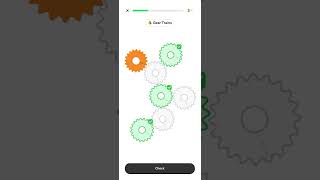
Learn By Doing with the Brilliant App
Brilliant.org
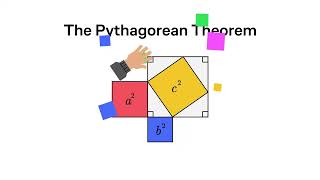
2024年に数学を学ぶとはどういうことか | Brilliant.org - 数学、データ、コンピュータサイエンスのスキルを身につけよう
Brilliant.org
YouTube returned 6 videos for “Brilliant”, and we withheld 2: 2 could not be judged, because “Brilliant” is a single word that other videos use for other things. Showing the 4 we can prove are about Brilliant.
Official links
Tools that pair well with Brilliant
Common stack mates teams adopt alongside Brilliant, with the specific reason each pairing earns its keep.
Khan Academy Khanmigo
Khan Academy's non-profit AI tutor that questions instead of answering, plus free teacher planning tools

Chiron
AI math tutor that asks questions instead of giving answers, using Socratic hints to keep you thinking.

Coddy
Browser-based coding school with an AI tutor that reads your code, explains the error, and hints — never the answer.
Featured Head-to-Head Comparisons
Brilliant vs Surge Ai
Brilliant and Surge AI serve completely different markets. Brilliant is ideal for individuals wanting interactive STEM learning with an adaptive AI tutor; it's affordable and beginner-friendly. Surge AI targets AI labs needing expert human feedback for RLHF, red teaming, and benchmarking—enterprise-grade, not consumer. If you're a student or lifelong learner, choose Brilliant. If you're an AI team training frontier models, Surge AI is unmatched.
Brilliant vs Praktika
Choose Praktika if your priority is conquering spoken language fluency with instant feedback from AI personas. Pick Brilliant if you want to master math, science, or coding through active problem-solving guided by an AI tutor. They serve entirely different domains—no direct competition.
Brilliant vs Call Annie
Brilliant is the clear choice if you want an actively supported, interactive STEM tutor that adapts to your knowledge gaps. Call Annie, though innovative for language learning, is a discontinued app and not recommended for new users. For language learners, look elsewhere; for math, science, or coding, Brilliant delivers hands-on problem-solving with real-time feedback.
Alternatives to Brilliant
View allKhan Academy Khanmigo
Khan Academy's non-profit AI tutor that questions instead of answering, plus free teacher planning tools


Frequently Asked Questions
Used Brilliant? Help shape our editorial sentiment research.