
Capsule Editor
Capsule Editor turns After Effects files into branded video templates any teammate can edit.
If you already own After Effects assets and off-brand video is multiplying across departments, Capsule's convert-to-component model plus Video Skills in Claude and ChatGPT solves a problem generic editors don't touch. The HubSpot 35x and ServiceNow 28x faster references come from teams with motion design already in place — the payoff is real but conditional on that foundation. If you just need quick social clips, this is the wrong shape and the wrong price bracket.
Verified 15h ago · liveness 73/100 · cite: rightaichoice.com/tools/capsule-editor
- Enterprise marketing teams producing branded product demos at scale with non-creative staff
- Sales and ABM teams generating many personalized video variants from one template
- Internal comms teams making on-brand videos without pulling in the creative studio
- Organizations with an existing After Effects motion design system they want distributed company-wide
- Solo creators or small shops with no After Effects assets or motion design system to convert
- Teams that only need cheap, quick one-off video edits without a services relationship
- Anyone needing frame-level editing control rather than brand-safe templated output
We scan live Reddit threads, YouTube comments, X posts, G2 reviews and other communities — and hand you an honest verdict in under a minute.
- Honest verdict, not marketing
- Real pros & cons from real users
- Attributed quotes with receipts
3 free scans · no card needed
Skip Capsule if you don't have an After Effects motion design system, need every advertised AI feature live today, or want quick one-off clips rather than a company-wide video system.
The full branded experience depends on Capsule's motion engineers building your custom motion design system, which is a services engagement on top of the platform itself
Capsule is positioned for large enterprises — the named customers are HubSpot, ServiceNow, Instacart, LinkedIn, Webflow, and Samsara — and sells through a demo and custom quote rather than a published per-seat rate. Compared with self-serve editors like Canva or Lumen5, you pay materially more, but you're buying a custom motion design system plus motion engineering services, not just an editing seat. Budget for the services layer, not only the software.
In short
Capsule Editor — Capsule Editor turns After Effects files into branded video templates any teammate can edit. Best for Enterprise marketing teams producing branded product demos at scale with non-creative staff, Sales and ABM teams generating many personalized video variants from one template, Internal comms teams making on-brand videos without pulling in the creative studio. Free to use.
No head-to-head comparison for Capsule Editor yet — the alternatives below are the closest matches we list.
What people actually say about Capsule Editor — is it worth it?
We scanned public community sources for Capsule Editor on Aug 23, 2026 and could not establish that the discussion we found is about this tool rather than something else sharing its name. Our own analysis of that scan says the posts were off-subject. Rather than publish a sentiment score built on the wrong subject, we publish nothing here and re-run the scan.
Viability Score
How well maintained and how widely used is Capsule Editor? Built from what the vendor actually publishes (docs, changelog, tutorials, integrations, pricing), whether the site is live, and how much real users discuss it. How we calculate this
Last calculated: October 2026
How we score →Key Features
- Convert After Effects motion files into editable, reusable video components
- Drag-and-drop video editor designed to feel as easy as PowerPoint
- Video Skills: build custom video guidelines into Claude or ChatGPT for agent-guided creation
- Pre-built Skill workflows for Internal Communication, Long Form Cutdown, Product Demo, Paid Media Ads, Customer
- Text-based editing: transcribe, clip, cut, and arrange on a simplified timeline for non-editors
- Custom motion design systems built by Capsule motion engineers down to easing curves
- Dedicated success manager and hands-on onboarding for non-creative users
- Ongoing support for new designs, more teams, and rebrands
- Reusable templates that keep self-serve video on brand
- Self-serve video production scaled across departments
About Capsule Editor
Capsule Editor is an enterprise video creation platform that converts your After Effects motion files into editable, on-brand components, so non-creative staff can produce brand-approved videos without design skills. It targets large marketing, sales, ABM, paid media, and internal comms teams that already run a motion design system and are watching off-brand self-serve video multiply across departments. Two workflows carry the product. A drag-and-drop editor the vendor likens to PowerPoint lets anyone with zero design experience edit the After Effects files already loaded in Capsule. Video Skills, launched January 2026, bakes your video guidelines into Claude or ChatGPT so anyone can chat with an agent and get walked through making a compliant video. Pre-built Skill workflows cover Internal Communication, Long Form Cutdown, Product Demo, Paid Media Ads, Customer Education, and Sales Follow-Up. A simpler text-based timeline lets non-editors transcribe, clip, cut, and arrange footage. The rollout is deliberately services-heavy: motion engineers build a custom motion design system alongside your creative team, down to the easing curves, and a dedicated success manager walks every new user through the tool. Support continues for new designs, more teams, and rebrands. The vendor names HubSpot, ServiceNow, Instacart, LinkedIn, Webflow, Samsara, Commvault, Sojern, and Framer as customers, with reported outcomes like HubSpot's 35x increase in video output and ServiceNow's 28x faster production. Against lighter self-serve editors like Canva or Lumen5, Capsule trades instant signup for brand control and a guided enterprise rollout.
Behind the Verdict
Capsule isn't trying to win the 'fastest way to cut a TikTok' contest. It's aimed at a specific mess: you have a motion design system, a creative studio that's a bottleneck, and a dozen teams making videos anyway — often off brand. The fix is to package your After Effects work as templates and let everyone else fill them in. We'd reach for this when brand consistency is a real budget line and your video team is drowning in requests for product demos, ABM variants, or internal comms. The Video Skills angle is the freshest part. Baking your guidelines into Claude or ChatGPT means people work from the assistant they already use, and the agent walks them through the steps rather than stranding them in an editor. The catch is the rollout. Motion engineers build your system, a success manager trains non-creatives, and support keeps going for rebrands and new teams. That's a partnership, not a signup — good if you want it, wrong if you wanted to swipe a card today. Compared with Canva or Lumen5, Capsule is heavier and more expensive but far more locked to your actual brand. Compared with a full agency retainer, it's a system your team owns. Depending on your contract, the motion-design build and ongoing support may or may not sit inside the subscription, so get that in writing. Where it bites: if you have no After Effects library, the core mechanic has nothing to convert, and the value proposition collapses. The editor itself is intentionally simple — great for marketers exporting on-brand clips, less so for anyone wanting frame-level control. The claimed 35x and 28x gains are real numbers from named customers, but both had motion design teams in place. Treat them as a ceiling, not a promise. Test with one high-volume workflow before you roll it out company-wide.
Researching Capsule Editor? Get your full AI stack in 60 seconds.
Free, no signup — tell us your goal and get tools matched to your budget & existing stack.
Real-world workflow fit
Concrete scenarios for the personas Capsule Editor actually fits — and what changes day-one when you adopt it.
Needs a personalized outreach video for a prospect; opens the form-based generator, picks the approved After Effects template, types the prospect name and a couple of talking points, and exports.
Outcome: A brand-approved personalized video in minutes without opening After Effects or asking the creative team.
Uploads a spreadsheet of accounts and variants to the bulk generator, which spins out hundreds of personalized versions from one template.
Outcome: Thousands of on-brand video variants produced at a fraction of the cost of briefing the studio for each one.
Uses the drag-and-drop editor, described as PowerPoint-easy, to build a company update from components the motion team already lined up in Capsule.
Outcome: An on-brand internal video shipped without pulling the creative studio into the project.
Use Cases
- Create on-brand product demos from After Effects templates
- Generate personalized sales videos via a simple form
- Automate mass video variants for paid media campaigns via spreadsheet
- Empower internal comms teams to produce branded company updates
- Edit video transcripts as easily as a Word doc
- Produce ABM outreach videos at scale
- Chat with an agent in Claude or ChatGPT to build a brand-approved video
Models Under the Hood
as of 2026-10-09
Limitations
- Several features are listed as 'Coming Soon' on the pricing page, including the Business Free tier itself, real-time collaboration, comments, VoiceMagic, Soundtrack, AutoMix, AI voiceover, Auto Frame, AI captions, and auto jump cut — so a chunk of the advertised AI grid is not live yet.
- The platform's core value depends on a custom motion design system built from your After Effects files by Capsule's motion engineers, so the full branded experience requires vendor involvement rather than a DIY setup.
- That also means onboarding is a guided process with a dedicated success manager rather than something you configure alone.
as of 2026-09-30
Verification history
We have re-verified Capsule Editor 21 times since . Each pass re-reads the vendor's own pages and re-checks every listed field against that evidence; passes where nothing had changed are marked as such.
- — re-verified summary, description, our verdict, our analysis, pricing model, pricing tiers, features, integrations, who it suits, who should skip it
- — re-verified summary, description, our verdict, our analysis, pricing model, pricing tiers, features, integrations, who it suits, who should skip it
- — re-verified summary, description, our verdict, our analysis, pricing model, pricing tiers, features, integrations, who it suits, who should skip it
- — re-checked, vendor evidence unchanged
- — re-verified summary, description, our verdict, our analysis, pricing model, pricing tiers, features, integrations, who it suits, who should skip it
- — re-verified summary, description, our verdict, our analysis, pricing model, pricing tiers, features, integrations, who it suits, who should skip it
Showing the 6 most recent of 21 verification passes.
Free to cite with attribution — this page re-verifies continuously.
12-month cost
Project the real annual outlay, including the implied monthly cost when only an annual tier is published.
Vendor list price only. Add-on usage, seat overages, and contract minimums are surfaced under Hidden costs & gotchas.
Plans compared
For each published Capsule Editor tier: who it actually fits, and what it adds vs. the previous tier. Cross-reference the cost calculator above for projected annual outlay.
Business Free
Free
Ideal for
Teams that want to explore Capsule's standard motion components and light branding before committing to an enterprise rollout
What this tier adds
Starting tier: lightly branded motion design elements, the standard component library, font/color/logo changes, limited collaboration, share links, and 1GB per uploaded file — marked Coming Soon
Enterprise
Custom
Ideal for
Large organizations that need fully custom motion design, unlimited components, and a dedicated success manager to roll video out company-wide
What this tier adds
Adds fully custom motion design elements, unlimited custom components, motion design creative services from Capsule's motion engineers, fully-featured collaboration, VIP support with a dedicated account manager, and MSA & security review
Where the pricing makes sense
The company stage and team size where Capsule Editor's pricing actually pencils out — and where peers do it cheaper.
Capsule is positioned for large enterprises — the named customers are HubSpot, ServiceNow, Instacart, LinkedIn, Webflow, and Samsara — and sells through a demo and custom quote rather than a published per-seat rate. Compared with self-serve editors like Canva or Lumen5, you pay materially more, but you're buying a custom motion design system plus motion engineering services, not just an editing seat. Budget for the services layer, not only the software.
Setup time & first value
How long it actually takes to get something useful out of Capsule Editor — broken out by persona, not the marketing-page minute.
For enterprise teams, expect a guided rollout rather than self-serve: Capsule's motion engineers build your custom motion design system from your After Effects files first, then a dedicated success manager walks every new user through the editor. Non-creatives typically reach first useful output during that onboarding rather than on their own. Solo evaluation isn't the intended path — the process
Switching to or from Capsule Editor
How to bring data in from common predecessors and how to get it back out — written for the switcher, not the buyer.
- →From After Effects-only workflow: Capsule's motion engineers convert your existing AE files into editable components, so the brand system carries over rather than being rebuilt
- →From Canva or Lumen5: Capsule replaces generic template libraries with your own motion design system, trading self-serve speed for brand fidelity
- ↗To Canva or Lumen5: if you need cheap self-serve clips and can accept looser brand control, these cost far less and work without a demo
- ↗To keeping AE in-house: if video volume stays low enough that the creative team can handle it, the platform plus services layer may not pay back
Integrations
Resources & Guides
Tutorials & Learning
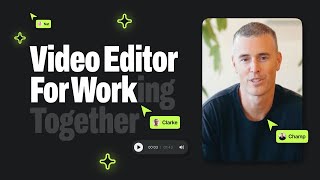
Capsule: One-Click Motion Design for All Your Work Videos
Capsule Video
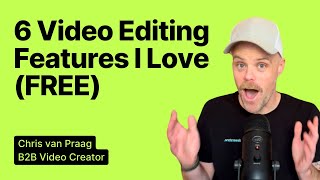
B2B Creator Chris van Praag reviews AI Video Editor Capsule
Capsule Video
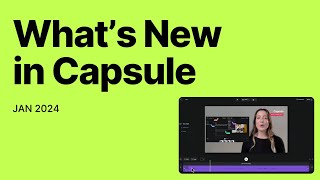
What's New in Capsule (Jan. 2024)
Capsule Video
YouTube returned 6 videos for “Capsule Editor”, and we withheld 3: 3 did not mention Capsule Editor. Showing the 3 we can prove are about Capsule Editor.
Official links
Tools that pair well with Capsule Editor
Common stack mates teams adopt alongside Capsule Editor, with the specific reason each pairing earns its keep.
Kapwing
Browser-based AI video editor that turns prompts, long recordings, and transcripts into social-ready clips for teams.
CapCut
CapCut is a free AI video editor for TikTok, Reels, and Shorts creators who need captioned, publishable cuts fast.

Lumen5
AI video maker that turns your blogs, PDFs and bullet points into on-brand social videos
Alternatives to Capsule Editor
View all
Frequently Asked Questions
Best-of guides
Used Capsule Editor? Help shape our editorial sentiment research.