
Climate FieldView
Climate FieldView unifies crop data, satellite scouting, and variable-rate seed scripting across mixed-brand farm equipment.
FieldView earns its place on mixed-brand operations, not single-color fleets. The free Basic tier is a genuine data inbox and yield reporting layer; the features that actually move yield — FieldView Seed Scripts, Enhanced Scripting, Image-Enhanced Scouting — are locked behind the $649/year Plus plan, billed annually. Buy Plus only if you're writing variable-rate seed scripts at scale and want the cited +5 bu/ac scripting edge.
Verified 13h ago · liveness 75/100 · cite: rightaichoice.com/tools/climate-fieldview
- Large-scale commercial row-crop farms running a mixed-brand equipment fleet
- Agronomists managing crop data across multiple client farms
- Growers building variable-rate seed scripts to push yield
- Operations that want a free data tier before committing to paid scripting
- Small hobby farms with minimal data collection needs
- Growers on an all-John Deere fleet who want native Operations Center integration
- Operations requiring deep drone-based NDVI analytics
We scan live Reddit threads, YouTube comments, X posts, G2 reviews and other communities — and hand you an honest verdict in under a minute.
- Honest verdict, not marketing
- Real pros & cons from real users
- Attributed quotes with receipts
3 free scans · no card needed
Skip Climate FieldView if your fleet is all John Deere and you want native Operations Center integration, or if you only need basic yield reporting and won't use the paid seed scripting tools on the $649/year Plus tier.
FieldView Seed Scripts, Enhanced Scripting, and Manual Scripting are Plus-only, so the free Basic tier's data hub becomes a $649/year commitment the moment you want prescriptions.
Climate FieldView fits mid-to-large commercial row-crop operations: Basic is free at $0/year, and Plus at $649/year billed annually is a modest per-acre line item for a farm scripting variable-rate seed across thousands of acres. Against brand-native systems like John Deere Operations Center, which bundle into equipment ownership, FieldView's cost is a separate stack — the cross-brand compatibility is what you're paying for.
In short
Climate FieldView — Climate FieldView unifies crop data, satellite scouting, and variable-rate seed scripting across mixed-brand farm equipment. Best for Large-scale commercial row-crop farms running a mixed-brand equipment fleet, Agronomists managing crop data across multiple client farms, Growers building variable-rate seed scripts to push yield. Free to start; paid plans from $649/yr.
No head-to-head comparison for Climate FieldView yet — the alternatives below are the closest matches we list.
What's new in Climate FieldView
Checked 7 days agoAcross the latest 2 updates: 1 launch and 1 news mention.
A Successful Spring Starts in the Winter: A Planning Season Checklist
FieldView published a winter planning checklist covering seed orders and data reviews ahead of spring planting.
Fast, Stable, Secure. Meet Drive 2.0
FieldView Drive 2.0 launched with built-in GPS, faster data syncing, no thumb drive needed for seed scripts, and compatibility with a wider range of equipment.
What people actually say about Climate FieldView — is it worth it?
We ran a structured research pass across product reviews, community discussions, and post-purchase forum threads to surface the patterns vendors won't publish themselves. Below: the recurring strengths, the hidden costs people mention most, and the cohort that consistently regrets adopting this tool.
21 mentions across 2 sources (App Store, Lemmy) · researched Aug 18, 2026.
Average across the 2 sources that answered — each source counts once, not each post.
- +Cross-brand compatibility with 60+ partners, avoiding hardware lock-in.
- +Seed Scripts deliver an average +5 bu/ac yield bump.
- +Image-Enhanced Scouting with satellite imagery catches issues early.
- +Free Basic tier includes core data collection and yield analysis.
- +Real-time alerts and variable-rate prescription building in Plus.
- −Latest update removed rainfall and radar features users loved.
- −Rainfall data now inaccurate, sometimes off by several inches.
- −Map view reduced to pins, losing field coverage detail.
- −Support is slow or unresponsive for account and password issues.
- −iPhone lacks Android's field navigation feature.
- • Hardware like FieldView Drive 2.0 is sold separately, adding cost
- • Premium support may still not resolve issues promptly based on user reports
Viability Score
How well maintained and how widely used is Climate FieldView? Built from what the vendor actually publishes (docs, changelog, tutorials, integrations, pricing), whether the site is live, and how much real users discuss it. How we calculate this
Last calculated: October 2026
How we score →Key Features
- Data Inbox for centralized collection, storage, and sharing of crop data
- Compatibility with most equipment types across major brands
- Connectivity with 60+ agronomic and equipment partners
- FieldView Seed Scripts for variable-rate seed prescriptions
- Enhanced Scripting and Manual Scripting for custom seed plans
- Image-Enhanced Scouting with satellite field health imagery
- Record-Based Scouting with field historical weather and forecast
- Yield Analysis and Field Region Reports in real time
- FieldView Reports for shareable season analysis
- Grain Futures data on the Plus tier
- External API connectivity for data export and integration
- Data Manager, SplitView, and Digital Map Book
- Access control so you decide who can see your farm data
- FieldView Drive 2.0 hardware with built-in GPS and faster data syncing
- Push-button seed script transfer without a thumb drive (Drive 2.0)
About Climate FieldView
Climate FieldView is a digital farming platform for row-crop operations that need one place to collect equipment data, scout fields, and build variable-rate seed prescriptions. Its four workflows map to the season: Gather Information collects, connects, stores, and shares crop data from mixed-brand machinery; Scout Fields combines record-based scouting with satellite field health imagery and field-level weather; Build Prescriptions turns yield history into FieldView Seed Scripts, Enhanced Scripting, and Manual Scripting plans; and Analyze Data delivers yield analysis, field region reports, and FieldView Reports. The pitch is breadth and compatibility. FieldView advertises connectivity with 60+ agronomic and equipment partners and compatibility with most equipment types, which matters when your fleet isn't a single color and your agronomist works in different software. The optional FieldView Drive 2.0 hardware, launched August 2024, adds built-in GPS, faster data syncing, wider equipment compatibility, and push-button seed script transfer without a thumb drive. The numbers here are concrete: pricing starts at $0.00/year for Basic and $649/year, billed annually, for Plus; FieldView cites an average +5 bu/ac for farmers using FieldView seed scripts versus self-written scripts; and access controls let you decide who sees your farm data. The scripting engine, image-enhanced scouting, and grain futures data all sit on the paid tier, with Basic serving as a free data inbox and yield reporting layer. Where it fits versus alternatives: if your fleet is mixed-brand and you share data with advisors across client farms, FieldView is the more flexible hub. If you run an all-John Deere fleet and want native Operations Center integration, or you need deep drone-based NDVI analytics, a single-brand or specialist platform may serve you better.
Behind the Verdict
Pick FieldView when your equipment isn't one color. The 60+ partner network and stated compatibility with most equipment types is the whole reason to choose this over a single-brand system — in practice, that's what lets an agronomist pull yield data from a Case IH combine and a John Deere planter into one FieldView Reports package. Add Climate FieldView Drive 2.0 and you get built-in GPS, faster syncing, and push-button seed script transfer without a thumb drive, which removes a real friction point on planting day. Pass on it if you're running all green and already live in John Deere Operations Center. You'd be paying $649/year for layer that duplicates what your native stack already does, minus the tight integration. Small acreage operations with minimal data collection also won't get their money's worth — Basic is free, but the Plus features that justify the spend assume you're scripting at scale. We'd reach for Plus specifically if you build variable-rate seed prescriptions. The +5 bu/ac figure FieldView cites for farmers using FieldView Seed Scripts versus self-written scripts is the bet you're making; on a large row-crop operation that math can carry the subscription. If you're only scouting and reviewing yield, Basic's Data Inbox, Yield Analysis, and Field Region Reports cover a lot of ground for nothing. The caveat: setup and data flow still hinge on which displays and monitors your equipment runs, and Drive 2.0 is optional hardware, not included. Budget for it if you want the GPS and thumb-drive-free scripting. Closest alternative is John Deere Operations Center for green fleets, and specialist drone/imagery platforms if deep NDVI is your priority. FieldView wins on cross-brand flexibility and advisor data sharing — that's the lane it owns.
Researching Climate FieldView? Get your full AI stack in 60 seconds.
Free, no signup — tell us your goal and get tools matched to your budget & existing stack.
Real-world workflow fit
Concrete scenarios for the personas Climate FieldView actually fits — and what changes day-one when you adopt it.
Install FieldView Drive 2.0 in each tractor and combine, sync planting and harvest data to FieldView, then build variable-rate FieldView Seed Scripts by zone using last season's Yield Analysis and Field Region Reports.
Outcome: Seed prescriptions transferred push-button to the cab without a thumb drive, and the vendor's cited average +5 bu/ac lift versus self-written scripts gives a benchmark for evaluating the season.
Pull client field data into one FieldView account via Data Manager, run Image-Enhanced Scouting across satellite field health imagery, and set access control so each grower sees only their own farm data.
Outcome: Client recommendations built on the same yield history and scouting layers, with sharing permissions handled per farm rather than by swapping files.
Start on the free Basic tier, connect equipment via FieldView Drive, use Data Inbox and Yield Analysis plus SplitView and Digital Map Book to review last season, then upgrade to Plus at $649/year billed annually when seed scripting and image-enhanced scouting become priorities.
Outcome: No software spend in year one until the data workflow is proven, with the Plus upgrade decision timed to the planning season.
Use Cases
- Connect equipment to FieldView Drive 2.0 to automatically sync planting and harvest data.
- Use Image-Enhanced Scouting satellite imagery to spot pest pressure or nutrient deficiencies before visiting fields.
- Build variable-rate seed scripts by zone, rate, and yield goal to push ROI per acre.
- Run Yield Analysis and Field Region Reports to compare hybrid performance across the operation.
- Share field data with your agronomist or dealer through Data Manager for collaborative planning.
- Track Grain Futures inside the platform to inform selling decisions.
- Create prescription maps for variable-rate application of seed, fertilizer, or other inputs.
- Transfer seed scripts wirelessly between cab and office with Drive 2.0.
Limitations
- FieldView requires internet connectivity for most features, so field work depends on the Drive hardware caching data until you sync.
- FieldView Seed Scripts, Enhanced Scripting, Manual Scripting, Image-Enhanced Scouting, and Grain Futures are all Plus-tier features, meaning the free Basic tier gives you a data hub and yield reports rather than a scripting engine.
- The $649/year Plus price is billed annually.
- The vendor notes that pricing and features are subject to change and will be updated regularly.
as of 2026-10-01
Verification history
We have re-verified Climate FieldView 18 times since . Each pass re-reads the vendor's own pages and re-checks every listed field against that evidence; passes where nothing had changed are marked as such.
- — re-checked, vendor evidence unchanged
- — re-verified summary, description, our verdict, our analysis, pricing model, pricing tiers, features, integrations, who it suits, who should skip it
- — re-verified summary, description, our verdict, our analysis, pricing model, pricing tiers, features, integrations, who it suits, who should skip it
- — re-verified summary, description, our verdict, our analysis, pricing model, pricing tiers, features, integrations, who it suits, who should skip it
- — re-verified summary, description, our verdict, our analysis, pricing model, pricing tiers, features, integrations, who it suits, who should skip it
- — re-checked, vendor evidence unchanged
Showing the 6 most recent of 18 verification passes.
Free to cite with attribution — this page re-verifies continuously.
12-month cost
Project the real annual outlay, including the implied monthly cost when only an annual tier is published.
Vendor list price only. Add-on usage, seat overages, and contract minimums are surfaced under Hidden costs & gotchas.
Plans compared
For each published Climate FieldView tier: who it actually fits, and what it adds vs. the previous tier. Cross-reference the cost calculator above for projected annual outlay.
Basic
$0.00/year
Ideal for
Commercial farm or agronomy client testing digital farming before software spend, or an operation that only needs data aggregation and yield reporting.
What this tier adds
Starting tier and free entry point at $0/year: Data Inbox, Yield Analysis, Field Region Reports, FieldView Reports, External API Connectivity, Data Manager, SplitView, Digital Map Book, and online support.
Plus
$649/year
Ideal for
Growers scripting variable-rate seed across zones or running satellite scouting — the tier where FieldView's yield-moving tools live.
What this tier adds
Adds FieldView Seed Scripts, Enhanced Scripting, Manual Scripting, Grain Futures, Image-Enhanced Scouting with Field Health Imagery, Field Historical Weather, Record-Based Scouting, Field Weather Forecast, and local on-farm, phone, email, and live chat support for $649/year
Where the pricing makes sense
The company stage and team size where Climate FieldView's pricing actually pencils out — and where peers do it cheaper.
Climate FieldView fits mid-to-large commercial row-crop operations: Basic is free at $0/year, and Plus at $649/year billed annually is a modest per-acre line item for a farm scripting variable-rate seed across thousands of acres. Against brand-native systems like John Deere Operations Center, which bundle into equipment ownership, FieldView's cost is a separate stack — the cross-brand compatibility is what you're paying for.
Setup time & first value
How long it actually takes to get something useful out of Climate FieldView — broken out by persona, not the marketing-page minute.
Free Basic tier: sign up and start loading data the same day — Data Inbox and Yield Analysis need no hardware. For full in-cab sync, add a FieldView Drive 2.0 per machine and complete the hardware install; figure a few hours per unit plus pairing before your first season sync. Growing operations adding Plus for seed scripting should budget a planning-season cycle to build zone maps and scripts
Switching to or from Climate FieldView
How to bring data in from common predecessors and how to get it back out — written for the switcher, not the buyer.
- →From paper field records: load historical field boundaries and yield data into Data Inbox to seed Yield Analysis and Field Region Reports.
- →From single-brand equipment software: connect mixed-brand machines through FieldView Drive 2.0 and aggregate previously siloed planting and harvest data in one FieldView account.
- →From a spreadsheet-based seed planning process: move zone and rate logic into FieldView Seed Scripts and Enhanced Scripting so prescriptions transfer directly to the cab.
- ↗To John Deere Operations Center: export field and yield data via External API Connectivity, then load into the Deere data layer for an all-green fleet.
- ↗To another agronomy platform: use External API Connectivity to pull field boundaries and yield records out of FieldView.
Resources & Guides
Tutorials & Learning
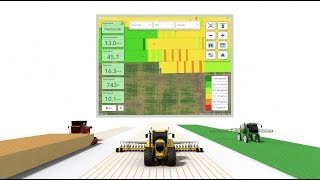
デジタル農業へようこそ - Climate FieldView
FieldView
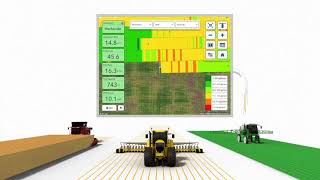
Overview of the Climate FieldView™ Platform
FieldView

How to integrate with Climate Fieldview
FCC AgExpert TV
YouTube returned 6 videos for “Climate FieldView”, and we withheld 1: 1 did not mention Climate FieldView. Showing the 5 we can prove are about Climate FieldView.
Official links
Tools that pair well with Climate FieldView
Common stack mates teams adopt alongside Climate FieldView, with the specific reason each pairing earns its keep.
Cropin
Cropin turns verified ground-truth field data, Earth observation and agentic AI into agriculture, climate risk and sourcing decisions for asset-intensive

AgriCircle
AI-powered farm management for sustainable agriculture, integrating satellite data, carbon monitoring, and certifications.

CropX
CropX turns multi-depth soil sensor data into AI irrigation, disease and nutrient decisions for commercial farms.
Alternatives to Climate FieldView
View allCropin
Cropin turns verified ground-truth field data, Earth observation and agentic AI into agriculture, climate risk and sourcing decisions for asset-intensive

AgriCircle
AI-powered farm management for sustainable agriculture, integrating satellite data, carbon monitoring, and certifications.

Frequently Asked Questions
Categories
Topics
Used Climate FieldView? Help shape our editorial sentiment research.