
CodeSnack IDE
Mobile-first IDE with a real Linux cloud container for writing, running, and deploying code on phones and tablets.
CodeSnack IDE earns its place because it does something most mobile editors don't: it hands you a real Linux container with Docker, a terminal, VNC access to the GUI, and Git over UI or SSH. The 6.x redesign (July 2026) plus the 6.0.2 fixes to PHP, C/C++, and Java language servers make it more than a toy. It is a poor replacement for a desktop IDE on a complex multi-module codebase, and anything container-side needs a connection. If you want a code editor on a phone, look elsewhere; if you want a portable Linux box that happens to live on your phone, this is one of the few real options.
Verified 8h ago · liveness 68/100 · cite: rightaichoice.com/tools/codesnack-ide
- Mobile-first developers who want a real Linux environment on a phone or tablet
- Students learning programming through runnable samples and GUI projects
- Hobbyists prototyping back-end or front-end apps without a laptop
- Developers who need to test Docker services, run a quick fix, or push code while travelling
- Desktop IDE power users who need a full-featured local environment
- Teams needing real-time collaborative editing in a shared workspace
- Professional developers maintaining large multi-module projects
We scan live Reddit threads, YouTube comments, X posts, G2 reviews and other communities — and hand you an honest verdict in under a minute.
- Honest verdict, not marketing
- Real pros & cons from real users
- Attributed quotes with receipts
3 free scans · no card needed
Skip CodeSnack IDE if you need real-time collaborative editing or a large multi-module project in a desktop-class local environment.
CodeSnack IDE's pricing fits teams whose volume aligns with the published tiers. Compare against the alternatives listed below for stage-specific value.
In short
CodeSnack IDE — Mobile-first IDE with a real Linux cloud container for writing, running, and deploying code on phones and tablets. Best for Mobile-first developers who want a real Linux environment on a phone or tablet, Students learning programming through runnable samples and GUI projects, Hobbyists prototyping back-end or front-end apps without a laptop. Free to use.
What's new in CodeSnack IDE
Checked todayAcross the latest 5 updates: 3 feature updates, 1 launch and 1 changelog entry.
6.0.2 — A steadier editor and fixes across the app
Faster code intelligence, fixed selection sync and a memory leak, PHP code intelligence added, and C/C++ and Java language servers repaired. Restore purchases and Pro status now recover after network hiccups, and tablet VNC and in-app browser panes open from the toolbar again.
6.0.0 — CodeSnack IDE 6 is a full redesign of the app
New look with light and dark themes set separately for the app and the code editor, a reworked virtual keyboard that moves with the native keyboard, a Learning section with step-by-step lessons, run configurations, new Docker pages, and Git clone over SSH.
5.8.5 — New terminal cli tool lets you copy text between cloud and device
Added cs clip write to copy terminal output directly to your device clipboard and cs open to quickly open files, speeding up the terminal-to-device workflow.
5.6.7 — Introducing Container Manager with Docker support
Lets you search, pull, and launch Docker images such as MySQL or MongoDB in a few clicks, configure ports, volumes, and environment variables, then monitor container status and logs in real time.
5.5.5 — Added 15+ interactive Python GUI examples
Interactive Python GUI examples spanning Tkinter, PyQt5, and Kivy, including games like Tetris, Pacman, Snake, and Space Invaders that run in the Cloud Container GUI with no extra setup.
What people actually say about CodeSnack IDE — is it worth it?
We ran a structured research pass across product reviews, community discussions, and post-purchase forum threads to surface the patterns vendors won't publish themselves. Below: the recurring strengths, the hidden costs people mention most, and the cohort that consistently regrets adopting this tool.
25 mentions across 2 sources (YouTube, App Store) · researched Jul 30, 2026.
Average across the 2 sources that answered — each source counts once, not each post.
- +Full Linux container in cloud for real dev flexibility.
- +Supports 18 languages out of the box, any via container.
- +Generous free tier with no intrusive ads or cash grabs.
- +Great for learning CS concepts with sample library.
- +Git integration for import/export of code projects.
- −Phone screen UI is user-hostile with tiny text and broken selections.
- −App gets stuck on cloud sync at 0% for some users on launch.
- −No way to contact support for critical issues.
- −App loses scroll position when switching away and back.
- −Copy-paste from output doesn't work with standard iPhone gestures.
- • No hidden costs reported; free tier is genuinely free.
Viability Score
How well maintained and how widely used is CodeSnack IDE? Built from what the vendor actually publishes (docs, changelog, tutorials, integrations, pricing), whether the site is live, and how much real users discuss it. How we calculate this
Last calculated: September 2026
How we score →Key Features
- Supports 18 programming languages: Java, Python, C/C++, C#, Dart, JavaScript, TypeScript, PHP, Shell, Swift, Ruby, Go, Kotlin, Lua, Haskell, Rust, Scala
- Full Linux cloud container — install additional languages directly into it
- Container Manager: search, pull, and launch Docker images such as MySQL and MongoDB
- Configure Docker ports, volumes, and environment variables, with live status and logs
- VNC viewer for GUI access to the cloud container
- Run GUI apps and Python GUI examples (Tkinter, PyQt5, Kivy) in the container
- Git integration: clone, pull, and push through a UI, with Git clone over SSH added in 6.0.0
- Dependency management through terminal commands such as npm and pip
- Expose a running application to the internet for testing
- CLI tool cs clip write copies terminal output to your device clipboard
- CLI tool cs open quickly opens files from the terminal
- 15+ interactive Python GUI examples including Tetris, Pacman, Snake, Space Invaders
- In-app browser for React, Ionic, and React Native project development
- CodeSnack IDE 6.0.0 redesign with separate light/dark themes for app and code editor
- Reworked virtual keyboard that moves with the native keyboard
About CodeSnack IDE
CodeSnack IDE is a mobile-first integrated development environment built specifically for phones and tablets rather than adapted from a desktop editor. You get a real Linux cloud container that runs Java, Python, C/C++, C#, Dart, JavaScript, TypeScript, PHP, Shell, Swift, Ruby, Go, Kotlin, Lua, Haskell, Rust, and Scala out of the box, and you can install any other language into the container yourself. Beyond editing, it behaves like a working development environment: you clone, pull, and push Git repositories through a UI or over SSH, install dependencies with terminal commands like npm and pip, and expose a running app to the internet for testing. The Container Manager (added in 5.6.7) lets you search, pull, and launch Docker images such as MySQL or MongoDB and configure ports, volumes, and environment variables, then watch status and logs. A VNC viewer opens the container's GUI, which is how the 15+ interactive Python examples (Tkinter, PyQt5, Kivy — Tetris, Pacman, Snake, Space Invaders) render. CodeSnack IDE 6.0.0 (July 2026) is a full redesign with light and dark themes set separately for app and editor, a reworked virtual keyboard, a step-by-step Learning section, run configurations, new Docker pages, and Git clone over SSH; 6.0.2 (September 2026) added PHP code intelligence and fixed the C/C++ and Java language servers. It suits learners, hobbyists, and developers who want to fix, test, or prototype something away from a laptop.
Behind the Verdict
**What it actually is.** CodeSnack IDE is not a text editor with syntax highlighting and a cloud sync. It pairs a touch-optimized mobile front end with a genuine Linux container on the other end, and almost every distinguishing feature follows from that. You can install a language that isn't in the supported 18, run `npm install` or `pip install` in the terminal, pull a MySQL or MongoDB image through the Container Manager, and then reach the container's GUI through the embedded VNC viewer. **Where it is strongest.** Three things stand out. First, the Container Manager (5.6.7, February 2025) turns Docker on a tablet into a tap-through flow — search, pull, launch, then set ports, volumes, and environment variables, with live container status and logs. That is a genuinely unusual capability in a mobile app. Second, the 15+ Python GUI examples added in 5.5.5 give learners something to run immediately rather than a blank buffer: Tkinter, PyQt5, and Kivy programs including Tetris, Pacman, Snake, and Space Invaders, all rendering in the container GUI with no extra setup. Third, the workflow plumbing is real: Git clone/pull/push through a UI since 4.2.0, clone over SSH added in 6.0.0, an in-app browser for React/Ionic/React Native projects since 4.1.0, and the `cs clip write` / `cs open` terminal tools added in 5.8.5 that move text between the container and your device clipboard. **The 6.x redesign matters.** 6.0.0 (15 July 2026) reworked the app rather than patching it — separate light/dark themes for the app chrome and the code editor, a virtual keyboard that tracks the native keyboard, run configurations, new Docker pages, and a Learning section built around step-by-step lessons. 6.0.2 (27 September 2026) then cleaned up what a redesign tends to break: faster code intelligence, fixed selection sync, a memory leak, PHP code intelligence, repaired C/C++ and Java language servers, and tablet fixes for VNC and the in-app browser panes. A four-month-old redesign followed by a stability release is a better signal than launch-day polish. **Where it falls down.** The container is remote, so the core of the product needs a connection — the app's own release notes repeatedly reference reconnection and container-loading fixes, and the seed data flags offline work as a non-fit. Input on a touchscreen is still input on a touchscreen; the reworked virtual keyboard helps, not solves. Large multi-module projects are not the target. If you need multiple people editing the same workspace at once, nothing here provides that. And a phone-sized viewport is a poor place to read a big diff. **Who should care.** Students who learn by running things, hobbyists prototyping a backend or a React/Ionic app without opening a laptop, and developers who want to test a database or push a quick fix while travelling. Buyers expecting a desktop-class IDE in pocket form, or teams needing shared editing, should look at a browser-based cloud IDE on a laptop instead. The honest
Researching CodeSnack IDE? Get your full AI stack in 60 seconds.
Free, no signup — tell us your goal and get tools matched to your budget & existing stack.
Real-world workflow fit
Concrete scenarios for the personas CodeSnack IDE actually fits — and what changes day-one when you adopt it.
Opens the Learning section and the 15+ interactive Python examples, runs Tetris or Snake in the container's GUI through the VNC viewer, then edits the source and re-runs it without any local setup.
Outcome: Gets from opening the app to a running, editable GUI program in one session rather than configuring a toolchain.
Clones the repository over SSH, makes the change in the mobile editor, runs it in the project's terminal, and pushes back to GitHub from the app.
Outcome: Ships a small fix away from a laptop without waiting to get back to a desktop.
Launches a MySQL image through the Container Manager, sets ports and environment variables, writes an Express server, and exposes the running app to the internet to test it.
Outcome: Has a working backend and database reachable for testing entirely from a tablet.
Use Cases
- Write and run a Python script on your tablet while commuting.
- Deploy a Node.js backend server from your phone.
- Learn C++ or Python through the built-in sample projects and interactive GUI examples.
- Clone, pull, and push a Git repository — including over SSH — from mobile.
- Run a MySQL or MongoDB Docker container and connect your app to it.
- Prototype a React, Ionic, or React Native app using the in-app browser.
- Expose a running app to the internet for a quick round of testing.
- Fix a small bug or review a change when you don't have a laptop with you.
Limitations
- The cloud container is remote, so the core of the product depends on a connection; the release notes are full of reconnection, container-loading, and network-recovery fixes.
- As a mobile-first IDE, screen size and touch input differ from a desktop setup, and the 6.0.0 virtual keyboard rework addresses that rather than eliminates it.
- Multi-module professional projects and real-time team collaboration fall outside what the app is built for.
- Pricing and tier limits are not documented in the pages reviewed for this update, so nothing here should be read as a statement about cost.
as of 2026-09-29
Verification history
We have re-verified CodeSnack IDE 8 times since . Each pass re-reads the vendor's own pages and re-checks every listed field against that evidence; passes where nothing had changed are marked as such.
- — re-checked, vendor evidence unchanged
- — re-verified summary, description, our verdict, our analysis, pricing model, pricing tiers, features, integrations, who it suits, who should skip it
- — re-checked, vendor evidence unchanged
- — re-verified summary, description, our verdict, our analysis, pricing model, pricing tiers, features, integrations, who it suits, who should skip it
- — re-verified summary, description, our verdict, our analysis, pricing model, pricing tiers, features, integrations, who it suits, who should skip it
- — re-verified summary, description, our verdict, our analysis, pricing model, pricing tiers, features, integrations, who it suits, who should skip it
Showing the 6 most recent of 8 verification passes.
Free to cite with attribution — this page re-verifies continuously.
Where the pricing makes sense
The company stage and team size where CodeSnack IDE's pricing actually pencils out — and where peers do it cheaper.
CodeSnack IDE's pricing fits teams whose volume aligns with the published tiers. Compare against the alternatives listed below for stage-specific value.
Setup time & first value
How long it actually takes to get something useful out of CodeSnack IDE — broken out by persona, not the marketing-page minute.
Realistically, you can install the app and run a sample project within minutes — the interactive Python examples and templates run in the container without any local configuration. Expect longer for a real project: cloning a repository over SSH, installing dependencies with npm or pip, and launching a Docker image through the Container Manager each add setup time, and container start-up depends
Switching to or from CodeSnack IDE
How to bring data in from common predecessors and how to get it back out — written for the switcher, not the buyer.
- →From a plain mobile code editor: move files into a CodeSnack project and gain a real Linux container, terminal, and Docker support instead of editing files in place.
- →From a desktop IDE on the road: clone the repository over SSH in CodeSnack 6.x, make the change in the mobile editor, run it in the container, and push back to the same remote.
- →From browser-based cloud IDEs: reuse the same Git remotes and terminal commands (npm, pip), and bring Docker services across via the Container Manager.
- ↗To a desktop IDE: clone the same Git remote locally, reinstall dependencies with npm or pip, and reproduce the container with the Docker image you were running.
- ↗To another cloud IDE: push your work to the Git remote first so nothing lives only in the CodeSnack project.
- ↗To a self-hosted environment: export your project via Git and rebuild the container from the Docker image plus its ports, volumes, and environment variables.
Integrations
Resources & Guides
Tutorials & Learning
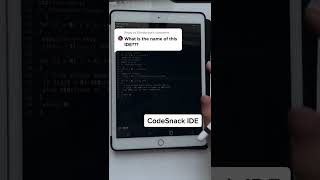
Typing coding codesnack ide
Techn Make India

IS THE CODESNACK IDE APP WORTH USING? (EXPLAINED)
TutorialLore
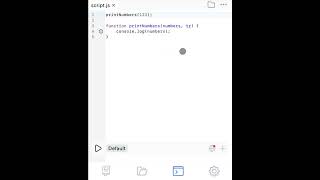
Quick code reformatting in CodeSnack IDE
CodeSnack IDE
YouTube returned 6 videos for “CodeSnack IDE”, and we withheld 3: 3 did not mention CodeSnack IDE. Showing the 3 we can prove are about CodeSnack IDE.
Official links
Tools that pair well with CodeSnack IDE
Common stack mates teams adopt alongside CodeSnack IDE, with the specific reason each pairing earns its keep.

Cosine Genie
Cosine Genie is a coding AI built on production code, with CLI, cloud, and air-gapped deployment for maintainable software.
Augment Code
Agent orchestration platform for running a software factory: loops for code review, ticket-to-PR, and incident triage.
Cursor
Cursor is a coding agent that plans, builds, tests, and ships software across the IDE, CLI, Slack, cloud agents, and mobile.
Featured Head-to-Head Comparisons
Codesnack Ide vs Poolside Ai
Choose CodeSnack IDE if you code on mobile and need a low-cost, self-contained environment with cloud containers and Docker support. Choose Poolside AI if you're an enterprise in a regulated industry requiring custom models, on-prem deployment, and agent-based orchestration—but be prepared for a sales process and enterprise budget.
Codesnack Ide vs Bito
Choose CodeSnack IDE if you need a mobile-first coding environment with a cloud Linux container to build and deploy apps from your phone. Choose Bito if your engineering team uses AI coding agents (Cursor, Claude Code, Codex) and requires system-wide context across multiple repos for planning, code reviews, and production issue triage — Bito’s knowledge graph uniquely solves the cross-repo context problem for AI agents.
Codesnack Ide vs Cognition Ai
Choose CodeSnack IDE if you need a capable mobile IDE for coding on phones/tablets—ideal for students, hobbyists, or quick fixes on the go. Choose Cognition AI (Devin) if you're an enterprise team needing an autonomous AI engineer to handle complex tasks, bug triage, and cross-platform builds, backed by a $10M productivity guarantee. They serve entirely different needs; your choice depends on whether your primary constraint is mobility or automating large-scale engineering workflows.
Alternatives to CodeSnack IDE
View all
Cosine Genie
Cosine Genie is a coding AI built on production code, with CLI, cloud, and air-gapped deployment for maintainable software.
Augment Code
Agent orchestration platform for running a software factory: loops for code review, ticket-to-PR, and incident triage.
Frequently Asked Questions
Categories
Best-of guides
Used CodeSnack IDE? Help shape our editorial sentiment research.