CogniMemo Extension is live · free · last verified 22 Oct 2026 · viability monitor

CogniMemo Extension
CogniMemo's @cogni inline AI prompt bar streams model replies into any Chrome text field, backed by a personal memory graph.
The @cogni trick is genuinely useful: you prompt a model without leaving the field, and the reply lands at your cursor. What follows is less reassuring. Thirty-one users, one rating, a non-trader developer record, and a 7.0.0 release with no documented changes. It costs nothing to try, but don't make it your system of record.
Verdict generatedVerified 8d ago · liveness 56/100 · cite: rightaichoice.com/tools/cognimemo-extension
- Heavy ChatGPT or Claude users who want inline prompts without switching tabs
- Researchers capturing selected web text and chat interactions into one searchable place
- Writers and knowledge workers who want saved context at hand inside any web text field
- Anyone hunting a free Chrome extension that routes to multiple models quickly
- Users who avoid browser extensions or need AI to work offline
- Teams that require shared, collaborative memory across people
- Buyers who need a support contract, SLA, or a documented release schedule
We scan live Reddit threads, YouTube comments, X posts, G2 reviews and other communities — and hand you an honest verdict in under a minute.
- Honest verdict, not marketing
- Real pros & cons from real users
- Attributed quotes with receipts
3 free scans · no card needed
Skip CogniMemo if you need shared team memory, offline AI on a non-Chrome browser, or a vendor you can hold to a support contract — a 29-user extension with one rating is not a system of record.
CogniMemo costs nothing and ships as a single free Chrome Web Store listing. That puts it below the paid second-brain tools it competes with functionally: Mem.ai and Rewind.ai both charge subscriptions for more polish and maintenance, and they are aimed at buyers who will pay for a maintained roadmap. CogniMemo fits an individual who wants the inline workflow for $0 and accepts a thin, single-developer track record instead.
In short
CogniMemo Extension — CogniMemo's @cogni inline AI prompt bar streams model replies into any Chrome text field, backed by a personal memory graph. Best for Heavy ChatGPT or Claude users who want inline prompts without switching tabs, Researchers capturing selected web text and chat interactions into one searchable place, Writers and knowledge workers who want saved context at hand inside any web text field. Free to use.
What is CogniMemo Extension?
CogniMemo Extension — CogniMemo's @cogni inline AI prompt bar streams model replies into any Chrome text field, backed by a personal memory graph. Best for Heavy ChatGPT or Claude users who want inline prompts without switching tabs, Researchers capturing selected web text and chat interactions into one searchable place, Writers and knowledge workers who want saved context at hand inside any web text field. Free to use.
CogniMemo is a Chrome extension that drops an AI prompt bar inside whatever text field you're already typing in. Trigger it with @cogni, write your prompt after the slash, and the reply streams back into that same input, textarea, or rich editor. It's built for heavy chatbot users, researchers, and note-takers who would rather not bounce between a draft and a separate chat window. The second half is memory. CogniMemo syncs memories from external sources like X/Twitter and OpenAI interactions into a personal memory graph, and it grabs content from any web page when you select text. Whatever the assistant draws on can be stored, organized, and recalled later, so your second brain grows out of your browsing and chat history instead of a separate notebook app. The Chrome Web Store listing shows version 7.0.0, updated January 2, 2026, at a 389KiB footprint. It declares website content as its data scope and states your data isn't sold to third parties. Distribution is early: the page shows 31 users and a single 5.0 rating, and the developer is registered as a non-trader, so EU consumer rights don't apply. Against subscription tools like Mem.ai and Rewind.ai, CogniMemo trades polish and maintenance for immediacy. It sits inside the field you're working in. Those rivals don't, and they cost money. Use CogniMemo as a fast inline helper, not as the place your knowledge base lives.
Key features
- Type @cogni in any Chrome input, textarea, or rich editor to start a prompt
- Stream AI replies directly back into the field you're typing in
- Route prompts to ChatGPT, Claude, Gemini, or DeepSeek
- Switch models without changing tabs or pasting between windows
- Sync memories from X/Twitter posts into a personal memory graph
- Sync memories from OpenAI interactions
- Capture web page content by selecting text
- Store, organize, and recall memories in a searchable memory graph
- Context-aware inline replies tied to the active text field
- Floating assistant overlay that follows you across sites
- Chrome extension with accessibility flag
- Declared data scope: website content
- Vendor states data is not sold to third parties
- 389KiB install footprint
- Version 7.0.0, updated January 2, 2026
Behind the verdict
The pitch here is narrow and sensible. Type @cogni in any text box, get a streaming reply in place, and skip the tab dance that eats minutes every hour if you use ChatGPT or Claude all day. Pick it when your main annoyance is the copy-paste loop between a draft and a chat window. We'd reach for CogniMemo when the field itself is the workspace: drafting an email, filling a form, editing a doc in a web editor. The memory graph side is the part to treat carefully. Pulling in X/Twitter posts and OpenAI interactions sounds nice, and selecting text on a page to save it is a fast capture move, but a 31-user extension with one rating is not where your notes should live permanently. Export or duplicate anything you'd miss. The @cogni trigger and the model-agnostic routing, ChatGPT, Claude, Gemini, or DeepSeek, are the reason to install. That routing is also the limit: CogniMemo is a courier. If a host model is down or your key/access changes, the inline bar has nothing to send to. Pass on this if you need offline AI, shared team memory, or a vendor who answers support tickets. A non-trader developer record means no EU consumer rights, and there's no evidence of a maintained release rhythm. The January 2, 2026 version 7.0.0 update documents no changes, so you can't tell what improved. The closest alternative is just keeping a chat tab pinned and pasting. Mem.ai and Rewind.ai are the paid, polished options, with stronger maintenance and features CogniMemo doesn't have. We wouldn't cross-shop them directly: they solve capture and recall, CogniMemo solves in-field prompting. In practice, treat it as a free convenience layer and keep your real notes elsewhere.
Models under the hood
as of 2026-10-24
Limitations
- CogniMemo is a Chrome browser extension, so it requires Chrome to function.
- The listing shows a very small user base (26 users) and a single 5.0 rating, so there is almost no track record to judge reliability by.
- Version 7.0.0 was updated January 2, 2026 with no documented changes, so you cannot tell what that release altered.
- The declared data scope is website content — the broadest permission category available to an extension — and the developer is listed as a non-trader, meaning EU consumer rights do not apply to contracts with this developer.
as of 2026-10-10
Researching CogniMemo Extension? Get your full AI stack in 60 seconds.
Free, no signup — tell us your goal and get tools matched to your budget & existing stack.
Is CogniMemo Extension still active?
CogniMemo Extension is live · free · last verified 22 Oct 2026 · viability monitor.
Viability score
How well maintained and how widely used is CogniMemo Extension? Built from what the vendor actually publishes (docs, changelog, tutorials, integrations, pricing), whether the site is live, and how much real users discuss it. How we calculate this
Last calculated: October 2026
How we score →What do users say about CogniMemo Extension?
What people actually say about CogniMemo Extension — is it worth it?
We ran a structured research pass across product reviews, community discussions, and post-purchase forum threads to surface the patterns vendors won't publish themselves. Below: the recurring strengths, the hidden costs people mention most, and the cohort that consistently regrets adopting this tool.
ResearchedDiscussed by users across 1 source (Product Hunt) · researched Aug 6, 2026.
Average across the 1 source that answered — each source counts once, not each post.
- +Inline @cogni trigger eliminates tab-switching, keeping you in flow.
- +Works with ChatGPT, Claude, Gemini, and DeepSeek simultaneously.
- +Captures highlighted text and syncs from X/Twitter and OpenAI.
- +Searchable memory graph offers user-controlled, organized recall.
- +Floating assistant follows you across any website.
- −Only 33 installs signals an unproven, niche project.
- −Last update was Jan 2, 2026, with undocumented changes.
- −No clear roadmap or official support channel visible.
- −Reliability of memory sync across multiple models is unverified.
- −Potential dependency on browser extension performance overhead.
- • Potential future monetization—no current info on paid tiers
- • Time investment in setting up memory graph and integration
How we verified this
Every listed fact about CogniMemo Extension— pricing, features, links, status — is re-read from the vendor's own pages by our verification pipeline and each change is logged with a date; the last pass ran on 22 Oct 2026. Pages mix model-assisted synthesis with human review; see how we verify.
Verification history
We have re-verified CogniMemo Extension 11 times since . Each pass re-reads the vendor's own pages and re-checks every listed field against that evidence; passes where nothing had changed are marked as such.
- — changed limitations, pricing page
- — changed summary, features, who should skip it, pricing tiers, who it suits, description, our verdict
- — changed pricing page, pricing tiers, description, our verdict
- — changed pricing page, setup time, pricing fit, description, use cases, our verdict, features, who it suits, summary, limitations, who should skip it, switching in, switching out
- — changed our verdict, description, who it suits, pricing tiers, features, summary
- — changed pricing page, limitations
Showing the 6 most recent of 11 verification passes.
Free to cite with attribution — this page re-verifies continuously.
How much does CogniMemo Extension cost in 2026?
CogniMemo Extension: Free to use. Pricing last verified 22 Oct 2026.
Plans compared
Every published CogniMemo Extension tier, its price as the vendor publishes it, who it fits, and what it adds over the tier below. The 12-month cost projection follows.
| Plan | Price | Billing | Who it's for |
|---|---|---|---|
| Free | Free | — | Individual researchers, writers, and heavy chatbot users who want AI prompting inside the text field and a free way to try it.Adds: Free entry point — no paid tiers are published on the listing; you get inline @cogni prompting, model routing, memory sync, and the floating assistant at $0. |
12-month cost
Project the real annual outlay, including the implied monthly cost when only an annual tier is published.
Vendor list price only. Add-on usage, seat overages, and contract minimums are surfaced under Hidden costs & gotchas.
Where the pricing makes sense
The company stage and team size where CogniMemo Extension's pricing actually pencils out — and where peers do it cheaper.
CogniMemo costs nothing and ships as a single free Chrome Web Store listing. That puts it below the paid second-brain tools it competes with functionally: Mem.ai and Rewind.ai both charge subscriptions for more polish and maintenance, and they are aimed at buyers who will pay for a maintained roadmap. CogniMemo fits an individual who wants the inline workflow for $0 and accepts a thin, single-developer track record instead.
Has CogniMemo Extension's pricing changed?
No plan price for CogniMemo Extension has moved since we began logging in Aug 2026; the pricing page is re-read on every verification pass.
Who should pick CogniMemo Extension?
Pick CogniMemo Extension if you are Heavy ChatGPT or Claude users who want inline prompts without switching tabs, Researchers capturing selected web text and chat interactions into one searchable place, Writers and knowledge workers who want saved context at hand inside any web text field, Anyone hunting a free Chrome extension that routes to multiple models quickly.
Look elsewhere if you are Users who avoid browser extensions or need AI to work offline, Teams that require shared, collaborative memory across people, Buyers who need a support contract, SLA, or a documented release schedule, Anyone who needs their knowledge base to be an auditable system of record.
Skip it if Skip CogniMemo if you need shared team memory, offline AI on a non-Chrome browser, or a vendor you can hold to a support contract — a 29-user extension with one rating is not a system of record.
GeneratedReal-world workflow fit
Concrete scenarios for the personas CogniMemo Extension actually fits — and what changes day-one when you adopt it.
You're filling a long textarea in a browser form and want an answer without leaving it. You type @cogni plus your prompt, choose a model, and the reply streams into the field. You select supporting text on a source page to capture it.
Outcome: Draft written in place with no tab switching, and the source passage saved to your memory graph for later recall.
You save X/Twitter posts and prior OpenAI interactions into CogniMemo's memory graph, then later type @cogni in any field to pull that context back while drafting.
Outcome: Your saved context is searchable from any text box instead of trapped in separate apps.
You need to compare phrasing across models. Using the same @cogni trigger, you route one prompt to ChatGPT and another to Claude or Gemini from inside the same field.
Outcome: Model comparison happens without opening a single chat tab.
Use cases
- Search saved notes and past AI chats by typing @cogni in any text field
- Save X/Twitter posts into your personal memory graph for later recall
- Archive AI conversations so you can search them again
- Draft or explain content in any website's text box using your own saved context
- Select text on a web page to capture and store it in your memory graph
Setup time & first value
How long it actually takes to get something useful out of CogniMemo Extension — broken out by persona, not the marketing-page minute.
Individual browser user: install the 389KiB extension from the Chrome Web Store and start typing @cogni in any text field immediately — first value in under a minute. Building a useful memory graph takes longer, since it depends on how much you sync from X/Twitter, OpenAI interactions, and selected web pages over the following days.
Switching to or from CogniMemo Extension
How to bring data in from common predecessors and how to get it back out — written for the switcher, not the buyer.
- →From browser chat tabs: keep ChatGPT, Claude, Gemini, or DeepSeek open as you do today, but start typing @cogni in the field you're writing in instead of pasting replies across.
- ↗To Mem.ai or Rewind.ai: export or re-capture what matters, since a Chrome extension's memory graph has no documented handoff to those platforms.
Resources & guides
Tutorials & Learning
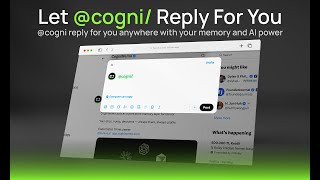
YouTube returned 6 videos for “CogniMemo Extension”, and we withheld 5: 5 did not mention CogniMemo Extension. Showing the 1 we can prove is about CogniMemo Extension.
Official links
What are the best CogniMemo Extension alternatives?
The closest alternatives to CogniMemo Extension we list are Mem, Liminary and Constella. Ranked by direct product-type match, not category overlap.
| Alternative | Pricing | Starts at | Last verified |
|---|---|---|---|
| Mem | Freemium | Pricing not published | — |
| Liminary | Freemium | Pricing not published | — |
| Constella | Freemium | Pricing not published | — |
Alternatives to CogniMemo Extension
View all

Tools that pair well with CogniMemo Extension
Common stack mates teams adopt alongside CogniMemo Extension, with the specific reason each pairing earns its keep.
Mem
Mem is an AI knowledge base that organizes what you capture, and Mem Agent checks in when something needs you.

Liminary
Liminary is a Chrome-extension research memory that captures what you read and grounds client deliverables in your own sources.

Constella
Constella is an infinite-canvas memory layer that auto-links your notes so Claude, ChatGPT and Codex share the same context
CogniMemo Extension vs its closest rival
CogniMemo Extension's closest head-to-head is with Surge Ai — Choose CogniMemo if you need a free, lightweight memory layer across AI chats and web browsing. Choose Surge AI if you are an AI lab requiring expert human feedback for model alignment—Surge's recent benchmarks (Antidote, Riemann-bench) and Microsoft partnership prove its enterprise value. These tools serve completely different needs and are not direct competitors. Verdict generated
Head-to-head comparisons
Cognimemo Extension vs Surge Ai
Choose CogniMemo if you need a free, lightweight memory layer across AI chats and web browsing. Choose Surge AI if you are an AI lab requiring expert human feedback for model alignment—Surge's recent benchmarks (Antidote, Riemann-bench) and Microsoft partnership prove its enterprise value. These tools serve completely different needs and are not direct competitors.
GeneratedCognimemo Extension vs Praktika
Praktika and CogniMemo Extension address completely different needs. Choose Praktika if you want AI-driven speaking practice with real-time feedback for language learning. Choose CogniMemo Extension if you need a second brain that remembers your AI chats, web content, and notes across multiple AI models. They are complementary, not competitive.
GeneratedFrequently asked questions
Best-of guides
Used CogniMemo Extension? Help shape our editorial sentiment research.