
Comic Translate
AI comic translator that OCRs, translates, and re-renders manga, manhwa, and webtoon speech bubbles in one click
The lettering pipeline is the reason to pick Comic Translate — bubble cleanup, inpainting, and native webtoon scrolling are things DeepL and Google Translate simply don't attempt. It's a strong fit for readers and scanlation hobbyists; heavy volume or premium-model OCR is where the credit meter starts to matter, so budget the $11.99 or $24.99 tier if you're processing chapters regularly.
Verified 6h ago · liveness 67/100 · cite: rightaichoice.com/tools/comic-translate
- Manga, manhwa, and webtoon readers who want translated pages they can actually read
- Scanlation groups needing a fast AI first pass to edit and re-letter by hand
- Webtoon translators dealing with long-scrolling strips that break in page-based tools
- Small publishers localizing comics on a per-credit budget
- Translators who need a full CAT tool with translation memory and glossary management
- Offline-only or air-gapped workflows that can't spend cloud credits
- Anyone expecting unlimited free premium-model translation
We scan live Reddit threads, YouTube comments, X posts, G2 reviews and other communities — and hand you an honest verdict in under a minute.
- Honest verdict, not marketing
- Real pros & cons from real users
- Attributed quotes with receipts
3 free scans · no card needed
Skip Comic Translate if you need a full CAT tool with translation memory and termbases for professional book localization, or you require offline-only translation with no cloud credit consumption.
The free plan's 50 credits are one-time, so once they're gone every further page needs a paid plan or the default recognition models.
The $5.99/mo 2,000-credit plan fits individual readers and small scanlation projects; $11.99/mo for 4,500 credits suits a group working through chapters regularly; $24.99/mo for 10,000 credits is the small-publisher tier. Compared with general translation APIs billed per token, the ceiling here is predictable but the per-page cost rises with premium model use.
In short
Comic Translate — AI comic translator that OCRs, translates, and re-renders manga, manhwa, and webtoon speech bubbles in one click. Best for Manga, manhwa, and webtoon readers who want translated pages they can actually read, Scanlation groups needing a fast AI first pass to edit and re-letter by hand, Webtoon translators dealing with long-scrolling strips that break in page-based tools. Free to start; paid plans from $5.99/mo.
What people actually say about Comic Translate — is it worth it?
We ran a structured research pass across product reviews, community discussions, and post-purchase forum threads to surface the patterns vendors won't publish themselves. Below: the recurring strengths, the hidden costs people mention most, and the cohort that consistently regrets adopting this tool.
45 mentions across 5 sources (Hacker News, YouTube, Bluesky, GitHub, Lemmy) · researched Jul 14, 2026.
Average across the 5 sources that answered — each source counts once, not each post.
- +Supports multiple formats: images, PDF, EPUB, CBR, CBZ.
- +One-click and manual translation modes available.
- +Free and open source with 2.8k GitHub stars.
- +Works with Japanese, Korean, Chinese, French, and more.
- +Inpainting and speech bubble cleanup included.
- −Frequent installation and runtime errors on Mac and AMD.
- −Poor translation quality for complex layouts.
- −No official support; community issues pile up.
- −Custom model integration is broken for many users.
- −Text fitting often requires manual adjustment.
- • Credits may deplete quickly for long chapters or high-resolution pages
- • Advanced AI models (GPT, Gemini) consume multiple credits per page
Viability Score
How well maintained and how widely used is Comic Translate? Built from what the vendor actually publishes (docs, changelog, tutorials, integrations, pricing), whether the site is live, and how much real users discuss it. How we calculate this
Last calculated: October 2026
How we score →Key Features
- One-click translation of multiple comic pages at once
- AI OCR tuned for comics, manga, manhwa, and webtoons
- Manual mode: draw OCR boxes and adjust text regions
- Edit translations: resize and restyle text, change fonts
- Rewrite translations inline with live preview
- Automatic artifact removal and speech-bubble cleanup
- Image inpainting for damaged or messy pages
- Native webtoon support with long-scrolling and text grouping
- Read pages as they are translated
- Save projects and resume where you left off
- Upload images, PDFs, EPUBs, and ZIP/RAR/CBR/CBZ archives
- Translate with GPT, Gemini, and more
- Credit rollover up to your monthly plan limit
- Multilingual UI (English, Japanese, Korean, French, and more)
- Translate to and from Japanese, Korean, Chinese, French, and English
About Comic Translate
Comic Translate is an AI translator built around the parts of comic localization that general machine translation ignores: the lettering. You upload images, PDFs, EPUBs, or archives (ZIP, RAR, CBR, CBZ) and it runs AI OCR and translation across multiple pages at once, then redraws the translated text back inside the original speech bubbles. It covers manga, manhwa, comics, and webtoons, translating to and from languages including Japanese, Korean, Chinese, French, and English. The pricing page names GPT and Gemini among the premium translation engines you can reach with credits. The comic-specific plumbing is what you're paying for. Automatic artifact removal, inpainting of damaged areas, and speech-bubble cleanup keep pages readable after the text swap. Manual Mode hands you the controls to draw OCR boxes, adjust regions, resize and restyle text, swap fonts, and rewrite translations inline with a live preview. Webtoons get native treatment — long-scrolling pages with proper text grouping and no page breaks. Projects save so you can resume, and pages render as they finish rather than waiting on a whole chapter. A credit system covers the premium translation and OCR models. The Free tier includes 50 one-time credits plus access to the default text-recognition models; paid monthly plans run $5.99 for 2,000 credits, $11.99 for 4,500, and $24.99 for 10,000, each letting you roll over unused credits up to that monthly ceiling. Default settings consume 1 credit per image, so the premium model choice is what actually moves your credit burn. For hobbyist readers, scanlation groups, and small publishers doing comic localization, it sits in a narrow niche between general translators like DeepL and Google Translate (which leave bubble cleanup to you) and desktop lettering tools that assume you already have a translation. The UI is multilingual, so non-English speakers can work in their own language.
Behind the Verdict
Here's the honest split: translation quality is widely solved, and the cleanup is not. Comic Translate bets correctly that the hard part of localizing a manga page is putting readable text back in the balloons. If you've ever run a chapter through a generic translator and then spent an hour re-lettering, the automatic artifact removal, inpainting, and bubble cleanup alone justify a look. Pick it when your workflow is image-first. You have pages — scans, raws, webtoon strips — and you want a translated, presentable version without opening Photoshop. Manual Mode is the escape hatch when the automatic result misfires: draw your own OCR boxes, nudge regions, restyle fonts, rewrite a line inline and watch it preview before committing. That combination suits scanlation groups who want a fast first pass to edit by hand. Webtoon support is a real differentiator, not a bullet point. Long-scrolling chapters with continuous text grouping and no artificial page breaks are a specific technical problem, and most comic tools handle vertical strips badly. If your library is mostly manhwa and webtoons, test this against a general translator before committing either way. Pass on it if you need a full CAT environment with translation memory, glossary management, and terminology QA — that's a different class of tool, and comic cleanup isn't its job. Offline-only workflows are also a mismatch: the premium translation and OCR models run on credits, so air-gapped pipelines won't work here. Watch the credits closely. Default settings cost 1 credit per image, which makes the $5.99 / 2,000-credit tier comfortable for casual reading. Premium models consume more, and a scanlation group chewing through a long series will feel the difference fast. Unused credits roll over up to your plan's
Researching Comic Translate? Get your full AI stack in 60 seconds.
Free, no signup — tell us your goal and get tools matched to your budget & existing stack.
Real-world workflow fit
Concrete scenarios for the personas Comic Translate actually fits — and what changes day-one when you adopt it.
You download a chapter archive (CBZ), upload it, and run one-click translation with default settings, reading each page as it finishes rather than waiting for the whole chapter.
Outcome: A readable translated chapter in your own language, on the free 50-credit allowance for a short trial or the $5.99/mo 2,000-credit plan on a regular schedule.
You translate with a premium model, then use manual mode to draw OCR boxes around tricky overlapping balloons, restyle and resize the text, and rewrite lines inline with live preview before rendering.
Outcome: Finished pages where the lettering sits in the original balloons, with terminology kept consistent across the chapter and the project saved so any member can resume later.
You load a long-scrolling webtoon and rely on native webtoon support — no page breaks, proper text grouping, continuous reading — then clean up scan artifacts and inpaint damaged panels before export.
Outcome: A presentable localized webtoon on the $24.99/mo 10,000-credit tier, with artifact removal and bubble cleanup handled by the pipeline rather than by hand.
Use Cases
- Translate a full manga chapter in one click and start reading before the whole file finishes.
- Draw precise OCR regions on complex page layouts and adjust the translations manually.
- Clean up scanned comic pages by removing artifacts and inpainting damaged areas.
- Save a long webtoon project and resume the translation later without losing progress.
- Resize and restyle translated text so bubbles fit the original lettering.
- Translate a single page or a few pages for personal reading on the free tier.
- Keep terminology consistent across a chapter when working as a scanlation group.
Models Under the Hood
as of 2026-10-18
Limitations
- Premium translation and text recognition run on a credit system, and the free plan offers only 50 one-time credits — a trial rather than an ongoing workflow.
- Monthly plans allow rollover but cap savings at that plan's monthly credit allowance, so unused credits don't accumulate beyond one month's worth.
- The pricing page notes 1 credit per image with default settings and links to a detailed credit-costs page, so your actual per-page cost depends on the models and recognition options you pick; heavy use of premium models burns credits faster than the headline page count suggests.
as of 2026-10-12
Verification history
We have re-verified Comic Translate 10 times since . Each pass re-reads the vendor's own pages and re-checks every listed field against that evidence; passes where nothing had changed are marked as such.
- — re-verified summary, description, our verdict, our analysis, pricing model, pricing tiers, features, integrations, who it suits, who should skip it
- — re-checked, vendor evidence unchanged
- — re-checked, vendor evidence unchanged
- — re-checked, vendor evidence unchanged
- — re-checked, vendor evidence unchanged
- — re-checked, vendor evidence unchanged
Showing the 6 most recent of 10 verification passes.
Free to cite with attribution — this page re-verifies continuously.
12-month cost
Project the real annual outlay, including the implied monthly cost when only an annual tier is published.
Vendor list price only. Add-on usage, seat overages, and contract minimums are surfaced under Hidden costs & gotchas.
Plans compared
For each published Comic Translate tier: who it actually fits, and what it adds vs. the previous tier. Cross-reference the cost calculator above for projected annual outlay.
Free
$0
Ideal for
Individuals trying Comic Translate on a single page or a handful of pages before committing to a monthly plan.
What this tier adds
Starting tier: 50 one-time credits for premium translation and text recognition, plus access to the Default Text Recognition/OCR models.
2000 Credits / month
$5.99 / month
Ideal for
Individual readers and small scanlation projects translating a modest number of pages each month.
What this tier adds
Adds 2,000 monthly credits for premium translation and text recognition (translate with GPT, Gemini, and more), with rollover up to 2,000 unused credits.
4500 Credits / month
$11.99 / month
Ideal for
Individuals and small businesses working through chapters regularly, where 2,000 credits would run short.
What this tier adds
Raises the monthly allowance from 2,000 to 4,500 credits and lifts the rollover cap to match, still with GPT, Gemini, and other premium models.
10,000 Credits / month
$24.99 / month
Where the pricing makes sense
The company stage and team size where Comic Translate's pricing actually pencils out — and where peers do it cheaper.
The $5.99/mo 2,000-credit plan fits individual readers and small scanlation projects; $11.99/mo for 4,500 credits suits a group working through chapters regularly; $24.99/mo for 10,000 credits is the small-publisher tier. Compared with general translation APIs billed per token, the ceiling here is predictable but the per-page cost rises with premium model use.
Setup time & first value
How long it actually takes to get something useful out of Comic Translate — broken out by persona, not the marketing-page minute.
Hobbyist readers: minutes — upload a file and hit one-click translation with default settings (1 credit per image). Scanlation typesetters: an hour or so to learn manual mode's OCR boxes, text restyling, and inline rewrite preview. Small publishers: the same hour, plus time to scope credit costs against your chapter volume before choosing a monthly tier.
Switching to or from Comic Translate
How to bring data in from common predecessors and how to get it back out — written for the switcher, not the buyer.
- →From Google Translate or DeepL: keep your existing reading habit but run pages through Comic Translate so text is re-rendered into the original balloons instead of left in a side-by-side text box.
- →From manual Photoshop lettering: replace crop-and-retype with OCR boxes, inline rewrite, and inpainting so cleanup happens in the same pass as translation.
- →From generic LLM chat translation: batch multiple pages in one click and let artifact removal and speech-bubble cleanup run automatically rather than pasting text panel by panel.
- ↗To a CAT tool (memoQ, Trados, Phrase): move if you need translation memory, termbases, and translator-review workflows for professional book-length localization.
- ↗To an offline/self-hosted OCR-and-translation stack: move if cloud credit consumption is a blocker for your team.
- ↗To a free general translator: move if your priority is zero-cost unlimited volume and you're willing to fix bubbles and layout yourself.
Resources & Guides
Tutorials & Learning
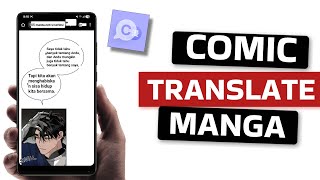
YouTube returned 6 videos for “Comic Translate”, and we withheld 5: 5 did not mention Comic Translate. Showing the 1 we can prove is about Comic Translate.
Official links
Tools that pair well with Comic Translate
Common stack mates teams adopt alongside Comic Translate, with the specific reason each pairing earns its keep.

Microsoft Translator
Microsoft Translator handles real-time text, speech, camera, and document translation inside Microsoft 365, Teams, and Azure AI Services.

Soniox
Soniox speech-to-text API delivers real-time STT, TTS, and translation in 60+ languages through one unified developer platform.

Sarvam AI
Sarvam AI is India's sovereign Indic-language speech, translation and document AI platform.
Featured Head-to-Head Comparisons
Comic Translate vs Writer
Writer and Comic Translate serve entirely different needs. If you're an enterprise needing AI agents that encode your brand voice and handle multi-step tasks across marketing, sales, and support, Writer is your pick despite likely high costs. If you're a manga/comic fan or scanlator wanting quick, clean translations with bubble cleaning, Comic Translate's specialized tool at $5.99/mo is the better value. Choose based on your job to be done—brand-aligned automation or comic localization.
Comic Translate vs The New Black
Choose The New Black if you're a fashion brand or designer needing AI-generated apparel designs with production-ready exports. Pick Comic Translate if you're a manga/comic reader or scanlator wanting fast, clean translations with inpainting. They serve completely different verticals—no overlap.
Comic Translate vs Letterhead
If you need an enterprise-grade email system for managing multiple newsletters with AI-driven workflows and revenue tools, Letterhead is powerful but requires a custom sales call. For casual comic or manga translation with easy one-click cleanup, Comic Translate is affordable and self-serve. Your choice hinges on whether you're scaling newsletters or localizing comics.
Alternatives to Comic Translate
View all
Microsoft Translator
Microsoft Translator handles real-time text, speech, camera, and document translation inside Microsoft 365, Teams, and Azure AI Services.

Frequently Asked Questions
Topics
Used Comic Translate? Help shape our editorial sentiment research.