
Conversation API
Amarsia's Conversation API adds stateful AI chat — stored message history, streaming, and credit-based multi-model routing.
Renting conversation memory is the whole trade here, and it's a legible one: stateful chat, streaming, and multi-model routing live on day one instead of next quarter. Credits are transparent — 0.25 to 3 per run by model tier, with packs at $20/500, $50/1,400, and $100/3,000 that never expire. The sting is retention: four weeks after the latest activity in a run, the data is gone. Slack-style permanent transcripts need a different store.
Verified 3d ago · liveness 74/100 · cite: rightaichoice.com/tools/conversation-api
- Low-code builders adding stateful chat without running a conversation database
- Startup teams shipping an AI feature in a sprint with minimal backend overhead
- Product managers who own an AI feature but not the infrastructure behind it
- Teams that want multi-model routing and bring-your-own-key through Amazon Bedrock
- Teams that need on-premise or fully self-hosted conversation storage
- Applications with strict long-term retention — data is deleted four weeks after the latest activity in a run
- High-frequency, low-latency systems like live transcription
We scan live Reddit threads, YouTube comments, X posts, G2 reviews and other communities — and hand you an honest verdict in under a minute.
- Honest verdict, not marketing
- Real pros & cons from real users
- Attributed quotes with receipts
3 free scans · no card needed
Skip the Amarsia Conversation API if you need permanent transcript storage or an on-prem conversation store — data here is deleted four weeks after the latest activity in each individual agentic run.
Going past your plan's included runs adds $0.06 per run per agent on Sandbox and $0.045 on Production, so a busy support widget can exceed its plan cost in overage alone.
The $0 Demo plan and $49/mo Sandbox fit solo builders and early teams; $399/mo Production with 20,000 pooled runs fits a team running up to three assistants in production. Credit packs are cheap entry points at $20 for 500 credits and $100 for 3,000 credits. Against per-token raw API billing from OpenAI or Anthropic directly you pay a margin for managed memory, tool calling, and monitoring; against building the store yourself you trade engineering weeks for a monthly bill.
In short
Conversation API — Amarsia's Conversation API adds stateful AI chat — stored message history, streaming, and credit-based multi-model routing. Best for Low-code builders adding stateful chat without running a conversation database, Startup teams shipping an AI feature in a sprint with minimal backend overhead, Product managers who own an AI feature but not the infrastructure behind it. Free to start; paid plans from $49/mo.
What's new in Conversation API
Checked yesterdayAcross the latest 5 updates: 3 feature updates, 1 pricing change and 1 changelog entry.
Bedrock API key support for BYOK workflows
Amazon Bedrock API key support lets teams run assistants on their own AWS credentials, alongside Tools 3.0 pause/resume tool calling and new Sandbox and Production plans.
Contextual vector chunking with LLM context headers for each chunk
Knowledge base chunks now carry LLM context headers for better retrieval, test cases support conversation simulation, and knowledge bases can be scraped from a URL.
Evaluations, new Core and Scale plans, and a free-forever sandbox
Side-by-side evaluations keep LLM outputs production-ready, a free sandbox plan launched, and a credits system was introduced with 150 one-time credits granted on signup.
MCP Server Management, MCP x Actions, and Amarsia projects
You can import any MCP server and its tools as Actions, auto-create Draft actions for every MCP tool, and collaborate with team members in Amarsia projects.
Conversation API name and message history
The Conversation API gained named conversations and retrievable message history, and the platform renamed its 'workflows' to 'assistants'.
What people actually say about Conversation API — is it worth it?
We ran a structured research pass across product reviews, community discussions, and post-purchase forum threads to surface the patterns vendors won't publish themselves. Below: the recurring strengths, the hidden costs people mention most, and the cohort that consistently regrets adopting this tool.
34 mentions across 4 sources (Reddit, Hacker News, Product Hunt, Lemmy) · researched Jul 3, 2026.
Average across the 4 sources that answered — each source counts once, not each post.
- +Zero-setup persistence: no database or backend to manage
- +Simple REST API with JavaScript SDK and React hooks
- +Streaming API for real-time, chunk-by-chunk responses
- +Supports multiple models: OpenAI, Anthropic, Google Gemini
- +Automatic conversation history via conversation_id
- −Context window size limits and pruning not documented
- −No webhook support for real-time event triggers
- −Multilingual support unclear from community feedback
- −Limited community data beyond launch day buzz
- −No clear differentiation from self-hosted alternatives
- • Overages for API calls beyond plan limits
- • Additional storage costs for long conversation histories
- • Potential egress fees if using external LLM models
In users’ own words
“Hey everyone, I’m currently planning the development of an app that requires a voice conversation with the ai. It’s education based with the intention of helping the user communicate with an ‘ai client’. I found out GPT 4’s API does not have this included which is a shame because how it works on the app would be perfect for what I’m trying to achieve. Does anyone know of any other ai models that have this feature…”
Real posts from independent users, linked to the source — not testimonials we collected.
Viability Score
How well maintained and how widely used is Conversation API? Built from what the vendor actually publishes (docs, changelog, tutorials, integrations, pricing), whether the site is live, and how much real users discuss it. How we calculate this
Last calculated: October 2026
How we score →Key Features
- Automatic conversation storage with a conversation_id returned on every call
- Named conversations with retrievable message history
- Attach metadata to chat threads for debugging sessions
- Streaming API for real-time token responses
- Model registry routing across Light, Standard, Premium, and Premium+ credit tiers
- Light tier: Haiku 4.5, Gemini Flash, GPT-5.4 Mini at 0.25 credits per run
- Standard tier: Sonnet 4.6, GPT-5.4, Gemini Pro at 1 credit per run
- Premium tier: Opus 4.6 and GPT-5.4 Pro at 2 credits per run
- Premium+ for Opus 4.6 with long context (32k+) at 3 credits per run
- Amazon Bedrock API key support for bring-your-own-key workflows
- Tools 3.0 pause/resume tool calling for step-through debugging
- JavaScript SDK (@amarsia/sdk) and React hooks (@amarsia/react)
- Testing playground for iterating on prompts and assistants
- Security controls for assistants: authentication toggle and IP allowlist
- Monitoring dashboard for interaction analytics
About Conversation API
The Conversation API is Amarsia's managed endpoint for dropping persistent, multi-turn chat into an existing product without standing up your own conversation store, retry queue, and model-routing layer. Every call returns a conversation_id and keeps the message history server-side; threads can be named and tagged with metadata so a support session stays traceable when something goes sideways. A streaming API pushes tokens as they arrive rather than after the full completion. Model choice runs through a credit registry with four published tiers: Light (Haiku 4.5, Gemini Flash, GPT-5.4 Mini) at 0.25 credits per run, Standard (Sonnet 4.6, GPT-5.4, Gemini Pro) at 1 credit, Premium (Opus 4.6, GPT-5.4 Pro) at 2 credits, and Premium+ (Opus 4.6 with 32k+ context) at 3 credits — where 1 credit is one standard run at 4,000 tokens and overages scale proportionally. Amazon Bedrock API key support means you can run on your own AWS credentials, and Tools 3.0 adds pause/resume tool calling so an agent can be stepped mid-run instead of blindly replayed. The client story is JavaScript-first: an @amarsia/sdk npm package plus @amarsia/react hooks for React and Next.js, so a front end wires up chat without hand-rolling state. Around it sit a testing playground, per-assistant security toggles for authentication and IP allowlisting, and a monitoring dashboard for interaction analytics. The wider platform adds knowledge bases with RAG (chunks now carry LLM context headers), evaluations and test cases, MCP server management, and AI Actions. Security is spelled out: AES-256 at rest, TLS in transit, application-level encryption for tokens and keys, and US, EU, or Asia Pacific data residency. Data is deleted four weeks after the latest activity in each individual run, and a DPA is available. Buyers who own an AI feature but not the persistence layer underneath — low-code builders, startup teams, PMs — are the natural fit. Against hand-assembling Supabase plus a routing proxy, the trade
Behind the Verdict
Most teams underestimate the boring parts of shipping chat: a conversation table, a retry path when a model stalls, and a router so you aren't locked to one vendor's price hike. Amarsia sells exactly that layer. If your backlog says "add an assistant to the app" and nobody on the team wants to own Postgres schema migrations for message history, this is a defensible shortcut. We'd pick it when a startup wants a working AI feature inside a sprint, or when a PM has budget but not backend headcount. The React hooks matter more than the marketing suggests — wiring state by hand is where chat features quietly slip a week. Where it bites is retention. Four weeks after the latest activity in each run, data is deleted on a rolling basis. That's fine for a support copilot and wrong for anything approaching a record system. If you need permanent transcripts or on-prem storage, this isn't the product, and no amount of credit pricing fixes it. Cost deserves a second look before you commit. At 1 credit per standard run, a chatty internal tool burns credits faster than a demo does, and heavy Premium+ usage at 3 credits per run triples the bill. Watch the overage lines too: $0.06 per run per agent on Sandbox and $0.045 on Production. The closest alternative is assembling it yourself — Supabase for storage, an open-source gateway for routing, your own retry logic. That's free of license fees and expensive in engineer-weeks, plus you now maintain model deprecations forever. A second option is a pure inference API with no state; you keep control and you also keep the conversation table. On the platform side, the free Demo tier (1 assistant, 1,000 runs/month, 150 monthly credits) is enough to prototype honestly rather than in a sandbox video. Sandbox at $49/mo adds BYOK and
Researching Conversation API? Get your full AI stack in 60 seconds.
Free, no signup — tell us your goal and get tools matched to your budget & existing stack.
Real-world workflow fit
Concrete scenarios for the personas Conversation API actually fits — and what changes day-one when you adopt it.
You create an assistant in the Amarsia dashboard, attach a knowledge base scraped from your help-center URL, deploy it, and embed the widget as an iframe. Your app calls the Conversation API with a user ID, receives a conversation_id back, and renders the streamed response with the React hooks.
Outcome: Chat with stored history is live without you running a conversation database or a retry queue, and threads are named so support can look up a past session.
You install @amarsia/sdk, route light turns to Haiku 4.5 or Gemini Flash at 0.25 credits and escalations to Sonnet 4.6 at 1 credit, and wire your own Bedrock API key for BYOK after upgrading to Sandbox at $49/mo billed monthly.
Outcome: Multi-model routing with predictable credit math, and your AWS credentials stay under your control.
You build an assistant with MCP tools imported as Actions, then use Tools 3.0 pause/resume to halt a run mid-step, inspect what the tool returned, and resume with a corrected input.
Outcome: You stop shipping agents that fail silently on a bad tool call, and the reasoning logs in the monitoring dashboard show where things went wrong.
Use Cases
- Add persistent chat history to a customer support widget without standing up a database
- Build a conversational assistant that remembers user preferences across sessions
- Prototype a ChatGPT-like interface for internal knowledge retrieval from uploaded documents
- Integrate stateful AI chat into a low-code or no-code build
- Create a tax research assistant for an accounting firm using a private knowledge base
- Run a multi-turn agent that maintains context across a complex workflow
- Debug agent tool calls step by step using Tools 3.0 pause/resume
- Run side-by-side evaluations on assistant outputs before promoting a prompt to production
Models Under the Hood
as of 2026-10-17
Limitations
- Data is automatically deleted on a rolling basis, four weeks after the latest activity in each individual agentic run, so this is not a store for permanent transcripts or long-horizon audit retention.
- Data residency is limited to the US, EU, or Asia Pacific.
- On the free Demo plan, BYOK is unavailable and the knowledge base, evaluations, and test cases are not included; those require Sandbox at $49/mo or above.
- Enterprise compliance controls such as CMEK, dedicated KMS, regional residency, and isolated environments are enterprise/custom-quote only.
as of 2026-10-09
Verification history
We have re-verified Conversation API 10 times since . Each pass re-reads the vendor's own pages and re-checks every listed field against that evidence; passes where nothing had changed are marked as such.
- — re-verified summary, description, our verdict, our analysis, pricing model, pricing tiers, features, integrations, who it suits, who should skip it
- — re-verified summary, description, our verdict, our analysis, pricing model, pricing tiers, features, integrations, who it suits, who should skip it
- — re-verified summary, description, our verdict, our analysis, pricing model, pricing tiers, features, integrations, who it suits, who should skip it
- — re-verified summary, description, our verdict, our analysis, pricing model, pricing tiers, features, integrations, who it suits, who should skip it
- — re-verified summary, description, our verdict, our analysis, pricing model, pricing tiers, features, integrations, who it suits, who should skip it
- — re-verified summary, description, our verdict, our analysis, pricing model, pricing tiers, features, integrations, who it suits, who should skip it
Showing the 6 most recent of 10 verification passes.
Free to cite with attribution — this page re-verifies continuously.
12-month cost
Project the real annual outlay, including the implied monthly cost when only an annual tier is published.
Vendor list price only. Add-on usage, seat overages, and contract minimums are surfaced under Hidden costs & gotchas.
Plans compared
For each published Conversation API tier: who it actually fits, and what it adds vs. the previous tier. Cross-reference the cost calculator above for projected annual outlay.
Demo
$0/mo
Ideal for
A solo builder or PM validating a stateful chat idea before spending anything
What this tier adds
Starting tier: $0/mo with 1 agentic assistant, 1,000 runs/month, 5 actions, and 150 monthly free credits, but no BYOK and no knowledge base, evaluations, or test cases.
Sandbox
$49/mo
Ideal for
An early team with one AI feature in development that needs BYOK and a knowledge base
What this tier adds
Adds BYOK, evaluations and test cases, 3,000 runs/month, 25 actions, and email support at 48h for $49/mo billed monthly; overage is $0.06 per run per agent.
Production
$399/mo
Ideal for
A team running up to three assistants on live traffic with priority support needs
What this tier adds
Jumps to 3 agentic assistants, 20,000 pooled runs/month, 100 actions per assistant, priority 24h support, and lower $0.045 per run overage for $399/mo.
Enterprise
Custom quote
Ideal for
An organization needing dedicated infrastructure, custom limits, and compliance terms
What this tier adds
Custom quote: custom assistants, committed-use run pricing, knowledge base included, fine-tuning on your data, dedicated or off-cloud hosting, and a dedicated success manager with custom SLA.
Where the pricing makes sense
The company stage and team size where Conversation API's pricing actually pencils out — and where peers do it cheaper.
The $0 Demo plan and $49/mo Sandbox fit solo builders and early teams; $399/mo Production with 20,000 pooled runs fits a team running up to three assistants in production. Credit packs are cheap entry points at $20 for 500 credits and $100 for 3,000 credits. Against per-token raw API billing from OpenAI or Anthropic directly you pay a margin for managed memory, tool calling, and monitoring; against building the store yourself you trade engineering weeks for a monthly bill.
Setup time & first value
How long it actually takes to get something useful out of Conversation API — broken out by persona, not the marketing-page minute.
Solo builder on the $0 Demo plan: an hour to a working Conversation API call in the playground, an afternoon to an embedded widget. Engineer on Sandbox at $49/mo billed monthly: same first day, plus a day or two to wire BYOK, actions, and evaluations. A team moving to Production at $399/mo should budget a week for knowledge base, test cases, and security toggles before real traffic.
Switching to or from Conversation API
How to bring data in from common predecessors and how to get it back out — written for the switcher, not the buyer.
- →From hand-rolled Postgres chat tables: export existing message rows, replay them into named conversations through the Conversation API using conversation_id and message history, and keep your own store as the system of
- →From a raw OpenAI or Anthropic chat endpoint: move the loop calls into the Conversation API run method so history, naming, and streaming come from the platform instead of your client.
- →From LangChain or LlamaIndex memory modules: replace the memory class with a Conversation API conversation_id and let the platform hold history and model routing.
- →From a Supabase plus LiteLLM stack: keep Supabase for anything you must retain beyond four weeks, and point interactive chat at the Conversation API.
- ↗To a self-hosted Postgres plus LiteLLM stack: export conversation_id, message history, and metadata through the API before the four-week deletion window closes, then replay into your own schema.
- ↗To OpenAI, Anthropic, or Google directly: drop the Conversation API run wrapper and manage history and routing yourself, accepting that you rebuild naming, metadata, and monitoring.
- ↗To Vellum or LangSmith plus your own store: move prompt and evaluation workflows there and keep the model calls where they are, since Amarsia's evaluations and test cases overlap with those tools.
Integrations
Resources & Guides
- Documentationamarsia.com
Docs · Conversation API
Full product docs from amarsia.com
- Documentationamarsia.com
Api Reference · Conversation API
Full product docs from amarsia.com
- Conceptsamarsia.com
Concepts · Conversation API
Core ideas explained from amarsia.com
- Documentationamarsia.com
Features · Conversation API
Full product docs from amarsia.com
- Documentationamarsia.com
Integrations · Conversation API
Full product docs from amarsia.com
- Resourcedocs.amarsia.com
Home · Conversation API
Helpful link from docs.amarsia.com
- Resourceamarsia.com
Changelog · Conversation API
Helpful link from amarsia.com
- Resourceamarsia.com
Pricing · Conversation API
Helpful link from amarsia.com
Tutorials & Learning
Understanding Metadata in Conversation API: A Complete Guide
Sinch
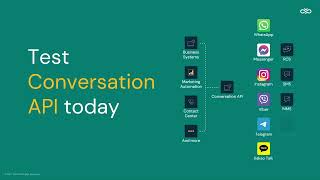
Tutorial: How to get started with Conversation API on the Sinch dashboard
Sinch
Conversation API Fallback Mechanism
Sinch
YouTube returned 6 videos for “Conversation API”, and we withheld 3: 3 did not mention Conversation API. Showing the 3 we can prove are about Conversation API.
Official links
Tools that pair well with Conversation API
Common stack mates teams adopt alongside Conversation API, with the specific reason each pairing earns its keep.


Featured Head-to-Head Comparisons
Conversation Api vs Spider Cloud
Choose Spider Cloud if you need to feed live web data into AI agents or RAG pipelines—its Rust engine and AI extraction are purpose-built for structured scraping at scale. Choose Conversation API if you want to drop a stateful chat interface into your app with zero backend setup, auto-stored conversation history, and free unlimited usage. They solve different problems: one fetches external data, the other manages conversational memory.
Conversation Api vs Voyage Ai
If you're building domain-specific search or RAG with high accuracy on finance/legal documents, Voyage AI's specialized embedding models and rerankers are unmatched. But for quickly adding stateful chat to an app without backend setup, Conversation API's free sandbox and persistent memory are a no-brainer. Choose based on your primary need: retrieval accuracy vs conversational turnkey.
Conversation Api vs Temporal Ai
Choose Temporal AI if you are building production-grade AI agents or complex microservice workflows that demand durability, automatic retries, and full execution visibility. Choose Conversation API if you need to add stateful AI chat to your app with minimal backend effort and zero infrastructure management, ideal for rapid prototyping and low-code teams. Temporal offers more power and flexibility but requires significant setup; Conversation API trades depth for simplicity and speed.
Alternatives to Conversation API
View all
Chainlit
Open-source Python package for building conversational AI apps with a production-ready chat UI, auth, and persistence.

CopilotKit
Open-source React framework for agent chat, generative UI, and shared state on any AG-UI backend.
Popular in LLM App Frameworks & SDKs

Frequently Asked Questions
Used Conversation API? Help shape our editorial sentiment research.