
Creative Fabrica
Free browser-based fancy text generator that turns plain text into decorative Unicode styles you can copy and paste anywhere.
Worth bookmarking if you want decorative text for a caption, bio or Discord nickname in about thirty seconds — it's free, needs no account, and sits next to a whole family of sibling text tools (Instagram, Discord, Gothic, Bubble, Zalgo) if the default set isn't the look you want. Skip it if you need an actual installable font file: that's what the paid Creative Fabrica subscription or Google Fonts is for. And if you want original letterforms generated from a prompt, this isn't that — it remaps Unicode characters rather than drawing type.
Verified 6d ago · liveness 60/100 · cite: rightaichoice.com/tools/creative-fabrica
- Social media users styling bios and captions
- Casual chat, Discord and messaging users
- Greeting card, craft and DIY makers
- Non-designers who need styled text fast
- Designers needing installable .otf/.ttf font files
- Branding or professional typography projects
- Anyone needing original AI-generated letterforms
We scan live Reddit threads, YouTube comments, X posts, G2 reviews and other communities — and hand you an honest verdict in under a minute.
- Honest verdict, not marketing
- Real pros & cons from real users
- Attributed quotes with receipts
3 free scans · no card needed
Skip Creative Fabrica's Font Generator if you need an installable font file or original letterforms — it only remaps your text into decorative Unicode characters for copy-paste use.
The font generator is free, but the subscription that unlocks downloadable fonts, graphics and templates bills yearly — check the annual total before you commit
The font generator itself costs nothing, so it undercuts every paid font tool for quick styling. If you need downloadable fonts with a commercial and POD licence, Creative Fabrica's subscription sits in the same bracket as Envato Elements and Creative Market, and above free sources like Google Fonts.
In short
Creative Fabrica — Free browser-based fancy text generator that turns plain text into decorative Unicode styles you can copy and paste anywhere. Best for Social media users styling bios and captions, Casual chat, Discord and messaging users, Greeting card, craft and DIY makers. Free to use.
What people actually say about Creative Fabrica — is it worth it?
We ran a structured research pass across product reviews, community discussions, and post-purchase forum threads to surface the patterns vendors won't publish themselves. Below: the recurring strengths, the hidden costs people mention most, and the cohort that consistently regrets adopting this tool.
22 mentions across 4 sources (Reddit, Hacker News, Product Hunt, Lemmy) · researched Jul 2, 2026.
Average across the 4 sources that answered — each source counts once, not each post.
- +AI generates custom fonts from text prompts quickly.
- +Simple web interface; no software installation needed.
- +Supports serif, sans-serif, script, and display styles.
- +Free tier allows basic font generation and preview.
- +Export options include TTF and OTF files.
- −Almost no user reviews or community feedback available.
- −Best for decorative fonts, not variable or complex type.
- −Commercial use requires a paid subscription.
- −No integration with popular design tools.
- −Character set customization is limited on free tier.
- • Commercial license locked behind Pro or higher
- • No per-font purchase; subscription only
Viability Score
How well maintained and how widely used is Creative Fabrica? Built from what the vendor actually publishes (docs, changelog, tutorials, integrations, pricing), whether the site is live, and how much real users discuss it. How we calculate this
Last calculated: October 2026
How we score →Key Features
- Free Unicode text styling with no login required
- Instant side-by-side preview of every style as you type
- Copy-and-paste output that works in any Unicode-aware app
- Bubble letter and rounded character styles
- Gothic and blackletter text styles
- Script, cursive and calligraphy-look styles
- Heart-embellished and decorative symbol letter styles
- Sibling generators for Instagram, Discord, Twitter(X), Facebook and Bubble text
- Zalgo, glitch, cursed text, crossed-out and small-text generators
- Bold, italic and calligraphy text generators
- Webfont Generator for converting uploaded fonts to web formats
- Wordcloud Generator and ASCII Art Generator
- Works entirely in-browser with no download or install
- Part of Creative Fabrica's wider font and graphics library with paid subscription for downloadable files
About Creative Fabrica
Creative Fabrica's Font Generator is a free web tool that rewrites the text you type into decorative Unicode character styles — bubble text, gothic and blackletter looks, script and cursive shapes, letter styles with hearts, and other fancy variants. You type in a box, see every style rendered instantly side by side, then copy the one you like and paste it into Instagram, TikTok captions, Discord, X, Facebook or any app that accepts Unicode text. Nothing is generated and no font file is created: the tool maps your letters onto Unicode characters that already look decorative, which is why the output pastes cleanly into a chat box or bio field rather than into a font dropdown. It sits alongside roughly twenty sibling text utilities Creative Fabrica publishes — Webfont Generator, Cursive Font Generator, Small Text Generator, Zalgo Text Generator, Instagram Font Generator, Bubble Font Generator, Bold Text Generator, Gothic Font Generator, Discord Font Generator, Twitter(X) Font Generator, Wordcloud Generator, ASCII Art Generator and more — so if one style set isn't the look you want, a neighbouring generator usually is. It requires no login and no download. The generator is free; Creative Fabrica separately sells a subscription to its much larger library of downloadable fonts, graphics, templates and classes, which is what you need if you want an actual .otf/.ttf font file for a design application rather than styled text for a caption. Best for non-designers who want flair in a post, bio or message in under a minute. It is not a typeface design tool and it will not produce original letterforms from a prompt.
Behind the Verdict
The honest framing is that this is a text styler, not a font maker, and the page should say so because that mismatch is where every disappointed review of tools like this comes from. What it does, it does well: you paste a headline, a bio line or a Discord nickname, every style renders at once, and you copy the version you want. Because the output is plain Unicode, it survives the paste into Instagram, TikTok, X, Facebook, Discord, WhatsApp or a greeting card template without any file handling, plugin or font installation. That portability is the whole value proposition. Where it fits: casual and semi-professional messaging — social bios, video captions, chat handles, card and craft text, a styled headline in a Canva or POD mockup where you only need the visual, not the font. Non-designers get a usable result without learning anything. Where it doesn't: professional typography, branding, or anything that needs a real font file for Illustrator, InDesign, Cricut or a print job. Unicode styling also can't invent letterforms, so two people using the same style get the same letters — there's no originality in the output. Accessibility is a real caveat: screen readers frequently mispronounce decorative Unicode, and some platforms strip or mangle unusual characters, so styled text should never carry information a reader can't get elsewhere. The wider Creative Fabrica catalogue matters here as a practical safety net. If the generator's styles aren't the look you need, the same site hosts a deep library of real downloadable fonts by category — script, display, blackletter, slab serif, decorative, colour, Cricut, tattoo, graffiti and dozens more — plus a Webfont Generator for converting an uploaded file into web-ready formats, and a small army of text utilities including Instagram, Discord, Twitter(X), Bubble, Cursive, Calligraphy, Aesthetic, Gothic, Cool, Bold, Small Text and Zalgo generators. The paid subscription is what unlocks the downloadable assets and the extended commercial/POD licence; the font generator itself stays free and login-free.
Researching Creative Fabrica? Get your full AI stack in 60 seconds.
Free, no signup — tell us your goal and get tools matched to your budget & existing stack.
Real-world workflow fit
Concrete scenarios for the personas Creative Fabrica actually fits — and what changes day-one when you adopt it.
Types a new bio line into the font generator, compares the bubble, script and heart styles side by side, copies the one that fits and pastes it straight into Instagram.
Outcome: A styled bio in under two minutes with no account, no download and no cost.
Opens the generator (or its Discord sibling tool), types a nickname, picks a gothic or glitch style and pastes it into the server nickname field.
Outcome: A distinctive handle that renders in chat, with a fallback plan if the server strips the characters.
Styles a short message for a card or Cricut project where only the visual matters, then checks whether the same wording needs a real downloadable font for the cut file.
Outcome: Quick decorative text for the mockup, with the paid font library as the route when a real file is required.
Use Cases
- Style an Instagram or TikTok bio and caption in decorative characters
- Set a fancy Discord or game nickname that stands out in chat
- Decorate greeting-card, DIY craft and Cricut text where only the visual matters
- Test a few headline looks quickly before committing to a real font purchase
- Restyle marketing headlines and short video captions for social posts
- Embellish WhatsApp, Messenger or comment text with hearts and script letters
Limitations
- It remaps text into existing Unicode characters rather than creating fonts, so there is no downloadable font file and no original letterform design.
- Output quality depends on the app receiving it: some platforms strip or mangle decorative characters, and screen readers often mispronounce them, so avoid using styled text for information a reader can't get elsewhere.
- Character coverage is limited — Cyrillic, CJK and other extended scripts are not supported.
- For real font files you need a downloadable font source such as Creative Fabrica's paid library, Adobe Fonts or Google Fonts.
as of 2026-10-02
Verification history
We have re-verified Creative Fabrica 6 times since . Each pass re-reads the vendor's own pages and re-checks every listed field against that evidence; passes where nothing had changed are marked as such.
- — re-checked, vendor evidence unchanged
- — re-checked, vendor evidence unchanged
- — re-checked, vendor evidence unchanged
- — re-verified summary, description, our verdict, our analysis, pricing model, pricing tiers, features, integrations, who it suits, who should skip it
- — re-checked, vendor evidence unchanged
- — re-checked, vendor evidence unchanged
Free to cite with attribution — this page re-verifies continuously.
Where the pricing makes sense
The company stage and team size where Creative Fabrica's pricing actually pencils out — and where peers do it cheaper.
The font generator itself costs nothing, so it undercuts every paid font tool for quick styling. If you need downloadable fonts with a commercial and POD licence, Creative Fabrica's subscription sits in the same bracket as Envato Elements and Creative Market, and above free sources like Google Fonts.
Setup time & first value
How long it actually takes to get something useful out of Creative Fabrica — broken out by persona, not the marketing-page minute.
Near-zero: the generator loads in the browser with no login or install, so most people get a styled string within about a minute of pasting their text. Style comparison and copy-paste add a minute or two more. Nothing to configure, nothing to download.
Switching to or from Creative Fabrica
How to bring data in from common predecessors and how to get it back out — written for the switcher, not the buyer.
- →From a browser tab of competing fancy-text sites: paste the same text into Creative Fabrica's generator and use its sibling Instagram/Discord/Gothic tools for styles the other site lacks
- ↗To Google Fonts or Adobe Fonts: choose and download a real typeface when you need a font file rather than styled characters
- ↗To a paid Creative Fabrica subscription: move to downloadable fonts, graphics and templates when you need actual asset files with commercial/POD use
Resources & Guides
Tutorials & Learning
Etsy の創造性基準が新しく更新されました。 - Creative Fabrica を使用して引き続きデザインを作成できますか?
Cassiy Johnson
Creative Fabricaについて知っておくべきことすべて
Alison Crafts
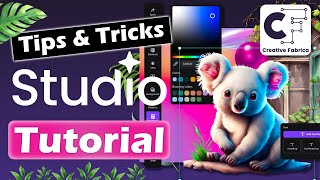
Creative Fabrica Studio - 完全なチュートリアルと概要
Technically Trent
YouTube returned 6 videos for “Creative Fabrica”, and we withheld 1: 1 did not mention Creative Fabrica. Showing the 5 we can prove are about Creative Fabrica.
Official links
Tools that pair well with Creative Fabrica
Common stack mates teams adopt alongside Creative Fabrica, with the specific reason each pairing earns its keep.
Mixfont
Mixfont turns a text prompt or a public image URL into an editable, commercial-ready TTF font in seconds.
AICarousels
AI carousel maker for LinkedIn, Instagram and TikTok that writes the slide copy and lays out each slide for you.
ColorMagic
Free AI palette generator that turns a name, image, text, or hex code into a matching color scheme in seconds.
Featured Head-to-Head Comparisons
Creative Fabrica vs Polycam
If you need custom fonts quickly and affordably, Creative Fabrica is your tool. For 3D scanning objects, interiors, or drones with professional exports, Polycam is the clear winner. These tools serve completely different purposes—choose based on your core need: typography or reality capture.
Creative Fabrica vs Make Real Tldraw
Choose Creative Fabrica if you need custom fonts for branding or design projects; its freemium model and export options suit graphic designers. Choose Make Real Tldraw for rapid UI prototyping from hand-drawn sketches – it's free, but remains experimental and unsuitable for production.
Creative Fabrica vs Fusion 360
For quick AI-generated custom fonts and typography experiments, Creative Fabrica is a lightweight, low-cost choice. For professional 3D design, manufacturing, and electromechanical integration, Fusion 360 is a powerful, all-in-one platform. Choose based on whether you need fonts or full product development.
Alternatives to Creative Fabrica
View all
Mixfont
Mixfont turns a text prompt or a public image URL into an editable, commercial-ready TTF font in seconds.

AICarousels
AI carousel maker for LinkedIn, Instagram and TikTok that writes the slide copy and lays out each slide for you.
ColorMagic
Free AI palette generator that turns a name, image, text, or hex code into a matching color scheme in seconds.
Frequently Asked Questions
Categories
Topics
Used Creative Fabrica? Help shape our editorial sentiment research.