
Creativio AI
AI product photo enhancer that turns plain shots into conversion-ready e-commerce visuals
If your bottleneck is decent product images and you do not want another subscription, a one-time $39 for background removal, scene generation, 4K upscaling and virtual try-on is straightforward math against an ongoing Canva Pro or Photoshop plan. It genuinely covers multiple catalog categories, so a seller mixing jewelry, supplements and food photos is not buying three tools. The trade-off is depth and control — this is a variation generator, not an editor. If you need manual masking, RAW files, precise color work, or a shared workspace with version history, budget for a real retouching tool or an agency instead. Buy it as a fast image finisher for a small catalog.
Verified 11h ago · liveness 67/100 · cite: rightaichoice.com/tools/creativio-ai
- E-commerce sellers who need studio-style product photos without a designer
- Marketers producing ad-ready visuals for Instagram, TikTok and Facebook
- Small business owners who want a one-time purchase instead of an ongoing design subscription
- Influencers and UGC creators who need branded lifestyle product imagery
- Anyone needing advanced manual retouching, masking control or layer-based editing
- Teams that require shared workspaces, version history or collaboration
- Photographers who need RAW file support or precise color grading
We scan live Reddit threads, YouTube comments, X posts, G2 reviews and other communities — and hand you an honest verdict in under a minute.
- Honest verdict, not marketing
- Real pros & cons from real users
- Attributed quotes with receipts
3 free scans · no card needed
Skip Creativio AI if you need manual masking control, RAW files or a shared team workspace with version history — it generates polished variants from presets, it does not give you a retoucher's level of control over the final frame.
The headline $39 is a promotional price against a stated normal price of $97/month — the discount framing is part of the offer, so check what you actually receive at checkout.
A one-time $39 against a stated normal price of $97/month puts Creativio at the low end of visual production spend — well below an ongoing Canva Pro or Photoshop subscription, and far below a product photographer's day rate. It fits solo sellers and small shops running a limited catalog. Studios and agencies that bill for retouching should look at a full editor instead.
In short
Creativio AI — AI product photo enhancer that turns plain shots into conversion-ready e-commerce visuals. Best for E-commerce sellers who need studio-style product photos without a designer, Marketers producing ad-ready visuals for Instagram, TikTok and Facebook, Small business owners who want a one-time purchase instead of an ongoing design subscription. Plans from $39.
What people actually say about Creativio AI — is it worth it?
We ran a structured research pass across product reviews, community discussions, and post-purchase forum threads to surface the patterns vendors won't publish themselves. Below: the recurring strengths, the hidden costs people mention most, and the cohort that consistently regrets adopting this tool.
9 mentions across 1 source (YouTube) · researched Aug 20, 2026.
Average across the 1 source that answered — each source counts once, not each post.
- +One-time lifetime pricing, no monthly subscription — huge for budget owners.
- +Beginner-friendly — no design skills required, simple upload workflow.
- +Fast image generation, especially for platform sizes (Instagram, TikTok, Facebook).
- +Good variety of features: background removal, scene gen, 4K upscaling, try-on.
- +Built-in brand logo placement and text annotations save extra steps.
- −Heavy affiliate hype makes honest reviews hard to trust.
- −Possible rebrand of an older tool (AI Director) — innovation questionable.
- −Constant OTO upsells even after lifetime payment.
- −Not enough long-term testing — bugs may surface after demo gloss.
- −Results may not meet 'studio-quality' claim for professional brands.
- • Upgrade OTOs likely cost extra (common in launch funnels)
- • Potential future price hikes for new 3.0 versions — lifetime may not cover future releases
- • Some 'pro' features may be locked behind higher tiers
Viability Score
How well maintained and how widely used is Creativio AI? Built from what the vendor actually publishes (docs, changelog, tutorials, integrations, pricing), whether the site is live, and how much real users discuss it. How we calculate this
Last calculated: October 2026
How we score →Key Features
- AI background removal for product shots
- AI scene generation that places products in lifestyle and contextual settings
- AI image enhancement for cleaner product visuals
- 4K upscaling for sharper listing images
- Virtual try-on rendering for apparel
- AI lighting manipulation on existing photos
- Automatic brand logo placement on items such as t-shirts and billboards
- Automatic text annotations on product images
- Zoom-out content-aware image expansion
- Remove unwanted text from product photos
- Multi-variation generation from a single upload
- Style presets including clean, premium, lifestyle, promo, bold, minimal and cinematic
- Platform-ready sizes for Instagram, TikTok and Facebook
- Vertical template sets for fashion apparel, beauty and personal care, jewelry and watches, food and beverage, health and supplements, and home and garden
- Works from any input image including product photos, logos and screenshots
About Creativio AI
Creativio AI is an AI visual production tool for e-commerce sellers, marketers, restaurants, creators and small local businesses who need polished product imagery without learning a layer-based editor. You upload a basic shot — a product photo, a logo, a screenshot, a rough creative — pick a style, and generate finished visuals. The documented capabilities are AI background removal, AI scene generation that places your product in lifestyle and contextual settings, AI image enhancement, 4K upscaling, virtual try-on for apparel, AI lighting manipulation, automatic brand logo placement onto items like t-shirts and billboards, automatic text annotations, zoom-out content-aware frame expansion, and removal of unwanted text from product photos. Scene and template coverage is spread across verticals including fashion apparel, beauty and personal care, jewelry and watches, food and beverage, health and supplements, and home and garden, so one tool can cover a multi-category catalog. Outputs are sized for Instagram, TikTok and Facebook plus marketplace listings. The homepage workflow is a three-step loop: upload, choose a style and generate several variations, download the ones that fit. The pitch is that you do not need a photographer, Photoshop or design skills — Creativio markets lifetime access at a one-time $39, discounted from a stated normal price of $97/month, with no recurring fee. Where it stops is depth: it is a generator and finisher, not a retouching suite with granular color grading, RAW support, or a shared team workspace.
Behind the Verdict
Creativio AI is best understood as a catalog-finishing tool rather than a studio editor. The value proposition is narrow and honest: you have plain product shots, you want contextual, ad-ready versions of them, and you do not want to pay monthly forever. The documented feature set supports that — background removal, scene generation across lifestyle and contextual settings, image enhancement, 4K upscaling, virtual try-on for apparel, AI lighting adjustment, automatic logo placement, text annotations, zoom-out fill and unwanted-text removal cover the usual passes a seller makes before listing a product. The strongest structural argument for Creativio is category breadth. Scene presets and templates are shown across fashion apparel, beauty and personal care, jewelry and watches, food and beverage, health and supplements, and home and garden. A seller with a mixed catalog usually ends up stitching together a background remover, a template tool and a stock-photo source; here the same three-step loop (upload, choose style, generate variations) applies to all of them. The homepage also leans on research framing for why this matters — citing contextual product imagery roughly doubling conversion in a controlled study, DoorDash guidance that item photos can lift monthly sales up to 44%, and social engagement numbers — which is at least an attempt to tie image quality to revenue rather than aesthetics. Where it stops, it stops clearly. There is no granular color grading, no RAW file support, and no shared team workspace with version history, so it will not replace a retoucher for a photographer or an agency delivering client work under review. It is a generator plus preset system, which means your control over the exact framing, shadow direction and grade is whatever the style presets allow. For a brand with a strict visual system, that constraint shows up fast. The commercial structure is the other half of the story. Creativio sells lifetime access at a one-time $39 with a stated normal price of $97/month, which positions it as a deliberate anti-subscription purchase for small sellers. That framing is also the main caveat: a one-time-payment product has to earn its keep on the day you buy it, because you are not paying for a roadmap. Treat it as a utility that pays for itself on one product shoot — not as infrastructure you build your asset pipeline around.
Researching Creativio AI? Get your full AI stack in 60 seconds.
Free, no signup — tell us your goal and get tools matched to your budget & existing stack.
Real-world workflow fit
Concrete scenarios for the personas Creativio AI actually fits — and what changes day-one when you adopt it.
You shoot products on a table with your phone, upload each one, choose a lifestyle or premium style, generate several variations, then download the best frame for the listing and the ad set.
Outcome: Listing-ready and ad-ready images for the whole catalog without booking a photographer or opening an editor.
You upload basic dish photos and use the food and beverage templates to produce menu-feature, marketing-collateral and full-menu-layout visuals in the sizes your delivery platforms and social channels need.
Outcome: A consistent set of appetizing menu and delivery photos across platforms instead of one hastily shot image per dish.
You upload a plain product photo plus the brand's logo, generate branded lifestyle scenes, and use automatic logo placement to produce ad-ready creatives for the sponsorship pitch.
Outcome: Sponsor-ready visuals without a shoot, which makes the pitch easier to sell on performance.
Use Cases
- Turn a plain product shot into a contextual lifestyle scene for a Shopify listing.
- Produce consistent, on-brand visuals for Instagram, TikTok and Facebook ad sets.
- Remove backgrounds and generate finished images across a mixed-category catalog instead of buying per-niche tools.
- Improve menu and delivery-platform photos so unfamiliar dishes look appetizing.
- Render virtual try-on visuals for an apparel line without booking a model shoot.
Limitations
- Creativio AI is a generator and finisher, not a retouching suite.
- There is no granular color grading, no RAW file support, no layer-based manual editing, and no shared team workspace or version history, so agencies and photographers delivering reviewed client work will still need a real editor.
- Control over output is bounded by the style presets, which is a problem for brands with tight visual guidelines.
- The homepage also does not document batch processing inside a PIM or DAM, so high-volume catalog operations should test throughput before committing a workflow to it.
as of 2026-10-08
Verification history
We have re-verified Creativio AI 8 times since . Each pass re-reads the vendor's own pages and re-checks every listed field against that evidence; passes where nothing had changed are marked as such.
- — re-verified summary, description, our verdict, our analysis, pricing model, pricing tiers, features, integrations, who it suits, who should skip it
- — re-checked, vendor evidence unchanged
- — re-verified summary, description, our verdict, our analysis, pricing model, pricing tiers, features, integrations, who it suits, who should skip it
- — re-checked, vendor evidence unchanged
- — re-checked, vendor evidence unchanged
- — re-verified summary, description, our verdict, our analysis, pricing model, pricing tiers, features, integrations, who it suits, who should skip it
Showing the 6 most recent of 8 verification passes.
Free to cite with attribution — this page re-verifies continuously.
12-month cost
Project the real annual outlay, including the implied monthly cost when only an annual tier is published.
Vendor list price only. Add-on usage, seat overages, and contract minimums are surfaced under Hidden costs & gotchas.
Plans compared
For each published Creativio AI tier: who it actually fits, and what it adds vs. the previous tier. Cross-reference the cost calculator above for projected annual outlay.
Lifetime Access
$39 one-time
Ideal for
Solo e-commerce sellers, restaurant owners and creators running a limited catalog who want polished product visuals without a recurring design subscription.
What this tier adds
Starting tier: a single one-time $39 payment covering background removal, scene generation, enhancement, 4K upscaling, virtual try-on, lighting adjustment, logo placement and text annotations.
Where the pricing makes sense
The company stage and team size where Creativio AI's pricing actually pencils out — and where peers do it cheaper.
A one-time $39 against a stated normal price of $97/month puts Creativio at the low end of visual production spend — well below an ongoing Canva Pro or Photoshop subscription, and far below a product photographer's day rate. It fits solo sellers and small shops running a limited catalog. Studios and agencies that bill for retouching should look at a full editor instead.
Setup time & first value
How long it actually takes to get something useful out of Creativio AI — broken out by persona, not the marketing-page minute.
Solo sellers: minutes to first usable image, since the loop is upload, pick a style, download. Small teams: budget an hour to settle on a consistent style across categories before generating at volume. Agencies and photographers: not a replacement for your editor, so treat any time spent here as additive to your existing retouching pass.
Switching to or from Creativio AI
How to bring data in from common predecessors and how to get it back out — written for the switcher, not the buyer.
- →From Canva Pro: move product-shot work here to avoid an ongoing subscription while keeping template-driven layouts for other assets.
- →From a manual background-removal tool: replace the cutout step with background removal plus scene generation in one pass.
- →From a phone photo + filter habit: upload the raw shot and use AI lighting and enhancement instead of stacked presets.
- ↗To Adobe Photoshop: when you need RAW handling, precise color grading and manual masking control.
- ↗To a DAM or PIM with batch automation: when catalog volume outgrows a per-image generation workflow.
- ↗To a product photographer: when the brand needs art-directed, art-reviewed imagery for campaigns.
Integrations
Resources & Guides
Tutorials & Learning
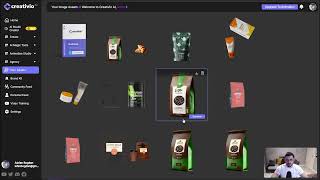
YouTube returned 6 videos for “Creativio AI”, and we withheld 5: 5 could not be judged, because “Creativio AI” is a single word that other videos use for other things. Showing the 1 we can prove is about Creativio AI.
Official links
Tools that pair well with Creativio AI
Common stack mates teams adopt alongside Creativio AI, with the specific reason each pairing earns its keep.

Pebblely
Pebblely turns one product photo into marketplace-ready AI product photography in seconds, no Photoshop or studio booking required.

Flair
Browser-based AI photo studio for e-commerce teams: build product shots, on-model fashion images, and ads without a studio.

Claid.ai
AI product photography for e-commerce — realistic backgrounds, AI fashion models, and 4K AI video from a plain product shot.
Featured Head-to-Head Comparisons
Creativio Ai vs Qoves
Creativio AI and QOVES serve entirely different needs—the former is a productivity tool for e-commerce photo editing, while the latter is a personal assessment for facial aesthetics. Choose Creativio AI if you run an online store and need to bulk-edit product images with backgrounds, shadows, and branding. Choose QOVES if you're looking for a data-driven, non-surgical beauty plan based on facial biometrics. Do not compare them head-to-head as substitutes; they inhabit separate categories.
Creativio Ai vs Adobe Firefly Services
Choose Creativio AI if you're an e-commerce seller or marketer needing a simple, web-based tool for bulk product image editing with marketplace integrations. Choose Adobe Firefly Services if you're a developer or enterprise requiring scalable, API-first generative AI with enterprise-grade security and custom model fine-tuning.
Creativio Ai vs The New Black
For e-commerce sellers needing automated product photo editing with marketplace-ready outputs, Creativio AI is the stronger choice. For fashion designers wanting AI-generated apparel concepts with tech pack exports, The New Black is purpose-built. Your decision hinges on domain: product photography vs. fashion design.
Alternatives to Creativio AI
View all


Frequently Asked Questions
Best-of guides
Used Creativio AI? Help shape our editorial sentiment research.