
DeepArtEffects AI Photo Editor
Offline desktop AI photo editor for neural art filters, 4x upscaling, colorization and background removal.
Pick DeepArtEffects when image confidentiality is a hard requirement and you want art filters, upscaling, colorization and background removal in one offline desktop install. It is also one of the few tools doing text-to-image and image-to-image generation entirely on local hardware via Deep Art Creator, and its API and ChatGPT/Claude assistants let you push the same filters into other workflows. The trade-off is clear: cloud-first editors and dedicated upscalers ship faster-moving model catalogs and better mobile parity. If you mainly edit on a phone or want a free cloud generator with hundreds of constantly refreshed styles, this is the wrong shelf.
Verified 7d ago · liveness 61/100 · cite: rightaichoice.com/tools/deeparteffects-ai-photo-editor
- Photographers and archivists who cannot upload client or archive images to the cloud
- Studios and businesses needing GDPR-compliant, locally processed imaging workflows
- Historical photo restoration projects involving colorization and upscaling of old prints
- Developers embedding style-transfer and imaging filters through the Deep Art AI API
- Phone-first editors who want the full toolkit on iOS or Android
- Teams needing shared libraries, comments or cloud storage
- Users on low-end PCs without the GPU and RAM for local AI imaging
We scan live Reddit threads, YouTube comments, X posts, G2 reviews and other communities — and hand you an honest verdict in under a minute.
- Honest verdict, not marketing
- Real pros & cons from real users
- Attributed quotes with receipts
3 free scans · no card needed
Skip DeepArtEffects if you mostly edit on a phone, need shared team libraries and comments, or want a free cloud generator whose style catalog refreshes constantly — its strength is local, confidential desktop processing.
The desktop offline path needs a machine with real GPU and CPU headroom, so a low-end laptop may mean a hardware upgrade before you get value.
The published pricing surface in these sources is the free mobile app for iOS, Android and Amazon, with in-app purchases for additional content. Desktop license pricing was not visible in the sources reviewed, so budget accordingly and confirm current desktop terms directly. For teams whose hard requirement is local processing, the value question is hardware cost plus license versus a cloud editor subscription with per-seat and per-render charges.
In short
DeepArtEffects AI Photo Editor — Offline desktop AI photo editor for neural art filters, 4x upscaling, colorization and background removal. Best for Photographers and archivists who cannot upload client or archive images to the cloud, Studios and businesses needing GDPR-compliant, locally processed imaging workflows, Historical photo restoration projects involving colorization and upscaling of old prints. Free to use.
What's new in DeepArtEffects AI Photo Editor
Checked 7 days agoAcross the latest 3 updates: 1 feature update, 1 launch and 1 news mention.
The 80s AI Photo Trend: Create Your Retro Portrait with Deep Art Studio
Deep Art Studio added a 1980s portrait style — big hair, soft focus, direct flash — driven by plain-language prompts rather than model settings.
Create AI Videos with Sound — Directly in ChatGPT
Deep Art AI brought AI video generation with sound into ChatGPT, so a single prompt produces a cinematic scene alongside image creation.
Privacy-First AI Imaging: A Practical Offline Workflow for Client-Safe Art
A workflow guide for client work covering prompting, image-to-image iterations, enhancement and super-resolution upscaling with no cloud uploads.
What people actually say about DeepArtEffects AI Photo Editor — is it worth it?
We ran a structured research pass across product reviews, community discussions, and post-purchase forum threads to surface the patterns vendors won't publish themselves. Below: the recurring strengths, the hidden costs people mention most, and the cohort that consistently regrets adopting this tool.
20 mentions across 1 source (App Store) · researched Jul 3, 2026.
Average across the 1 source that answered — each source counts once, not each post.
- +Produces great results on candid photos with fine art styles.
- +Fully offline processing ensures images never leave your device.
- +Desktop version offers one-time purchase with no subscription.
- +Batch processing and CLI for high-volume professional workflows.
- +GDPR compliant, appealing to European privacy-conscious users.
- −Long-time paid users now forced into subscription model.
- −Intrusive memory cleanup ad appears constantly, blocking use.
- −Recent update causes app to crash on launch.
- −Free trial required before seeing any effects.
- −Many art styles produce similar, mediocre results.
- • Previous purchasers may need to repurchase on mobile.
- • Watermark removal requires payment even on free tier.
- • Desktop purchase does not include mobile subscription.
Viability Score
How well maintained and how widely used is DeepArtEffects AI Photo Editor? Built from what the vendor actually publishes (docs, changelog, tutorials, integrations, pricing), whether the site is live, and how much real users discuss it. How we calculate this
Last calculated: October 2026
How we score →Key Features
- Neural style transfer art filters for photos
- AI super-resolution upscaling to 4x without quality loss
- Automatic colorization of black-and-white photos
- Automatic background removal and cutout
- SLR-style image optimization and refinement
- Text-to-image generation offline via Deep Art Creator
- Image-to-image generation added January 2026, offline
- Batch processing across multiple images
- Command-line interface for automated pipelines
- Fully offline desktop processing — images never leave the device
- German data protection and GDPR-compliant workflow
- Deep Art Studio web app for cloud image and video generation
- 1980s retro portrait style in Deep Art Studio, prompt-driven (September 2026)
- AI video generation with sound inside ChatGPT (September 2026)
- Deep Art For ChatGPT and Deep Art For Claude assistants
About DeepArtEffects AI Photo Editor
DeepArtEffects AI Photo Editor is a desktop image suite from Deep Art AI GmbH that runs its AI work on your own machine. You get neural style-transfer art filters, 4x AI super-resolution upscaling, automatic colorization of black-and-white photos, background cutout and SLR-style optimization — all processed locally, so your pictures never leave your drive. The companion desktop app, Deep Art Creator, handles generative work offline: as of January 2026 it does both text-to-image and image-to-image generation, so you can describe a picture or feed in an existing photo and have it restyled by prompt without uploading anything. Batch processing and a command-line interface make both apps usable in repetitive production pipelines rather than one-off edits. Around the desktop core sits a wider family: free mobile apps for iOS, Android and Amazon with a subset of filters, the browser-based Deep Art Studio for cloud image and video generation (which in September 2026 added a 1980s retro portrait style driven by plain-language prompts, and in September 2026 brought AI video generation with sound into ChatGPT), a developer API for embedding filters into your own software, plus Deep Art For ChatGPT and Deep Art For Claude assistants. Vendors, retail and archival teams that need AI imaging without a cloud dependency are the core audience; anyone who just wants a cheap subscription app for phone snapshots is over-served by the desktop license. The pitch is data residency and ownership rather than breadth of cloud models.
Behind the Verdict
DeepArtEffects earns its place on one architectural decision: your files stay on your machine. Style transfer, 4x super-resolution, colorization, background cutout and SLR-style refinement all execute locally, which is the whole reason an archivist with a box of family prints or a studio under a client NDA would choose it over a cloud editor. The German data-protection framing and the fact that rights to created artworks remain with you reinforce that positioning rather than competing on model breadth. Strengths. The offline desktop core is coherent and production-friendly — batch processing across many images plus a command-line interface means it can sit inside a repetitive pipeline instead of being a one-off toy. Deep Art Creator extends this into generative territory offline, doing text-to-image and, since January 2026, image-to-image, so prompt-driven restyling of an existing photo no longer requires a cloud service. The wider family covers the rest of the workflow: the Deep Art Studio web app for cloud image and video generation (adding a 1980s retro portrait style in September 2026, and video with sound inside ChatGPT), a developer API for embedding filters, and Deep Art For ChatGPT and Deep Art For Claude assistants. Weaknesses and trade-offs. The desktop offline path depends on a local machine with enough GPU and CPU headroom — a low-end laptop will not carry it comfortably. Mobile apps ship a subset of filters, so phone-first editors get a reduced toolkit rather than parity. Team features stop short of shared libraries, comments or cloud storage, which rules it out as a collaborative workspace. And the cloud-based Studio walks back the offline guarantee: only the desktop app is fully local. Finally, the model catalog moves at its own pace rather than tracking whichever LLM shipped this week, which is the price of local processing. Where it fits: photographers, archivists, restoration projects, and vendors or e-commerce teams batch-processing product imagery that must not leave the machine. Where it doesn't: phone-first hobbyists, collaborative teams, and buyers who want a free cloud generator with an ever-refreshed model list.
Researching DeepArtEffects AI Photo Editor? Get your full AI stack in 60 seconds.
Free, no signup — tell us your goal and get tools matched to your budget & existing stack.
Real-world workflow fit
Concrete scenarios for the personas DeepArtEffects AI Photo Editor actually fits — and what changes day-one when you adopt it.
A client contract forbids uploading their images anywhere. You run a shoot through Deep Art Effects on your desktop, apply art filters and background cutout locally, and batch the selects.
Outcome: Edited deliverables ship without a single client file touching a cloud server, and the rights to the created artworks stay with you.
You have a box of black-and-white prints. You scan them, run automatic colorization and 4x super-resolution upscaling on your PC, then review results side by side.
Outcome: Old prints come back to life in higher resolution at no per-image cloud cost, and the originals never leave your machine.
You need 100+ product images restyled for a seasonal campaign. You feed the folder through Deep Art Effects batch processing, or drive it from the command line in your pipeline.
Outcome: A catalog-sized batch finishes offline overnight, with style consistency across the set and no per-image upload fees.
Use Cases
- Transform a selfie into an oil painting style using one of the 40+ art filters.
- Colorize a vintage black-and-white family photo automatically on your PC.
- Upscale a low-resolution image to 4x its original size without quality loss.
- Generate a fantasy landscape from a text prompt using local Stable Diffusion in Deep Art Creator.
- Batch process 100+ product photos with style transfer for an e-commerce catalog.
- Create images and videos in the web-based Deep Art Studio for business workflows.
- Create a 1980s-style retro portrait in Deep Art Studio from a plain-language prompt.
- Use the API to add complex filters to your own applications.
Models Under the Hood
as of 2026-09-23
Limitations
- The desktop offline features require a local machine with sufficient GPU/CPU headroom, so a low-end laptop will struggle with local AI imaging.
- Mobile apps ship a subset of filters, giving you less than desktop parity.
- Team collaboration is thin — no shared libraries, comments or cloud storage.
- The web-based Deep Art Studio is cloud-dependent, so only the desktop apps preserve the fully offline promise.
- The model catalog is tied to what the vendor ships rather than tracking every new cloud model release.
as of 2026-10-02
Verification history
We have re-verified DeepArtEffects AI Photo Editor 7 times since . Each pass re-reads the vendor's own pages and re-checks every listed field against that evidence; passes where nothing had changed are marked as such.
- — re-verified summary, description, our verdict, our analysis, pricing model, pricing tiers, features, integrations, who it suits, who should skip it
- — re-verified summary, description, our verdict, our analysis, pricing model, pricing tiers, features, integrations, who it suits, who should skip it
- — re-verified summary, description, our verdict, our analysis, pricing model, pricing tiers, features, integrations, who it suits, who should skip it
- — re-verified summary, description, our verdict, our analysis, pricing model, pricing tiers, features, integrations, who it suits, who should skip it
- — re-verified summary, description, our verdict, our analysis, pricing model, pricing tiers, features, integrations, who it suits, who should skip it
- — re-verified summary, description, our verdict, our analysis, pricing model, pricing tiers, features, integrations, who it suits, who should skip it
Showing the 6 most recent of 7 verification passes.
Free to cite with attribution — this page re-verifies continuously.
12-month cost
Project the real annual outlay, including the implied monthly cost when only an annual tier is published.
Vendor list price only. Add-on usage, seat overages, and contract minimums are surfaced under Hidden costs & gotchas.
Plans compared
For each published DeepArtEffects AI Photo Editor tier: who it actually fits, and what it adds vs. the previous tier. Cross-reference the cost calculator above for projected annual outlay.
Mobile App
$0/mo
Ideal for
Casual creators who want to try Deep Art's art filters from a phone before investing in the desktop suite.
What this tier adds
Free entry point: a subset of AI art filters and effects on iOS, Android and Amazon, with in-app purchases for additional content.
Where the pricing makes sense
The company stage and team size where DeepArtEffects AI Photo Editor's pricing actually pencils out — and where peers do it cheaper.
The published pricing surface in these sources is the free mobile app for iOS, Android and Amazon, with in-app purchases for additional content. Desktop license pricing was not visible in the sources reviewed, so budget accordingly and confirm current desktop terms directly. For teams whose hard requirement is local processing, the value question is hardware cost plus license versus a cloud editor subscription with per-seat and per-render charges.
Setup time & first value
How long it actually takes to get something useful out of DeepArtEffects AI Photo Editor — broken out by persona, not the marketing-page minute.
For a photographer or archivist on a capable machine: install the desktop app and you can run the first filter or upscale within the same session, with batch and CLI workflows taking a bit longer to script. For e-commerce operators: allow an afternoon to wire the folder or CLI batch into your pipeline. On an underpowered PC, expect the first local AI render to be slow enough that you'll want to
Switching to or from DeepArtEffects AI Photo Editor
How to bring data in from common predecessors and how to get it back out — written for the switcher, not the buyer.
- →From cloud photo editors: move your library to local storage and run style transfer, upscaling and cutout in Deep Art Effects so nothing uploads.
- →From a dedicated upscaler: replace the single-purpose tool by combining 4x super-resolution with art filters, colorization and background removal in one desktop app.
- →From manual Photoshop actions: swap hand-built filter actions for neural style transfer plus batch processing across whole folders.
- ↗To a cloud-first editor: export your processed files and move to a subscription tool whose model catalog refreshes faster, accepting that images leave your machine.
- ↗To a dedicated upscaler: if upscaling is the only job, export and switch to a single-purpose tool to avoid carrying the full suite.
Integrations
Resources & Guides
Tutorials & Learning
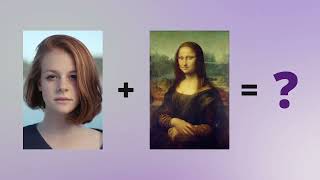
YouTube returned 6 videos for “DeepArtEffects AI Photo Editor”, and we withheld 5: 5 did not mention DeepArtEffects AI Photo Editor. Showing the 1 we can prove is about DeepArtEffects AI Photo Editor.
Official links
Tools that pair well with DeepArtEffects AI Photo Editor
Common stack mates teams adopt alongside DeepArtEffects AI Photo Editor, with the specific reason each pairing earns its keep.

iFoto
AI photo studio for e-commerce: background removal, clothes changer, AI fashion models, and product-photo backgrounds.

Slazzer
Slazzer strips image backgrounds automatically and bundles AI upscaling, shadows, relighting, and photo restoration into one credit balance.

Luminar Neo
Luminar Neo is Skylum's AI photo editor, bought once and owned forever, with 24+ AI tools and mobile editing that grows to web in Fall 2026.
Featured Head-to-Head Comparisons
Deeparteffects Ai Photo Editor vs Adobe Firefly Services
Choose DeepArtEffects if you demand offline processing and data privacy, especially for confidential client work or if you dislike recurring cloud costs. Choose Adobe Firefly Services if you need enterprise-grade compliance, high-volume API automation, or tight integration with Adobe’s ecosystem. The decision hinges on offline vs. cloud, privacy vs. scale, and one-time purchase vs. usage-based pricing.
Deeparteffects Ai Photo Editor vs Qoves
If you need powerful offline AI image editing and generation, DeepArtEffects is the clear choice. If instead you want a data-driven, non-surgical facial improvement plan, QOVES is the only tool of its kind. They serve completely different needs—choose based on whether you want to edit images or analyze your face.
Deeparteffects Ai Photo Editor vs The New Black
If you need to crank out fashion collections, model try-ons, and factory-ready tech packs, The New Black is your dedicated tool — it's tightly focused on apparel workflows. If your work spans photo enhancement, art generation, or you require absolute privacy offline, DeepArtEffects is the versatile, privacy-first suite. Choose based on domain: fashion vs. general imaging.
Alternatives to DeepArtEffects AI Photo Editor
View all
iFoto
AI photo studio for e-commerce: background removal, clothes changer, AI fashion models, and product-photo backgrounds.

Slazzer
Slazzer strips image backgrounds automatically and bundles AI upscaling, shadows, relighting, and photo restoration into one credit balance.

Luminar Neo
Luminar Neo is Skylum's AI photo editor, bought once and owned forever, with 24+ AI tools and mobile editing that grows to web in Fall 2026.
Frequently Asked Questions
Best-of guides
Used DeepArtEffects AI Photo Editor? Help shape our editorial sentiment research.