
Documentation.AI
Documentation.AI drafts self-updating product docs, help centers, and API references from your code changes, tickets, and user feedback — every change lands as
If stale docs are costing you support tickets, this is one of the few platforms where an agent actually drafts the fix from your commits and tickets instead of only answering reader questions. The draft-and-approve loop is the right safety posture — nothing ships unreviewed. The credit model is the real constraint: Ask AI questions cost 10 credits each and agent tasks run 5 to 320, against 10,000 monthly credits on Starter and Standard and 30,000 on Pro, and AI features pause until the next cycle when you run out. If you publish heavy reader-facing Ask AI volume, weigh Mintlify or GitBook on cost before committing.
Verified 2d ago · liveness 84/100 · cite: rightaichoice.com/tools/documentation-ai
- Product teams shipping frequent releases whose docs drift behind the code
- Developer teams publishing API references who want an OpenAPI playground plus MCP access for coding agents
- Support and knowledge base teams deflecting tickets with a cited, confidence-scored AI assistant
- Startups wanting docs structured for LLM retrieval and llms.txt discoverability without extra tooling
- Teams needing offline or local-first editing — it's a cloud platform with no on-premise option documented
- High-volume public reader traffic on Starter or Standard, where Ask AI questions draw from the same credit pool as
- Organizations requiring strict data residency and on-premise deployment sign-off
We scan live Reddit threads, YouTube comments, X posts, G2 reviews and other communities — and hand you an honest verdict in under a minute.
- Honest verdict, not marketing
- Real pros & cons from real users
- Attributed quotes with receipts
3 free scans · no card needed
Skip Documentation.AI if your docs site draws large public reader traffic and you'd rather not have every Ask AI question (10 credits) and every agent run (5–320 credits) compete for the same 10,000-credit monthly pool.
Every reader Ask AI question costs 10 credits from the same pool your agent runs draw on, so a busy help center can starve your automations of credits.
Starter at $0/forever fits individuals and early projects — 5 editor seats, 1 project, 10,000 AI credits. Standard at $55/month billed yearly is the real entry point for startups that need password-protected docs and embedded AI. Pro at $159/month billed yearly unlocks unlimited seats and JWT/OAuth private docs. GitBook and Mintlify are the closest paid comparisons; both compete on docs hosting, but neither ships a draft-producing agent reading your commits and tickets in the same loop.
In short
Documentation.AI — Documentation.AI drafts self-updating product docs, help centers, and API references from your code changes, tickets, and user feedback — every change lands as. Best for Product teams shipping frequent releases whose docs drift behind the code, Developer teams publishing API references who want an OpenAPI playground plus MCP access for coding agents, Support and knowledge base teams deflecting tickets with a cited, confidence-scored AI assistant. Free to start; paid plans from $55/mo.
What's new in Documentation.AI
Checked 3 days agoAcross the latest 4 updates: 3 feature updates and 1 changelog entry.
Search indexes Markdown tables and fixes citation heading anchors
Table rows are indexed with column labels; citation URLs now use the docs site's actual heading-ID generation to fix broken anchors on accented and non-Latin headings.
Site and page-level SEO controls: language, hreflang, connected JSON-LD
New seo.language site setting, per-page lang frontmatter, hreflang mappings and a single @graph JSON-LD output covering Organization, WebSite, WebPage, BreadcrumbList and Article nodes.
Navigation icons now support Lucide, Font Awesome and Tabler libraries
Navigation icon picker adds Lucide, Font Awesome and Tabler alongside uploaded SVG, PNG and WebP, with cross-library search and style filters.
Documentation.AI adds Documentation.AI Auth, icon libraries, SEO language controls; Workflows renamed to Automations
Documentation.AI Auth adds a fourth sign-in method for published docs, managed from Settings > Members. Workflows renamed to Automations; search and OpenAPI deployment validation improved.
What people actually say about Documentation.AI — is it worth it?
We ran a structured research pass across product reviews, community discussions, and post-purchase forum threads to surface the patterns vendors won't publish themselves. Below: the recurring strengths, the hidden costs people mention most, and the cohort that consistently regrets adopting this tool.
37 mentions across 3 sources (Hacker News, YouTube, Product Hunt) · researched Sep 1, 2026.
Average across the 3 sources that answered — each source counts once, not each post.
- +Self-updating docs via AI agent that monitors code, tickets, and feedback.
- +Reader MCP server lets coding agents pull real-time docs context.
- +Notion-style editor with Markdown/MDX and Git sync for docs-as-code.
- +Strong initial interest: 520 upvotes on Product Hunt, YouTube praise.
- +Generous free tier and affordable paid plans for startups.
- −Zero long-term user reviews outside launch hype; reliability unproven.
- −AI agent may not support custom linting rules or style guides yet.
- −Default public GitHub repo could expose private docs accidentally.
- −Proactive vs on-demand AI updates unclear from launch comments.
- −Limited community discussion across Reddit, Stack Overflow, and GitHub.
- • Potential cost for additional seats beyond plan limits
- • Enterprise features like SSO may require a higher tier
Viability Score
How well maintained and how widely used is Documentation.AI? Built from what the vendor actually publishes (docs, changelog, tutorials, integrations, pricing), whether the site is live, and how much real users discuss it. How we calculate this
Last calculated: October 2026
How we score →Key Features
- AI Documentation Agent drafts doc updates from code commits, tickets, and user feedback for approval
- Automations (renamed from Workflows in Oct 2026) trigger on pull request merge or daily/weekly/monthly schedules
- Automation templates: Documentation Update from Code, Self-Heal by User Feedback, Changelog Generation, API Sync
- AI Assistant (Ask AI) answers reader questions with citations and confidence scores
- Reader MCP Server lets customer AI tools like Claude and ChatGPT read live docs
- Authoring MCP Server lets teams write docs from Cursor or Claude Code
- Auto-generated llms.txt and GEO optimization for AI discoverability
- Pages fetchable as Markdown via .md suffix or Accept: text/markdown header
- Free Agent Readiness Score grades how well AI agents can read a docs site
- Visual web editor with Notion-style blocks, slash commands, and 100+ components
- Docs-as-code with Markdown/MDX, bidirectional Git sync, branches, PRs, and preview builds
- Reusable MDX/JSX snippets and custom components shared across pages
- Interactive API playground with OpenAPI import and ready-to-run code snippets
- Embedded Docs with inline pages, AI Assistant chat, floating help button, and help links
- Site and page-level SEO controls: seo.language, per-page lang, hreflang, @graph JSON-LD
About Documentation.AI
Documentation.AI is a documentation platform for teams whose docs fall behind the product. You write in a Notion-style web editor with drag-and-drop blocks, slash commands, and 100+ reusable components, or in Markdown/MDX with bidirectional Git sync, branches, PRs, and preview builds — the same content either way. Publishing covers custom domains or subpaths, versions and localization, PDF export, and access control through SSO, JWT, OAuth 2.0, and role-based permissions. API docs go from OpenAPI import to a live try-it playground with generated code samples. The differentiator is maintenance. The AI Documentation Agent runs Automations — renamed from Workflows in an October 2026 release — that trigger on a pull request merge or on a daily, weekly, or monthly schedule. Each run reads code changes, Jira and Confluence content, support tickets, and user feedback, then drafts the update with a summary of what changed, what was already covered, and why. Every run ends in a reviewable draft with changed files: reject all or accept all, nothing publishes unreviewed. Templates cover Documentation Update from Code, Self-Heal by User Feedback, Changelog Generation, and API Sync. Around the agent sits the AI access layer: in-docs Ask AI with citations and confidence scores, a Reader MCP Server so customer AI tools read current docs, an Authoring MCP Server so your team writes from Cursor or Claude Code, and auto-generated llms.txt for model discoverability. Embedded Docs puts pages and the assistant inside your own product, including a floating help button and inline help links.
Behind the Verdict
Strengths: Documentation.AI treats maintenance, not authoring, as the hard problem. The Documentation Update from Code automation reads actual commits (the homepage shows a run reading 12 commits across two repos plus 8 tickets and 23 feedback notes), drafts changes, and reports what it changed, what was already covered, and why. The review step is genuinely gated — a run ends with 'Reject all' / 'Accept all' over a changed-file diff. The machine-readable surface is unusually complete for this category. A Reader MCP Server lets Claude and ChatGPT query live docs rather than a stale training snapshot, an Authoring MCP Server lets writers work from Cursor or Claude Code, auto-generated llms.txt exposes every page, and each docs page is fetchable as Markdown by appending .md or sending an Accept: text/markdown header. October 2026 changelog entries added IndexNow submission for fast re-indexing, a single @graph JSON-LD output covering Organization, WebSite, WebPage, BreadcrumbList and Article nodes, and cite-this-page controls. A free Agent Readiness Score grades how well AI agents can read a docs site — a useful diagnostic even if you never migrate. Weaknesses: the credit economy is the sharp edge. 10 credits per Ask AI reader question, 5 to 320 per agent task, 10,000 monthly on Starter and Standard. Unused credits roll over up to 1.5x the monthly allowance, but AI features pause until the next 30-day cycle or a top-up; browsing, editing and publishing stay free. A docs site with real reader traffic will burn the same pool the agent runs on, so high-traffic teams should model that before choosing Standard. Second, the platform is cloud-only — no on-premise or offline editing option is documented, which rules it out where data residency sign-off is required. Where it fits: product and developer teams shipping frequent releases, support teams deflecting tickets with cited answers, and anyone who needs docs readable by AI agents as well as humans. Migration from Mintlify, GitBook, ReadMe, Document360, Docusaurus, Nextra or Fern is supported by a migrator that copies pages, rebuilds the sidebar, and moves images into the media library, with a preview before go-live — and the vendor states migration is free if you contact them.
Researching Documentation.AI? Get your full AI stack in 60 seconds.
Free, no signup — tell us your goal and get tools matched to your budget & existing stack.
Real-world workflow fit
Concrete scenarios for the personas Documentation.AI actually fits — and what changes day-one when you adopt it.
Connect the GitHub repo in the Documentation Update from Code automation, set it to run after each pull request merge, and let it read the changed commits alongside open Jira tickets.
Outcome: Each merge produces a reviewable draft with a changed-file diff and a summary of what was updated and why; you accept or reject it before anything publishes.
Turn on Ask AI inside the docs, watch Analytics & AI Insights for questions answered with low confidence, then run the Self-Heal by User Feedback automation on those pages.
Outcome: The pages readers actually struggle with get corrected first, and the help center deflects tickets with cited answers rather than stale copy.
Write in the visual editor for prose pages while engineers keep Markdown/MDX in Git, then use the Authoring MCP Server to draft from Cursor or Claude Code.
Outcome: One content set, two authoring surfaces — writers get the WYSIWYG editor, engineers keep their branches and PRs, and the same review process applies to both.
Use Cases
- Publish a product documentation site that drafts updates when you merge code changes, with every change reviewed before it ships.
- Run a help center that deflects tickets using an in-docs AI assistant with cited, confidence-scored answers.
- Maintain an API reference from an OpenAPI spec with an interactive try-it playground and generated code samples.
- Stand up an internal knowledge base with role-based access and self-updating content for onboarding.
- Feed live specs to coding agents in Cursor or Claude Code via the Authoring MCP Server.
- Let customers' AI tools query your live docs through the Reader MCP Server instead of a stale training snapshot.
- Spot documentation gaps using Analytics & AI Insights, which flags the questions Ask AI answered with low confidence.
- Ship multi-language, multi-version docs from one source with localization and version controls.
Limitations
- AI credits meter both the AI Assistant and the Documentation Agent including its automations: 10 credits per Ask AI reader question and 5 to 320 credits per agent task, against 10,000 monthly credits on Starter and Standard ($0 and $55/month billed yearly) and 30,000 on Pro ($159/month billed yearly).
- Unused credits roll over up to 1.5x your monthly allowance, and AI features pause until the next 30-day cycle or a top-up when you run out.
- Browsing, editing, and publishing cost nothing.
- Several capabilities start only on paid tiers: password-protected docs, External Sources for the AI Assistant, and Slack support at Standard; JWT/OAuth private docs, advanced analytics, role-based permissions, and PDF export at Pro; SSO with SAML/OIDC, SCIM provisioning, and custom SLAs at Enterprise.
- The agent's ability to monitor user feedback is still listed as coming soon, though a Self-Heal workflow already uses feedback.
- The platform is cloud-based with no on-premise or offline option mentioned.
as of 2026-10-16
Verification history
We have re-verified Documentation.AI 8 times since . Each pass re-reads the vendor's own pages and re-checks every listed field against that evidence; passes where nothing had changed are marked as such.
- — re-verified summary, description, our verdict, our analysis, pricing model, pricing tiers, features, integrations, who it suits, who should skip it
- — re-verified summary, description, our verdict, our analysis, pricing model, pricing tiers, features, integrations, who it suits, who should skip it
- — re-verified summary, description, our verdict, our analysis, pricing model, pricing tiers, features, integrations, who it suits, who should skip it
- — re-verified summary, description, our verdict, our analysis, pricing model, pricing tiers, features, integrations, who it suits, who should skip it
- — re-verified summary, description, our verdict, our analysis, pricing model, pricing tiers, features, integrations, who it suits, who should skip it
- — re-verified summary, description, our verdict, our analysis, pricing model, pricing tiers, features, integrations, who it suits, who should skip it
Showing the 6 most recent of 8 verification passes.
Free to cite with attribution — this page re-verifies continuously.
12-month cost
Project the real annual outlay, including the implied monthly cost when only an annual tier is published.
Vendor list price only. Add-on usage, seat overages, and contract minimums are surfaced under Hidden costs & gotchas.
Plans compared
For each published Documentation.AI tier: who it actually fits, and what it adds vs. the previous tier. Cross-reference the cost calculator above for projected annual outlay.
Starter
$0/forever
Ideal for
Solo writer or early-stage project publishing one docs site who wants the core platform and a taste of the AI agent without paying.
What this tier adds
Free entry point: core documentation platform, 5 editor seats, 1 documentation project, 10,000 AI credits per month, custom domain, API playground and MCP server.
Standard
$55/month (billed yearly)
Ideal for
Startup or small team of up to 10 editors running a professional help center or product docs site.
What this tier adds
Adds password-protected documentation, External Sources for the AI Assistant, embedding the AI Assistant and docs in your own product, and Slack support — plus a second documentation project. Credit allowance stays at 10,000.
Pro
$159/month (billed yearly)
Ideal for
Growing team running docs across product, support, and onboarding that needs private docs and real analytics.
What this tier adds
Jumps to unlimited editor seats, 30,000 AI credits, 4 documentation projects, JWT/OAuth private docs, advanced analytics, role-based permissions, PDF export, and priority support.
Enterprise
Custom
Ideal for
Regulated or security-reviewed organizations that need SSO, provisioning, custom AI usage, and contractual support.
What this tier adds
Adds SSO with SAML/OIDC, SCIM provisioning, security and legal review, custom SLAs, dedicated support, white-glove migration and implementation, plus custom contracts, invoicing, and integrations.
Where the pricing makes sense
The company stage and team size where Documentation.AI's pricing actually pencils out — and where peers do it cheaper.
Starter at $0/forever fits individuals and early projects — 5 editor seats, 1 project, 10,000 AI credits. Standard at $55/month billed yearly is the real entry point for startups that need password-protected docs and embedded AI. Pro at $159/month billed yearly unlocks unlimited seats and JWT/OAuth private docs. GitBook and Mintlify are the closest paid comparisons; both compete on docs hosting, but neither ships a draft-producing agent reading your commits and tickets in the same loop.
Setup time & first value
How long it actually takes to get something useful out of Documentation.AI — broken out by persona, not the marketing-page minute.
The homepage claims you're live in under 5 minutes with no credit card required on the free Starter plan, and the Get Started path walks sign-up, writing mode, and a first published edit in four steps. Realistically: solo writer publishing a first page, under an hour; team wiring Git sync plus a custom domain, about half a day; first working automation reading a repo, another hour once repo
Switching to or from Documentation.AI
How to bring data in from common predecessors and how to get it back out — written for the switcher, not the buyer.
- →From Mintlify: the built-in migrator copies pages word for word, rebuilds the sidebar, moves images into the media library, and adds redirects, with a preview site before go-live.
- →From GitBook: same migrator path — pages, sidebar groups, images, and redirects, previewed at a staging subdomain first.
- →From ReadMe or Document360: covered by the migration guide alongside Mintlify and GitBook.
- →From Docusaurus, Nextra, or Fern: the migrator handles these Next.js/React docs frameworks too, or you can contact the vendor — migration is stated as free.
- →From any other platform: the migration guide covers platforms beyond the named ones, and the Pro and Enterprise tiers include priority and white-glove migration support.
- ↗To Mintlify: export Markdown/MDX pages and components, then rebuild the navigation in Mintlify's mint.json since component syntax differs.
- ↗To GitBook: you'll lose the draft-producing Documentation Agent and the Reader/Authoring MCP servers, and need to re-set any automation you relied on.
- ↗To ReadMe: API reference pages move cleanly from your OpenAPI spec, but the embedded AI Assistant and credit-metered Ask AI have no direct equivalent.
- ↗To Docusaurus or Fern: self-hosted docs remove the credit model entirely, at the cost of building your own AI access layer and llms.txt generation.
Integrations
Resources & Guides
- Documentationdocumentation.ai
Docs · Documentation.AI
Full product docs from documentation.ai
- Documentationdocumentation.ai
Llms · Documentation.AI
Full product docs from documentation.ai
- Quickstartdocumentation.ai
Introduction · Documentation.AI
Get up and running fast from documentation.ai
- Quickstartdocumentation.ai
Quickstart · Documentation.AI
Get up and running fast from documentation.ai
Tutorials & Learning
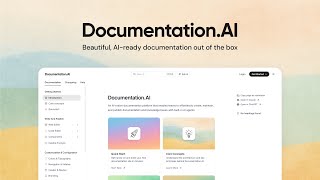
Introducing Documentation.AI
Documentation AI
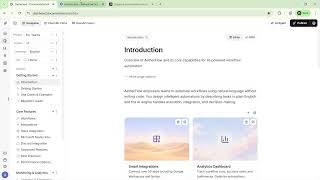
Documentation.AI Walkthrough: Create AI-Powered Docs & Knowledge Base in Minutes
Documentation AI

Documentation.AIで製品ドキュメントを作成・公開
AppSumo / Products
YouTube returned 6 videos for “Documentation.AI”, and we withheld 3: 3 could not be judged, because “Documentation.AI” is a single word that other videos use for other things. Showing the 3 we can prove are about Documentation.AI.
Official links
Tools that pair well with Documentation.AI
Common stack mates teams adopt alongside Documentation.AI, with the specific reason each pairing earns its keep.

GitBook
GitBook is documentation software that keeps docs accurate for humans and AI agents — and flags stale content before it spreads.
Craft
Craft is the native notes, docs and tasks app where Apple and Windows users write, plan and publish in one place.

DeepL Write Pro
DeepL Write Pro: an AI writing assistant that rewrites drafts and enforces one brand voice across five languages.
Featured Head-to-Head Comparisons
Documentation Ai vs Locus Robotics
These tools serve completely different needs—Locus Robotics is for physical warehouse automation (AMRs), while Documentation.AI is a documentation platform. Choose Locus if you need to boost picking productivity 2-3x with autonomous robots; choose Documentation.AI if you need self-updating product docs with an AI agent. They are not direct competitors.
Documentation Ai vs Truleo
These tools serve completely different worlds. Truleo is a specialized law enforcement intelligence platform that connects siloed data into actionable leads—ideal for detectives and command staff. Documentation.AI is an AI-native documentation platform for product teams, reducing support tickets with self-updating content. Pick based on your domain: police or product.
Documentation Ai vs Presto Voice
Presto Voice and Documentation.AI serve completely different domains. Presto is purpose-built for QSR drive-thru automation, leveraging multi-model AI for order-taking and upselling, while Documentation.AI is an AI-native platform for keeping product docs and knowledge bases current. Buyers should choose based on their primary need: restaurant operations vs. customer-facing documentation.
Alternatives to Documentation.AI
View all
GitBook
GitBook is documentation software that keeps docs accurate for humans and AI agents — and flags stale content before it spreads.
Craft
Craft is the native notes, docs and tasks app where Apple and Windows users write, plan and publish in one place.

DeepL Write Pro
DeepL Write Pro: an AI writing assistant that rewrites drafts and enforces one brand voice across five languages.
Frequently Asked Questions
Best-of guides
Used Documentation.AI? Help shape our editorial sentiment research.