
Edge Tts
Free text-to-speech in Node.js, PHP, Go and the browser with 300+ Microsoft Edge neural voices — no API key required.
Word-level timing in the same call as the audio is what makes Edge TTS worth installing — most free TTS wrappers hand you an MP3 and nothing else. The catch is structural: you're on an unofficial bridge to Microsoft's service with no SLA, and the browser build only works uncut in Edge because the service checks the user agent. Prototype with it, then budget for a paid API before you ship audio to paying customers.
Verified 4d ago · liveness 54/100 · cite: rightaichoice.com/tools/edge-tts
- Developers generating subtitles or WebVTT captions with word-level timing
- Accessibility builders adding read-along highlighting to text content
- Teams prototyping voice output who refuse to open a billing account
- Polyglot codebases mixing PHP, Node.js, and Go that want one consistent voice set
- Customer-facing audio that needs an uptime guarantee or support contract
- Web apps shipping to Chrome, Firefox, or Safari users without a relay server
- Proprietary products where a GPL-3.0 dependency fails legal review
We scan live Reddit threads, YouTube comments, X posts, G2 reviews and other communities — and hand you an honest verdict in under a minute.
- Honest verdict, not marketing
- Real pros & cons from real users
- Attributed quotes with receipts
3 free scans · no card needed
Skip Edge TTS if the audio your paying customers hear can't tolerate an unannounced outage, or if your compliance review requires a contracted vendor with an SLA and a support path.
The package is free, but you are consuming Microsoft's cloud capacity outside a contract — if Microsoft throttles or changes the endpoint, your remediation cost is engineering time, not a line on an invoice.
Edge TTS costs nothing because it isn't sold — it's an open-source package against an unofficial Microsoft endpoint. That makes it cheaper than Azure Speech or ElevenLabs at any volume, and also cheaper than paying for the guarantees those services include. For a solo developer or a small internal tool, the fit is unbeatable; for a funded team shipping customer-facing audio, the peer group isn't other free libraries, it's paid APIs where the per-character price buys an SLA you don't have here.
In short
Edge Tts — Free text-to-speech in Node.js, PHP, Go and the browser with 300+ Microsoft Edge neural voices — no API key required. Best for Developers generating subtitles or WebVTT captions with word-level timing, Accessibility builders adding read-along highlighting to text content, Teams prototyping voice output who refuse to open a billing account. Free to use.
What people actually say about Edge Tts — is it worth it?
We ran a structured research pass across product reviews, community discussions, and post-purchase forum threads to surface the patterns vendors won't publish themselves. Below: the recurring strengths, the hidden costs people mention most, and the cohort that consistently regrets adopting this tool.
37 mentions across 3 sources (Hacker News, YouTube, Lemmy) · researched Aug 12, 2026.
Average across the 3 sources that answered — each source counts once, not each post.
- +Free to use with no API key or account required.
- +High-quality neural voices comparable to commercial TTS.
- +Simple installation via pip or npm; lightweight dependency.
- +Cross-platform support for Windows, macOS, and Linux.
- +Supports SSML for granular control over speech output.
- −Unofficial API can break with Microsoft's updates.
- −No official support or documentation for enterprise use.
- −Voice cloning and custom model training not supported natively.
- −Potential terms-of-service issues for commercial use.
- −Limited control over audio quality compared to paid TTS APIs.
- • No monetary cost, but potential legal/ToS risks for heavy commercial use
- • Time cost if the service breaks and you need to find alternatives
Viability Score
How well maintained and how widely used is Edge Tts? Built from what the vendor actually publishes (docs, changelog, tutorials, integrations, pricing), whether the site is live, and how much real users discuss it. How we calculate this
Last calculated: October 2026
How we score →Key Features
- Free text-to-speech through Microsoft Edge's online neural voice service
- No API key, authentication, or billing account required
- 300+ neural voices across more than 100 languages
- Word and sentence boundary timings returned in 100-nanosecond ticks
- toVTT() writes WebVTT captions; SRT export per word or per sentence
- generate() returns audio, word timings, and estimated duration in one result
- stream() yields audio chunks while the service is still producing them
- Adjust rate, pitch, and volume as numbers or strings like '+10%'
- Three output formats: MP3 48 kbit/s, MP3 96 kbit/s, WebM/Opus
- Libraries for PHP, Node.js, Go, and the browser
- Bundled playground with voice sliders, word highlighting, and format comparison
- Command-line interface with the same options across PHP, Node.js, and Go packages
- Point the library at new service values when Microsoft changes them, without a release
- Cross-platform: Windows, macOS, and Linux
- Open source on GitHub under GPL-3.0 (author @andresayac)
About Edge Tts
Edge TTS is an open-source text-to-speech library that drives the same online neural voice service used by Microsoft Edge. Install it for PHP, Node.js, Go, or the browser, list the voices, and synthesize speech to a file or a live stream — no API key, no Windows machine, no Edge running anywhere. More than 300 neural voices span over 100 languages, which is the practical reason developers reach for it: you get broadcast-quality speech in an afternoon instead of a billing account. What separates it from the usual wrapper is timing data. generate() returns the audio, a word and sentence boundary list in 100-nanosecond ticks, and an estimated duration in a single result, and toVTT() writes caption files for you. That makes it a fit for subtitles, karaoke-style highlighting, and read-along accessibility work, not just voiceover generation. stream() yields audio chunks while the service is still producing them, so playback starts on the first chunk and stopping closes the connection. Three output formats are accepted — MP3 at 48 kbit/s, MP3 at 96 kbit/s, and WebM/Opus — and anything else is refused. Rate, pitch, and volume are passed as numbers or as strings like '+10%'. The bundled playground covers voice auditioning, sliders, word-highlight playback, SRT and WebVTT export, and a side-by-side speed comparison of the three formats. It sits at the free end of the market. Commercial TTS APIs bill per character and carry uptime commitments; Edge TTS costs nothing, is not affiliated with Microsoft, and rides an interface that can change without notice. For prototypes, internal tooling, and caption pipelines that's a fine trade. For customer-facing audio, it isn't.
Behind the Verdict
Reach for Edge TTS when the job needs speech plus knowing exactly when each word lands. Caption generation, karaoke highlighting, read-along accessibility, timed transcripts — that combination is where this library earns its keep, and generate() returning audio, word boundaries and duration together saves you a second tool. Pick it without hesitation for prototypes. There is no signup, no key, and no per-character meter, so you can wire voice output into a Node worker on a Tuesday and throw the code away on Friday without a procurement conversation. The playground is genuinely useful for that phase: audition a voice in the browser, then copy the same settings into the library. Pass on it for anything a paying customer hears. The service behind it is Microsoft's, the library is not affiliated with Microsoft, and the docs are blunt that Microsoft can change things. When that happens you point the library at new values rather than waiting for a release, which is a nice escape hatch but still an outage you are personally on the hook for. Compare that with Azure Speech or ElevenLabs, where money buys contracted uptime and support. One trap people hit: the Node.js browser build fails in Chrome, Firefox and Safari with a HANDSHAKE error. The service only accepts Edge's user agent and a page cannot change its own, so you need a relay passed as wssUrl. Server-side use in PHP, Node.js or Go is unaffected. If your product ships a web client, plan for that relay from the start rather than discovering it in QA. Check the licensing before you build a business on it. The project is GPL-3.0, which is fine for internal tools and open-source work and worth a legal read if you're embedding it in something proprietary. Sibling implementations by the same author share the voice set, so
Researching Edge Tts? Get your full AI stack in 60 seconds.
Free, no signup — tell us your goal and get tools matched to your budget & existing stack.
Real-world workflow fit
Concrete scenarios for the personas Edge Tts actually fits — and what changes day-one when you adopt it.
Installs the Edge TTS package in a Node or Bun project, opens the bundled web UI to audition Microsoft's neural voices by language and gender, picks one with the Deep preset, then calls the synthesize function to write a test .mp3 and confirm the pipeline works end to end.
Outcome: A working speech prototype the same afternoon, with no API key, no billing account, and no Windows machine or Edge browser required.
Wires Edge TTS into an internal tool that reads long documents aloud for staff, using SSML to control pauses and rate and streaming output rather than writing intermediate files to disk.
Outcome: Low-cost audio output for internal use, with the tradeoff understood: an outage is an inconvenience here rather than a customer-facing failure.
Runs a script that converts each script file to .mp3 through Edge TTS with rate and pitch adjusted per request, then drops the files into the editing timeline — avoiding per-character fees that would scale with every revision.
Outcome: Voiceover drafts generated at no per-character cost, with the option to re-render as many takes as needed during editing.
Use Cases
- Generate voiceovers for YouTube videos or presentations
- Add TTS to a chatbot or virtual assistant
- Create audio versions of written content for accessibility
- Prototype a voice-enabled app without wiring up an API key
- Automate podcast generation from RSS feeds
- Build a custom audiobook reader for personal texts
- Audition Microsoft neural voices in the browser before writing any code
Models Under the Hood
as of 2026-10-18
Limitations
- Edge TTS relies on Microsoft's online Edge speech service through an unofficial interface, with no API key and no SLA or support contract.
- It is not an offline engine — every synthesis requires a network connection to the service.
- The service accepts only three output formats (MP3 48 kbit/s, MP3 96 kbit/s, WebM/Opus) and refuses the rest, and it may alter text on its side (for example dropping opening punctuation of sentences), so the library has to restore such details from your source text.
- Timings are reported in 100-nanosecond ticks and duration is estimated from size and bitrate without decoding.
as of 2026-10-04
Verification history
We have re-verified Edge Tts 9 times since . Each pass re-reads the vendor's own pages and re-checks every listed field against that evidence; passes where nothing had changed are marked as such.
- — re-verified summary, description, our verdict, our analysis, pricing model, pricing tiers, features, integrations, who it suits, who should skip it
- — re-verified summary, description, our verdict, our analysis, pricing model, pricing tiers, features, integrations, who it suits, who should skip it
- — re-checked, vendor evidence unchanged
- — re-verified summary, description, our verdict, our analysis, pricing model, pricing tiers, features, integrations, who it suits, who should skip it
- — re-checked, vendor evidence unchanged
- — re-verified summary, description, our verdict, our analysis, pricing model, pricing tiers, features, integrations, who it suits, who should skip it
Showing the 6 most recent of 9 verification passes.
Free to cite with attribution — this page re-verifies continuously.
Where the pricing makes sense
The company stage and team size where Edge Tts's pricing actually pencils out — and where peers do it cheaper.
Edge TTS costs nothing because it isn't sold — it's an open-source package against an unofficial Microsoft endpoint. That makes it cheaper than Azure Speech or ElevenLabs at any volume, and also cheaper than paying for the guarantees those services include. For a solo developer or a small internal tool, the fit is unbeatable; for a funded team shipping customer-facing audio, the peer group isn't other free libraries, it's paid APIs where the per-character price buys an SLA you don't have here.
Setup time & first value
How long it actually takes to get something useful out of Edge Tts — broken out by persona, not the marketing-page minute.
For a developer in an existing Node.js or Bun project, install-to-first-.mp3 is a matter of minutes: add the package, list voices, call synthesize. Auditioning voices in the bundled web UI adds a few more minutes but requires no code at all. Non-developers should budget longer — this is a library, not an app, so someone has to write the calling script.
Switching to or from Edge Tts
How to bring data in from common predecessors and how to get it back out — written for the switcher, not the buyer.
- →From a paid per-character TTS API (e.g. Azure Speech or ElevenLabs): swap the synthesis call for Edge TTS's synthesize function, map your rate/pitch/volume settings to the equivalent request options, and re-audition
- ↗To Azure Speech: the voice names share Microsoft lineage, so map your chosen voice to its Azure equivalent and add the subscription key and region your current code doesn't need.
- ↗To ElevenLabs: re-select voices from a different catalogue and rewrite any SSML-dependent formatting, since the markup support differs between the two.
Resources & Guides
Tutorials & Learning
FREE Text-to-Speech App; 90+ Multiple Language; No API Keys! Edge TTS + Piper TTS | Python Tutorial
Happy Learning-GP
Microsoft EdgeTTS: How to Create Realistic Voices with AI | Complete and Updated Tutorial
Café e Computação
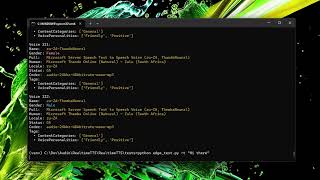
Introducing Edge TTS: Powerful Real-Time Text-to-Speech Without a GPU! 🎤✨
Linguflex
YouTube returned 6 videos for “Edge Tts”, and we withheld 2: 2 did not mention Edge Tts. Showing the 4 we can prove are about Edge Tts.
Official links
Tools that pair well with Edge Tts
Common stack mates teams adopt alongside Edge Tts, with the specific reason each pairing earns its keep.

Openai Edge Tts
Free, open-source TTS web app and OpenAI-compatible API using Microsoft Edge's neural voices.

TTSMaker
TTSMaker is a free, browser-based text-to-speech converter that returns MP3 or WAV audio of your text in 80+ languages, cleared for commercial use.

Fish Audio
Fish Audio delivers expressive AI text to speech and voice cloning, with emotion tags and a free S2.1 Pro TTS API.
Featured Head-to-Head Comparisons
Edge Tts vs Soniox
Choose Soniox if you need a production-ready, compliant, low-latency speech API that combines STT, TTS, and translation for multilingual voice agents, dictation, or real-time translation. Edge TTS is a free, lightweight TTS tool suitable for prototyping and hobby projects, but lacks the reliability, features, and compliance for serious commercial use.
Edge Tts vs Voiceitt
Voiceitt and Edge TTS serve entirely opposite needs: Voiceitt converts atypical speech into text (input), while Edge TTS generates speech from text (output). If you have non-standard speech and need dictation or captioning, Voiceitt is the only choice. If you need free, developer-friendly text-to-speech for prototyping, Edge TTS is unbeatable. They are not competitors; pick based on whether your goal is speech recognition or speech synthesis.
Edge Tts vs Retell Ai
Edge TTS is a lightweight, free tool for generating speech from text, ideal for developers and hobbyists who need quick TTS without overhead. Retell AI is a full-featured voice agent platform for automating phone calls at scale, suited for large teams with complex workflows. Choose Edge TTS for simple, cost-free speech synthesis; choose Retell AI for end-to-end call automation.
Alternatives to Edge Tts
View all
Openai Edge Tts
Free, open-source TTS web app and OpenAI-compatible API using Microsoft Edge's neural voices.

TTSMaker
TTSMaker is a free, browser-based text-to-speech converter that returns MP3 or WAV audio of your text in 80+ languages, cleared for commercial use.

Fish Audio
Fish Audio delivers expressive AI text to speech and voice cloning, with emotion tags and a free S2.1 Pro TTS API.
Frequently Asked Questions
Categories
Best-of guides
Used Edge Tts? Help shape our editorial sentiment research.