
Eraser IO
AI diagramming for engineering teams: generate architecture, flow, and C4 diagrams from text, Terraform, or uploads — with an agent-ready MCP server.
Eraser earns its keep for teams that live in code. The diagram-as-code core, AI Presets with naming/notation rules and reference architectures, Eraserbot codebase sync, and the eraser_mcp server are things Miro and draw.io simply don't give you — Miro is a whiteboard, draw.io is a manual editor, and neither exposes diagram CRUD to Claude or Cursor. If you're comfortable writing a little markup and using an API, Start at $15/member/mo billed annually (or $20 monthly) and the 90% time saving is real. Skip it for brainstorming whiteboards. Price-sensitive bug: the Free plan's 3 files and 3 AI diagrams won't carry a working team past week one.
Verified 3d ago · liveness 72/100 · cite: rightaichoice.com/tools/eraser-io
- Software engineers creating architecture diagrams quickly with AI
- DevOps teams documenting cloud infrastructure with code as source
- Enterprise architects designing system landscapes with drill-down Microsites
- Technology consultants producing consistent design docs for clients
- Non-technical users who want drag-and-drop diagramming without markup
- Individuals wanting a general-purpose whiteboard for brainstorming
- Teams that require offline desktop editing
We scan live Reddit threads, YouTube comments, X posts, G2 reviews and other communities — and hand you an honest verdict in under a minute.
- Honest verdict, not marketing
- Real pros & cons from real users
- Attributed quotes with receipts
3 free scans · no card needed
Skip Eraser if your team wants a drag-and-drop whiteboard for brainstorming and won't adopt a diagram-as-code or prompt-first workflow — the markup layer is the product, not an optional path.
API calls are usage-based on every paid tier rather than included, so automating diagram generation in CI/CD adds a variable bill on top of the per-member seat price.
Eraser prices per member per month with unlimited free guests on every plan. Free ($0) caps at 3 files and 3 AI diagrams — a trial, not a team tier. Starter at $15/member/mo billed annually (or $20 monthly) is the realistic entry point for one to ten engineers; Business at $45/member/mo billed annually (or $60 monthly) adds SAML SSO, unlimited version history, 250 AI diagrams, and reference diagrams. Enterprise is custom with flexible deployments and ACH/wire. Compared to Miro's per-seat
In short
Eraser IO — AI diagramming for engineering teams: generate architecture, flow, and C4 diagrams from text, Terraform, or uploads — with an agent-ready MCP server. Best for Software engineers creating architecture diagrams quickly with AI, DevOps teams documenting cloud infrastructure with code as source, Enterprise architects designing system landscapes with drill-down Microsites. Free to start; paid plans from $15/user/mo.
What people actually say about Eraser IO — is it worth it?
We ran a structured research pass across product reviews, community discussions, and post-purchase forum threads to surface the patterns vendors won't publish themselves. Below: the recurring strengths, the hidden costs people mention most, and the cohort that consistently regrets adopting this tool.
38 mentions across 2 sources (YouTube, Lemmy) · researched Jul 29, 2026.
Average across the 2 sources that answered — each source counts once, not each post.
- +AI generates architecture diagrams from natural language in seconds.
- +Diagram-as-code using Eraser markup ensures version-controlled, consistent visuals.
- +Eraserbot auto-updates diagrams by scanning code repositories.
- +Integrates with GitHub, Notion, Confluence, and VS Code.
- +Infinite canvas with real-time collaboration for team docs.
- −Free tier is too limited for meaningful evaluation.
- −Free alternatives like Excalidraw or Mermaid offer similar functionality.
- −Community feedback is sparse and mostly from promotional YouTube videos.
- −AI-generated diagrams may need manual correction for accuracy.
- −Not suitable for non-technical users or freeform whiteboarding.
- • AI credits cap may require purchasing add-ons for heavy use.
- • Custom icons limit (100) may be restrictive for large organizations.
Viability Score
How well maintained and how widely used is Eraser IO? Built from what the vendor actually publishes (docs, changelog, tutorials, integrations, pricing), whether the site is live, and how much real users discuss it. How we calculate this
Last calculated: October 2026
How we score →Key Features
- AI diagram generation from natural-language prompts
- AI diagram generation from code (Terraform, Git repositories)
- AI diagram generation from file uploads (PDF, Word, Excel, PowerPoint, Draw.io, Visio)
- Image-to-diagram (PNG, JPEG, WebP)
- AI documents for design docs and technical documentation
- Eraserbot: codebase diagrams synced from repositories
- REST Diagramming API with POST /render (prompt or Eraser DSL to diagram)
- eraser_mcp MCP server: full diagram CRUD (create, search, update, export)
- MCP over HTTP and stdio transports with OAuth and API tokens
- eraser_oss open-source, MIT-licensed, self-hostable variant
- Diagram-as-code with Eraser markup language
- AI Presets, rules, templates, and references for consistent output
- Custom team styles for notation, colors, and layout
- Infinite canvas with real-time collaboration, commenting, and tagging
- Microsites with interactive C4 context/container/component drill-downs
About Eraser IO
Eraser is an AI diagramming and documentation platform built for engineering, DevOps, and architecture teams. You describe a diagram in plain English, paste Terraform or other code, or upload a PDF, Word, Excel, PowerPoint, Draw.io, or Visio file, and Eraser returns a clean, layouted diagram on an infinite canvas you can then refine by hand or keep iterating in chat. Underneath the canvas is a diagram-as-code layer — a concise Eraser markup language plus a visual editor — and the vendor says teams save up to 90% of diagramming time. Consistency comes from AI Presets, team style presets, naming and notation rules, reference architectures, and templates, so AI output matches how your systems actually work. Beyond diagrams, Eraser writes AI documents for design docs and technical documentation, and its Microsites feature gives you interactive C4 context/container/component drill-downs that stay live by syncing from Git, AWS, Azure, or Google Cloud. Eraserbot keeps codebase diagrams updated from your repositories, the REST Diagramming API at /render turns a prompt or Eraser DSL into a diagram programmatically, and the eraser_mcp MCP server exposes full diagram CRUD (create, search, update, export) to Claude, Cursor, or ChatGPT with OAuth and API tokens over HTTP and stdio transports. An open-source, MIT-licensed eraser_oss variant is self-hostable and inspectable. Eraser is SOC 2 type 2 certified and penetration tested annually, supports SAML SSO with Microsoft Entra and Okta plus SCIM provisioning, and deploys multi-tenant, single-tenant, or self-hosted. It is a poor fit for people who want a drag-and-drop whiteboard and won't touch markup.
Behind the Verdict
The clearest way to judge Eraser is by what it refuses to be. It is not a whiteboard: the canvas is an artifact of a text-first workflow, where the primary input is a prompt, a Terraform file, a repo, or an uploaded Visio document, and the AI Presets, naming and notation rules, templates, and reference architectures exist to make output repeatable rather than pretty. The consequence is real leverage — a platform team can hold a PCI boundary or a queue-based load-leveling pattern as a template and let every engineer generate on-model diagrams — but it also means the ergonomics are closer to a build tool than to a design tool. Where Eraser currently separates from Miro and draw.io is the agent surface. eraser_mcp exposes create, search, update, and export over HTTP and stdio with OAuth and API tokens, so a docs agent, coding agent, security review agent, or explainer agent can produce and maintain diagrams rather than just screenshots. The REST API's POST /render takes a prompt or Eraser DSL and returns a diagram, and Eraserbot keeps codebase diagrams syncing from repositories — that pair is what makes CI/CD diagram hygiene realistic. Data sources for AWS, Azure, Google Cloud, ServiceNow, VMware, Cisco, Ardoq, and OrbusInfinity plus Git sync are what keep Microsites current instead of stale by Q3. Costs and caveats are worth stating plainly. AI credits are the real currency: Free gets 3 diagrams, Starter 40, Business 250, Enterprise unlimited, and API calls are usage-based on every paid tier, so automation-heavy teams should model API spend rather than assume the seat price is the whole bill. Version history is 7 days on Free, 90 days on Starter, unlimited only from Business up; private files and custom icons also start at Starter, and SAML SSO is locked to Business ($45/member/mo billed annually, or $60 monthly). Free and Starter cap files at 3 and then unlimited, but Free's 3-file ceiling is a trial, not a tier. If you need drag-and-drop, this is the wrong product and the markup learning curve is a hard stop. If you value version control, consistency, and automation, it's a strong buy.
Researching Eraser IO? Get your full AI stack in 60 seconds.
Free, no signup — tell us your goal and get tools matched to your budget & existing stack.
Real-world workflow fit
Concrete scenarios for the personas Eraser IO actually fits — and what changes day-one when you adopt it.
Connects a Git repository and the AWS data source, lets Eraserbot generate the current VPC and service topology, then edits the result through Eraser's markup instead of redrawing it after each infrastructure change.
Outcome: The architecture diagram reflects what is actually deployed, and the update loop is a sync plus a small markup edit rather than an afternoon in a drawing tool.
Builds a Microsite that starts at a company-wide system map and drills into C4 containers and components, grounding the AI output in reference architectures and PCI data-boundary rules so every generated diagram follows the same notation.
Outcome: Stakeholders click from the org-level map to a single service without losing context, and diagram conventions hold across teams instead of drifting per author.
Registers eraser_mcp with a docs agent or coding agent over HTTP using an OAuth token, so the agent can create, search, update, and export diagrams as part of a documentation or security-review workflow.
Outcome: Diagram upkeep becomes a step inside the agent's existing pipeline rather than a separate manual task someone has to remember.
Use Cases
- Generate architecture diagrams from Terraform or a Git repository with Eraserbot instead of drawing them by hand
- Keep data flow and system diagrams current as part of technical documentation using AI documents
- Embed live diagrams in Confluence or Notion pages so specs and visuals stay in sync
- Call POST /render from CI/CD to produce diagrams programmatically on every deploy
- Give a docs, coding, security-review, or explainer agent diagram CRUD through eraser_mcp
- Visualize threat models and PCI data boundaries using reference architectures and rules
- Build interactive Microsites that zoom from a company-wide map down to C4 containers and components
- Enforce team notation, colors, and layout with AI Presets and custom styles
Limitations
- The Free plan is capped at 3 files and 3 AI diagrams, so it functions as a trial rather than a working tier; Starter lifts that to unlimited files with 40 AI diagrams, Business to 250, and Enterprise to unlimited.
- Version history is 7 days on Free, 90 days on Starter, and unlimited only from Business up.
- Private files, custom icons, and API calls all start at Starter, and SAML SSO plus SCIM provisioning are gated to Business and above.
- API calls are usage-based on every paid tier rather than bundled, so automation-heavy workflows should budget for them separately from the per-member seat price.
- The diagram-as-code-first workflow is the real constraint for non-technical users: if you won't write markup or prompts, the AI Presets and templates won't rescue you.
as of 2026-10-05
Verification history
We have re-verified Eraser IO 9 times since . Each pass re-reads the vendor's own pages and re-checks every listed field against that evidence; passes where nothing had changed are marked as such.
- — re-checked, vendor evidence unchanged
- — re-checked, vendor evidence unchanged
- — re-verified summary, description, our verdict, our analysis, pricing model, pricing tiers, features, integrations, who it suits, who should skip it
- — re-verified summary, description, our verdict, our analysis, pricing model, pricing tiers, features, integrations, who it suits, who should skip it
- — re-verified summary, description, our verdict, our analysis, pricing model, pricing tiers, features, integrations, who it suits, who should skip it
- — re-checked, vendor evidence unchanged
Showing the 6 most recent of 9 verification passes.
Free to cite with attribution — this page re-verifies continuously.
12-month cost
Project the real annual outlay, including the implied monthly cost when only an annual tier is published.
Vendor list price only. Add-on usage, seat overages, and contract minimums are surfaced under Hidden costs & gotchas.
Plans compared
For each published Eraser IO tier: who it actually fits, and what it adds vs. the previous tier. Cross-reference the cost calculator above for projected annual outlay.
Free
$0/member/mo
Ideal for
Solo engineer or two-person team test-driving Eraser on one or two diagrams before committing budget.
What this tier adds
Free entry point: 3 files, 3 AI diagrams, 7-day history, unlimited guests.
Starter
$15/member/mo billed annually, or $20 monthly
Ideal for
Small engineering or DevOps team of roughly 2-15 people that needs unlimited files and private diagrams.
What this tier adds
Adds unlimited files, 40 AI diagrams, 90-day history, private files, 20 custom icons, and API calls.
Business
$45/member/mo billed annually, or $60 monthly
Ideal for
Growing platform or architecture org that needs SSO, long retention, and reference-diagram consistency.
What this tier adds
Adds SAML SSO, unlimited version history, 250 AI diagrams, 100 custom icons, and reference diagrams.
Enterprise
Custom
Ideal for
Regulated or large organization needing self-hosted or single-tenant deployment and a named contact.
What this tier adds
Adds unlimited AI diagrams, flexible deployments, customer success manager, ACH/wire transfer, usage reporting.
Where the pricing makes sense
The company stage and team size where Eraser IO's pricing actually pencils out — and where peers do it cheaper.
Eraser prices per member per month with unlimited free guests on every plan. Free ($0) caps at 3 files and 3 AI diagrams — a trial, not a team tier. Starter at $15/member/mo billed annually (or $20 monthly) is the realistic entry point for one to ten engineers; Business at $45/member/mo billed annually (or $60 monthly) adds SAML SSO, unlimited version history, 250 AI diagrams, and reference diagrams. Enterprise is custom with flexible deployments and ACH/wire. Compared to Miro's per-seat
Setup time & first value
How long it actually takes to get something useful out of Eraser IO — broken out by persona, not the marketing-page minute.
Individual engineer: a few minutes to sign up with Google or Microsoft, generate a first diagram from a prompt, and export it. Team rollout: plan an hour to define AI Presets, naming and notation rules, and reference architectures, plus time for a Git or AWS/Azure/GCP data-source connection. SSO and SCIM are Business-tier items and require an admin configuration pass; self-hosted or single-tenant
Switching to or from Eraser IO
How to bring data in from common predecessors and how to get it back out — written for the switcher, not the buyer.
- →From draw.io / diagrams.net: import the existing file, then move recurring diagrams to Eraser markup and templates so AI can regenerate them.
- →From Visio: upload the .vsdx file and let Eraser's file-to-diagram conversion produce an editable canvas version.
- →From Miro whiteboards: recreate the diagram from a prompt or code, then apply team styles so notation matches the rest of your docs.
- →From Lucidchart: export the diagram for upload, then rebuild the source-of-truth version from Terraform or a repo so Eraserbot can keep it current.
- ↗To draw.io / diagrams.net: export SVG or PNG from Eraser and continue editing there if you need a drag-and-drop editor.
- ↗To Miro: export SVG or PDF and place the image on a Miro board for workshops, accepting that it becomes a static artifact.
- ↗To Excalidraw: export SVG for a lighter, hand-drawn look, but you lose the API and AI generation loop.
Integrations
Resources & Guides
Tutorials & Learning
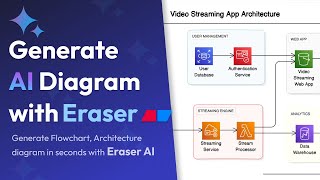
Eraser.ioでAIダイアグラムを数秒で生成 | 製品デモ | AIフローチャート、アーキテクチャダイアグラム
TubeGuruji
Lab8: GitHub and Markdown file on app.eraser.io
Kyu Lee (Kyuw)

Eraser AI — Generate AI diagrams and docs from prompts
Eraser
YouTube returned 6 videos for “Eraser IO”, and we withheld 2: 2 could not be judged, because “Eraser IO” is a single word that other videos use for other things. Showing the 4 we can prove are about Eraser IO.
Official links
Tools that pair well with Eraser IO
Common stack mates teams adopt alongside Eraser IO, with the specific reason each pairing earns its keep.

Webflow AI Site Builder
AI site generation, code components, and SEO/AEO audits built into the Webflow platform you already publish on

DGM
Browser-based sketchnoting and diagramming with AI code generation from your diagrams

Tempo Labs
Tempo Labs is an AI IDE for React teams: prompt components into existence, then refine them on a visual canvas both designers and engineers share.
Featured Head-to-Head Comparisons
Eraser Io vs Cognition Ai
If your enterprise needs an autonomous engineer that writes and ships production code, Cognition AI's Devin is unmatched but comes at a premium price. For teams that instead need to create and maintain architecture diagrams and technical docs with AI assistance, Eraser IO's free tier and diagram-as-code approach is a cost-effective choice. Choose Devin for code generation and bug fixing at scale; choose Eraser for design documentation.
Eraser Io vs Bito
Choose Bito if your team relies on AI coding agents (Cursor, Claude Code) and needs deep cross-repo context to generate accurate code and impact analysis. Choose Eraser IO if your primary need is creating polished architecture diagrams and design docs with natural language prompts and diagram-as-code, especially if you want version-controlled diagrams. They serve different workflows: Bito enhances agents producing code; Eraser produces documentation.
Eraser Io vs Polycam
Polycam and Eraser IO serve completely different needs: Polycam is a reality capture tool for 3D scanning and floor plans, while Eraser IO is a diagram-as-code platform for software documentation. Choose Polycam if you work with physical spaces or objects; choose Eraser IO if you need to communicate system architecture through code-driven diagrams.
Alternatives to Eraser IO
View all
Webflow AI Site Builder
AI site generation, code components, and SEO/AEO audits built into the Webflow platform you already publish on
Tempo Labs
Tempo Labs is an AI IDE for React teams: prompt components into existence, then refine them on a visual canvas both designers and engineers share.
Frequently Asked Questions
Best-of guides
Used Eraser IO? Help shape our editorial sentiment research.