
Face Swap
Free browser-based AI face swap for photos and videos, no sign-up required.
Kavevo Face Swap is a zero-cost option for one-off, lighthearted swaps — a meme, a selfie gag, a quick avatar — and the no-sign-up flow lowers the bar to trying it. What you don't get is assurance: Kavevo's public pages describe product direction and nothing else, so there is no published spec on resolution, video length, processing speed, or usage limits, and no named underlying model. If you need batch work, APIs, or repeatable professional output, look at DeepSwap or Faceswapper instead. Treat this as a fun tool, not a pipeline component.
Verified 3d ago · liveness 64/100 · cite: rightaichoice.com/tools/face-swap
- Social media content creators wanting quick, fun face swaps
- Casual users making memes or avatars for personal use
- Entertainment-focused creators needing occasional swap effects
- Quick prototyping of face swap ideas before using advanced tools
- Professionals needing high-precision editing or batch processing
- Users requiring API or workflow automation
- Enterprise-level deployment with security requirements
We scan live Reddit threads, YouTube comments, X posts, G2 reviews and other communities — and hand you an honest verdict in under a minute.
- Honest verdict, not marketing
- Real pros & cons from real users
- Attributed quotes with receipts
3 free scans · no card needed
Skip Kavevo Face Swap if you need documented resolution limits, batch processing, or an API — its public pages describe company direction only, with no published specs you can plan production work around.
Kavevo Face Swap is presented as free, which undercuts paid face-swap tools like DeepSwap or Faceswapper on cost alone — but those paid options publish the specs, batch handling, and throughput controls this browser tool doesn't document. If your swaps are occasional and disposable, free is the right price point; if you need predictable output for client or high-volume work, budget for a paid tool instead.
In short
Face Swap — Free browser-based AI face swap for photos and videos, no sign-up required. Best for Social media content creators wanting quick, fun face swaps, Casual users making memes or avatars for personal use, Entertainment-focused creators needing occasional swap effects. Free to use.
What people actually say about Face Swap — is it worth it?
We ran a structured research pass across product reviews, community discussions, and post-purchase forum threads to surface the patterns vendors won't publish themselves. Below: the recurring strengths, the hidden costs people mention most, and the cohort that consistently regrets adopting this tool.
66 mentions across 4 sources (Hacker News, Product Hunt, App Store, Lemmy) · researched Jul 3, 2026.
Average across the 4 sources that answered — each source counts once, not each post.
- +No sign-up needed for basic use.
- +Quick one-click face swap process.
- +Works for both photos and videos.
- +Preserves expressions and lighting in output.
- +Web-based, no software install required.
- −Frequent server busy errors make tool unusable.
- −Free trial immediately charges users without warning.
- −Refunds denied by the company.
- −Recent updates broke functionality for longtime users.
- −Quality often poor or unusable according to reviews.
- • Free trial charges immediately, not after 3 days
- • Refunds consistently denied after cancellation
Viability Score
How well maintained and how widely used is Face Swap? Built from what the vendor actually publishes (docs, changelog, tutorials, integrations, pricing), whether the site is live, and how much real users discuss it. How we calculate this
Last calculated: October 2026
How we score →Key Features
- Photo face swap
- Video face swap
- Preserves expressions, lighting, and skin tones
- Portrait face swap
- Group photo face swap
- Short video face swap
- Avatar creation
- Meme creation
- Social media post creation
- Web-based browser tool
- No sign-up required
- One-click swap
- AI image generation
- Visual remix and style variation
About Face Swap
Kavevo Face Swap is a free, web-based tool for swapping faces in photos and videos, built for quick, casual edits. It's part of the Kavevo brand run by Hangzhou Banyeshan Technology Co., Ltd. — the company describes itself as a product-focused team building visual AI tools for image generation, visual remixing, avatar creation, style variation, and social-media and entertainment content. If you want a face swap for a selfie, a group photo, a meme, or a short clip without creating an account, you upload your media, pick a face, and download the result in the browser. The company's own materials emphasize portraits, posters, avatars, and social assets as its focus areas, and say the products are aimed at creators, small teams, and entertainment communities globally. It is deliberately simple rather than a full editing suite — Kavevo's public pages describe direction and intent rather than specs, so there is no published information about resolution limits, video length caps, processing speed, usage quotas, or which AI model sits underneath. That matters if you're privacy-conscious or need predictable throughput for paid work.
Behind the Verdict
Kavevo is unusual in that its homepage is essentially a brand statement rather than a product page. It says the team — Hangzhou Banyeshan Technology Co., Ltd., based in Hangzhou — builds visual AI tools for image generation, visual remixing, avatar identity, poster visuals, and social assets, aimed at creators, small teams, and entertainment communities with a global audience in mind. That framing tells you what the brand is for: lightweight creative output for social and entertainment contexts, not professional post-production. Where it wins: friction. A browser tool with no sign-up means you can try a face swap in the time it takes to open a tab — good for a laugh, a quick meme, or an avatar idea you want to test before committing to a heavier editor. The stated focus on portraits and avatars also lines up with the most common reason people search for a face swap in the first place. Where it's thin: transparency. Every public page we could read repeats the same company description — About, Focus, Company, Contact — and none of them publish resolution limits, maximum video length, processing times, per-day swap quotas, or which model does the work. For a hobby swap that doesn't matter. For anyone uploading a real likeness of themselves or someone else, an unnamed model and no stated data handling is a genuine reason to pause, and it's the kind of gap a professional workflow can't absorb. Practical read: use it for disposable, low-stakes edits and check the output quality yourself before sharing. If your needs grow — batch processing, higher fidelity, API access, or documented limits you can plan around — the absence of those features here is the signal to move on to a dedicated paid tool rather than try to scale this one.
Researching Face Swap? Get your full AI stack in 60 seconds.
Free, no signup — tell us your goal and get tools matched to your budget & existing stack.
Real-world workflow fit
Concrete scenarios for the personas Face Swap actually fits — and what changes day-one when you adopt it.
You find a group photo from a weekend trip and want to swap a friend's face onto a different person for a joke post. You open kavevo.com in a browser, upload the photo, pick the face, run the swap, and download the result — no account, no install.
Outcome: A shareable image in a couple of minutes, with nothing to sign up for and nothing stored in an account you'd have to manage later.
You have a reaction image and a friend's face, and you want a personalized meme for a group chat. You use the browser tool's one-click swap and the avatar creation option to produce a couple of variants.
Outcome: Two or three meme variants you can post or send immediately, though you'll want to eyeball each one since output quality isn't documented.
You're planning a short video with a face swap and want to test whether the concept reads well before committing to a paid editor with batch and API support. You run a short clip through the free browser tool first.
Outcome: A rough proof of concept that tells you whether the idea works, before you spend money on DeepSwap, Faceswapper, or a full editing suite.
Use Cases
- Create a face-swapped selfie for social media without signing up.
- Swap faces in a group photo for a fun surprise.
- Generate a personalized meme using a friend's face.
- Make an avatar using your own or someone else's face.
- Swap faces in a short video clip for entertainment.
- Quickly prototype a face swap idea before using advanced tools.
Limitations
- Kavevo's public pages describe company direction rather than product specs: no published resolution limits, maximum video length, processing speed, or per-day swap quotas.
- The underlying AI model isn't named, which is worth weighing if you're uploading a real likeness.
- The tool is presented as free, but with no published tier list or usage terms you can't plan capacity for repeated use.
- There's no batch processing and no API, so it can't slot into a production pipeline.
- Output quality for group photos and longer clips isn't documented, so judge each result before you share it.
as of 2026-10-05
Verification history
We have re-verified Face Swap 10 times since . Each pass re-reads the vendor's own pages and re-checks every listed field against that evidence; passes where nothing had changed are marked as such.
- — re-checked, vendor evidence unchanged
- — re-checked, vendor evidence unchanged
- — re-checked, vendor evidence unchanged
- — re-verified summary, description, our verdict, our analysis, pricing model, pricing tiers, features, integrations, who it suits, who should skip it
- — re-checked, vendor evidence unchanged
- — re-verified summary, description, our verdict, our analysis, pricing model, pricing tiers, features, integrations, who it suits, who should skip it
Showing the 6 most recent of 10 verification passes.
Free to cite with attribution — this page re-verifies continuously.
Where the pricing makes sense
The company stage and team size where Face Swap's pricing actually pencils out — and where peers do it cheaper.
Kavevo Face Swap is presented as free, which undercuts paid face-swap tools like DeepSwap or Faceswapper on cost alone — but those paid options publish the specs, batch handling, and throughput controls this browser tool doesn't document. If your swaps are occasional and disposable, free is the right price point; if you need predictable output for client or high-volume work, budget for a paid tool instead.
Setup time & first value
How long it actually takes to get something useful out of Face Swap — broken out by persona, not the marketing-page minute.
Casual users: near-instant — open the browser tool, upload, swap, download, no account required. Creators prototyping an idea: a few minutes per clip, but budget extra time to re-run results, since no published spec tells you how the tool handles longer video or group shots.
Switching to or from Face Swap
How to bring data in from common predecessors and how to get it back out — written for the switcher, not the buyer.
- →From manual photo editing (Photoshop, GIMP): use the browser face swap for one-off fun edits instead of masking and blending by hand.
- →From paid face-swap tools: test a concept here first at no cost before committing to a subscription for batch or high-fidelity work.
- ↗To DeepSwap or Faceswapper: move when you need documented specs, higher fidelity, or more control over each swap than a one-click browser tool gives you.
- ↗To a professional editing suite: move when you need batch processing, API access, or integration into a production workflow.
Resources & Guides
Tutorials & Learning

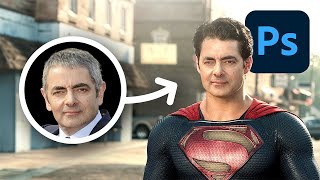
The easy way to swap faces using Photoshop
Smart Graphics
CRAZY Face Swap Feature Hidden in Photoshop!
PiXimperfect

How to Swap Faces in Any Video (Completely FREE)
Thomas Creates
YouTube returned 6 videos for “Face Swap”, and we withheld 3: 3 did not mention Face Swap. Showing the 3 we can prove are about Face Swap.
Official links
Tools that pair well with Face Swap
Common stack mates teams adopt alongside Face Swap, with the specific reason each pairing earns its keep.

VidMage
VidMage is a free no-watermark AI face swap tool for photos, videos, and GIFs, with a Mac app for local and live swap.

FakeMe
AI face swap, photo animation and avatar creation app for web, iOS and Android, with a multi-swap editor for group photos.

Reface
Mobile AI studio for face-swap videos, AI avatars, and a family of companion apps.
Featured Head-to-Head Comparisons
Face Swap vs Splice
Face Swap and Splice serve entirely different purposes. Face Swap is a free, no-sign-up web tool for quick, fun face swaps in photos and videos—ideal for casual social media creators. Splice is a subscription-based music production platform with millions of samples, rent-to-own plugins, and DAW integration; best for serious music producers. Choose based on your need: face swapping or music production.
Face Swap vs The New Black
Choose Face Swap for quick, casual face swapping in photos and videos with no sign-up needed. Choose The New Black if you're in fashion design and need professional AI-generated apparel concepts, tech packs, and virtual try-ons. These tools serve entirely different purposes.
Face Swap vs Storyfile
Choose Face Swap for instant, low-commitment face swapping fun — it’s free, browser-based, and requires no sign-up. StoryFile is the better fit if you need authentic, pre-recorded human interactions for museum exhibits or legacy preservation, backed by recent high-profile deployments (CNN, George Takei). They serve completely different needs: casual entertainment vs. institutional storytelling.
Alternatives to Face Swap
View all

Frequently Asked Questions
Used Face Swap? Help shape our editorial sentiment research.