
Forgecode
Terminal-native AI coding harness that runs as a ZSH plugin and ranks #1 on TermBench 2.0 at 81.8% completion.
If your work happens in a terminal, ForgeCode is currently the strongest harness you can install there — the 81.8% TermBench 2.0 result with GPT-5.4 and Opus 4.6 is a published number with public failure-mode writeups behind it, not a marketing claim. The tradeoff is real: Nerd Font plus ZSH fluency are prerequisites, the plugin only activates after you restart your terminal, and you bring your own provider access. Anyone who wants a GUI-first assistant inside VS Code or JetBrains should look at Claude Code or Warp instead. For multi-provider terminal work, nothing else in this comparison set does per-task model mixing this cleanly.
Verified 5d ago · liveness 74/100 · cite: rightaichoice.com/tools/forgecode
- Terminal power users who want AI coding help without leaving ZSH
- Developers juggling multiple LLM providers who need per-task model choice
- Engineers on large codebases that need context-aware navigation and search
- Teams evaluating coding models against TermBench 2.0 results
- Developers who work primarily in GUI IDEs like VS Code or JetBrains
- Anyone new to ZSH or uncomfortable on the command line
- Teams wanting a fully managed AI service where the vendor handles model access
We scan live Reddit threads, YouTube comments, X posts, G2 reviews and other communities — and hand you an honest verdict in under a minute.
- Honest verdict, not marketing
- Real pros & cons from real users
- Attributed quotes with receipts
3 free scans · no card needed
Skip ForgeCode if you work primarily in a GUI IDE, aren't comfortable configuring Zsh and a Nerd Font, or want a vendor-managed assistant rather than bringing your own provider key.
ForgeCode itself is free, but agent quality, speed and cost all track the model you connect — a frontier planning model plus a fast coding model means paying two providers from one session.
There is no per-seat ForgeCode license to compare — the software itself is free and open source, and your real spend is whatever your chosen model providers charge per token. That puts it on the cheap end against per-seat terminal agents like Claude Code or Warp, but above a single-vendor tool if you habitually route work through two frontier APIs. It fits solo developers and small teams on large codebases who already hold provider keys; heavy multi-agent use scales with token spend rather than
In short
Forgecode — Terminal-native AI coding harness that runs as a ZSH plugin and ranks #1 on TermBench 2.0 at 81.8% completion. Best for Terminal power users who want AI coding help without leaving ZSH, Developers juggling multiple LLM providers who need per-task model choice, Engineers on large codebases that need context-aware navigation and search. Free to use.
What's new in Forgecode
Checked 5 days agoAcross the latest 2 updates: 1 feature update and 1 changelog entry.
v1.4.0: Custom commands, conversation cloning, natural language to CLI
Adds custom command support in ZSH, conversation cloning, and natural language to CLI conversion.
v1.3.0: Env command, remove session commands, ARM Android support
Adds the env command, renames session to conversation, and adds ARM Android support.
What people actually say about Forgecode — is it worth it?
We ran a structured research pass across product reviews, community discussions, and post-purchase forum threads to surface the patterns vendors won't publish themselves. Below: the recurring strengths, the hidden costs people mention most, and the cohort that consistently regrets adopting this tool.
28 mentions across 2 sources (Hacker News, Lemmy) · researched Jul 3, 2026.
Average across the 2 sources that answered — each source counts once, not each post.
- +Top-ranked on Terminal-Bench 2.0 with 81.8% accuracy.
- +Supports 300+ models from all major providers, mix-and-match in one session.
- +Multi-agent architecture with bounded context for planning and research.
- +ZSH plugin preserves existing aliases, Oh My Zsh, and terminal muscle memory.
- +Works well with local models like Qwen3.6 and MiniMax on consumer hardware.
- −Past cheating allegations cast doubt on benchmark claims.
- −Very limited community discussion outside Hacker News.
- −No IDE integration—terminal-only may alienate GUI-reliant devs.
- −Setup requires ZSH and familiarity with CLI workflows.
- −Benchmark improvements not independently verified.
- • API costs for cloud models if not using ForgeCode Services
- • No transparent pricing published; may require contact for Pro tier
Viability Score
How well maintained and how widely used is Forgecode? Built from what the vendor actually publishes (docs, changelog, tutorials, integrations, pricing), whether the site is live, and how much real users discuss it. How we calculate this
Last calculated: October 2026
How we score →Key Features
- ZSH plugin triggered by typing ':' at the shell prompt
- Connects to 100s of LLM providers and models natively from the shell
- Mix and match models in one session (thinking, fast, large-context)
- Multi-agent architecture with Forge, Muse and Sage sub-agents
- Bounded context per sub-agent for reliable multi-step runs
- ForgeCode Services context engine for navigating large codebases
- Semantic search across large codebases (no API key required)
- Fast tool-call corrections that keep local models on track
- Skill scaling over thousands of skills without context bloat
- Interactive model picker via ':model' with session memory
- Login flow via ':login' — reuse ChatGPT Plus or Claude subscription access
- 'forge zsh setup' wizard and 'forge zsh doctor' diagnostics
- Custom command support in ZSH (v1.4.0)
- Conversation cloning (v1.4.0)
- Natural language to CLI conversion (v1.4.0)
About Forgecode
ForgeCode is a CLI coding harness that installs into your ZSH shell, so you trigger an AI agent by typing ':' at the prompt instead of switching to another window. It holds the top spot on TermBench 2.0 with an 81.8% completion rate, reached with GPT-5.4 and Opus 4.6 after a 78.4% result on Gemini 3.1 Pro — ahead of Claude Code (58%), Warp (61.2%) and OpenCode (51.7%) on the same benchmark. The install is a single curl piped to sh, and because it sits on top of ZSH, your existing aliases and Oh My Zsh plugins keep working. The differentiator is model choice. ForgeCode connects to hundreds of LLM providers and models from the shell natively — Anthropic, OpenAI, Google, DeepSeek, Mistral, Meta, plus OpenRouter as a single key for 300+ models — and you can mix them inside one session: a thinking model to plan, a fast model to write code, a large-context model for the big files. A multi-agent architecture splits work across specialized sub-agents (Forge, Muse, Sage) so research, planning and execution each run on minimal, relevant context. ForgeCode Services adds a context engine for large codebases, a semantic search engine, fast tool-call corrections that keep local and open-weight models on track, and skill scaling that avoids context-window bloat — no API key required for that layer. It's built for developers who already live in the terminal and want measurable AI help there — not for GUI-first IDE users. Prerequisites are concrete: a Nerd Font, a configured Zsh, and access to at least one provider (you can reuse an existing ChatGPT Plus or Claude subscription's API access rather than buying a separate key). The project is open source — 7,359 stars, 1,437 forks, 2,746 commits — and backed by Tailcall, Inc.
Behind the Verdict
ForgeCode's pitch is narrow and it delivers on it: an AI coding agent that never leaves your shell prompt. The ZSH plugin is the whole interface — you type ':' and a space, then a prompt in plain English. That matters more than it sounds. Most terminal AI tools ask you to context-switch into a separate TUI, a browser tab, or an IDE panel; ForgeCode keeps your aliases, your Oh My Zsh plugins and your cwd exactly where they were. The benchmark story is unusually well-documented for this category. ForgeCode went from 78.4% on TermBench 2.0 with Gemini 3.1 Pro to 81.8% with GPT-5.4 and Opus 4.6, and the team published the seven failure modes that got them there. Compare that to the static homepage copy, which still leans on the older number. In the same eval set, Claude Code sits at 58% and Warp at 61.2%. Treat benchmark scores as directional — your repo is not TermBench — but the harness was clearly built to be measured. The model flexibility is where ForgeCode separates from single-vendor tools. You can run a thinking model to plan, swap to a fast model to write the diff, and pull in a large-context model for a big file, without restarting the session. OpenRouter covers 300+ models on one key, and the docs explicitly support open-weight models (GLM, Kimi, Minimax) and locally hosted models, not just the frontier APIs. The multi-agent split across Forge, Muse and Sage is the mechanism that keeps this coherent: each sub-agent runs on bounded, task-relevant context rather than one giant window, which is what makes long multi-step runs reliable enough to trust on real work. ForgeCode Services is the layer most people underestimate. The context engine, semantic search across a large codebase, and tool-call corrections aimed at keeping local models on track are exactly the failure points that make open-weight models frustrating to use for agentic coding. It works without an API key. If you're running a 32B local model and it keeps fumbling function calls, this is the feature that decides whether the setup is usable. What it is not: a managed service. You install the binary, run a setup wizard, log into a provider, pick a model, and restart your terminal before the ':' trigger works at all. The docs call that restart out as the most common cause of a broken install, and there's a 'forge zsh doctor' command for when it still misbehaves. Not every terminal or shell setup will be friction-free, and Windows users are routed through WSL or Git Bash rather than a native build. There is also a VS Code extension documented, but the product's center of gravity is unambiguously the shell. Best fit: terminal power users on large codebases, teams benchmarking coding models, and developers who already pay for multiple providers and want to route each task to the right one. Poor fit: IDE-first developers, anyone who will not touch a Zsh config, and teams that want a vendor to handle model access for them.
Researching Forgecode? Get your full AI stack in 60 seconds.
Free, no signup — tell us your goal and get tools matched to your budget & existing stack.
Real-world workflow fit
Concrete scenarios for the personas Forgecode actually fits — and what changes day-one when you adopt it.
Opens a terminal in the repo, enables ForgeCode Services, and asks ': where is the retry logic for the payment webhook?' Semantic search locates the files; a large-context model reads them while a fast model drafts the patch.
Outcome: Answers arrive in the same shell where the code lives, and the existing aliases and Oh My Zsh plugins keep working throughout.
Logs in via ':login' to a local provider, picks a GLM or Kimi model with ':model', and uses ForgeCode Services' tool-call corrections plus the AGENTS.md file to constrain agent behavior.
Outcome: A locally hosted model stays on track across multi-step edits instead of fumbling function calls, at no per-token provider cost.
Types a plain-English description of a routine release chore and lets ForgeCode convert it into CLI commands, saving the useful ones as custom ZSH commands.
Outcome: The chore becomes a reusable ':' command instead of a wiki page nobody reads.
Use Cases
- Delegate research to one model and code generation to another inside a single planning-and-execution task.
- Navigate a large codebase with semantic search and ask contextual questions about the code.
- Describe a bug or feature in plain English and convert it to the right CLI commands.
- Compare multiple AI models' coding performance side by side within one session.
- Automate repetitive shell tasks by converting natural language to CLI commands.
- Use ForgeCode as a benchmarking harness to evaluate model accuracy across coding tasks.
- Run open-weight or local models against agentic coding work with tool-call corrections holding them on track.
Models Under the Hood
as of 2026-09-23
Limitations
- ForgeCode is a CLI/ZSH harness, so it assumes a Nerd Font is installed and enabled and that Zsh is already configured.
- The ZSH plugin will not activate until you restart your terminal — the docs name this as the most common cause of a broken ':' trigger, with 'forge zsh doctor' as the diagnostic.
- Setup is multi-step: install the binary, run 'forge zsh setup', log into at least one provider via ':login', then pick a model via ':model'.
- It runs on macOS, Linux, Android and Windows via WSL or Git Bash rather than as a native Windows build.
- You bring your own provider access — an API key or an existing ChatGPT Plus or Claude subscription used for API access.
- Agent quality tracks the model you point it at, which is why ForgeCode Services exists to keep weaker local models on track.
as of 2026-10-02
Verification history
We have re-verified Forgecode 6 times since . Each pass re-reads the vendor's own pages and re-checks every listed field against that evidence; passes where nothing had changed are marked as such.
- — re-verified summary, description, our verdict, our analysis, pricing model, pricing tiers, features, integrations, who it suits, who should skip it
- — re-verified summary, description, our verdict, our analysis, pricing model, pricing tiers, features, integrations, who it suits, who should skip it
- — re-verified summary, description, our verdict, our analysis, pricing model, pricing tiers, features, integrations, who it suits, who should skip it
- — re-checked, vendor evidence unchanged
- — re-verified summary, description, our verdict, our analysis, pricing model, pricing tiers, features, integrations, who it suits, who should skip it
- — re-verified summary, description, our verdict, our analysis, pricing model, pricing tiers, features, integrations, who it suits, who should skip it
Free to cite with attribution — this page re-verifies continuously.
12-month cost
Project the real annual outlay, including the implied monthly cost when only an annual tier is published.
Vendor list price only. Add-on usage, seat overages, and contract minimums are surfaced under Hidden costs & gotchas.
Plans compared
For each published Forgecode tier: who it actually fits, and what it adds vs. the previous tier. Cross-reference the cost calculator above for projected annual outlay.
Free
$0/mo
Ideal for
Solo developers and terminal power users who already hold a provider API key, or an existing ChatGPT Plus or Claude subscription, and want to try ForgeCode on their own codebase.
What this tier adds
Free entry point — open-source CLI installed via curl, bring your own provider keys, multi-agent Forge/Muse/Sage architecture and model mixing in one session.
Where the pricing makes sense
The company stage and team size where Forgecode's pricing actually pencils out — and where peers do it cheaper.
There is no per-seat ForgeCode license to compare — the software itself is free and open source, and your real spend is whatever your chosen model providers charge per token. That puts it on the cheap end against per-seat terminal agents like Claude Code or Warp, but above a single-vendor tool if you habitually route work through two frontier APIs. It fits solo developers and small teams on large codebases who already hold provider keys; heavy multi-agent use scales with token spend rather than
Setup time & first value
How long it actually takes to get something useful out of Forgecode — broken out by persona, not the marketing-page minute.
Plan on 15-30 minutes for a first working prompt if Zsh and a Nerd Font are already in place: one curl install, 'forge zsh setup' through the wizard, a terminal restart (non-negotiable — the ':' trigger stays dead until you do), then ':login' and ':model'. Budget an extra 20-30 minutes if you need to pick a provider or install a Nerd Font. Teams on locked-down machines should add IT time before
Switching to or from Forgecode
How to bring data in from common predecessors and how to get it back out — written for the switcher, not the buyer.
- →From Claude Code: install the binary, run 'forge zsh setup', restart the terminal, and point ':login' at Anthropic so existing Claude access carries over.
- →From a standalone terminal AI TUI: delete the separate window habit — ForgeCode runs inside the shell you already have open.
- →From copy-pasting into a browser chat: move the context into the repo and let ForgeCode Services' semantic search find the relevant files for you.
- →From a single-vendor CLI: add OpenRouter under one key to reach 300+ models without rewiring your setup per vendor.
- →From a hand-rolled shell alias setup: keep the aliases and layer ForgeCode's ':' prompt on top rather than replacing them.
- ↗To Claude Code: if you only ever need Anthropic models, its single-vendor integration is simpler.
- ↗To VS Code or JetBrains AI assistants: move there if you want inline diffs and editor context instead of a shell prompt.
- ↗To Warp: choose it if you want an AI-native terminal application rather than a plugin inside your existing Zsh.
- ↗To a managed AI service: move there if you would rather not manage provider keys, rate limits and model selection yourself.
Integrations
Resources & Guides
Tutorials & Learning
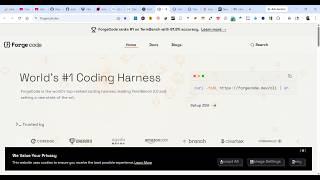
YouTube returned 6 videos for “Forgecode”, and we withheld 5: 5 could not be judged, because “Forgecode” is a single word that other videos use for other things. Showing the 1 we can prove is about Forgecode.
Official links
Tools that pair well with Forgecode
Common stack mates teams adopt alongside Forgecode, with the specific reason each pairing earns its keep.
Claude Code
Claude Code is Anthropic's agentic coding assistant that plans, edits, and runs commands across your repo from the terminal, IDE, or browser.

Crush
Open-source agentic coding assistant that runs inside your terminal and wires any LLM into your CLI workflow.
Cline
Open-source coding agent that reads your repo, edits files, and runs terminal commands across VS Code, JetBrains, CLI, and a desktop app.
Featured Head-to-Head Comparisons
Forgecode vs Cognition Ai
For heavy-lifting enterprise automation with autonomous PRs and bug fixing, choose Cognition AI. For model-flexible, terminal-centric development and benchmarking, choose ForgeCode. You likely don't need both; pick by workflow—IDE/cloud vs. CLI/local.
Forgecode vs Poolside Ai
Choose Poolside AI if you're an enterprise in a regulated industry needing custom models, on-prem deployment, and full auditability—it's built for high-stakes, high-consequence coding. Choose ForgeCode if you're a terminal-power-user developer who wants to quickly switch between 300+ models, mix them in a session, and get the #1 ranked terminal coding assistant starting for free.
Forgecode vs Bito
Choose Bito if your team relies on AI coding agents (Cursor, Claude Code) and needs system-wide context across multiple repos built into agent workflows. Choose Forgecode if you live in the terminal, want to leverage 300+ LLM models on demand, and prefer a lightweight ZSH plugin over a full platform.
Alternatives to Forgecode
View allClaude Code
Claude Code is Anthropic's agentic coding assistant that plans, edits, and runs commands across your repo from the terminal, IDE, or browser.

Frequently Asked Questions
Best-of guides
Used Forgecode? Help shape our editorial sentiment research.