
Free AI Image Extender
Free AI tool to extend images in any direction, no signup required.
Free AI Image Extender delivers a genuinely useful generative image extension tool at zero cost, ideal for quick social media graphics or e-commerce fixes. It competes with paid options like Photoshop's generative expand but skips advanced controls, API access, and batch processing. Best for casual users and small projects; skip if you need high-volume automation or RAW support.
Last checked 9/9/2026 · cite: rightaichoice.com/tools/free-ai-image-extender
- Social media content creators
- E-commerce product photographers
- Graphic designers needing quick extensions
- Photographers fixing composition
- Professional photo editing requiring complex retouching
- Users needing batch processing
- People who need RAW file support
We scan live Reddit threads, YouTube comments, X posts, G2 reviews and other communities — and hand you an honest verdict in under a minute.
- Honest verdict, not marketing
- Real pros & cons from real users
- Attributed quotes with receipts
3 free scans · no card needed
Skip Free AI Image Extender if you need batch processing, API access, RAW file support, fine-grained control over the AI, or output resolution suitable for high-end print.
No hidden costs as a free tool, but you pay in convenience: no API, no batch, and no RAW support, so time spent on repetitive tasks can be high.
Free AI Image Extender is priced at $0/month, making it ideal for individual creators and small businesses with occasional, non-critical image extension needs. It undercuts paid alternatives like Adobe Photoshop (around $22.99/month for a single app) and even credit-based AI tools that charge per generation. If you batch or need professional output, you'll outgrow it quickly.
In short
Free AI Image Extender — Free AI tool to extend images in any direction, no signup required. Best for Social media content creators, E-commerce product photographers, Graphic designers needing quick extensions. Free to use.
What people actually say about Free AI Image Extender — is it worth it?
We ran a structured research pass across product reviews, community discussions, and post-purchase forum threads to surface the patterns vendors won't publish themselves. Below: the recurring strengths, the hidden costs people mention most, and the cohort that consistently regrets adopting this tool.
20 mentions across 3 sources (Hacker News, Product Hunt, Lemmy) · researched Jul 3, 2026.
Average across the 3 sources that answered — each source counts once, not each post.
- +Completely free with no hidden costs or subscription required.
- +No account creation or login needed to use the tool.
- +Runs entirely in the browser; no software install.
- +Very easy to use – just upload, choose direction, and download.
- +Supports extending images in all four directions.
- −Limited aspect ratio selections compared to examples shown.
- −Only a handful of user reviews; untested at scale.
- −No customer support or documentation available.
- −Potential file size or resolution limits on free version.
- −AI generation quality may not match paid tools like Photoshop.
- • None – tool is genuinely free per all reports.
Viability Score
How well maintained and how widely used is Free AI Image Extender? Built from what the vendor actually publishes (docs, changelog, tutorials, integrations, pricing), whether the site is live, and how much real users discuss it. How we calculate this
Last calculated: October 2026
How we score →Key Features
- Extend images left, right, top, or bottom
- AI content-aware generation
- No watermark on output
- Free to use, no hidden costs
- Browser-based tool, no software install
- Supports JPG and PNG formats
- High-resolution download
- Instant processing
- No account required
- Web-based (no API, no batch)
About Free AI Image Extender
Free AI Image Extender is a completely free online tool that uses artificial intelligence to extend the boundaries of your images, much like Photoshop's content-aware fill or generative expand. It is designed for users who need to enlarge or expand photos without paying for expensive software or subscriptions. The tool works by analyzing the existing image content and intelligently generating new pixels that blend seamlessly with the original, allowing you to create wider or taller compositions, fix framing issues, or generate backgrounds. Built for content creators, social media managers, e-commerce sellers, photographers, and designers, it supports common image formats like JPG and PNG and outputs high-resolution results. The entire process runs in the browser with no download or account required, making it ideal for rapid prototyping and quick edits. However, it lacks advanced controls, API access, and batch processing, which may limit its use for professional workflows.
Behind the Verdict
Free AI Image Extender is a no-cost, browser-based tool that does one thing well: it extends an image's canvas in any direction using AI, filling the new space with content that matches the original. For a casual creator or a small business owner who needs to quickly adapt a product photo to a banner or adjust an aspect ratio for a social post, it removes the friction of software installs and subscriptions. There's no signup, no watermark, and unlimited output, so you can iterate freely on a design without worrying about per-use costs. The strengths are obvious: it's free, instant, and supports the two most common web formats (JPG and PNG). The AI is decent at continuing textures and gradients, which covers a lot of everyday uses like extending skies, walls, or plain backgrounds. This makes it far more accessible than opening Photoshop or paying for an AI credits-based tool when you just need a quick fix. But you are trading convenience and cost for control. There are no adjustment sliders for how much the AI should 'imagine' versus preserve, and you cannot refine the generated region after the fact. The lack of batch processing means that if you have twenty product images to reformat for a marketplace listing, you'll be doing them one by one. And because there is no API, you cannot integrate this into an automated content pipeline. Professional retouchers will also miss the precision tools and layer-based editing they get from desktop editors. In short, treat this as a handy utility, not a production workhorse. It is excellent when you need a fast, free extension for a single image, and it fills a real gap between expensive pro tools and nothing. For heavier workloads, you'll want to look at a tool like Photoshop's Generative Fill or a purpose-built API such as Stability AI's outpainting endpoint.
Researching Free AI Image Extender? Get your full AI stack in 60 seconds.
Free, no signup — tell us your goal and get tools matched to your budget & existing stack.
Real-world workflow fit
Concrete scenarios for the personas Free AI Image Extender actually fits — and what changes day-one when you adopt it.
A client provides a square product photo and needs it resized to a 16:9 cover image for YouTube.
Outcome: You upload the JPG, choose the left and right extension, get a seamless widescreen background in seconds, and download the high-res file without paying or signing up.
You have a portrait-style product shot that must fit the banner area of your online store, which requires a wider canvas.
Outcome: You use the top and bottom extension to add matching background around the product, producing a clean banner-ready image in one quick pass, no design software needed.
You captured a landscape but accidentally cut off the horizon, and want to fix the composition before sharing online.
Outcome: You extend the top of the image, and the AI fills in the sky convincingly, giving you a properly framed shot you can post in minutes.
Use Cases
- Extend a product photo to fit a social media banner
- Expand a landscape photo to a wider aspect ratio
- Add extra background around a portrait for better framing
- Create a panoramic-style image from a standard crop
- Fill in missing areas of a poorly composed photo
- Quickly adapt images for different platform aspect ratios without a desktop editor
- Hobbyist projects like blog headers or YouTube thumbnails on a budget
Limitations
- Free AI Image Extender has a few honest constraints.
- First, there is only a web version, so you need a stable internet connection and can't use it offline.
- Second, it only accepts JPG and PNG files, not RAW or other professional formats.
- Third, the output resolution is capped at a level that may not satisfy high-end print work, and there are likely file size limits on uploads that aren't publicly detailed.
- Fourth, because there is no API, you can't automate extensions into a workflow, and without batch processing you'll be working image-by-image.
- Finally, the AI has no manual controls, so you can't fine-tune how it fills the extended area, and complex scenes may sometimes produce artifacts.
- In short: this is a free utility for quick fixes, not a replacement for a professional editor.
as of 2026-09-09
Verification history
We have re-verified Free AI Image Extender 8 times since . Each pass re-reads the vendor's own pages and re-checks every listed field against that evidence; passes where nothing had changed are marked as such.
- — re-checked, vendor evidence unchanged
- — re-checked, vendor evidence unchanged
- — re-checked, vendor evidence unchanged
- — re-checked, vendor evidence unchanged
- — re-checked, vendor evidence unchanged
- — re-checked, vendor evidence unchanged
Showing the 6 most recent of 8 verification passes.
Free to cite with attribution — this page re-verifies continuously.
12-month cost
Project the real annual outlay, including the implied monthly cost when only an annual tier is published.
Vendor list price only. Add-on usage, seat overages, and contract minimums are surfaced under Hidden costs & gotchas.
Plans compared
For each published Free AI Image Extender tier: who it actually fits, and what it adds vs. the previous tier. Cross-reference the cost calculator above for projected annual outlay.
Free
$0/mo
Ideal for
Individual creators, hobbyists, and small e-commerce sellers who need occasional, no-cost image extensions without signup or watermark.
What this tier adds
No tiers above; this is the sole plan and entry point, offering all features at $0/month.
Where the pricing makes sense
The company stage and team size where Free AI Image Extender's pricing actually pencils out — and where peers do it cheaper.
Free AI Image Extender is priced at $0/month, making it ideal for individual creators and small businesses with occasional, non-critical image extension needs. It undercuts paid alternatives like Adobe Photoshop (around $22.99/month for a single app) and even credit-based AI tools that charge per generation. If you batch or need professional output, you'll outgrow it quickly.
Setup time & first value
How long it actually takes to get something useful out of Free AI Image Extender — broken out by persona, not the marketing-page minute.
From the moment you open the website, you can upload a JPG or PNG and get an extended image within about 30 seconds to a minute for typical files. There's no signup, install, or learning curve.
Switching to or from Free AI Image Extender
How to bring data in from common predecessors and how to get it back out — written for the switcher, not the buyer.
- ↗To Adobe Photoshop: Use Generative Fill in the Crop tool for more control and higher resolution, though it requires a paid subscription.
- ↗To Canva (free or pro): Use its background extend feature for integrated design workflows and additional editing tools.
- ↗To an API-based tool like Stability AI's outpainting: Automate extensions into your product pipeline, at a per-image cost.
Tutorials & Learning
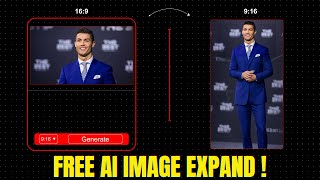
YouTube returned 6 videos for “Free AI Image Extender”, and we withheld 5: 5 did not mention Free AI Image Extender. Showing the 1 we can prove is about Free AI Image Extender.
Official links
Tools that pair well with Free AI Image Extender
Common stack mates teams adopt alongside Free AI Image Extender, with the specific reason each pairing earns its keep.

Bria AI
Controllable visual AI that renders images and video from structured VGL direction, with licensed training data and IP indemnity.
Ideogram
Ideogram is a text-to-image generator built to render legible typography inside AI-generated images.
Pixlr
Pixlr is a free browser-based AI photo editor and image generator with 20+ AI editing tools plus AI video and audio generation.
Featured Head-to-Head Comparisons
Free Ai Image Extender vs Qoves
Choose QOVES if you want a data-driven, non-surgical facial transformation plan backed by research and ethnic tailoring; it's a paid investment for serious self-improvement. Choose Free AI Image Extender if you need a quick, free, no-fuss tool to extend image boundaries for social media or design without any payment or signup. They solve completely different problems — one analyzes faces, the other expands images.
Free Ai Image Extender vs Adobe Firefly Services
For budget-conscious casual users needing a quick image extension, Free AI Image Extender is a no-brainer – free and simple. But for enterprises embedding generative AI into production workflows with compliance needs, Adobe Firefly Services offers a scalable, secure API suite worth the investment. Choose based on your need for automation vs. cost-free simplicity.
Free Ai Image Extender vs The New Black
These tools serve completely different needs. Choose The New Black if you're a fashion brand wanting AI-generated apparel designs with tech pack exports. Pick Free AI Image Extender if you need to quickly extend image boundaries for free, no fashion context. They are not direct competitors; your choice depends on your specific task.
Alternatives to Free AI Image Extender
View all
Frequently Asked Questions
Best-of guides
Used Free AI Image Extender? Help shape our editorial sentiment research.