
GetWebsite.Report
AI website audit that scores 100+ SEO, CRO and messaging metrics from a single URL and hands you a prioritized fix list.
Buy this if you sell websites, run outreach, or need a branded audit PDF in minutes — the white-label export plus the appointment page is the reason the Pro tier exists, and $39/month for 20 audits is a rounding error against one closed retainer. Agency at $79/month only pays off if hosting reports on your own subdomain matters to you. Skip it if you need API automation, scheduled re-scans, or deep technical crawl debugging.
Verified 4h ago · liveness 72/100 · cite: rightaichoice.com/tools/getwebsite-report
- Agencies running value-first outreach with branded website audits attached to cold emails
- Freelance marketers and consultants who need a client-ready SEO and CRO report fast
- Small business owners who want a plain-English website health check without a technical crawler
- E-commerce and SaaS teams that want SEO and conversion findings scored in a single pass
- Teams that need an API to automate audits or push results into other systems
- Anyone wanting scheduled or continuous monitoring rather than one-off single-page scans
- Developers doing deep technical SEO debugging like JavaScript rendering or crawl analysis
We scan live Reddit threads, YouTube comments, X posts, G2 reviews and other communities — and hand you an honest verdict in under a minute.
- Honest verdict, not marketing
- Real pros & cons from real users
- Attributed quotes with receipts
3 free scans · no card needed
Skip GetWebsite.Report if you need scheduled re-scans, API access to push audit results into another system, or crawl-level technical debugging on a JavaScript-heavy site rather than a fast single-page diagnostic.
Every plan caps monthly audits, and going past the cap costs $3.50 per extra credit on Starter and Lifetime Pro, or $2.50 per credit on Pro and Lifetime Agency.
Starter at $29/mo (4 audits) suits a solo operator testing the workflow; Pro at $39/mo (20 audits, full white-label PDF) is the right ceiling for a freelancer or small agency, and Agency at $79/mo (60 audits plus subdomain hosting) fits an agency producing branded deliverables at volume. Annual billing is cheaper — two months free. Cheaper audit tools and free crawlers exist, but they don't bundle CRO scoring with the branded deliverable, which is what the plan price actually buys.
In short
GetWebsite.Report — AI website audit that scores 100+ SEO, CRO and messaging metrics from a single URL and hands you a prioritized fix list. Best for Agencies running value-first outreach with branded website audits attached to cold emails, Freelance marketers and consultants who need a client-ready SEO and CRO report fast, Small business owners who want a plain-English website health check without a technical crawler. Plans from $29/mo.
What's new in GetWebsite.Report
Checked 7 days agoAcross the latest 1 update: 1 launch.
What people actually say about GetWebsite.Report — is it worth it?
We ran a structured research pass across product reviews, community discussions, and post-purchase forum threads to surface the patterns vendors won't publish themselves. Below: the recurring strengths, the hidden costs people mention most, and the cohort that consistently regrets adopting this tool.
16 mentions across 1 source (Product Hunt) · researched Jul 3, 2026.
Average across the 1 source that answered — each source counts once, not each post.
- +Covers 100+ SEO and CRO metrics in one scan
- +Personalized insights adapt to your industry and goals
- +Analyzes desktop, tablet, and mobile versions separately
- +Provides prioritized, step-by-step action plans
- +Simple URL entry for instant AI audit
- −Broken footer links on own website raise quality concerns
- −Scoring methodology for design/UX not transparent
- −Very limited community reviews outside Product Hunt
- −Advanced features locked behind subscription
- −Pricing details not fully detailed in available data
- • No hidden costs reported; subscription pricing not fully shared
Viability Score
How well maintained and how widely used is GetWebsite.Report? Built from what the vendor actually publishes (docs, changelog, tutorials, integrations, pricing), whether the site is live, and how much real users discuss it. How we calculate this
Last calculated: October 2026
How we score →Key Features
- AI website audit scoring 100+ SEO, usability, conversion and messaging metrics
- Single-URL scan returning a ranked, prioritized fix list in plain English
- AI Agents for conversion optimization producing expert-style observations and recommendations
- Business-type-aware critique for e-commerce, SaaS and lead-gen sites
- Desktop, tablet and mobile analysis delivered in one report
- Expanded mobile and tablet metrics introduced in GWR v2 (June 2026)
- Category and section level scoring covering copy, design, positioning and social proof
- SEO, performance and security auditing with fix recommendations
- Meta tag and heading structure checks
- Image optimization and imagery assessment
- Readability scoring and messaging critique
- Call-to-action placement and form design review
- Page speed and load performance evaluation
- White-labeled PDF export with custom logo and image
- Editable intro and audit-closure write-ups in exported reports
About GetWebsite.Report
GetWebsite.Report is an AI website audit tool that takes one URL and returns a scored, section-by-section critique spanning SEO, performance, security, usability, conversion and messaging. It's aimed at the people who get asked "what's wrong with this page?" but don't live inside a crawler: small business owners, freelance marketers, and agency account managers who need an answer they can put in front of a client the same afternoon. The single-page scan covers meta tags and heading structure, image optimization, readability, call-to-action placement and form design, with the critique adapting to your business type so e-commerce checkout advice doesn't land in a B2B lead-gen report. Scoring is broken out at category and section level, and each page is checked on desktop, tablet and mobile inside the same report so responsive gaps surface alongside the copy problems. For agencies the PDF export is the actual product: your logo and image on the cover, editable intro and closing write-ups, plus a schedule-an-appointment page that nudges whoever reads the report to book a call. The Agency tier goes further and hosts the white-label audit on your own subdomain. GWR v2 (June 2026) reworked the AI analysis layer, refreshed the interface and added AI agents for conversion optimization, alongside expanded mobile and tablet metrics. The vendor reports 1,800+ audits processed and a 4.8/5 rating from 350+ users. Its pitch is breadth over depth — SEO and CRO scoring in one pass rather than two subscriptions — which makes it a fast first diagnostic and outreach asset, not an enterprise search platform.
Behind the Verdict
Where GetWebsite.Report earns its keep is the handoff. You paste a URL, wait, and get something a client can read without a translator, already scored by category and section. Freelancers building outreach lists can run prospects through the Starter tier's four audits and attach real findings to a cold email instead of a generic pitch. We'd reach for it as a first-pass diagnostic, not a final word. The audit tells you the checkout CTA is buried and the headings are a mess; it won't tell you why a render-heavy SPA is invisible to Googlebot. If your work involves JavaScript rendering, crawl budget or log-file analysis, pair this with a proper crawler rather than replacing one with it. The tiers map cleanly to volume. Starter's four single-page audits suit someone testing the tool on their own site; Pro's 20 audits plus full white-label export at $39/month is the freelancer plan; Agency's 60 audits and subdomain hosting at $79/month is for shops running audits as a lead-gen engine. Extra credits cost $3.50 on Pro and $2.50 on Agency. Lifetime Pro at $490 and Lifetime Agency at $990 trade a lump sum for 15 or 45 audits a month indefinitely — worth running the math against roughly 12 and 6 months of the monthly plans respectively. The caveats that matter most: audits are one-off, so nothing re-scans your site next month unless you re-run it manually, and there's no published API for pushing results into a CRM or reporting stack. Non-English sites are also a weak spot. If your clients operate in a language other than English, expect the messaging critique to be less useful than the structural checks. Closest alternative thinking: most competing tools pick a lane, either SEO crawling or conversion checklists. This one scores both in a single pass, which is genuinely
Researching GetWebsite.Report? Get your full AI stack in 60 seconds.
Free, no signup — tell us your goal and get tools matched to your budget & existing stack.
Real-world workflow fit
Concrete scenarios for the personas GetWebsite.Report actually fits — and what changes day-one when you adopt it.
Runs a free GetWebsite.Report audit on the prospect's landing page, then upgrades to Pro to export the report as a PDF with her logo and an editable intro write-up.
Outcome: A branded audit lands in the prospect's inbox within the hour, opening the conversation with specific CRO and SEO findings rather than a generic pitch.
Scans each prospect URL, hosts the white-label report on the agency subdomain (Agency tier) and attaches the schedule-an-appointment page so readers can book a call directly from the report.
Outcome: Audit reports double as lead-capture assets, and the agency delivers client-ready documents without building a report template from scratch.
Audits the product page across desktop, tablet and mobile, reads the category and section scores for imagery, copy and CTA placement, and hands the ranked fix list to a developer.
Outcome: Fixes are prioritized by impact instead of guesswork, and the re-audit after changes shows whether the conversion blockers actually cleared.
Use Cases
- Run a quick SEO and CRO audit before launching a new landing page
- Pinpoint conversion blockers on e-commerce product pages
- Send a branded audit PDF to a prospect as a value-first outreach opener
- Give a web developer a ranked checklist of fixes instead of a vague brief
- Score copy, design, positioning and social proof section by section
- Compare your page against best-practice guidelines by business type
- Use a free audit as a lead magnet on your own agency site
- Re-audit a page after changes to confirm the fixes landed
Limitations
- No continuous monitoring and no API, so audits are one-off and cannot be pushed into an automated workflow.
- Audit depth can be thin on very large or JavaScript-heavy sites.
- Analysis is English-focused, so non-English sites get weaker output.
- The free tier allows one audit per month.
- Monthly allowances are credit-based and extra audits are billed per credit, so high-volume agency use costs more than the headline plan price.
- The vendor's editable audits, lead generation widgets, multi-page audits and competitor analysis are listed as 'Coming Soon', not shipped.
as of 2026-10-01
Verification history
We have re-verified GetWebsite.Report 8 times since . Each pass re-reads the vendor's own pages and re-checks every listed field against that evidence; passes where nothing had changed are marked as such.
- — re-checked, vendor evidence unchanged
- — re-verified summary, description, our verdict, our analysis, pricing model, pricing tiers, features, integrations, who it suits, who should skip it
- — re-verified summary, description, our verdict, our analysis, pricing model, pricing tiers, features, integrations, who it suits, who should skip it
- — re-checked, vendor evidence unchanged
- — re-verified summary, description, our verdict, our analysis, pricing model, pricing tiers, features, integrations, who it suits, who should skip it
- — re-checked, vendor evidence unchanged
Showing the 6 most recent of 8 verification passes.
Free to cite with attribution — this page re-verifies continuously.
12-month cost
Project the real annual outlay, including the implied monthly cost when only an annual tier is published.
Vendor list price only. Add-on usage, seat overages, and contract minimums are surfaced under Hidden costs & gotchas.
Plans compared
For each published GetWebsite.Report tier: who it actually fits, and what it adds vs. the previous tier. Cross-reference the cost calculator above for projected annual outlay.
Starter
$29/mo
Ideal for
A solo owner or consultant testing the workflow with a handful of pages a month
What this tier adds
Starting tier: 4 single-page audits per month with category and section analysis, multi-device analysis and personalized recommendations.
Pro
$39/mo
Ideal for
A freelancer or small agency producing branded client deliverables each month
What this tier adds
Raises the allowance to 20 audits/mo and unlocks PDF export with 100% white labeling, which Starter does not include.
Agency
$79/mo
Ideal for
An agency running audits as outreach at volume and wanting the report to live under its own brand
What this tier adds
Adds subdomain hosting for white-label audits and priority support, and lifts the allowance from 20 to 60 audits/mo.
Lifetime Pro
$490 one-time
Ideal for
A freelancer who wants Pro-level access as a one-time purchase instead of a recurring subscription
What this tier adds
One-time payment for white-label PDF export and category-level scoring, metered at 15 audits/mo for life rather than Pro's 20/mo.
Lifetime Agency
$990 one-time
Ideal for
An agency that wants Agency-level branding without a monthly commitment
What this tier adds
One-time payment for subdomain hosting of white-label audits, metered at 45 audits/mo for life rather than Agency's 60/mo.
Where the pricing makes sense
The company stage and team size where GetWebsite.Report's pricing actually pencils out — and where peers do it cheaper.
Starter at $29/mo (4 audits) suits a solo operator testing the workflow; Pro at $39/mo (20 audits, full white-label PDF) is the right ceiling for a freelancer or small agency, and Agency at $79/mo (60 audits plus subdomain hosting) fits an agency producing branded deliverables at volume. Annual billing is cheaper — two months free. Cheaper audit tools and free crawlers exist, but they don't bundle CRO scoring with the branded deliverable, which is what the plan price actually buys.
Setup time & first value
How long it actually takes to get something useful out of GetWebsite.Report — broken out by persona, not the marketing-page minute.
For a solo owner: minutes — paste a URL, get the report, no configuration. For a freelancer on Pro: under an hour to first branded PDF once you've set your logo and intro text. For an agency on the Agency tier: plan on a short onboarding round with support to point reports at your custom subdomain, as the vendor references hands-on setup help.
Switching to or from GetWebsite.Report
How to bring data in from common predecessors and how to get it back out — written for the switcher, not the buyer.
- →From a manual SEO checklist or spreadsheet: replace the checklist with a single URL scan that returns category and section scores plus ranked fixes.
- →From a technical crawler: keep the crawler for deep debugging, and use GetWebsite.Report when you need a client-facing CRO-and-SEO document instead of raw crawl output.
- →From a separate CRO audit template: consolidate the SEO and CRO passes into one scan so you aren't stitching two reports together.
- ↗To an enterprise SEO suite: move when you need API access, scheduled re-scans, log-file investigation or rendering and crawl analysis.
- ↗To a monitoring platform: move when the requirement shifts from point-in-time audits to continuous tracking of page health over time.
- ↗To a DIY report template: move out if you only need the score data and are happy assembling the branded deliverable yourself.
Resources & Guides
Tutorials & Learning
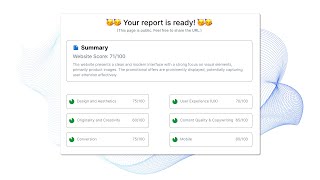
GetWebsite.Report - AI-Powered Website Audit Tool: Enhance UX & Boost Conversion
Sankeerth julapally
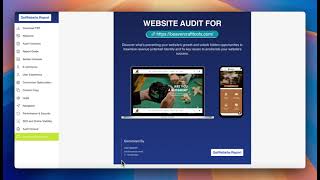
GetWebsite Report v3.0 launch video
Ruthvik Reddy
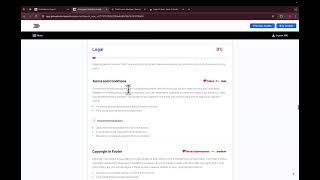
GetWebsite Report V2.0
Ruthvik Reddy
YouTube returned 6 videos for “GetWebsite.Report”, and we withheld 3: 3 did not mention GetWebsite.Report. Showing the 3 we can prove are about GetWebsite.Report.
Official links
Tools that pair well with GetWebsite.Report
Common stack mates teams adopt alongside GetWebsite.Report, with the specific reason each pairing earns its keep.

Wix
AI website builder that turns a text prompt into a live business site, then hands you a drag-and-drop canvas to finish it.

Alura
Etsy research, listing optimization, and marketing automation in one subscription for Etsy sellers.

findable
Findable tracks brand mentions and citations in AI answers on ChatGPT, Google AI Mode, Perplexity and Claude, then hands you the crawler
Featured Head-to-Head Comparisons
Getwebsite Report vs Chili Piper
Choose GetWebsite.Report if you need a free, one-time SEO/CRO audit for your small business site. Choose Chili Piper if you're an enterprise B2B team wanting to convert high-intent web traffic into instant meetings, despite its higher cost and complexity. The tools serve completely different needs—SEO checker vs. meeting booking engine.
Getwebsite Report vs Weglot
Pick GetWebsite.Report if you need a quick, actionable audit of your site’s SEO and conversion performance – it’s free and specialized. Pick Weglot if you need to translate your site into multiple languages with brand-consistent AI – it’s the go‑to for multilingual scaling. They serve very different needs; choose based on whether your priority is fixing your existing site or expanding to new markets.
Getwebsite Report vs Screenplayiq
These tools serve completely different domains: GetWebsite.Report is a practical SEO/CRO auditor for small business owners, while ScreenplayIQ is a niche screenplay analyzer for film professionals. Choose GetWebsite.Report if you need a quick website health check and actionable fixes; choose ScreenplayIQ if you're a screenwriter or producer seeking data-driven script marketability insights.
Alternatives to GetWebsite.Report
View all


Frequently Asked Questions
Categories
Best-of guides
Topics
Used GetWebsite.Report? Help shape our editorial sentiment research.