
Git AutoReview
AI PR review for GitHub, GitLab and Bitbucket where every AI comment is a draft you approve before it posts.
For solo devs and teams up to 25, the approval gate is the reason to pick this: you get multi-model review (Claude Opus 5, Gemini 3.6 Flash, GPT-5.6) without AI comments landing on someone else's PR unvetted. The per-team price is the second reason — 10 reviewers cost $149.90/yr on the Team plan billed annually, versus roughly $2,880/yr for CodeRabbit at $24 per user per month. You pay AI compute yourself at about $2-5/mo. Skip it if you want comments to post themselves, you're on a JetBrains IDE, or you need SSO and a web dashboard rather than an editor extension.
Verified 5d ago · liveness 83/100 · cite: rightaichoice.com/tools/git-autoreview
- Solo developers and freelancers who insist on approving every AI comment before it posts
- Teams of up to 25 that prefer per-team pricing over $24-40 per user per month
- Teams on Bitbucket Server or Data Center
- Privacy-conscious shops that want BYOK with no code stored on vendor servers
- Teams that want fully automated review posting with no triage step — CodeRabbit or Qodo fit better
- Enterprises that need SSO, an SLA and a web dashboard rather than an editor extension
- Developers unwilling to manage their own AI provider key and a separate compute bill
We scan live Reddit threads, YouTube comments, X posts, G2 reviews and other communities — and hand you an honest verdict in under a minute.
- Honest verdict, not marketing
- Real pros & cons from real users
- Attributed quotes with receipts
3 free scans · no card needed
Skip Git AutoReview if you want AI comments to post to the PR automatically without you triaging each one, or if you review code in JetBrains IDEs rather than VS Code and its forks.
BYOK means a second bill: your Claude, Gemini or OpenAI key is billed directly by the provider at roughly $2-5/mo, and heavy frontier-model Deep Review usage runs above that.
Per-team pricing is the differentiator: Team at $12.49/mo billed annually ($149.90/yr) covers up to 25 members, so a 10-person team pays one fee rather than CodeRabbit's $24 per user per month (about $2,880/yr) or Cursor Bugbot's $40 per user per month. Add your own AI compute at roughly $2-5/mo. Solo developers on the $8.33/mo annual Developer plan are the cheapest paid entry point here; teams that want bundled compute and auto-posting will find CodeRabbit or Qodo simpler to budget for.
In short
Git AutoReview — AI PR review for GitHub, GitLab and Bitbucket where every AI comment is a draft you approve before it posts. Best for Solo developers and freelancers who insist on approving every AI comment before it posts, Teams of up to 25 that prefer per-team pricing over $24-40 per user per month, Teams on Bitbucket Server or Data Center. Free to start; paid plans from $8.33/mo.
What's new in Git AutoReview
Checked 5 days agoAcross the latest 5 updates: 1 feature update and 4 changelog entries.
v1.21.9 — Clear message when your Claude usage limit is reached
Agent reviews run on your Claude subscription; when its usage window is exhausted, Git AutoReview now shows a clear message including when the limit resets instead of a generic timeout.
v1.21.8 — Reviews keep their code context, faster agent reviews
Fixes a code index corruption issue that could leave later reviews with no project context, makes Claude CLI agent reviews finish sooner, and trims about 1.3 MB from the extension package.
v1.21.6 — Reliable reviews on the newest Claude models, accurate model info
Claude Opus 5, Sonnet 5 and Fable 5 reviews no longer return empty results; the Thorough preset now pairs Claude Opus 5 with Gemini 3.5 Flash, and GPT-5.6 Luna shows its 1M-token context window accurately.
v1.21.5 — Latest AI models added to the model picker
Adds Claude Opus 5, Sonnet 5, Fable 5, Gemini 3.6 Flash and GPT-5.6 in Sol, Terra and Luna variants; new installations now default to Gemini 3.6 Flash and GPT-5.6 Terra.
v1.21.6 — Shared team keys work across multiple teams
If you belong to more than one team, the extension now finds and uses the shared API key wherever your team manager set it, so reviews no longer fail with 'API key not configured'.
What people actually say about Git AutoReview — is it worth it?
We ran a structured research pass across product reviews, community discussions, and post-purchase forum threads to surface the patterns vendors won't publish themselves. Below: the recurring strengths, the hidden costs people mention most, and the cohort that consistently regrets adopting this tool.
7 mentions across 2 sources (YouTube, Product Hunt) · researched Sep 9, 2026.
Weighted by the 26 posts each of 2 sources contributed.
- +Human-in-the-loop: every AI comment reviewed, edited, or rejected before publishing.
- +Supports GitHub, GitLab, Bitbucket including Bitbucket Server/DC often ignored.
- +Multi-model (Claude, Gemini, GPT) runs in parallel and merges findings.
- +Deep Review agents explore full codebase, run linters, and check tests.
- +Jira integration pulls ticket context to verify acceptance criteria.
- −No JetBrains (IntelliJ IDEA) support; only VS Code or Cursor.
- −Requires manual approval step, slowing down fully automated workflows.
- −Free tier limited to 10 reviews per day, not enough for large teams.
- −Privacy assurances unclear despite BYOK; questions remain on data handling.
- −Limited community feedback; no long-term reliability data available.
Viability Score
How well maintained and how widely used is Git AutoReview? Built from what the vendor actually publishes (docs, changelog, tutorials, integrations, pricing), whether the site is live, and how much real users discuss it. How we calculate this
Last calculated: October 2026
How we score →Key Features
- Human-in-the-loop approval: review, edit or reject AI comments before they publish to the PR
- Multi-model AI: runs Claude, Gemini and GPT in parallel and smart-merges similar findings
- Model picker includes Claude Opus 5, Sonnet 5, Fable 5, Gemini 3.6 Flash and GPT-5.6 Sol, Terra, Luna
- Thorough preset pairs Claude Opus 5 with Gemini 3.5 Flash for deep multi-model reviews
- Dual-model mode: compare two models side-by-side on the same diff
- Deep Review (Agent Mode): explores the codebase, runs your linter, checks tests, traces data flow
- Full project context: reads related files, imports and dependencies beyond the diff
- Jira integration: pulls ticket acceptance criteria and verifies each against the diff
- Security scanning: 20+ built-in rules plus an AI pass for SQLi, XSS and hardcoded secrets
- Confidence scoring: 0-100% on every finding to filter noise
- Code quality scores across six categories: design, clarity, error handling, complexity, testability, production readiness
- Review Profiles: named setups for models, API keys, prompts and rules
- BYOK: your API keys, code goes straight to your AI provider, no code stored on vendor servers
- .gitautoreview.md config file: team-wide review rules versioned in git
- VS Code extension, also on Open VSX for Cursor, VSCodium and Devin Desktop
About Git AutoReview
Git AutoReview is a VS Code extension (also on Open VSX for Cursor, VSCodium and Devin Desktop) that reviews pull requests across GitHub Cloud & Enterprise, GitLab Cloud & Self-Managed, and Bitbucket Cloud, Server & Data Center. It targets solo developers, freelancers and teams up to 25 people who want AI catching bugs without letting AI speak for them on a colleague's PR. The defining choice is the approval gate: every AI comment starts as a draft you approve, edit or reject, so nothing publishes on its own. Claude, Gemini and GPT run in parallel on the same diff and smart merging collapses duplicate findings across models — the August 2026 model picker adds Claude Opus 5, Sonnet 5, Fable 5, Gemini 3.6 Flash and GPT-5.6 in Sol, Terra and Luna variants. Deep Review (Agent Mode) goes past the diff: it reads related files, runs your linter, checks tests and traces data flow, while the Team plan's Jira integration pulls ticket acceptance criteria and verifies each against the changes. Noise control is explicit. Each finding carries a 0-100% confidence score, reviews produce six-category quality scores (design, clarity, error handling, complexity, testability, production readiness), and 20+ built-in security rules plus an AI security pass flag SQL injection, XSS and hardcoded secrets. Review Profiles save named model/prompt/rule setups, and a .gitautoreview.md file in your repo root keeps team rules versioned in git. Privacy runs on BYOK: your API key, your provider, no code storage on vendor servers. Pricing is per team rather than per seat — free for 10 reviews/day, $8.33/mo annual ($99.90/yr, two months free) for solo developers, $12.49/mo annual ($149.90/yr) for up to 25 members — with AI compute billed separately by your provider at roughly $2-5/mo.
Behind the Verdict
Git AutoReview sits in an unusual spot: it is one of the few AI code reviewers that treats publishing as a human decision rather than an automation. If you have ever watched an AI bot drop fifteen comments on a junior developer's first PR, that design choice is not a gimmick — it's the product. Strengths. The multi-model pipeline is real rather than decorative: Claude, Gemini and GPT run in parallel on the same diff and similar findings are merged, so you see the union of what three models catch without a wall of duplicates. The August 2026 releases added Claude Opus 5, Sonnet 5, Fable 5, Gemini 3.6 Flash and GPT-5.6 (Sol, Terra, Luna), and the Thorough preset now pairs Claude Opus 5 with Gemini 3.5 Flash. Dual-model mode compares two models side-by-side on the same diff when you want to see where they disagree. Deep Review (Agent Mode) escapes the diff — it reads related files, runs your linter, checks tests and traces data flow — and the 1.21.8 fix means a corrupted code index no longer silently degrades every later review. Confidence scoring (0-100% per finding) and six-category quality scores give you a way to filter, and the .gitautoreview.md repo-root file is the right primitive for team standards because it lives in git alongside the code it governs. Platform coverage is broader than most competitors on one axis that matters: Bitbucket Cloud, Server and Data Center. Teams with self-hosted Bitbucket are frequently told to migrate before they can use AI review at all. Weaknesses. BYOK cuts both ways. Your code goes straight to Anthropic, Google or OpenAI under your own key, which is good for privacy hygiene and means you carry a second bill and a second set of rate limits. Agent reviews run through the Claude CLI on your Claude subscription; when that usage window is exhausted, reviews queue until it resets. Version 1.21.9 finally surfaces the reset time instead of a generic timeout, but the underlying constraint is real — heavy frontier-model Deep Review usage will not stay inside the advertised $2-5/mo. There is no web dashboard and no fully hands-off mode, and the extension targets VS Code and its forks (Cursor, VSCodium, Devin Desktop), leaving JetBrains users out. Where it fits. Solo developers and freelancers who want a second pair of eyes before they self-merge. Small teams of 2-25 where per-seat pricing punishes you for adding reviewers. Bitbucket Server and Data Center shops. Privacy-conscious organizations that prefer routing code through accounts they already control. Where it doesn't. Teams that have decided AI review should be frictionless and auto-posting; enterprises that need SSO, an SLA and a hosted dashboard; anyone unwilling to manage an API key and a second monthly invoice.
Researching Git AutoReview? Get your full AI stack in 60 seconds.
Free, no signup — tell us your goal and get tools matched to your budget & existing stack.
Real-world workflow fit
Concrete scenarios for the personas Git AutoReview actually fits — and what changes day-one when you adopt it.
You install the extension from the VS Code Marketplace, paste an Anthropic or Google API key, connect one repository, and open a PR from the sidebar. Three models review the diff, you read the draft findings by confidence score, edit two and reject one, then publish.
Outcome: A reviewed PR in roughly two minutes on the Free tier's 10 daily reviews, with no AI comment reaching the repo that you did not approve.
You commit a .gitautoreview.md with your security and accessibility rules, set Review Profiles for the team so everyone uses the same models and prompts, and connect Jira so each PR's acceptance criteria are checked against the diff.
Outcome: Consistent review standards across GitHub, GitLab and Bitbucket from one Team subscription, with team rules versioned in git rather than living in someone's head.
You connect your self-hosted Bitbucket instance, run Deep Review on complex PRs so the agent reads related files, runs the linter and checks tests, then approve only the findings you want your reviewers to see.
Outcome: AI review on infrastructure most reviewers only support on Cloud, with code routed through your own provider account.
Use Cases
- Review a pull request in about two minutes with AI suggestions, then approve or edit each one before it posts.
- Run Claude, Gemini and GPT in parallel to catch architecture smells, security gaps and logic errors a single model misses.
- Pull Jira ticket acceptance criteria into review and verify each one against the diff (Team plan).
- Give a solo developer AI-assisted review without a dedicated peer review team.
- Keep consistent standards across GitHub, GitLab and Bitbucket from one VS Code extension.
- Review PRs on Bitbucket Server or Data Center, where many AI reviewers only support Cloud.
- Version team-wide review rules in a .gitautoreview.md file committed to the repo.
- Use Deep Review (Agent Mode) on complex PRs so the agent runs the linter and checks tests.
Models Under the Hood
as of 2026-09-22
Limitations
- Free tier is capped at 10 AI reviews per day and one repository.
- Paid plans are per team, billed annually — Developer is $8.33/mo ($99.90/yr, two months free) and Team is $12.49/mo ($149.90/yr) for up to 25 members.
- BYOK on every plan means code is sent directly to your chosen provider (Claude, Gemini or GPT) under your own key, with separate compute costs of roughly $2-5/mo.
- Nothing publishes without your approval, so there is no fully hands-off mode.
- Agent reviews run on your Claude subscription and queue until the usage window resets when exhausted; version 1.21.9 now shows the reset time.
- Heavy frontier-model Deep Review usage will exceed the advertised $2-5/mo of compute.
as of 2026-10-02
Verification history
We have re-verified Git AutoReview 7 times since . Each pass re-reads the vendor's own pages and re-checks every listed field against that evidence; passes where nothing had changed are marked as such.
- — re-verified summary, description, our verdict, our analysis, pricing model, pricing tiers, features, integrations, who it suits, who should skip it
- — re-verified summary, description, our verdict, our analysis, pricing model, pricing tiers, features, integrations, who it suits, who should skip it
- — re-verified summary, description, our verdict, our analysis, pricing model, pricing tiers, features, integrations, who it suits, who should skip it
- — re-verified summary, description, our verdict, our analysis, pricing model, pricing tiers, features, integrations, who it suits, who should skip it
- — re-verified summary, description, our verdict, our analysis, pricing model, pricing tiers, features, integrations, who it suits, who should skip it
- — re-verified summary, description, our verdict, our analysis, pricing model, pricing tiers, features, integrations, who it suits, who should skip it
Showing the 6 most recent of 7 verification passes.
Free to cite with attribution — this page re-verifies continuously.
12-month cost
Project the real annual outlay, including the implied monthly cost when only an annual tier is published.
Vendor list price only. Add-on usage, seat overages, and contract minimums are surfaced under Hidden costs & gotchas.
Plans compared
For each published Git AutoReview tier: who it actually fits, and what it adds vs. the previous tier. Cross-reference the cost calculator above for projected annual outlay.
Free
$0/mo
Ideal for
Solo developer or evaluator testing AI review on a single side project, with no credit card and no commitment.
What this tier adds
Starting tier: 10 AI reviews per day on one repository, BYOK and the basic approval workflow, with no Deep Review or Jira.
Developer
$8.33/mo billed annually ($99.90/yr, two months free)
Ideal for
Freelancer or solo developer reviewing regularly across a handful of client or product repositories.
What this tier adds
Adds 100 reviews per day, up to 10 repositories, Deep Review (Agent Mode), Review Profiles, 5 custom rules and email support.
Team
$12.49/mo billed annually ($149.90/yr, two months free)
Ideal for
Engineering team of up to 25 people that wants one shared review standard and one bill instead of per-seat pricing.
What this tier adds
Adds unlimited reviews and repositories, up to 25 members on one subscription, full Jira acceptance-criteria verification, 20 custom rules and basic analytics.
Enterprise (contact)
Custom
Ideal for
Organization that needs single sign-on, a contractual SLA and unlimited repositories before it can standardize on the extension.
What this tier adds
Adds SSO and an SLA on top of the Team plan's unlimited repositories, with terms set by sales.
Where the pricing makes sense
The company stage and team size where Git AutoReview's pricing actually pencils out — and where peers do it cheaper.
Per-team pricing is the differentiator: Team at $12.49/mo billed annually ($149.90/yr) covers up to 25 members, so a 10-person team pays one fee rather than CodeRabbit's $24 per user per month (about $2,880/yr) or Cursor Bugbot's $40 per user per month. Add your own AI compute at roughly $2-5/mo. Solo developers on the $8.33/mo annual Developer plan are the cheapest paid entry point here; teams that want bundled compute and auto-posting will find CodeRabbit or Qodo simpler to budget for.
Setup time & first value
How long it actually takes to get something useful out of Git AutoReview — broken out by persona, not the marketing-page minute.
Vanilla path: install the extension from the VS Code Marketplace in about 30 seconds, paste your Anthropic, Google or OpenAI key, add a repository with an access token, and review your first PR — the docs quote about 5 minutes end to end. On Cursor, VSCodium or Devin Desktop, install the same extension from Open VSX. Team-level setup adds a .gitautoreview.md commit and Review Profile
Switching to or from Git AutoReview
How to bring data in from common predecessors and how to get it back out — written for the switcher, not the buyer.
- →From manual peer review: install the extension, connect your repository, and let AI produce the first draft findings while a human still makes the publish decision.
- →From CodeRabbit: map your existing review rules into a .gitautoreview.md file and a Review Profile; you keep human approval but take on your own provider key and compute bill.
- →From Cursor Bugbot: keep working inside Cursor and install Git AutoReview from Open VSX, then set Dual-Model mode to compare models the way you did before.
- →From GitHub-only review bots: connect GitLab or Bitbucket alongside GitHub so one extension covers every repository you maintain.
- ↗To CodeRabbit: if you decide you want comments posted automatically and AI compute bundled into a single per-user invoice.
- ↗To Qodo: if you want a hosted platform with a base subscription plus metered credits rather than an editor extension and BYOK.
- ↗To GitHub Copilot code review: if your team already standardizes on GitHub and prefers review inside the platform rather than in VS Code.
- ↗To a linter-first stack (CodeQL, SonarQube): if your priority shifts from AI judgment to deterministic static analysis rules.
Integrations
Resources & Guides
- Documentationgitautoreview.com
Docs · Git AutoReview
Full product docs from gitautoreview.com
- Guidegitautoreview.com
Guides · Git AutoReview
In-depth how-to from gitautoreview.com
- Guidegitautoreview.com
Better Pull Requests · Git AutoReview
In-depth how-to from gitautoreview.com
- Guidegitautoreview.com
Faster Code Reviews · Git AutoReview
In-depth how-to from gitautoreview.com
- Resourcegitautoreview.com
Blog · Git AutoReview
Helpful link from gitautoreview.com
Tutorials & Learning
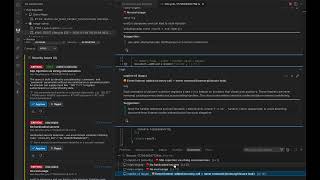
YouTube returned 6 videos for “Git AutoReview”, and we withheld 5: 5 did not mention Git AutoReview. Showing the 1 we can prove is about Git AutoReview.
Official links
Tools that pair well with Git AutoReview
Common stack mates teams adopt alongside Git AutoReview, with the specific reason each pairing earns its keep.

Shippie
Open-source AI code review agent that scaffolds a GitHub Action and posts inline comments on every pull request.

Sourcery
Automated code review and security scanning that reviews every PR, wired into your IDE and your GitLab or GitHub workflow.

Ai Git Bot
Self-hosted AI workflow automation for Gitea, GitHub, GitLab and Bitbucket — 10 event-driven workflows for PR review, tests, issues and docs.
Featured Head-to-Head Comparisons
Git Autoreview vs Bito
Choose Bito if your team relies on AI coding agents (Cursor, Claude Code) and needs cross-repo context for architecture, scoping, and code generation — it’s unmatched for multi-repo awareness. Choose Git AutoReview if you want AI-assisted code review that puts a human in the loop to approve every comment, with per-team pricing that’s 50% cheaper than CodeRabbit. They solve different problems: Bito powers agents; Git AutoReview powers human-led PR reviews.
Git Autoreview vs Cognition Ai
Choose Cognition AI if your enterprise needs a fully autonomous AI engineer that can plan, code, test, and ship PRs end-to-end, especially for complex tasks like legacy COBOL modernization or cross-platform builds. Choose Git AutoReview if you're a small team or solo developer who values human oversight, privacy (BYOK), and affordable per-team pricing for AI-powered review that supports multiple models and platforms including Bitbucket Server.
Git Autoreview vs Poolside Ai
If you need a full AI development platform under strict governance (air-gapped, audit trails, custom models) for high-consequence software, Poolside AI is the choice but requires enterprise budgets. For most small-to-mid-sized teams that want AI-assisted code review without losing human control, Git AutoReview delivers a practical, affordable solution with per-team pricing and human-in-the-loop approval.
Alternatives to Git AutoReview
View allShippie
Open-source AI code review agent that scaffolds a GitHub Action and posts inline comments on every pull request.

Sourcery
Automated code review and security scanning that reviews every PR, wired into your IDE and your GitLab or GitHub workflow.

Ai Git Bot
Self-hosted AI workflow automation for Gitea, GitHub, GitLab and Bitbucket — 10 event-driven workflows for PR review, tests, issues and docs.
Frequently Asked Questions
Categories
Best-of guides
Used Git AutoReview? Help shape our editorial sentiment research.