
Glaze by Raycast
Build native macOS apps by describing them to AI — desktop software that runs locally on your Mac.
If your wish list is desktop-shaped — a menu bar utility, a local tracker, an internal tool — Glaze is the shortest path from idea to an app you can double-click, and Pro at $10/mo is cheap enough to test over a weekend. The credit meter is the thing to watch: a quick tweak costs little, a from-scratch build can burn through an allowance faster than you'd expect. Connect a Claude subscription and that concern mostly disappears.
Verified 4d ago · liveness 73/100 · cite: rightaichoice.com/tools/glaze-by-raycast
- Building offline-first macOS desktop apps through a chat interface
- Non-developers who need a custom utility without learning Swift
- Teams that want a private internal app store with one-click installs
- Developers prototyping menu bar apps and OS-level utilities fast
- Windows or Linux users — Glaze requires macOS Tahoe on Apple Silicon
- Anyone building web, mobile, or server-side apps rather than desktop software
- Users on Intel Macs
We scan live Reddit threads, YouTube comments, X posts, G2 reviews and other communities — and hand you an honest verdict in under a minute.
- Honest verdict, not marketing
- Real pros & cons from real users
- Attributed quotes with receipts
3 free scans · no card needed
Skip Glaze if you need to ship a Windows or Linux app, if you're on an Intel Mac, or if a predictable flat AI cost per seat matters more to you than an installable desktop app.
Every build or edit done with Glaze's own models draws down credits, and a from-scratch build costs far more than a quick tweak
Glaze's $10/mo Pro tier is priced below most browser app builders, and the Free plan includes the whole product if you bring your own agent. Teams get their private Team Store free while it's in Beta, with every member building on their own Free or Pro subscription rather than a per-seat charge. The honest comparison isn't tier price though — it's credit spend, which scales with how much work each turn takes. Connecting a Claude subscription removes that variable almost entirely, and is the
In short
Glaze by Raycast — Build native macOS apps by describing them to AI — desktop software that runs locally on your Mac. Best for Building offline-first macOS desktop apps through a chat interface, Non-developers who need a custom utility without learning Swift, Teams that want a private internal app store with one-click installs. Free to start; paid plans from $10/mo.
What's new in Glaze by Raycast
Checked 4 days agoAcross the latest 5 updates: 1 launch, 3 changelog entries and 1 news mention.
Glaze 0.14.3.0 adds Duplicate App action, agent reliability fixes
Version 0.14.3.0 adds a Duplicate App action to the app context menu and Projects view so you can make a local copy without touching the original. Agent runs that stall now recover or stop with a retryable error instead of waiting indefinitely.
Glaze 0.14.2.0 ships Fable 5.1, unblocks Claude subscription default model
Version 0.14.2.0 adds Fable 5.1 support and better model discovery for Claude subscriptions, and fixes the model picker missing the model Claude marks as your subscription's default. Also fixes agent runs that could hang after the first message.
Glaze 0.14.1.0 adds Copy submenu, fixes menu bar app clicks
Version 0.14.1.0 adds a Copy submenu in My Projects for an app's path, sources path, or logs directory. Also fixes chats breaking after renaming a project folder and published menu bar apps showing Glaze's own menu on left-click.
Glaze 0.14.0.0 launches Bring Your Own Agent, Creator Hub and local project folders
Version 0.14.0.0 connects a Claude subscription so Glaze builds with Opus, Sonnet, and Fable instead of spending Glaze credits, unlimited during Beta. Projects now live at ~/Glaze/ and can be opened in Codex, Cursor, Claude Code or any editor. Creator Hub analytics arrived with P
Glaze launches affiliate program with 20% commission
Glaze introduced an affiliate program paying 20% commission on payments from referred Glaze Pro users, announced on the Glaze blog.
What people actually say about Glaze by Raycast — is it worth it?
We ran a structured research pass across product reviews, community discussions, and post-purchase forum threads to surface the patterns vendors won't publish themselves. Below: the recurring strengths, the hidden costs people mention most, and the cohort that consistently regrets adopting this tool.
14 mentions across 4 sources (Hacker News, YouTube, Product Hunt, Lemmy) · researched Oct 17, 2026.
Weighted by the 23 posts each of 4 sources contributed.
- +Builds real native macOS apps from plain-English descriptions with no Swift required
- +Apps run locally and keep data on the Mac, with no browser or server round-trip
- +Bring Your Own Agent lets Claude subscribers spend their own usage instead of Glaze credits
- +Project sources live in plain ~/Glaze/ folders you can open in Cursor or Codex
- +Raycast ships features fast, and 'Annotate' sends in-app fixes straight back to the agent
- −Credits are reported to run out quickly, especially for iterative app-building
- −Users were confused about whether credits burn when others use a published app
- −Early releases lacked BYOK and source export, breeding vendor-lock-in complaints
- −Model choice and generated app stack were opaque to users
- −Support responsiveness has almost no public evidence to judge it by
- • Credits are consumed when iterating, and users aren't sure if consumption continues when published apps are used
- • BYO Claude subscription lets you sidestep Glaze credits, but you pay Anthropic separately
- • Private Team Store is free only during the Beta — post-Beta pricing is unknown
- • Pro tier pricing wasn't disclosed in the community data, so budgeting is guesswork
Viability Score
How well maintained and how widely used is Glaze by Raycast? Built from what the vendor actually publishes (docs, changelog, tutorials, integrations, pricing), whether the site is live, and how much real users discuss it. How we calculate this
Last calculated: October 2026
How we score →Key Features
- Build macOS desktop apps by describing them in plain English
- Local-first: apps run on your machine with no server or internet connection
- File system access, keyboard shortcuts, menu bar integration, background processes
- Bring Your Own Agent: connect a Claude subscription to build on Opus, Sonnet, and Fable
- Model picker combining Glaze Fast, Glaze Smart, and connected Claude models
- Fable 5.1 support with model discovery for Claude subscriptions (0.14.2.0)
- Projects stored as plain folders in ~/Glaze/
- Open project sources in Claude Code, Cursor, Codex, or any editor
- Annotate: send changes to your agent from inside your app
- Duplicate App action for a local copy without touching the original (0.14.3.0)
- Copy submenu for an app's path, sources path, or logs directory (0.14.1.0)
- Publish apps to the public Glaze Store on any plan
- Unlisted publishing for 1:1 sharing (Pro)
- Private Team Store for internal distribution (free during Beta)
- Creator Hub analytics: installs, weekly active users, Store conversion, feedback (Pro)
About Glaze by Raycast
Glaze is a macOS app from Raycast that turns a plain-English description into working desktop software. You describe the tool you want, an agent builds it, and the result launches like any other app on your Mac — no browser tab, no server round-trip. Apps can reach your file system, keyboard shortcuts, the menu bar, and background processes, so data stays on the machine. The fit is narrow and specific: someone who keeps wishing their Mac did one more thing. A tracker, a planner, a menu bar utility, an internal tool for a small team. Non-developers get shipped software without learning Swift; developers get a fast prototyping loop. Project sources sit in a regular folder under ~/Glaze/, so you can open them in Codex, Cursor, Claude Code, or Terminal and keep working with whichever agent you already trust. Three things drive the current version. Bring Your Own Agent, shipped in 0.14.0.0 (August 19, 2026), lets you connect a Claude subscription — runs on Opus, Sonnet, and Fable draw on your Claude usage instead of Glaze credits, unlimited on Glaze's side during the Beta. A model picker keeps Glaze Fast, Glaze Smart, and your connected Claude models in one dropdown; 0.14.2.0 added Fable 5.1 and fixed the picker missing your subscription's default model. And 0.14.3.0 added a Duplicate App action plus recovery for agent runs that stall. Sharing comes in lanes: publish to the public Glaze Store on any plan, share unlisted links on Pro, or run a private Team Store for teammates — free while that's in Beta. Teams at Linear, Vercel, and Cursor build internal tools with it. If you're weighing Lovable, Replit, or v0, the difference isn't quality, it's category: those ship web apps, Glaze ships desktop software that talks to your OS.
Behind the Verdict
We'd reach for Glaze the moment the thing we want isn't a website. Dashboards, trackers, menu bar widgets, glue scripts that watch a folder — the moment a project needs your file system or a global keyboard shortcut, browser builders stop being candidates. The build economics are where you should actually do the math. Glaze's own models bill in credits, and credits track real work: a one-word tweak is cheap, building an app from scratch costs more, and smarter models cost more per turn. That's a fair model, but it's an unpredictable one. Free gives you a one-time welcome pack and no recurring allowance, so it's a trial rather than a workflow. Pro's 100 monthly credits roll over for one extra month, which softens the edge. The configuration we'd start with is Bring Your Own Agent. Connect a Claude subscription and runs stop spending Glaze credits entirely — unlimited on Glaze's side during the Beta, capped only by whatever Claude limits you already have. For anyone already paying for Claude, that's the whole cost argument resolved. The model picker keeps Glaze's models alongside your Claude ones, so you can switch per task. Where it bites: macOS only, and specifically macOS Tahoe on Apple Silicon. Windows and Linux are roadmapped, not shipped. On an Intel Mac you're out entirely. And Glaze builds desktop apps — pitch it at a mobile app or a server-side service and you've picked the wrong tool, no matter how good the prompt is. Against Lovable, Replit, and v0 the split is category-level rather than feature-level: those output web apps, Glaze outputs installable desktop software. Against Claude Code or Codex, the pitch is delivery — a finished app rather than a code project you still have to package. The two aren't really competitors; your Glaze sources open happily
Researching Glaze by Raycast? Get your full AI stack in 60 seconds.
Free, no signup — tell us your goal and get tools matched to your budget & existing stack.
Real-world workflow fit
Concrete scenarios for the personas Glaze by Raycast actually fits — and what changes day-one when you adopt it.
You want a menu bar app showing upcoming calendar events and weather. You install Glaze, describe the app in plain English, and iterate by annotating the running app when something looks wrong.
Outcome: A local macOS app that launches instantly, runs offline, and sits in your menu bar — built without learning Swift.
You connect your Claude subscription in Account Settings, then open the project's folder at ~/Glaze/ in Cursor for the parts you'd rather hand-write, letting the agent handle scaffolding and packaging.
Outcome: Runs build against your Claude usage instead of Glaze credits, and your manual edits show up in Glaze like any other change.
You create a Team Store from Settings, invite teammates, and publish a dashboard app pulling from your internal APIs so only team members can discover and install it.
Outcome: A private distribution channel for internal apps, free while Team Stores are in Beta, with each member building on their own subscription.
Use Cases
- Create a custom menu bar app that displays upcoming calendar events and weather
- Build a file organization tool that automatically sorts downloads based on rules
- Develop a team dashboard that pulls data from internal APIs and shows real-time metrics
- Generate a quick one-off utility to batch rename files with regex patterns
- Assemble a workflow automation that monitors a folder and runs scripts on new files
- Craft a personal note-taking app with markdown support and local storage
- Connect a Claude subscription so builds run on your own Claude usage instead of Glaze credits
Models Under the Hood
as of 2026-10-17
Limitations
- Glaze currently requires macOS Tahoe and Apple Silicon, though Windows and Linux support are planned.
- Building with Glaze's own models consumes credits: the Free plan includes a one-time 50-credit welcome pack with no recurring allowance, while Pro ($10/month) adds 100 monthly credits plus top-ups without a platform fee.
- Using a connected Claude subscription doesn't spend Glaze credits and is unlimited on Glaze's side during the Beta, subject to Claude's own usage limits.
as of 2026-10-04
Verification history
We have re-verified Glaze by Raycast 9 times since . Each pass re-reads the vendor's own pages and re-checks every listed field against that evidence; passes where nothing had changed are marked as such.
- — re-verified summary, description, our verdict, our analysis, pricing model, pricing tiers, features, integrations, who it suits, who should skip it
- — re-verified summary, description, our verdict, our analysis, pricing model, pricing tiers, features, integrations, who it suits, who should skip it
- — re-verified summary, description, our verdict, our analysis, pricing model, pricing tiers, features, integrations, who it suits, who should skip it
- — re-verified summary, description, our verdict, our analysis, pricing model, pricing tiers, features, integrations, who it suits, who should skip it
- — re-verified summary, description, our verdict, our analysis, pricing model, pricing tiers, features, integrations, who it suits, who should skip it
- — re-verified summary, description, our verdict, our analysis, pricing model, pricing tiers, features, integrations, who it suits, who should skip it
Showing the 6 most recent of 9 verification passes.
Free to cite with attribution — this page re-verifies continuously.
12-month cost
Project the real annual outlay, including the implied monthly cost when only an annual tier is published.
Vendor list price only. Add-on usage, seat overages, and contract minimums are surfaced under Hidden costs & gotchas.
Plans compared
For each published Glaze by Raycast tier: who it actually fits, and what it adds vs. the previous tier. Cross-reference the cost calculator above for projected annual outlay.
Free
$0
Ideal for
Anyone who wants to try Glaze or already pays for Claude and is willing to build on their own subscription
What this tier adds
Free entry point — the whole product, with a one-time 50-credit welcome pack instead of a recurring allowance
Pro
$10/mo
Ideal for
Regular builders who want Glaze's most capable models, monthly credits, and analytics on what they publish
What this tier adds
Adds 100 monthly Glaze credits that roll over into the next billing month, Glaze Smart models, unlisted publishing, Creator Hub analytics, remix controls, and top-ups without the platform fee
Team
Free during Beta
Ideal for
Small teams that want a private place to distribute internal apps without paying per seat
What this tier adds
Adds creation of a private Team Store, teammate invites, and team-only app distribution — free during Beta, with each member building on their own Free or Pro subscription
Where the pricing makes sense
The company stage and team size where Glaze by Raycast's pricing actually pencils out — and where peers do it cheaper.
Glaze's $10/mo Pro tier is priced below most browser app builders, and the Free plan includes the whole product if you bring your own agent. Teams get their private Team Store free while it's in Beta, with every member building on their own Free or Pro subscription rather than a per-seat charge. The honest comparison isn't tier price though — it's credit spend, which scales with how much work each turn takes. Connecting a Claude subscription removes that variable almost entirely, and is the
Setup time & first value
How long it actually takes to get something useful out of Glaze by Raycast — broken out by persona, not the marketing-page minute.
Non-developers: download Glaze for Mac (macOS Tahoe, Apple Silicon), sign up, and describe your first app — most people have something running the same session. Claude subscribers: add a step to install Claude Code, sign in, and connect the subscription in Account Settings so runs stop drawing Glaze credits. Developers: opening a project in Cursor or Claude Code takes minutes since sources
Switching to or from Glaze by Raycast
How to bring data in from common predecessors and how to get it back out — written for the switcher, not the buyer.
- →From Lovable / Replit / v0: rebuild the tool in Glaze if you need OS-level access like the file system, menu bar, or background processes rather than a browser tab
- →From hand-rolled Swift: describe the app in Glaze, then open the generated sources in ~/Glaze/ and shape them in your own editor
- →From spreadsheets and manual file wrangling: describe the tracker or file-sorting rule as an app and let Glaze assemble it
- ↗To Claude Code / Cursor / Codex: open the project folder in ~/Glaze/ directly — each project includes the instructions and skills an external agent needs
- ↗To a Swift codebase: the generated sources are plain files in a normal folder, readable and editable in any editor
- ↗To manual distribution: apps you built are yours, code and content included, so you can package and ship them yourself
Integrations
Resources & Guides
Tutorials & Learning
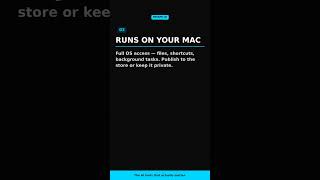
YouTube returned 6 videos for “Glaze by Raycast”, and we withheld 5: 5 did not mention Glaze by Raycast. Showing the 1 we can prove is about Glaze by Raycast.
Official links
Tools that pair well with Glaze by Raycast
Common stack mates teams adopt alongside Glaze by Raycast, with the specific reason each pairing earns its keep.
Draftbit
Draftbit builds native iOS, Android, and web apps with AI agents plus exportable source code
FlutterFlow
FlutterFlow is a visual no-code app builder that exports production-ready native Flutter code for mobile, web, and desktop.

Trickle AI
Trickle builds live websites, apps and AI forms from plain-English prompts on a visual AI canvas.
Featured Head-to-Head Comparisons
Glaze By Raycast vs Locus Robotics
Locus Robotics and Glaze by Raycast serve completely different needs and are not direct competitors. Locus is a physical automation solution for warehouses, best for 3PL and eCommerce operations seeking 2-3x productivity gains via AMRs and the new Locus Array (Physical AI). Glaze is a macOS app that lets users build custom desktop tools by chatting with AI—ideal for non-developers or teams needing offline-native utilities. Choose based on whether your challenge is physical fulfillment or software creation.
Glaze By Raycast vs Truleo
If you're a law enforcement agency needing to connect siloed data (RMS, jail calls, BWC) and automate case leads, Truleo is purpose-built—though pricier and closed. If you're a Mac user—developer or not—who wants to instantly create custom desktop apps via chat, Glaze by Raycast offers a freemium, offline-first solution with growing store ecosystem. These tools serve entirely different verticals; choose based on your domain.
Glaze By Raycast vs Presto Voice
These tools serve entirely different needs: Presto Voice is for QSR chains wanting to automate drive-thru ordering with proven ROI, while Glaze by Raycast empowers Mac users to build custom desktop apps by chatting with AI. Choose based on whether you run a restaurant or need personalized macOS software.
Alternatives to Glaze by Raycast
View allDraftbit
Draftbit builds native iOS, Android, and web apps with AI agents plus exportable source code
FlutterFlow
FlutterFlow is a visual no-code app builder that exports production-ready native Flutter code for mobile, web, and desktop.

Trickle AI
Trickle builds live websites, apps and AI forms from plain-English prompts on a visual AI canvas.
Frequently Asked Questions
Categories
Best-of guides
Used Glaze by Raycast? Help shape our editorial sentiment research.