
GPT ChatBot
GPT ChatBot is a no-code AI Q&A widget for Bubble, WordPress, and Shopify sites, priced at $15/month from the vendor's own page.
Buy GPT ChatBot if you want a $15/month question-answer widget on a Bubble, WordPress, or Shopify site and you don't care which model is behind it. The preset question sets and per-platform install guides mean you can be live the same afternoon, and because it's a Bubble plugin you can edit the logic in the editor afterward. Skip it if you need ticket routing, live-agent handoff, or CRM sync — that's Tidio, Zendesk Answer Bot, or Intercom's Fin territory, at a much higher price. Also skip if you need to know or choose the underlying AI model: the vendor page doesn't name one.
Verified 4d ago · liveness 56/100 · cite: rightaichoice.com/tools/gpt-chatbot
- Bubble builders who want an AI Q&A widget live today
- WordPress or Shopify site owners who want a low-cost FAQ chatbot
- Education and course sites with recurring question sets
- Solo founders and marketers without a backend developer
- Teams that need live-agent handoff or ticket routing
- Businesses that require CRM sync, conversation analytics, or a multi-channel inbox
- Buyers who need to know or choose which AI model answers their visitors
We scan live Reddit threads, YouTube comments, X posts, G2 reviews and other communities — and hand you an honest verdict in under a minute.
- Honest verdict, not marketing
- Real pros & cons from real users
- Attributed quotes with receipts
3 free scans · no card needed
Skip GPT ChatBot if you need ticket routing, live-agent handoff, or CRM sync — it's a single $15/month answer widget for Bubble, WordPress, and Shopify, not a support platform.
The vendor page lists one flat $15/month price with no tiers, so there's no cheaper entry point if you only want to test on a single page.
One listed price of $15/month puts GPT ChatBot well below support suites like Zendesk Answer Bot and Intercom's Fin, and roughly in line with entry chat widgets. It fits a solo founder or small site that just needs visitor questions answered; teams that need agent handoff or analytics will pay more elsewhere because this tool doesn't sell those capabilities at any price.
In short
GPT ChatBot — GPT ChatBot is a no-code AI Q&A widget for Bubble, WordPress, and Shopify sites, priced at $15/month from the vendor's own page. Best for Bubble builders who want an AI Q&A widget live today, WordPress or Shopify site owners who want a low-cost FAQ chatbot, Education and course sites with recurring question sets. Plans from $15/mo.
What people actually say about GPT ChatBot — is it worth it?
We ran a structured research pass across product reviews, community discussions, and post-purchase forum threads to surface the patterns vendors won't publish themselves. Below: the recurring strengths, the hidden costs people mention most, and the cohort that consistently regrets adopting this tool.
57 mentions across 5 sources (Hacker News, YouTube, Product Hunt, Stack Overflow, Lemmy) · researched Aug 18, 2026.
Average across the 5 sources that answered — each source counts once, not each post.
- +No-code setup inside Bubble's visual editor, perfect for beginners
- +Freedom to customize prompts and bot personality without backend code
- +Built-in conversation history lets you store chats in Bubble data
- +Multi-language support for global audiences without extra work
- +Quota tracking per user helps manage usage and costs
- −Grounded on GPT-3, lacking latest AI model capabilities
- −Limited to Bubble; not portable to other platforms
- −Email support and branding removal are paywalled
- −No advanced fine-tuning on free or basic plans
- −Lacks dedicated support docs or active community forum
- • Additional OpenAI API usage fees may apply beyond plugin cost
- • Upgrading required for paid features like branding removal
Viability Score
How well maintained and how widely used is GPT ChatBot? Built from what the vendor actually publishes (docs, changelog, tutorials, integrations, pricing), whether the site is live, and how much real users discuss it. How we calculate this
Last calculated: October 2026
How we score →Key Features
- No-code AI chatbot widget embedded on your website
- Built as a Bubble plugin, so logic stays editable in the Bubble editor
- WordPress plugin available from the vendor page
- Shopify app available from the vendor page
- Per-platform how-to-install guides (Bubble, WordPress, Shopify)
- Demo chatbot playground with preset example questions
- Preset question sets for education and FAQ content
- Configurable widget for visitor questions
- Drops onto Bubble sites without backend code
- Vendor contact email for setup help
- $15/month listed price on the vendor page
About GPT ChatBot
GPT ChatBot is a no-code AI chatbot widget you embed on your website so visitors can ask questions and get answers. It's built natively on Bubble, with the vendor page linking plugins for Bubble, WordPress, and Shopify, plus install guides for each and a demo playground you can poke at before buying. The demo ships with preset question sets ("What are the 3 states of matter?", "What are Newton's three laws of motion?"), which tells you the sweet spot is education, FAQ, and course content rather than service-desk triage. The vendor's own page lists one price, $15/month, and the same page gives a contact email for setup help. Because the logic lives inside the Bubble editor, you can open the plugin and adjust behavior later instead of being locked to a black box. Compared with Tidio, Zendesk Answer Bot, or Intercom's Fin, GPT ChatBot is narrower and cheaper: it answers questions, it doesn't route tickets, hand off to live agents, or sync to a CRM. If you want a Q&A layer on a small Bubble, WordPress, or Shopify site, that trade is reasonable. If you need support operations, look at the support suites instead. One honest caveat: the vendor's page says "Demo in editor — Coming soon" for the Shopify and WordPress entries at the time we captured it, and it doesn't name which underlying AI model produces the answers.
Behind the Verdict
The pitch here is narrow and honest: one widget, one job, one price. The vendor's page lists $15/month with no tiers, and the install path is three buttons — Bubble plugin, WordPress plugin, Shopify app — each with its own how-to guide and a demo in the editor. The demo playground is the most convincing part of the site: it serves up educational question sets like the three states of matter and Newton's three laws, which is a pretty clear signal that course sites, tutors, and FAQ-heavy small businesses are the intended buyer, not support teams. Strengths. (1) Time to value is short — you don't wire API calls or build a backend; you point the widget at your site and it takes over the back-and-forth. (2) Because it's a Bubble plugin, the logic stays editable in the Bubble editor, so a Bubble builder can bend the behavior later rather than filing a feature request. (3) The price is low enough that it's a rounding error next to Zendesk Answer Bot or Intercom's Fin, so trying it is cheap. (4) Preset questions mean you're not starting from a blank prompt. Weaknesses. (1) It's a Q&A widget, not a support platform — no live-agent handoff, no ticket routing, no CRM sync, no multi-channel inbox mentioned anywhere on the vendor page. (2) The underlying AI model is not named on the page, so you can't verify or choose what's answering your visitors. (3) On the version of the page we captured, the Shopify and WordPress rows show "Demo in editor — Coming soon," so those integrations may be behind the Bubble one in maturity. (4) Supported surfaces are limited to Bubble, WordPress, and Shopify; if your site is on anything else, this isn't for you. (5) Support runs through a single contact email on the page. Where it fits. A solo founder, marketer, or course creator on Bubble, WordPress, or Shopify who wants recurring visitor questions answered without hiring a developer, and who is fine with a single-purpose widget at a single price. Where it doesn't. Support teams that measure first-response time, need a human to take over a conversation, or want conversation analytics. Anyone with procurement or compliance review that requires naming the model, the data path, and the retention policy. Anyone whose site isn't on one of the three supported platforms. For those buyers, the correct move is a support suite — and paying for one.
Researching GPT ChatBot? Get your full AI stack in 60 seconds.
Free, no signup — tell us your goal and get tools matched to your budget & existing stack.
Real-world workflow fit
Concrete scenarios for the personas GPT ChatBot actually fits — and what changes day-one when you adopt it.
She opens the GPT ChatBot page, installs the Bubble plugin into her course app, and loads the education preset question set (the three states of matter, Newton's three laws) as a starting point.
Outcome: A working Q&A widget on her course site the same day, editable afterward inside the Bubble editor.
He follows the Shopify install guide from the vendor page, drops the chat widget onto the storefront, and writes his own preset questions about shipping, returns, and sizing.
Outcome: Shoppers get instant answers on recurring pre-purchase questions without him staffing a live chat.
She installs the WordPress plugin per the vendor's how-to guide and points the widget at the questions visitors email her most often.
Outcome: Fewer repetitive emails, with the widget handling first-pass answers at a flat $15/month.
Use Cases
- Answer recurring FAQ questions on a Bubble site without writing backend code.
- Add an education Q&A assistant to a course site using the preset question sets.
- Give a WordPress site a lightweight question-answering widget.
- Put an FAQ chatbot on a Shopify storefront to handle pre-purchase questions.
- Prototype an AI chat experience in the Bubble editor before committing to a support suite.
Models Under the Hood
as of 2026-08-31
Limitations
- The widget answers questions; it doesn't run support.
- The vendor page lists no live-agent handoff, ticket routing, CRM sync, conversation analytics, or multi-channel inbox, so if those matter you're looking at Tidio, Zendesk Answer Bot, or Intercom's Fin instead.
- The underlying AI model is not named anywhere on the page, so you cannot verify or choose what's generating answers.
- Supported surfaces are Bubble, WordPress, and Shopify only.
- On the page version we captured, the Shopify and WordPress rows read "Demo in editor — Coming soon," so those integrations may not be as far along as the Bubble plugin.
- Support is a single contact email listed on the page.
as of 2026-10-04
Verification history
We have re-verified GPT ChatBot 9 times since . Each pass re-reads the vendor's own pages and re-checks every listed field against that evidence; passes where nothing had changed are marked as such.
- — re-verified summary, description, our verdict, our analysis, pricing model, pricing tiers, features, integrations, who it suits, who should skip it
- — re-checked, vendor evidence unchanged
- — re-checked, vendor evidence unchanged
- — re-verified summary, description, our verdict, our analysis, pricing model, pricing tiers, features, integrations, who it suits, who should skip it
- — re-verified summary, description, our verdict, our analysis, pricing model, pricing tiers, features, integrations, who it suits, who should skip it
- — re-checked, vendor evidence unchanged
Showing the 6 most recent of 9 verification passes.
Free to cite with attribution — this page re-verifies continuously.
12-month cost
Project the real annual outlay, including the implied monthly cost when only an annual tier is published.
Vendor list price only. Add-on usage, seat overages, and contract minimums are surfaced under Hidden costs & gotchas.
Plans compared
For each published GPT ChatBot tier: who it actually fits, and what it adds vs. the previous tier. Cross-reference the cost calculator above for projected annual outlay.
Standard
$15/mo
Ideal for
Solo founders, marketers, and course creators on Bubble, WordPress, or Shopify who need a single Q&A widget and nothing else.
What this tier adds
Starting tier — one flat $15/month covering the chat widget, plugin access for Bubble, WordPress, and Shopify, install guides, and email support.
Where the pricing makes sense
The company stage and team size where GPT ChatBot's pricing actually pencils out — and where peers do it cheaper.
One listed price of $15/month puts GPT ChatBot well below support suites like Zendesk Answer Bot and Intercom's Fin, and roughly in line with entry chat widgets. It fits a solo founder or small site that just needs visitor questions answered; teams that need agent handoff or analytics will pay more elsewhere because this tool doesn't sell those capabilities at any price.
Setup time & first value
How long it actually takes to get something useful out of GPT ChatBot — broken out by persona, not the marketing-page minute.
Bubble builder: under an hour — add the plugin from the vendor page, drop the widget on a page, load a preset question set. WordPress: an afternoon if you follow the install guide and write your own questions. Shopify: similar, though the vendor page flags "Demo in editor — Coming soon" for this row, so expect to lean on the written guide. Anyone needing custom behavior should budget extra time
Switching to or from GPT ChatBot
How to bring data in from common predecessors and how to get it back out — written for the switcher, not the buyer.
- →From a manual FAQ page: keep the page, add the GPT ChatBot widget on top so visitors can ask instead of scroll.
- →From a generic chat widget: swap in the GPT ChatBot plugin, then port your top FAQ questions into the preset question set.
- →From a custom Bubble chat build: install the plugin and compare behavior in the Bunbble editor before removing your own workflow steps.
- ↗To Tidio: when you need live-agent handoff alongside automated answers.
- ↗To Zendesk Answer Bot: when you need ticket routing tied to a help desk.
- ↗To Intercom's Fin: when you need CRM sync, a multi-channel inbox, and conversation analytics.
Integrations
Resources & Guides
Tutorials & Learning
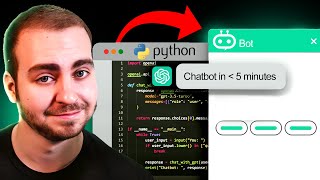
Create a Python GPT Chatbot - In Under 4 Minutes
Tech With Tim

ChatGPT in Python for Beginners - Build A Chatbot
The AI Advantage
YouTube returned 6 videos for “GPT ChatBot”, and we withheld 4: 4 did not mention GPT ChatBot. Showing the 2 we can prove are about GPT ChatBot.
Official links
Tools that pair well with GPT ChatBot
Common stack mates teams adopt alongside GPT ChatBot, with the specific reason each pairing earns its keep.

Landbot
No-code AI agent and chatbot builder for website and WhatsApp lead generation

Telechat
No-code AI chatbots for Telegram, built from your own documents and live in minutes.

AgentKit
No-code AI chatbot builder that trains on your website, docs, and Q&A pairs in minutes and embeds with one script tag
Featured Head-to-Head Comparisons
Gpt Chatbot vs Hi Marley
Choose GPT ChatBot if you're a Bubble developer wanting a quick, no-code chatbot for customer support or an MVP. Choose Hi Marley if you're a P&C insurer looking to reduce phone tag and cycle times via SMS-first claims communication. These tools serve completely different markets, so your decision hinges on your industry and platform.
Gpt Chatbot vs Chatlyn
For a Bubble developer seeking a quick AI chatbot, GPT ChatBot is simple and cost-effective. But for hospitality businesses that need omnichannel guest communication and PMS integration, Chatlyn is purpose-built and far more powerful.
Gpt Chatbot vs B Rokratt
These tools serve entirely different purposes: GPT ChatBot is a no-code Bubble plugin for adding GPT-3 chatbots to any Bubble site, ideal for startups prototyping conversational AI. Bürokratt is a free government AI assistant for Estonian citizens, deeply integrated with national databases. Your choice depends on whether you need a flexible chatbot builder for a Bubble app or a specialized tool for Estonian public services.
Alternatives to GPT ChatBot
View all


Frequently Asked Questions
Categories
Best-of guides
Topics
Used GPT ChatBot? Help shape our editorial sentiment research.