Grok Imagine 1.5 is live · pricing from $11.90/mo billed annually · last verified 25 Oct 2026 · viability healthy

Grok Imagine 1.5
Grok Imagine 1.5 turns one reference image into a short AI video with synced audio.
If you already own the still — a product shot, a portrait, a poster — and you want to see it move for a few cents, Grok Imagine 1.5 is a rational first stop. The identity lock is the real pitch: your reference image carries subject, composition and style, so short tests come back steadier than open text-to-video prompts, and auto music plus SFX means a usable draft without opening an NLE. What stops it being a default recommendation is the unresolved duration conflict — the landing page says
Verdict generatedVerified 5d ago · liveness 72/100 · cite: rightaichoice.com/tools/grok-imagine-1-5
- Social media creators needing quick branded clips
- Advertisers testing product motion before production
- Storyboard artists prototyping scenes from reference images
- Brand managers whose video must match existing assets
- Anyone requiring 4K or higher-resolution output
- Editors needing frame-by-frame manual control or keyframe editing
- Projects needing video longer than 30 seconds
We scan live Reddit threads, YouTube comments, X posts, G2 reviews and other communities — and hand you an honest verdict in under a minute.
- Honest verdict, not marketing
- Real pros & cons from real users
- Attributed quotes with receipts
3 free scans · no card needed
Skip Grok Imagine 1.5 if you need 4K output, keyframe-level editing, or clips longer than 30 seconds — or if your image-to-video work depends on Spicy mode, which that mode doesn't support.
Prices on the pricing page are annual-billing rates ($143.3, $287.3, $575.3 per year) — the pricing page shows a Monthly/Yearly -40% toggle, so month-to-month billing costs more unless you commit for the year.
Cheap for short-form direction testing: Starter is $11.9/mo billed annually ($143.3/year) for 1,000 credits, Pro $23.9/mo billed annually ($287.3/year), Studio $47.9/mo billed annually ($575.3/year). Per-unit rates fall as you climb ($0.06 → $0.04/image, $0.36–$1.53 → $0.24–$1.02/video). At the top end you're still well under a 4K-capable suite, but you get 1080p and 30 seconds, so treat it as pre-visualisation rather than a finishing tool.
In short
Grok Imagine 1.5 — Grok Imagine 1.5 turns one reference image into a short AI video with synced audio. Best for Social media creators needing quick branded clips, Advertisers testing product motion before production, Storyboard artists prototyping scenes from reference images. Plans from $11.90/mo billed annually.
What is Grok Imagine 1.5?
Grok Imagine 1.5 — Grok Imagine 1.5 turns one reference image into a short AI video with synced audio. Best for Social media creators needing quick branded clips, Advertisers testing product motion before production, Storyboard artists prototyping scenes from reference images. Plans from $11.90/mo billed annually.
Grok Imagine 1.5 is an image-to-video generator on Imagine Ai that turns a single reference image into a 1–15 second clip at 480p, 720p or 1080p. You upload a product shot, portrait, character frame or poster draft (capped at 10MB), then describe the motion you want in a prompt of up to 4,096 characters — a slow camera push, a gentle product rotation, flickering background lights, a subtle head turn. There's a random-prompt button if you'd rather browse directions. Because the uploaded image anchors subject, composition and style, output tends to be steadier than a blank text-to-video prompt. The vendor page states 1–15 seconds while its pricing page and FAQ both state 6–30 seconds, so verify before you commit credits. Grok Imagine 1.5 runs in three modes — Normal, Fun and Spicy — but image-to-video only works in Normal and Fun. Clips come with auto-generated background music and sound effects, so a first pass is usable without an editor. Text-to-image, text-to-video and image-to-video are all included on every tier, and Veo 3.1, Seedance 2.0 and Kling 3.0 are selectable as alternative video models in the same interface. Result history labels which model produced each clip, so you can compare legacy Grok, Veo and Grok Imagine 1.5 output side by side. The landing page cites a #1 rank on the Image-to-Video Arena for Grok Imagine Video 1.5 Preview (720p) with an Arena score of 1,473. Pricing is credit-based: Starter at $11.9/mo billed annually ($143.3/year), Pro at $23.9/mo billed annually ($287.3/year) and Studio at $47.9/mo billed annually ($575.3/year), with per-unit rates falling as you move up. It suits social creators, advertisers testing product motion, storyboard artists, brand managers and indie filmmakers who want cheap direction testing before committing to a pricier suite.
Key features
- Image-to-video generation where the reference image acts as an identity lock
- Text-to-video generation
- Text-to-image generation
- Veo 3.1 selectable as an alternative video model
- Seedance 2.0 selectable as an alternative video model
- Kling 3.0 selectable as an alternative video model
- Video duration: 1–15s per landing page; 6–30s per pricing page and FAQ (conflicting)
- Resolutions: 480p, 720p, 1080p
- Eight aspect ratios covering image and video: 1:1, 2:3, 3:2, 9:16, 16:9
- Three modes: Normal, Fun, Spicy — image-to-video supports Normal and Fun only
- Auto-generated background music and sound effects, no post-processing needed
- Reference image upload capped at 10MB
- Prompt control up to 4,096 characters plus a random-prompt button
- Result history with model labels for comparing generations
- Credits-based usage across monthly and yearly billing
Behind the verdict
Where Grok Imagine 1.5 earns its place is the mundane first step of a video project: you have a still and you need to know whether the motion idea works before anyone spends real money. Feeding one image in and getting a short clip back for roughly $0.24–$1.53 depending on tier and length is a cheap way to kill a bad direction early. We'd reach for it for ad concept tests, character motion checks and storyboard animatics. The workflow discipline matters more than the model here. The vendor's own advice — clean subject, clean edges, stable lighting, short 1–3 second clip at 480p first — is the difference between a useful test and wasted credits. Prompts should describe what changes over time (camera push, hair movement, flickering lights) rather than piling on adjectives. Budget the cheap pass, then escalate duration and resolution once the rhythm is right. Watch out for the duration ambiguity. The landing page says 1–15 seconds; the pricing page and FAQ say 6–30 seconds. That is not a rounding error, it changes how many clips a credit pack buys. Confirm the current cap in the interface before you plan a shoot around it. Mode limits will bite some buyers. Image-to-video only runs in Normal and Fun; Spicy is text-side only. If your concept depends on the bolder styling, this specific pipeline won't deliver it from a reference image. Against a dedicated video suite, the draw is breadth for the money: Veo 3.1, Seedance 2.0 and Kling 3.0 sit in the same model dropdown, and result history tags which engine made each clip, so you can A/B a prompt across four models without four subscriptions. That is the strongest argument for the Pro or Studio tier over Starter — the per-image and per-video rates drop as you climb (roughly $0.06 to $0.04 per image, $0.36–$1.53 down to
Models under the hood
as of 2026-10-22
Limitations
- Duration is stated inconsistently across the site: the landing page describes 1–15 second videos while the pricing page and its FAQ both say 6–30 seconds, so credit spend is hard to forecast from the marketing pages.
- Image-to-video, the headline feature, only supports Normal and Fun modes; Spicy is not available for it.
- Resolution tops out at 1080p (with 480p and 720p as lower options) and reference uploads are capped at 10MB.
- Plans are credit-limited — Starter gives 1,000 credits per month, roughly 200 images or 50 videos — and the headline prices on the pricing page are annual-billing rates ($143.3, $287.3 and $575.3 per year) rather than month-to-month rates.
as of 2026-10-15
Researching Grok Imagine 1.5? Get your full AI stack in 60 seconds.
Free, no signup — tell us your goal and get tools matched to your budget & existing stack.
Is Grok Imagine 1.5 still active?
Grok Imagine 1.5 is live · pricing from $11.90/mo billed annually · last verified 25 Oct 2026 · viability healthy.
Viability score
How well maintained and how widely used is Grok Imagine 1.5? Built from what the vendor actually publishes (docs, changelog, tutorials, integrations, pricing), whether the site is live, and how much real users discuss it. How we calculate this
Last calculated: October 2026
How we score →What do users say about Grok Imagine 1.5?
What people actually say about Grok Imagine 1.5 — is it worth it?
We ran a structured research pass across product reviews, community discussions, and post-purchase forum threads to surface the patterns vendors won't publish themselves. Below: the recurring strengths, the hidden costs people mention most, and the cohort that consistently regrets adopting this tool.
Researched25 mentions across 3 sources (Hacker News, YouTube, Lemmy) · researched Oct 19, 2026.
Weighted by the 27 posts each of 3 sources contributed.
- +Flat monthly pricing is simpler and cheaper than credit-based rivals like Seedance
- +Reference image anchors subject and style, so motion is steadier than blank text-to-video
- +Auto-generated music and sound effects make a first pass usable without an editor
- +Veo 3.1, Seedance 2.0 and Kling 3.0 are selectable in the same interface
- +Three resolution tiers up to 1080p and eight aspect ratios cover social formats
- −Usage reset cut from 24 hours to a week, with all generation types sharing one allowance
- −Complex multi-subject scenes trail Seedance 2 badly on prompt adherence
- −Duration is stated inconsistently across the vendor's own pages
- −Image-to-video is unavailable in Spicy mode, limiting one of the three advertised modes
- −Loudest negative comments are about billing and trust, not output quality
- • Credits are shared across video, image and chat, so chat usage quietly eats video budget
- • Weekly rather than daily allowance reset surprises users who planned around daily output
- • Annual billing locks you in before you can test whether you'll hit the usage ceiling
How we verified this
Every listed fact about Grok Imagine 1.5— pricing, features, links, status — is re-read from the vendor's own pages by our verification pipeline and each change is logged with a date; the last pass ran on 25 Oct 2026. Pages mix model-assisted synthesis with human review; see how we verify.
Verification history
We have re-verified Grok Imagine 1.5 12 times since . Each pass re-reads the vendor's own pages and re-checks every listed field against that evidence; passes where nothing had changed are marked as such.
- — changed description, summary, our verdict, pricing tiers
- — changed pricing page, limitations, pricing fit, description, use cases, our verdict, summary, features, hidden costs, who it suits, switching in, switching out, who should skip it, models, setup time
- — changed limitations
- — changed who should skip it, switching in, description, switching out, our verdict, pricing tiers, limitations, features, summary, models, hidden costs, setup time, use cases, who it suits, pricing fit
- — changed limitations
- — changed SSL certificate
Showing the 6 most recent of 12 verification passes.
Free to cite with attribution — this page re-verifies continuously.
How much does Grok Imagine 1.5 cost in 2026?
Grok Imagine 1.5: Plans from $11.90/mo billed annually. Pricing last verified 25 Oct 2026.
Plans compared
Every published Grok Imagine 1.5 tier, its price as the vendor publishes it, who it fits, and what it adds over the tier below. The 12-month cost projection follows.
| Plan | Price | Billing | Who it's for |
|---|---|---|---|
| Starter | $11.90/mo billed annuallyVendor: “$11.9/mo billed annually ($143.3/year)” | monthly, billed annually | A solo creator or advertiser testing a handful of product or portrait clips per month with no existing video budget.Adds: Starting tier: 1,000 credits per month (about 200 images or 50 videos) at $11.9/mo billed annually ($143.3/year), with the highest per-unit rates of $0.06/image and $0.36–$1.53/video. |
| Pro | $23.90/mo billed annuallyVendor: “$23.9/mo billed annually ($287.3/year)” | monthly, billed annually | A regular creator or small brand producing weekly social clips and running several motion directions per asset.Adds: 2,400 credits per month (about 480 images or 120 videos) at $23.9/mo billed annually ($287.3/year), and per-unit rates drop to $0.05/image and $0.30–$1.28/video. |
| Studio | $47.90/mo billed annuallyVendor: “$47.9/mo billed annually ($575.3/year)” | monthly, billed annually | A power user, agency or indie production team pushing hundreds of clips a month through direction testing.Adds: 6,000 credits per month (about 1,200 images or 300 videos) at $47.9/mo billed annually ($575.3/year), with the lowest per-unit rates of $0.04/image and $0.24–$1.02/video. |
12-month cost
Project the real annual outlay, including the implied monthly cost when only an annual tier is published.
Vendor list price only. Add-on usage, seat overages, and contract minimums are surfaced under Hidden costs & gotchas.
Where the pricing makes sense
The company stage and team size where Grok Imagine 1.5's pricing actually pencils out — and where peers do it cheaper.
Cheap for short-form direction testing: Starter is $11.9/mo billed annually ($143.3/year) for 1,000 credits, Pro $23.9/mo billed annually ($287.3/year), Studio $47.9/mo billed annually ($575.3/year). Per-unit rates fall as you climb ($0.06 → $0.04/image, $0.36–$1.53 → $0.24–$1.02/video). At the top end you're still well under a 4K-capable suite, but you get 1080p and 30 seconds, so treat it as pre-visualisation rather than a finishing tool.
Has Grok Imagine 1.5's pricing changed?
No plan price for Grok Imagine 1.5 has moved since we began logging in Aug 2026; the pricing page is re-read on every verification pass.
Who should pick Grok Imagine 1.5?
Pick Grok Imagine 1.5 if you are Social media creators needing quick branded clips, Advertisers testing product motion before production, Storyboard artists prototyping scenes from reference images, Brand managers whose video must match existing assets.
Look elsewhere if you are Anyone requiring 4K or higher-resolution output, Editors needing frame-by-frame manual control or keyframe editing, Projects needing video longer than 30 seconds, Creators whose image-to-video work depends on Spicy mode.
Skip it if Skip Grok Imagine 1.5 if you need 4K output, keyframe-level editing, or clips longer than 30 seconds — or if your image-to-video work depends on Spicy mode, which that mode doesn't support.
GeneratedReal-world workflow fit
Concrete scenarios for the personas Grok Imagine 1.5 actually fits — and what changes day-one when you adopt it.
You have a product photo and need three clips for this week's posts. You upload the shot, prompt a slow rotation at 720p in 9:16, and generate two more variations with different lighting.
Outcome: Three branded clips with auto-generated music, generated from one still in a single session without opening an editor.
Before booking a shoot, you upload the hero product image and run 1–3 second tests across a camera push, a rotation and a background light flicker to see which framing reads.
Outcome: A cheap shortlist of motion directions to take into production, with the winning direction extended to 8 seconds or more.
You have a character sheet and a poster draft for a scene. You animate both from the reference images, keep the outputs in the labelled result history, and compare pacing.
Outcome: Two moving storyboard beats you can show a director, produced from assets that already existed.
Use cases
- Upload a product photo and generate a slow rotation clip for an ad preview
- Create a character animation from a portrait for a storyboard test
- Turn a poster draft into a short cinematic clip with a camera push
- Generate several motion directions from one reference image and compare looks
- Produce social clips with auto-generated music for quick engagement testing
- Animate a brand visual with environmental lighting changes for an ad concept
- Test 1–3 second clips cheaply before extending a motion direction to 8 seconds or more
- Route an approved direction through Veo 3.1, Seedance 2.0 or Kling 3.0 in the same interface
Setup time & first value
How long it actually takes to get something useful out of Grok Imagine 1.5 — broken out by persona, not the marketing-page minute.
First clip in about ten minutes: sign up, pick a tier, upload a reference image under 10MB, prompt the motion (or hit the random-prompt button), then choose duration, aspect ratio and resolution. Starting with a 1–3 second test keeps the first generation cheap. Reaching a polished 8-second direction typically takes an afternoon of iteration.
Switching to or from Grok Imagine 1.5
How to bring data in from common predecessors and how to get it back out — written for the switcher, not the buyer.
- →From manual storyboarding: upload the frames you already drew and generate motion tests from them instead of sketching camera moves by hand.
- →From a text-to-video tool: reuse your existing prompts but attach a reference image as an identity lock for steadier subjects.
- →From a pricier 4K suite: keep the suite for final delivery and run direction tests here on 1–3 second clips.
- →From Veo 3.1, Seedance 2.0 or Kling 3.0: switch via the video-model selector in the same interface, no new account needed.
- ↗To a 4K production pipeline: once the direction is approved, rebuild or upscale the chosen clip in a tool that outputs above 1080p.
- ↗To a keyframe editor: move to software with frame-by-frame control when you need timing adjusted beyond what a prompt can express.
- ↗To a long-form video suite: for anything past 30 seconds, continue the project in a tool without the duration ceiling.
- ↗To a different image-to-video model: export your reference image and prompt and rerun them through another generator.
Resources & guides
Tutorials & Learning

Grok Imagine 1.5エージェントの活用術 2026
AiGuidePath
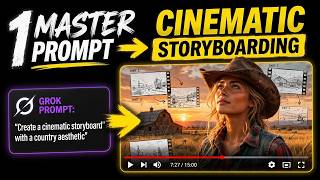
Grok Imagine 1.5 ストーリーボード作成チュートリアル:アイデアから映像制作まで
Seth Summers
YouTube returned 6 videos for “Grok Imagine 1.5”, and we withheld 4: 4 did not mention Grok Imagine 1.5. Showing the 2 we can prove are about Grok Imagine 1.5.
Official links
What are the best Grok Imagine 1.5 alternatives?
The closest alternatives to Grok Imagine 1.5 we list are MiniMax H3, Seedance 2.5 AI and Vidu AI. Ranked by direct product-type match, not category overlap.
| Alternative | Pricing | Starts at | Last verified |
|---|---|---|---|
| MiniMax H3 | Paid | Pricing not published | — |
| Seedance 2.5 AI | Freemium | Pricing not published | — |
| Vidu AI | Freemium | Pricing not published | — |
Alternatives to Grok Imagine 1.5
View all
MiniMax H3
MiniMax H3 turns text, images, and up to 12 mixed references into 4–15 second 2K AI video with native stereo audio.

Seedance 2.5 AI
Seedance 2.5 AI turns text prompts or reference images into short cinematic video clips, right in your browser.

Tools that pair well with Grok Imagine 1.5
Common stack mates teams adopt alongside Grok Imagine 1.5, with the specific reason each pairing earns its keep.

MiniMax H3
MiniMax H3 turns text, images, and up to 12 mixed references into 4–15 second 2K AI video with native stereo audio.

Seedance 2.5 AI
Seedance 2.5 AI turns text prompts or reference images into short cinematic video clips, right in your browser.

Vidu AI
Vidu AI turns text, images, and reference clips into character-consistent AI video — anime and 2D animation are its sweet spot.
Grok Imagine 1.5 vs its closest rival
Grok Imagine 1.5's closest head-to-head is with Landr Mastering — These tools serve completely different creative needs: Grok Imagine 1.5 is for generating short AI videos from images, while LANDR Mastering is for polishing audio tracks. Choose Grok Imagine if you need quick social media video clips; choose LANDR if you're a musician seeking professional-grade mastering on a budget. Verdict generated
Head-to-head comparisons
Grok Imagine 1 5 vs Landr Mastering
These tools serve completely different creative needs: Grok Imagine 1.5 is for generating short AI videos from images, while LANDR Mastering is for polishing audio tracks. Choose Grok Imagine if you need quick social media video clips; choose LANDR if you're a musician seeking professional-grade mastering on a budget.
GeneratedGrok Imagine 1 5 vs Splice
Splice and Grok Imagine 1.5 serve completely different creative needs. Choose Splice if you're a music producer seeking a vast royalty-free sample library and rent-to-own plugins like Serum 2. Choose Grok Imagine 1.5 if you need to quickly turn an image into a short video clip for social media or ideation. They are not direct competitors, so pick based on your medium—audio vs. video.
GeneratedGrok Imagine 1 5 vs Storyfile
Grok Imagine 1.5 is ideal for quick, cinematic social clips from static images, while StoryFile excels at preserving authentic human conversations for museums. Choose Grok if you need fast, creative video drafts; choose StoryFile if you need a credible, interactive AI twin of a real person. The tools serve completely different needs — no direct overlap.
GeneratedFrequently asked questions
Categories
Used Grok Imagine 1.5? Help shape our editorial sentiment research.