
HumanLayer
HumanLayer is a multiplayer coding agent workspace where teams review design docs before 2,000 lines of agent code land.
HumanLayer fixes a real and expensive failure mode: agents that ship 2,000 lines nobody reviewed. The QRSPI checkpoints and inline comment-driven design review are the parts worth paying for on shared, million-LOC codebases where a bad architectural call costs weeks. It is a poor fit if you want a single-prompt agent loop — the process is the product and it costs you time up front. Ten sessions across four engineers, this is the coordination layer; solo on a small repo, stay in Claude Code.
Verified 2d ago · liveness 71/100 · cite: rightaichoice.com/tools/humanlayer
- Senior engineers maintaining million-LOC enterprise codebases where a bad architectural decision is expensive
- Teams that want design-review comments to reach the agent before any code is written
- Engineering orgs running many parallel agent sessions that need shared visibility across teammates
- Teams adopting multi-agent orchestration who want a human checkpoint at every phase
- Solo developers who want one-prompt iterations without design-phase overhead
- Anyone unwilling to run a six-phase workflow before the first line of code
- Teams without a capable agent harness, API keys, or an AI subscription to bring
We scan live Reddit threads, YouTube comments, X posts, G2 reviews and other communities — and hand you an honest verdict in under a minute.
- Honest verdict, not marketing
- Real pros & cons from real users
- Attributed quotes with receipts
3 free scans · no card needed
Skip HumanLayer if your work is throwaway scripts or single-prompt tasks on a small repo — the six-phase QRSPI workflow and design-review checkpoints cost more time than a one-shot Claude Code session saves you.
HumanLayer does not include a model, so you keep paying separately for your Claude, Codex, or other agent subscription or API keys on top of it
HumanLayer is priced for teams that already pay for frontier coding agents and want a coordination layer on top — mid-size to large engineering orgs, not solo developers. Because it bundles no model and no compute, budget it as an add-on to whatever you already spend on Claude Code, Codex, or API usage. Against a single-seat Cursor or Claude Code plan it looks like extra cost; against the engineering hours lost to reviewing one unreviewed 2,000-line agent PR in a million-LOC codebase, it is
In short
HumanLayer — HumanLayer is a multiplayer coding agent workspace where teams review design docs before 2,000 lines of agent code land. Best for Senior engineers maintaining million-LOC enterprise codebases where a bad architectural decision is expensive, Teams that want design-review comments to reach the agent before any code is written, Engineering orgs running many parallel agent sessions that need shared visibility across teammates. Free to use.
What's new in HumanLayer
Checked todayAcross the latest 2 updates: 1 feature update and 1 news mention.
HumanLayer publishes a chronology of its writing and speaking on context engineering and coding agents
An index of the team's own essays and talks covering context engineering and coding agent workflows, useful as background on the thinking behind HumanLayer's QRSPI approach.
HumanLayer releases show-me, a coding agent skill for visual output
A skill that makes coding agents explain software through diagrams, trees, diffs, and focused visual artifacts instead of long prose responses.
What people actually say about HumanLayer — is it worth it?
We ran a structured research pass across product reviews, community discussions, and post-purchase forum threads to surface the patterns vendors won't publish themselves. Below: the recurring strengths, the hidden costs people mention most, and the cohort that consistently regrets adopting this tool.
36 mentions across 3 sources (Hacker News, GitHub, Lemmy) · researched Jul 3, 2026.
Average across the 3 sources that answered — each source counts once, not each post.
- +Structured research/plan/implement workflow reduces agent confusion.
- +Bring-your-own-API-key model saves money and avoids per-token fees.
- +Local daemon runs multiple agent sessions in parallel efficiently.
- +Real-time agent session visibility aids debugging and understanding.
- +Context engineering methodology boosts code quality dramatically.
- −Subagents not updated for months, raising maintenance doubts.
- −Requires significant upfront learning of context engineering principles.
- −Effectiveness varies greatly by user investment in methodology.
- −Limited community support outside of Hacker News discussions.
- −Some users report /simplify command yields less desirable results.
- • You must provide your own Claude/Codex API keys, which incur their own usage costs.
- • Max/Pro subscription cost not clearly disclosed in community data.
Viability Score
How well maintained and how widely used is HumanLayer? Built from what the vendor actually publishes (docs, changelog, tutorials, integrations, pricing), whether the site is live, and how much real users discuss it. How we calculate this
Last calculated: October 2026
How we score →Key Features
- Six-phase QRSPI workflow: Questions, Research, Design, Structure, Plan, Implement
- Checkpoints at every phase so engineers can push back before implementation starts
- Inline comment-driven design reviews on design docs, by humans and agents together
- Design comments and decisions feed back into the agent's context
- Versioned, shareable artifacts: research.md, design.md, structure.md, mockup.html, plan.md
- Tasks group sessions, artifacts, and git worktrees into one shared workspace
- Local daemon running many agent sessions in parallel on your workstation
- Cloud daemons that keep long-running agents working after you close your laptop
- Real-time topology view of local daemon, cloud daemons, teammates, and HumanLayer API
- Full session visibility into thinking messages, subagent tool calls, and code changes
- Command palette shortcuts: new task (⌘N), jump to session (⌘K), open artifact (⌘⇧A), send to agent (⌘⏎), comment on
- Context forking for reusing high-quality context across tasks
- Conditional XML blocks to improve agent adherence to your CLAUDE.md
- show-me skill renders agent output as diagrams, trees, diffs, and visual artifacts (August 2026)
- Same UI on web, desktop, and phone, synced through the HumanLayer API
About HumanLayer
HumanLayer is a multiplayer coding agent IDE and cloud for engineering teams working in large, complex codebases. Instead of one prompt and a wall of generated code, it runs a six-phase QRSPI workflow — Questions, Research, Design, Structure, Plan, Implement — with a verifiable checkpoint at every phase. A mismatch between what you asked for and what the agent understood surfaces while it is still a design document, not after it has been merged. Work is organized into tasks. A task groups agent sessions, versioned artifacts (research.md, design.md, structure.md, mockup.html, plan.md), and git worktrees into a shared workspace your whole team can open. The distinctive mechanic is comment-driven design review: humans and agents comment inline on the design doc in real time, and those comments and decisions feed straight back into the agent's context. As the vendor puts it, the doc becomes the interface to the code rather than a separate artifact you hope someone reads. Execution splits between a local daemon that runs many agent sessions in parallel on your workstation and cloud daemons that keep long-running agents working after you close your laptop. Everything syncs through the HumanLayer API, with the same UI on web, desktop, and phone, plus a real-time topology view of daemons, teammates, and sessions. Context-engineering features include context forking for reusing high-quality context across tasks and conditional XML blocks to improve agent adherence to your CLAUDE.md. The show-me skill, released August 2026, renders agent output as diagrams, trees, and diffs instead of prose, and the team publishes an ongoing public index of its context-engineering writing. HumanLayer does not supply a model — you bring your own compute, dev environment, agent harness, and subscription or API keys. Positioning: Cursor and Claude Code optimize a single developer's loop. HumanLayer is the coordination layer on top — reach for it when architecture review matters more than raw
Behind the Verdict
The pitch that lands hardest is the one about design docs. Most teams already have a design-review ritual — it just lives in Notion or a Google Doc, disconnected from the agent that is about to write the code. HumanLayer closes that loop by feeding comments and decisions straight back into the agent's context. That single mechanic is the reason to look at this tool at all; the six-phase workflow is the scaffolding around it. Who should pick it up: teams running several agent sessions in parallel against the same repository, especially senior engineers who own architecture on a codebase large enough that refactors ripple. The task model — sessions, artifacts, and worktrees grouped under ENG-1234-style units — maps onto how a real team already tracks work, and the command palette (⌘K to jump to a session, ⌘⇧A to open an artifact, ⌘/ to comment on a selection) means you are not living in a browser tab farm. The local-daemon-to-cloud-daemon split deserves a hard look before you commit. Running many sessions in parallel on your workstation is genuinely useful; handing long-running work to a cloud daemon so agents keep moving after you close the laptop is the part that changes how a team schedules work. Everything syncing through the HumanLayer API with the same UI on phone, desktop, and web is what makes the multiplayer claim credible rather than decorative. Where it bites: HumanLayer deliberately does not give you a model. You bring the compute, the dev environment, the agent harness, and the subscription or API keys. If your team has not already standardized on an agent harness, you are adopting two things at once, and the second one is the harder migration. The closest alternative is not another IDE — it is Cursor or Claude Code plus a design doc in Notion. That
Researching HumanLayer? Get your full AI stack in 60 seconds.
Free, no signup — tell us your goal and get tools matched to your budget & existing stack.
Real-world workflow fit
Concrete scenarios for the personas HumanLayer actually fits — and what changes day-one when you adopt it.
You open a Task for ENG-1234, an auth middleware refactor. The agent runs Questions and Research, produces research.md, then drafts design.md. You and the tech lead leave inline comments on the token-refresh strategy; those comments feed back into the agent's context.
Outcome: The design is corrected before a single line of implementation lands, and the task carries research, design, structure, plan, and mockup artifacts in one place.
You spin up two sessions to try JWT validation two ways, watch both from the real-time topology view, then hand the long-running one to a cloud daemon so it keeps working after you close your laptop.
Outcome: Comparison happens side by side instead of serially, and no session stalls because you shut the lid.
The PM and tech lead each open the shared task, comment on design.md and mockup.html in real time, and use the command palette to jump between sessions and artifacts.
Outcome: Everyone reviews the same design doc that the agent is actually working from, rather than a Notion page disconnected from the code.
Use Cases
- Refactor authentication middleware in a million-LOC codebase with reviewable agent sessions
- Run parallel agent experiments to compare two implementation approaches side by side
- Collaborate with product and tech leads on design docs through inline comment-driven refinement
- Orchestrate multiple long-running tasks with cloud daemons that survive closing your laptop
- Keep research, design, structure, plan, and mockup artifacts tied to one task from design to implementation
- Plug in your preferred AI model and subscription to avoid vendor lock-in
- Give a distributed team one tab into every teammate's agent session, worktree, and code diff
Limitations
- HumanLayer requires you to bring your own compute, development environment, and agent harness; the evidence names no underlying AI model, so it does not supply one, and its cost sits on top of your existing agent subscription.
- The structured QRSPI workflow and context-engineering features (context forking, conditional XML blocks) are aimed at complex, million-LOC codebases and carry a learning curve.
- Setup is developer-focused: you install the local daemon via brew (trust/install humanlayer/humanlayer) or download a Linux/Windows build.
- Comment-driven review assumes reviewers will actually read design docs; teams that skip the Design phase get the process cost without the benefit.
as of 2026-10-09
Verification history
We have re-verified HumanLayer 7 times since . Each pass re-reads the vendor's own pages and re-checks every listed field against that evidence; passes where nothing had changed are marked as such.
- — re-verified summary, description, our verdict, our analysis, pricing model, pricing tiers, features, integrations, who it suits, who should skip it
- — re-verified summary, description, our verdict, our analysis, pricing model, pricing tiers, features, integrations, who it suits, who should skip it
- — re-verified summary, description, our verdict, our analysis, pricing model, pricing tiers, features, integrations, who it suits, who should skip it
- — re-verified summary, description, our verdict, our analysis, pricing model, pricing tiers, features, integrations, who it suits, who should skip it
- — re-verified summary, description, our verdict, our analysis, pricing model, pricing tiers, features, integrations, who it suits, who should skip it
- — re-verified summary, description, our verdict, our analysis, pricing model, pricing tiers, features, integrations, who it suits, who should skip it
Showing the 6 most recent of 7 verification passes.
Free to cite with attribution — this page re-verifies continuously.
Where the pricing makes sense
The company stage and team size where HumanLayer's pricing actually pencils out — and where peers do it cheaper.
HumanLayer is priced for teams that already pay for frontier coding agents and want a coordination layer on top — mid-size to large engineering orgs, not solo developers. Because it bundles no model and no compute, budget it as an add-on to whatever you already spend on Claude Code, Codex, or API usage. Against a single-seat Cursor or Claude Code plan it looks like extra cost; against the engineering hours lost to reviewing one unreviewed 2,000-line agent PR in a million-LOC codebase, it is
Setup time & first value
How long it actually takes to get something useful out of HumanLayer — broken out by persona, not the marketing-page minute.
Individual engineer: install the daemon (brew trust humanlayer/humanlayer, then brew install humanlayer/humanlayer/humanlayer) or a Linux/Windows build, then connect your own dev environment, agent harness, and model keys — first value on a real task usually comes the same working day. Team-wide: expect a few days to onboard reviewers onto the QRSPI phases and comment-driven design review, plus
Switching to or from HumanLayer
How to bring data in from common predecessors and how to get it back out — written for the switcher, not the buyer.
- →From Claude Code alone: keep the same harness and add HumanLayer as the multiplayer workspace so sessions, artifacts, and worktrees are shared
- →From Cursor: continue using your editor for edits while HumanLayer carries the six-phase design review and task coordination
- →From Notion or Google Docs design docs: move design.md into the task so inline comments feed straight back into the agent's context
- →From ad-hoc git worktrees per agent: Tasks group sessions, artifacts, and worktrees instead of leaving them scattered across branches
- ↗To Claude Code alone: keep your harness and drop the design-phase structure, accepting single-prompt iteration on one repo
- ↗To Cursor: move day-to-day editing there if you no longer need shared design review before implementation
- ↗To Notion or Google Docs: export design docs back out, losing the feedback loop where comments reach the agent's context
Resources & Guides
Tutorials & Learning
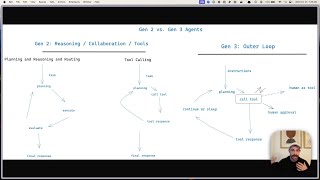
YouTube returned 6 videos for “HumanLayer”, and we withheld 5: 5 could not be judged, because “HumanLayer” is a single word that other videos use for other things. Showing the 1 we can prove is about HumanLayer.
Official links
Tools that pair well with HumanLayer
Common stack mates teams adopt alongside HumanLayer, with the specific reason each pairing earns its keep.

Roo Code
Roo Code is a pre-launch multi-agent AI coding assistant for VS Code, currently collecting email signups on a landing page only
GitHub Copilot
GitHub Copilot is an AI coding agent that completes code, reviews pull requests, and runs tasks from issue to merge.

Bito
Bito Governor is an AI model router with a code context engine that cuts coding-agent spend by 40-70%.
Featured Head-to-Head Comparisons
Humanlayer vs Spider Cloud
If you're building AI agents that need to fetch live web data for RAG or reasoning, Spider Cloud offers a fast, cost‑efficient scraping API with cutting‑edge Browser AI commands. HumanLayer, on the other hand, is the better choice for senior engineers who want a structured, review‑driven coding workflow with multi‑agent orchestration. Choose HumanLayer for writing code; choose Spider Cloud for gathering the data that powers your code.
Humanlayer vs Temporal Ai
HumanLayer is your pick if you want a structured AI coding IDE with multi-agent orchestration and comment-driven reviews to ship code faster. Temporal AI is better if you need a durable execution platform ensuring workflow reliability with automatic retries and crash recovery. They solve different problems: one accelerates code production, the other ensures workflow resilience.
Humanlayer vs Voyage Ai
HumanLayer and Voyage AI serve entirely different needs: HumanLayer is an AI-powered IDE for accelerating software development through structured multi-agent workflows, while Voyage AI provides domain-optimized embeddings and rerankers for enterprise RAG. Choose HumanLayer if you're a developer wanting to ship higher-quality code faster; choose Voyage AI if you need best-in-class retrieval accuracy on specialized documents.
Alternatives to HumanLayer
View all
Roo Code
Roo Code is a pre-launch multi-agent AI coding assistant for VS Code, currently collecting email signups on a landing page only
GitHub Copilot
GitHub Copilot is an AI coding agent that completes code, reviews pull requests, and runs tasks from issue to merge.

Frequently Asked Questions
Best-of guides
Used HumanLayer? Help shape our editorial sentiment research.