
iArt.ai
iArt.ai is an AI motion graphics agent that turns a text brief, design file, or voice track into broadcast-ready animated video without a timeline.
Pick iArt if you publish motion graphics regularly and would otherwise be fighting After Effects timelines or waiting on a freelancer. Describe-the-edit regeneration is the feature that separates it from accept-or-reroll AI video tools — the output is real animation code with typeset text, so one sentence changes one thing. Transparent-WebM overlay export is the feature most competitors simply don't have, and it makes iArt usable on top of footage you already shot. The $2 signup credit costs you nothing to test. Pass if you need true keyframe-level easing control — that is Vyond and After Effects territory — or cinematic footage of people, which is Sora and Runway territory.
Verified 18h ago · liveness 66/100 · cite: rightaichoice.com/tools/iart-ai
- Marketers producing explainer and promo videos without an in-house design team
- Podcasters and lecturers turning audio into kinetic typography for social shorts
- Founders shipping product demos, launch clips, and social intros fast
- Educators building animated lessons or training videos from a script
- Anyone who needs cinematic footage of people or places as the primary output
- Professional motion designers who need keyframe-level and easing-curve control
- Teams that need two or more people editing the same project at once
We scan live Reddit threads, YouTube comments, X posts, G2 reviews and other communities — and hand you an honest verdict in under a minute.
- Honest verdict, not marketing
- Real pros & cons from real users
- Attributed quotes with receipts
3 free scans · no card needed
Skip iArt if you need keyframe-level easing-curve control, cinematic footage as your primary output, or two people editing the same project simultaneously — those needs point to After Effects, Sora or Runway, and a shared editing suite respectively.
Credits burn by AI compute, not by video count: a 30-second video runs about $0.60–$1.00 to generate, so the advertised video range assumes simpler scenes.
Pro at $20/mo billed monthly fits a solo creator or small marketing team publishing a few videos a week; Ultra at $50/mo billed monthly fits teams needing 4K and priority rendering. Annual billing cuts 20% off both. Both sit well under Vyond's template-based plans starting from $58/mo, and far under the $5,000–$50,000 agency range iArt benchmarks against.
In short
iArt.ai — iArt.ai is an AI motion graphics agent that turns a text brief, design file, or voice track into broadcast-ready animated video without a timeline. Best for Marketers producing explainer and promo videos without an in-house design team, Podcasters and lecturers turning audio into kinetic typography for social shorts, Founders shipping product demos, launch clips, and social intros fast. Free to start; paid plans from $20/mo.
What people actually say about iArt.ai — is it worth it?
We ran a structured research pass across product reviews, community discussions, and post-purchase forum threads to surface the patterns vendors won't publish themselves. Below: the recurring strengths, the hidden costs people mention most, and the cohort that consistently regrets adopting this tool.
16 mentions across 1 source (Product Hunt) · researched Jul 2, 2026.
Average across the 1 source that answered — each source counts once, not each post.
- +Vector-based animation avoids pixel video artifacts and enables branding consistency.
- +Direct integrations with Figma, Notion, and YouTube links reduce manual import.
- +Three-step process (describe, choose, generate) is incredibly fast.
- +Voice cloning feature adds narration without external recording tools.
- +Editable outputs without full regeneration—adjust colors, text, timing.
- −Output quality may not meet professional motion graphics standards.
- −Detailed prompts might get simplified into generic templates.
- −Frame-to-frame coherence for logos and UI elements is unproven.
- −Free tier insufficient to thoroughly test voice sync and brand kits.
- −Pricing model not fully disclosed, causing hesitation.
- • Exact pricing not publicly listed
- • Voice cloning limited to 3-10 voices on paid plans
Viability Score
How well maintained and how widely used is iArt.ai? Built from what the vendor actually publishes (docs, changelog, tutorials, integrations, pricing), whether the site is live, and how much real users discuss it. How we calculate this
Last calculated: October 2026
How we score →Key Features
- Text-to-motion-graphics generation from plain-language descriptions
- Input from images, SVG logos, PDFs, PowerPoint decks, audio, video, CSV/JSON, and web links
- AI agent builds layout, typography, transitions, and timing scene by scene
- Edit by describing the change: "make the title two seconds shorter," "swap the accent to navy"
- AI suggests starting points like "Product launch demo" or "30-second explainer"
- Animation engine writes real animation code with typeset text, not a locked video file
- Separate AI Video mode for cinematic footage shots in the same workspace
- Animation engine runs on Claude Opus 5.5
- Overlays export as transparent WebM for OBS and footage layering
- Audio-to-kinetic-typography: word-by-word transcription synced to animated type
- Voice cloning (3 on Pro, 10 on Ultra) plus built-in TTS narration
- Background music library with beat-synced motion
- Export MP4 (H.264), 1080p on Pro, 4K on Ultra
- Aspect ratios 16:9, 9:16, and 1:1 for Reels, Shorts, and TikTok
- Nine languages across prompts, narration, and on-screen text
About iArt.ai
iArt.ai is an AI motion graphics agent that turns a written brief, an uploaded design, or a voice track into finished animated video. It targets marketers, founders, content creators, and educators who have the substance of a video but not the After Effects skills or an agency budget. Describe what you want in plain language, or drop in an image, PDF, PowerPoint deck, SVG logo, slide deck, CSV/JSON data file, audio, or a web link, and the agent builds the scene: layout, typography, transitions, and timing. The engine writes real animation code with typeset text rather than generating a locked video file. That is why saying "make the title two seconds shorter" or "swap the accent to navy" regenerates exactly that change and leaves the rest of the scene intact — unlike accept-or-reroll AI video tools. The vendor states the Animation engine runs on Claude Opus 5.5. A separate AI Video mode generates cinematic footage in the same workspace when a brief calls for it. Overlays made in Animation mode — lower thirds, stinger transitions, subscribe buttons — export as transparent WebM for OBS or for laying over footage. Feed it a podcast, lecture, or song and it transcribes word by word, landing animated type on each spoken word for Reels, Shorts, and TikTok. Exports are MP4 (H.264) at 1080p on Pro and 4K on Ultra, in 16:9, 9:16, and 1:1, or a share link. Prompts, narration, and on-screen text work in nine languages, including English, Chinese, Japanese, Spanish, French, German, Portuguese, Arabic, and Korean. Pricing starts free with a $2 signup credit; Pro is $20/mo billed monthly (~20–75 videos of credit) and Ultra $50/mo billed monthly (~53–200 videos), with a 20% discount on annual billing.
Behind the Verdict
iArt occupies a narrow, useful lane: motion graphics rather than footage. Where Sora and Runway generate cinematic clips, iArt produces vector-precise animation in the keynote register — explainers, kinetic typography, logo reveals, animated charts, social intros. The vendor is explicit about the split: the Animation engine writes typeset, editable animation code, and a separate AI Video mode covers the cinematic shot when a brief needs one. That framing is honest and it holds up against the FAQ copy. The differentiator is editability. Because the output is animation code with typeset text rather than a rendered blob, "make the title two seconds shorter" regenerates that change and leaves the rest of the scene alone. Most AI video tools make you accept the roll or start over; iArt lets you revise. Text is typeset, so it is spelled exactly as you wrote it — a real problem with diffusion-based video generators. The vendor also states the engine runs on Claude Opus 5.5, which is a specific, checkable claim rather than "proprietary AI." Input breadth is genuinely wide: text, images, SVG logos, PDFs, PowerPoint decks, audio, video, CSV/JSON data, and web links, combinable in one brief. Audio-to-kinetic-type transcribes word by word and lands animated type on the words — a strong fit for podcasters and lecturers cutting Reels and Shorts. Overlays export as transparent WebM for OBS, which is uncommon and makes iArt a complement to a footage workflow rather than only a replacement for one. The constraints are real, not cosmetic. Free accounts preview and share a link but cannot download, so Free is a test drive, not a working tier. 1080p export and 3 cloned voices need Pro; 4K and 10 cloned voices need Ultra. Credits are consumed by AI compute — the pricing page puts a 10-second animation at roughly $0.25–$0.50 and a 30-second video at $0.60–$1.00 depending on complexity, plus $0.09 per export render. Monthly credits reset on your billing date; only top-up credits ($10/$50/$100 packs, paid plans only) never expire. There is no multi-user concurrent editing and no container format other than MP4 (H.264) / transparent WebM. It is web-based only. Against After Effects you trade fine keyframe and easing-curve control for minutes instead of hours. Against Vyond you trade template boundaries and a higher monthly floor for unlimited custom styles. Against an agency, you trade six-week timelines and $5,000–$50,000 invoices for $20–$50 a month. The honest summary: if your bottleneck is producing motion graphics regularly, iArt removes the bottleneck; if your bottleneck is a specific easing curve at frame 47, it does not.
Researching iArt.ai? Get your full AI stack in 60 seconds.
Free, no signup — tell us your goal and get tools matched to your budget & existing stack.
Real-world workflow fit
Concrete scenarios for the personas iArt.ai actually fits — and what changes day-one when you adopt it.
Writes a plain-language brief for a 30-second product explainer, uploads the SVG logo and a Figma mockup, then says "make the title two seconds shorter" after the first render.
Outcome: A 1080p explainer exported in minutes on the $2 signup credit, with no design hire and no After Effects timeline.
Uploads a 40-minute episode clip, lets iArt transcribe it word by word, and picks the segment that lands the animated type on the spoken words in 9:16.
Outcome: A Reels-ready kinetic-typography short that syncs each scene to the sentence it illustrates.
Generates a lower third, a stinger transition, and a subscribe button in Animation mode, then exports them as transparent WebM.
Outcome: Overlays dropped straight into OBS or over the editor's own footage without keying.
Use Cases
- Describe a complex process in plain language and get an explainer video animated scene by scene.
- Animate a static Figma mockup or brand poster into a moving product demo with colors preserved.
- Turn a podcast, lecture, or song into kinetic typography for Reels, Shorts, or TikTok.
- Generate a logo reveal with voiceover and music for a YouTube intro.
- Build a data-driven animated infographic from a CSV or JSON file.
- Export a lower third or stinger transition as transparent WebM to lay over footage you already shot.
- Produce a faceless YouTube video with scripted, narrated motion graphics.
- Generate a cinematic product shot in AI Video mode when the brief needs footage.
Models Under the Hood
as of 2026-09-26
Limitations
- Free accounts can preview and share a link but cannot download, so the free tier is a test drive rather than a working plan.
- 1080p export and 3 cloned voices require Pro; 4K export and 10 cloned voices require Ultra.
- Generation is credit-based — the pricing page puts a 10-second animation at roughly $0.25–$0.50 and a 30-second video at about $0.60–$1.00 depending on complexity, plus $0.09 per export render.
- Monthly credits reset on your billing date; only top-up credits never expire.
- Top-up packs ($10/$50/$100) are available on paid plans only.
- There is no concurrent multi-user editing, and export is MP4 (H.264) or transparent WebM — no other container formats.
- It is browser-based only, with no installed desktop app.
as of 2026-10-07
Verification history
We have re-verified iArt.ai 9 times since . Each pass re-reads the vendor's own pages and re-checks every listed field against that evidence; passes where nothing had changed are marked as such.
- — re-verified summary, description, our verdict, our analysis, pricing model, pricing tiers, features, integrations, who it suits, who should skip it
- — re-checked, vendor evidence unchanged
- — re-checked, vendor evidence unchanged
- — re-verified summary, description, our verdict, our analysis, pricing model, pricing tiers, features, integrations, who it suits, who should skip it
- — re-checked, vendor evidence unchanged
- — re-checked, vendor evidence unchanged
Showing the 6 most recent of 9 verification passes.
Free to cite with attribution — this page re-verifies continuously.
12-month cost
Project the real annual outlay, including the implied monthly cost when only an annual tier is published.
Vendor list price only. Add-on usage, seat overages, and contract minimums are surfaced under Hidden costs & gotchas.
Plans compared
For each published iArt.ai tier: who it actually fits, and what it adds vs. the previous tier. Cross-reference the cost calculator above for projected annual outlay.
Free
$0
Ideal for
Solo creator or curious buyer testing whether AI motion graphics fit their workflow, with no credit card required at signup.
What this tier adds
Starting tier: $2 signup credit, AI-generated motion graphics, AI voiceover, background music, and a shareable link — but no download and no top-up purchases.
Pro
$20/mo billed monthly
Ideal for
Solo creator or small marketing team publishing explainers, social intros, and podcast shorts regularly — roughly 20–75 videos a month of credit.
What this tier adds
Adds $30/mo credit, 1080p HD export, watermark removal, 3 cloned voices, fast cloud rendering, commercial usage rights, and $10/$50/$100 top-up packs.
Ultra
$50/mo billed monthly
Ideal for
Teams and power users who need 4K delivery and priority rendering, producing roughly 53–200 videos a month of credit.
What this tier adds
Adds $80/mo credit, 4K Ultra HD export, 10 cloned voices (up from 3), and highest-priority rendering on top of everything in Pro.
Where the pricing makes sense
The company stage and team size where iArt.ai's pricing actually pencils out — and where peers do it cheaper.
Pro at $20/mo billed monthly fits a solo creator or small marketing team publishing a few videos a week; Ultra at $50/mo billed monthly fits teams needing 4K and priority rendering. Annual billing cuts 20% off both. Both sit well under Vyond's template-based plans starting from $58/mo, and far under the $5,000–$50,000 agency range iArt benchmarks against.
Setup time & first value
How long it actually takes to get something useful out of iArt.ai — broken out by persona, not the marketing-page minute.
Solo creator: first video in about 5–15 minutes from a plain-language brief, since the $2 signup credit needs no credit card. Podcast-to-shorts workflow: a few minutes longer because transcription runs first. Editor layering overlays: near-instant once the first WebM is generated, though transparent-WebM export is only useful on a plan that allows downloads.
Switching to or from iArt.ai
How to bring data in from common predecessors and how to get it back out — written for the switcher, not the buyer.
- →From After Effects: rebuild your explainer or logo reveal as a text brief instead of a composition, then revise by describing changes rather than re-dragging keyframes.
- →From Vyond: export your template-driven scenes as reference stills, upload them as images, and regenerate in iArt for unlimited custom styling.
- →From an agency pipeline: replace the 3–6 week custom brief with a prompt, keeping the agency only for work that needs cinematic footage or keyframe polish.
- ↗To After Effects: if you need keyframe-level easing control, export the MP4 and rebuild the motion manually in a composition.
- ↗To Sora or Runway: if the brief calls for cinematic footage of people or places rather than motion graphics, move that portion to a footage generator.
- ↗To a multi-editor suite: if two or more people must edit the same project simultaneously, iArt has no concurrent editing and you will need a shared timeline tool.
Resources & Guides
Tutorials & Learning
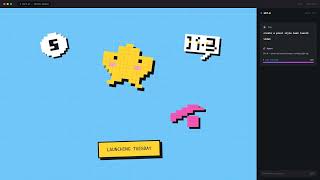
iArt.ai — Describe It. Watch It Move. AI Motion Graphics in Seconds.
iart. ai
Google I/O 2026 in 1min. Made with iart.ai
iart. ai
YouTube returned 6 videos for “iArt.ai”, and we withheld 4: 4 could not be judged, because “iArt.ai” is a single word that other videos use for other things. Showing the 2 we can prove are about iArt.ai.
Official links
Tools that pair well with iArt.ai
Common stack mates teams adopt alongside iArt.ai, with the specific reason each pairing earns its keep.

Invideo AI
Agentic AI video editor that applies one instruction across every shot on a multitrack timeline.

Wondershare Virbo
Wondershare Virbo turns a sentence, image, or link into a human-led product video with AI avatars and 80+ language voiceovers.

AirMusic
AirMusic turns a text prompt or your lyrics into an original song, then generates a matching music video in the same tab.
Featured Head-to-Head Comparisons
Iart Ai vs Landr Mastering
If you need motion graphics from text/assets, iArt.ai is your tool; if you need professional audio mastering, LANDR is the industry standard. Choose based on your primary creative need — video vs. audio.
Iart Ai vs Storyfile
iArt.ai and StoryFile serve completely different needs. iArt.ai is for anyone who needs rapid, professional motion graphics from text or assets—perfect for marketers, educators, and founders. StoryFile is for institutions and families wanting to create authentic, interactive video avatars of real people, as proven by its recent CNN digital twin and museum deployments. Choose iArt.ai for animated explainers and social content; choose StoryFile for legacy preservation and museum exhibits.
Iart Ai vs Splice
Splice meets the news-heavy fact that its Sounds Plugin (beta) now lives directly inside DAWs with MCP integration, making it irresistible for production workflows already in Ableton or Pro Tools. iArt.ai solves a completely different problem — turning words into vector motion graphics — but its lack of recent updates and higher starting price make it a narrower fit for non-animators only. Choose Splice if you make music; choose iArt if you need fast branded animations without touching After Effects.
Alternatives to iArt.ai
View all
Invideo AI
Agentic AI video editor that applies one instruction across every shot on a multitrack timeline.

Wondershare Virbo
Wondershare Virbo turns a sentence, image, or link into a human-led product video with AI avatars and 80+ language voiceovers.

Frequently Asked Questions
Categories
Best-of guides
Used iArt.ai? Help shape our editorial sentiment research.