
Kim Personal Health Assistant
Kim reads your labs and wearable data to tell you what your body needs each day.
Kim earns its place for people who already generate health data. The lab PDF intake, out-of-range flagging, and supplement stack optimizer that checks interactions against your bloodwork are the parts generic trackers don't do, and the magnesium-to-deep-sleep pattern example shows the analysis is genuinely cross-referencing your inputs rather than reciting generic advice. If you wear an Apple Watch, Oura, or Whoop and get bloodwork even once or twice a year, the daily action plan gives that data somewhere to go. If you don't track anything and want a simple calorie counter, Apple Health or Oura's own app will serve you at lower effort. Kim is a layer on top of your existing data, not a
Verified 5d ago · liveness 61/100 · cite: rightaichoice.com/tools/kim-personal-health-assistant
- Health optimizers already tracking wearables and labs
- Biohackers auditing supplement stacks
- People with chronic conditions needing lab trend analysis
- Fitness enthusiasts using sleep and recovery data
- People who don't wear a tracker or get bloodwork
- Anyone seeking medical diagnosis or prescriptions
- Android users (iOS-only app)
We scan live Reddit threads, YouTube comments, X posts, G2 reviews and other communities — and hand you an honest verdict in under a minute.
- Honest verdict, not marketing
- Real pros & cons from real users
- Attributed quotes with receipts
3 free scans · no card needed
Skip Kim if you don't wear a tracker, don't get bloodwork, and want a simple calorie counter — the daily plan and pattern detection only work on data you actually feed it.
Real value depends on paying for both a wearable subscription and recurring bloodwork, so Kim's own cost is only one line in the total.
Kim sits in the same spend bracket as other premium health-data subscriptions rather than free trackers: it is priced for someone already paying for a wearable and periodic bloodwork, not for a casual step-counter user. If your budget is zero, Apple Health or your wearable's own app covers basic tracking; Kim's value is the layer that connects labs, wearables, supplements, and food in one place.
In short
Kim Personal Health Assistant — Kim reads your labs and wearable data to tell you what your body needs each day. Best for Health optimizers already tracking wearables and labs, Biohackers auditing supplement stacks, People with chronic conditions needing lab trend analysis. Free to use.
What people actually say about Kim Personal Health Assistant — is it worth it?
We ran a structured research pass across product reviews, community discussions, and post-purchase forum threads to surface the patterns vendors won't publish themselves. Below: the recurring strengths, the hidden costs people mention most, and the cohort that consistently regrets adopting this tool.
8 mentions across 2 sources (Product Hunt, Lemmy) · researched Jul 2, 2026.
Average across the 2 sources that answered — each source counts once, not each post.
- +Promises real understanding from wearable and lab data.
- +'Less dashboard, more understanding' concept resonates well.
- +Integrates mood and energy logging for contextual insights.
- +Free to download on App Store — low barrier to try.
- +Aims to reduce health data overwhelm into daily action.
- −Info card scrolling broken — can't read full explanations.
- −Very early-stage with minimal user base for validation.
- −No public roadmap or update frequency shared.
- −Only available on iOS App Store so far.
- −Accuracy of supplement stack optimizer not demonstrated.
- • No Pro pricing details disclosed yet — may change
Viability Score
How well maintained and how widely used is Kim Personal Health Assistant? Built from what the vendor actually publishes (docs, changelog, tutorials, integrations, pricing), whether the site is live, and how much real users discuss it. How we calculate this
Last calculated: October 2026
How we score →Key Features
- Upload and interpret lab PDFs
- Flag out-of-range biomarkers with instant explanation
- Track biomarker trends across multiple tests
- Wearable data ingestion (HRV, sleep stages, activity)
- Daily personalized action plan with timed tasks
- Supplement stack optimizer checking interactions, timing, and gaps
- Weekly body report of what improved and what didn't
- Pattern detection across data sources (e.g., magnesium and deep sleep)
- Research-backed answers with cited web sources
- Answers personalized to your own labs and wearable data
- Optimal-range analysis versus standard lab ranges, by age and sex
- Nutrition and food logging
- Symptom logging
- Unified view of blood, sleep, food, and activity
- iOS mobile app
About Kim Personal Health Assistant
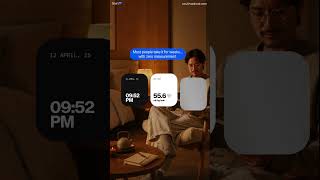
Kim is a personal health assistant app from Oculi Medical that connects your wearable and blood lab data and turns it into daily, specific guidance. You upload any lab PDF and Kim flags out-of-range markers, explains what each one means, and tracks how it trends across tests. It pulls HRV, sleep stages, and activity from connected wearables, then generates a daily action plan — the homepage shows examples like 'avoid intense training' after an 18% HRV drop and a deep-sleep reading of 14% — plus a weekly body report of what improved and what didn't. The supplement stack optimizer reviews your full stack for interactions, timing errors, and gaps against your bloodwork, and pattern detection surfaces things like magnesium logged 9 times correlating with 1h 42m average deep sleep versus 58 minutes on other nights. Answers to health, nutrition, and fitness questions are personalized to your own data and supported by cited web sources. Built for people who already track seriously — biohackers, health optimizers, and anyone confused by 'normal' lab ranges who wants to know whether they are actually optimal for their age, sex, and goals. It is an iOS app and does not replace a doctor.
Behind the Verdict
Kim's core bet is that the problem with health data isn't collection, it's connection. You already have HRV from a watch, sleep stages from a ring, and a lab PDF from your last physical sitting in three different places, none of which talk to each other. Kim's homepage is explicit about the framing: 'Normal isn't the same as optimal. Lab ranges say normal. Kim tells you if you're actually optimal for your age, sex, and goals.' That is a real distinction — reference ranges are population statistics, and a ferritin trending down across three consecutive tests can sit inside the range while still being worth acting on, which is exactly the example Kim shows. The strongest parts are concrete. Lab PDF upload with instant explanation of flagged markers, and trend tracking across tests, is the feature set that separates this from a chatbot you paste numbers into. The supplement stack optimizer checks your whole stack for interactions, timing errors, and gaps based on your bloodwork and wearable data — supplement timing and interaction checking is something most people do by memory or not at all. Pattern detection is where the product gets interesting: Kim shows a logged example where magnesium was logged 9 times and deep sleep averaged 1h 42m on those nights versus 58 minutes on others. That's the kind of correlation you cannot see by scrolling a dashboard, and it demonstrates the app is actually analyzing across data sources rather than summarizing one. The daily output is deliberately small. The action plan shown on the homepage is a short task list — morning walk, hydration target, deep work block, stretch routine, plan tomorrow — plus an insight card telling you to avoid intense training after an HRV drop. That restraint matters for adherence; a wall of metrics gets ignored. The weekly body report is the counterweight, summarizing what improved and what to change next week. Where Kim is honest about its own limits: it needs input. The FAQ states you don't need bloodwork to start — wearable data, food logs, symptoms, or just questions work — but bloodwork unlocks deeper insights. So the depth you get out is proportional to what you put in. Someone who logs inconsistently will get thinner pattern detection because correlations need repeated observations. It's also iOS-only, which rules out Android users entirely, and it is explicitly not a diagnostic or prescription tool — the FAQ addresses whether it replaces your doctor directly. Where it fits: people with a wearable they actually wear, who get periodic bloodwork and want to understand it, and who are managing something worth watching over time — supplement stacks, training recovery, or a chronic condition where trend analysis across tests is more useful than any single reading. Where it doesn't: casual users who want calorie counting, anyone who won't connect a wearable or upload a lab, Android users, and anyone looking for medical advice rather than data interpretation. Treat Kim as a reading
Researching Kim Personal Health Assistant? Get your full AI stack in 60 seconds.
Free, no signup — tell us your goal and get tools matched to your budget & existing stack.
Real-world workflow fit
Concrete scenarios for the personas Kim Personal Health Assistant actually fits — and what changes day-one when you adopt it.
Uploads the latest lab PDF, reviews the flagged markers and their explanations, connects Oura, and checks the daily action plan each morning against last night's HRV and deep-sleep percentage.
Outcome: Out-of-range and drifting markers get explained in context, and training load adjusts day to day instead of following a fixed plan.
Enters every supplement into the stack optimizer, which cross-checks the full stack for interactions, timing errors, and gaps against uploaded bloodwork and wearable data.
Outcome: Redundant or mistimed supplements surface alongside biomarker gaps, giving a concrete list of what to change rather than a guess.
Logs meals and symptoms, connects an Apple Watch, and reviews the weekly body report to track whether a marker like ferritin is trending up or down across consecutive tests.
Outcome: Multi-test trends are visible in one place, providing a clearer picture to bring to a doctor's appointment.
Use Cases
- Upload a lab PDF and get plain-language explanations of every flagged marker.
- See how last night's HRV and deep-sleep percentage should change today's training.
- Have your full supplement stack checked for interactions and timing errors against your bloodwork.
- Review the weekly body report to see which biomarkers improved and what to adjust next.
- Ask a nutrition or fitness question and get an answer grounded in your own logged data and cited research.
- Track ferritin or another marker across three or more tests to catch a trend before it leaves range.
Limitations
- Kim only works with what you give it — the FAQ is explicit that bloodwork isn't required to start, but bloodwork unlocks the deeper insights, and pattern detection needs repeated logging to find anything.
- If you sync inconsistently, the correlations thin out.
- The app is iOS-only, so Android users are excluded for now.
- It is not a diagnostic tool and does not manage prescriptions or replace your doctor; it interprets the data you already have.
- Recommendations are tied to the quality and frequency of your synced wearable and lab data, so someone who buys a ring and never wears it will get little from Kim.
as of 2026-10-02
Verification history
We have re-verified Kim Personal Health Assistant 8 times since . Each pass re-reads the vendor's own pages and re-checks every listed field against that evidence; passes where nothing had changed are marked as such.
- — re-checked, vendor evidence unchanged
- — re-checked, vendor evidence unchanged
- — re-checked, vendor evidence unchanged
- — re-checked, vendor evidence unchanged
- — re-checked, vendor evidence unchanged
- — re-verified summary, description, our verdict, our analysis, pricing model, pricing tiers, features, integrations, who it suits, who should skip it
Showing the 6 most recent of 8 verification passes.
Free to cite with attribution — this page re-verifies continuously.
Where the pricing makes sense
The company stage and team size where Kim Personal Health Assistant's pricing actually pencils out — and where peers do it cheaper.
Kim sits in the same spend bracket as other premium health-data subscriptions rather than free trackers: it is priced for someone already paying for a wearable and periodic bloodwork, not for a casual step-counter user. If your budget is zero, Apple Health or your wearable's own app covers basic tracking; Kim's value is the layer that connects labs, wearables, supplements, and food in one place.
Setup time & first value
How long it actually takes to get something useful out of Kim Personal Health Assistant — broken out by persona, not the marketing-page minute.
If you already have a lab PDF and a wearable, expect roughly 10-15 minutes to upload the labs and connect Apple Watch, Oura, or Whoop before your first action plan appears. Food logging and symptom tracking build up over the first week; meaningful pattern detection like the magnesium and deep-sleep correlation needs several weeks of consistent entries. Without bloodwork, you can start with
Switching to or from Kim Personal Health Assistant
How to bring data in from common predecessors and how to get it back out — written for the switcher, not the buyer.
- →From Apple Health: connect your Apple Watch to Kim and add lab PDFs for the biomarker layer Apple Health doesn't interpret.
- →From Oura: keep the ring and let Kim read the same HRV and sleep-stage data alongside your bloodwork.
- →From Whoop: connect the strap so recovery and sleep data feed Kim's daily plan and weekly report.
- →From a spreadsheet of lab results: upload the original PDFs so Kim can flag, explain, and trend each marker.
- →From manual supplement tracking in notes: enter the stack once into the optimizer to get interaction and gap checks.
- ↗To Apple Health: export or re-enter activity and sleep manually, but you lose lab interpretation and pattern detection.
- ↗To Oura's own app: keep sleep and readiness scores, but lose bloodwork flagging and the supplement optimizer.
- ↗To a spreadsheet: manually record biomarker values from each lab report, without automatic trending or cited explanations.
Integrations
Resources & Guides
Tutorials & Learning

Official links
Tools that pair well with Kim Personal Health Assistant
Common stack mates teams adopt alongside Kim Personal Health Assistant, with the specific reason each pairing earns its keep.

Microsoft Copilot Health
A secure space inside Microsoft Copilot that turns your health records, wearables, and labs into one explained health profile.

Flatiron Health
Oncology real-world evidence platform turning patient data into AI-assisted cancer research insights.

Nori
Nori is an AI health advisor that unifies your wearables and labs, then tells you what to focus on today and why.
Featured Head-to-Head Comparisons
Kim Personal Health Assistant vs Rapidsos
If you run a 911 center or enterprise safety program, RapidSOS is the clear choice — its AI Assistant and Live Video capabilities are directly embedded in emergency infrastructure. For individuals obsessed with optimizing health through wearables and lab data, Kim delivers personalized daily insights that no other consumer app offers. These tools solve completely different problems; pick based on whether you need to save lives at scale or improve your own biometrics.
Kim Personal Health Assistant vs Isomorphic Labs
Kim and Isomorphic Labs serve completely different markets: Kim is a consumer health assistant for individuals tracking biomarkers; Isomorphic Labs is an enterprise AI drug discovery engine for pharma. Choose Kim if you want to optimize your personal health with wearable and lab data; choose Isomorphic Labs only if you're a large pharma company seeking a long-term drug development partner. They are not substitutes.
Kim Personal Health Assistant vs Codametrix
These are complementary tools with zero overlap. Choose CodaMetrix if you lead revenue cycle at a large health system needing to cut coding costs by 30% and denials by 60% with enterprise EHR integration. Choose Kim Personal Health Assistant if you're an individual tracking wearables and labs for daily health optimization and supplement fine-tuning.
Alternatives to Kim Personal Health Assistant
View all
Microsoft Copilot Health
A secure space inside Microsoft Copilot that turns your health records, wearables, and labs into one explained health profile.

Flatiron Health
Oncology real-world evidence platform turning patient data into AI-assisted cancer research insights.

Frequently Asked Questions
Categories
Best-of guides
Topics
Used Kim Personal Health Assistant? Help shape our editorial sentiment research.