Klap
AI video repurposing: turn long videos into TikTok, Reels, Shorts
Klap is a smart, budget-friendly pick for repurposing talking-head videos into ready-to-post shorts, with strong auto-reframing and caption tools. The AI highlight selection may miss subtle moments, so review clips before posting. For action-heavy or visual-only content, look elsewhere. Compared to Opus Clip, Klap offers a lower entry price and unlimited social accounts on every plan, which suits solo creators and small teams. If you need frame-perfect control, consider manual editing.
Verified 21h ago · liveness 76/100 · cite: rightaichoice.com/tools/klap
- YouTube creators repurposing long videos into Shorts, Reels, and TikTok clips
- Podcasters turning episode highlights into shareable social media clips
- Educators and course creators extracting key moments from lectures and tutorials
- Social media managers scheduling daily short-form content without manual editing
- Action-heavy or visual-only videos that lack dialogue
- Cinematic projects that require frame-perfect manual editing control
- Users who need to create unlimited clips for free
We scan live Reddit threads, YouTube comments, X posts, G2 reviews and other communities — and hand you an honest verdict in under a minute.
- Honest verdict, not marketing
- Real pros & cons from real users
- Attributed quotes with receipts
3 free scans · no card needed
Skip Klap if you edit action-heavy or visual-only videos with little dialogue, need frame-perfect manual control, or expect to create unlimited clips on a free tier.
The free tier only lets you create one video's worth of clips, so you'll need a paid plan for regular use.
Klap's pricing fits solo creators and small teams willing to pay $14-94/mo for clip quotas, which undercuts Opus Clip's typical entry point while offering unlimited social accounts. Compare with 2short or Submagic for similar features at different price points.
In short
Klap — AI video repurposing: turn long videos into TikTok, Reels, Shorts. Best for YouTube creators repurposing long videos into Shorts, Reels, and TikTok clips, Podcasters turning episode highlights into shareable social media clips, Educators and course creators extracting key moments from lectures and tutorials. Free to start; paid plans from $14/mo.
Viability Score
How well maintained and how widely used is Klap? Built from what the vendor actually publishes (docs, changelog, tutorials, integrations, pricing), whether the site is live, and how much real users discuss it. How we calculate this
Last calculated: September 2026
How we score →Key Features
- AI topic extraction from long videos
- AI Reframe 2 with layouts (Split Screen, Screencast, Gaming)
- Dynamic captions in 52 languages
- AI dubbing in 29 languages
- Viral score prediction for each clip
- Customizable fonts, colors, logos, and framing
- Direct publishing and scheduling to TikTok, YouTube, Instagram, LinkedIn
- AI-generated caption and thumbnail suggestions
- High-resolution export up to 4K
- Upload via YouTube link or file upload
- API access with docs
- Unlimited social accounts on all plans
- Analytics for clip performance
- Supports videos up to 2 hours 49 minutes
About Klap
Klap is an AI video clipping tool that repurposes long-form videos into vertical shorts for TikTok, Instagram Reels, and YouTube Shorts. It’s built for talking-head content—podcasts, interviews, educational videos, product reviews, and trainings—where speech drives the action. The workflow is simple: paste a YouTube link or upload a file, and Klap’s AI extracts the most engaging topics, reframes the footage, and adds dynamic captions. The new AI Reframe 2 analyzes scenes and applies smart layouts—Split Screen, Screencast, Gaming, and more—so multi-pane or screen-recorded content stays coherent in vertical format. Dynamic captions support 52 languages, and AI dubbing is available in 29 languages, making content accessible to global audiences. Beyond clipping, Klap provides a viral score for each clip, AI-generated caption suggestions, custom branding (fonts, colors, logos), thumbnail generation, and 4K export. You can publish and schedule clips directly to TikTok, YouTube, Instagram, and LinkedIn, all within the tool. All paid plans include unlimited social accounts and analytics, and the API is available for developers who want to automate workflows. Klap positions itself as a one-click alternative to manual editing or services like Opus Clip, Munch, and Submagic, with a lower entry price and a generous free trial. It’s not ideal for action-heavy or visual-only videos because the algorithm relies heavily on speech detection. For creators and teams who publish short-form content daily, Klap aims to save hours of editing time and keep a consistent posting cadence.
Behind the Verdict
Klap shines at one thing: turning dialogue-heavy long videos into a steady stream of vertical clips without manual editing. It's a genuine time-saver for podcasters, YouTubers, and social media managers who need to post daily but can't afford hours in an editor. The AI topic extraction is surprisingly good at finding quotable moments, and AI Reframe 2 handles multi-pane layouts (Split Screen, Screencast, Gaming) better than most rivals. Dynamic captions in 52 languages and dubbing in 29 make it easy to localize content. The viral score is a handy gut-check, though not gospel. Weaknesses: the free tier only lets you generate one video's worth of clips—enough to taste-test, not enough to run a channel. The clip quota system means you're paying per output, so heavy users will hit higher tiers quickly. AI selection can miss context or pick moments that need manual trimming; the editing tools are basic, not a replacement for a full NLE. Caption accuracy drops with heavy accents or technical jargon, and dubbing can flatten vocal energy. Also, it's useless for visual-only or action-heavy content—no speech, no clips. Where it fits: solo creators weighing a $14-39/mo subscription against hours of editing time, and small teams that want a simple workflow with direct publishing to TikTok, Instagram, YouTube, LinkedIn. Where it doesn't: studios that need precise manual control, teams that need deep collaboration (no advanced multi-user features), or anyone hoping to clip gameplay streams without commentary.
Researching Klap? Get your full AI stack in 60 seconds.
Free, no signup — tell us your goal and get tools matched to your budget & existing stack.
Real-world workflow fit
Concrete scenarios for the personas Klap actually fits — and what changes day-one when you adopt it.
After recording a 1-hour podcast, paste the YouTube link into Klap, wait for clips to generate, review and customize captions, then publish 5 clips directly to TikTok and Instagram.
Outcome: Saves hours of manual clipping and editing; consistent daily posting without touching a video editor.
Upload a 20-minute product review video, let Klap extract key talking points, select top-scored clips, adjust branding, and schedule Reels and Shorts for the week.
Outcome: Turns one video into multiple social posts, expanding reach and driving more traffic back to YouTube.
Use Klap's API to automate clip generation from weekly webinar recordings, then schedule clips across client accounts with custom captions and thumbnails.
Outcome: Streamlines content pipeline for multiple clients; frees up time for strategy and engagement.
Use Cases
- Turn a weekly 60-minute podcast episode into 10 captioned vertical clips for TikTok and Reels.
- Repurpose conference talks and webinars into a YouTube Shorts library.
- Translate a long English video into Spanish or Hindi shorts using AI dubbing.
- Bulk-process a backlog of long-form interviews into a content calendar.
- Schedule clips across TikTok, Instagram, and LinkedIn in advance.
Limitations
- Klap's pricing is based on monthly clip quotas, with paid tiers starting at 100 clips per month; a free tier is available with no credit card required.
- The tool is designed for repurposing long videos into short clips for social media, and requires a video link or file upload.
- AI features include reframing, captions, and viral score prediction, but accuracy may vary depending on content.
as of 2026-08-29
Verification history
We have re-verified Klap 20 times since . Each pass re-reads the vendor's own pages and re-checks every listed field against that evidence; passes where nothing had changed are marked as such.
- — re-checked, vendor evidence unchanged
- — re-verified summary, description, our verdict, our analysis, pricing model, pricing tiers, features, integrations, who it suits, who should skip it
- — re-verified summary, description, our verdict, our analysis, pricing model, pricing tiers, features, integrations, who it suits, who should skip it
- — re-verified summary, description, our verdict, our analysis, pricing model, pricing tiers, features, integrations, who it suits, who should skip it
- — re-verified summary, description, our verdict, our analysis, pricing model, pricing tiers, features, integrations, who it suits, who should skip it
- — re-verified summary, description, our verdict, our analysis, pricing model, pricing tiers, features, integrations, who it suits, who should skip it
Showing the 6 most recent of 20 verification passes.
Free to cite with attribution — this page re-verifies continuously.
12-month cost
Project the real annual outlay, including the implied monthly cost when only an annual tier is published.
Vendor list price only. Add-on usage, seat overages, and contract minimums are surfaced under Hidden costs & gotchas.
Plans compared
For each published Klap tier: who it actually fits, and what it adds vs. the previous tier. Cross-reference the cost calculator above for projected annual outlay.
Free
$0/mo
Ideal for
Solo creators exploring Klap to test if AI clipping suits their workflow before committing to a paid plan.
What this tier adds
Starting tier with 1 video creation trial, AI clipping, unlimited social accounts, and analytics.
Basic
$14/mo (billed yearly)
Ideal for
Individual creators with a light posting schedule who need more than one video and are comfortable with yearly billing.
What this tier adds
Adds 100 clips/month for $14/mo (yearly), suitable for casual use without full automation.
Pro
$39/mo (billed yearly)
Ideal for
Professional creators and small teams publishing daily who need 300 clips/month and unlimited social accounts.
What this tier adds
Increases quota to 300 clips/month at $39/mo (yearly), the sweet spot for regular posting.
Pro+
$94/mo (billed yearly)
Ideal for
Teams and high-volume creators managing multiple channels or clients, needing 1000 clips/month.
What this tier adds
Top-tier at $94/mo (yearly) with 1000 clips, ideal for bulk repurposing and API workflows.
Where the pricing makes sense
The company stage and team size where Klap's pricing actually pencils out — and where peers do it cheaper.
Klap's pricing fits solo creators and small teams willing to pay $14-94/mo for clip quotas, which undercuts Opus Clip's typical entry point while offering unlimited social accounts. Compare with 2short or Submagic for similar features at different price points.
Setup time & first value
How long it actually takes to get something useful out of Klap — broken out by persona, not the marketing-page minute.
Upload a video and get clips within minutes; most users see first drafts in under 10 minutes. Expect 15-30 minutes to configure branding and review clips for the first time.
Switching to or from Klap
How to bring data in from common predecessors and how to get it back out — written for the switcher, not the buyer.
- →From Opus Clip: Export your long-form videos as YouTube links, paste into Klap, and use AI Reframe 2 for layouts.
- →From manual editing: Upload your source footage, let Klap generate rough clips, then refine captions and branding.
- ↗To Opus Clip: Klap exports standard video files that can be re-edited in any NLE or repurposed elsewhere.
- ↗To Descript or other editors: Download your clips from Klap and import them into your preferred editor for further refinement.
Integrations
Resources & Guides
- Resourceklap.app
Blog for Video Content Creators
Explore Klap's blog for the latest insights and tips tailored for video content creators looking to enhance their craft and reach.
- Resourcediscord.gg
Discord - Group Chat That’s All Fun & Games
Discord is great for playing games and chilling with friends, or even building a worldwide community. Customize your own space to talk, play, and hang out.
Tutorials & Learning

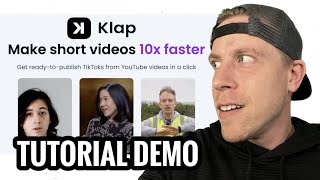
YouTube returned 6 videos for “Klap”, and we withheld 4: 4 could not be judged, because “Klap” is a single word that other videos use for other things. Showing the 2 we can prove are about Klap.
Official links
Tools that pair well with Klap
Common stack mates teams adopt alongside Klap, with the specific reason each pairing earns its keep.

Instories
AI Stories Maker and AI Shorts turn prompts and long videos into ready-to-post stories and reels in minutes

Vexub
AI faceless video generator: turn text, MP3, or SMS into TikTok, YouTube Shorts & Reels in minutes

OpusClip
Turn long videos into viral shorts with AI clipping, captions, and reframing.
Alternatives to Klap
View all


Frequently Asked Questions
Best-of guides
Topics
Used Klap? Help shape our editorial sentiment research.