
Komiko
Komiko AI is a browser-based AI anime studio for image generation, anime video, OC design, manga comics, and character chat in one Zap-credit account.
Komiko AI is a genuinely useful anime and manga studio if you want many models plus a comic pipeline in one browser tab. The $9.99/mo Starter plan (5,000 Zaps, up to 800 images or 40 videos, no watermark) is cheap for the breadth, and the model list includes named engines like Wan 2.7, Veo 3.1, Vidu Q2, Kling 2.1, Midjourney, and NoobAI XL. Compare that with stacking Midjourney plus Runway plus a separate colorizer. The catch is strategic rather than technical: the vendor directs creators to WorldOS, and the site states Komiko's journey is coming to an end. Budget for the work you have now, not a decade-long workflow.
Verified 9d ago · liveness 69/100 · cite: rightaichoice.com/tools/komiko
- Anime and manga artists who want image generation, colorization, and comic pages in one browser tab
- Character designers building OCs who need multi-reference consistency via the OC Maker
- Creators who need anime-style text-to-video and effects without stacking several subscriptions
- Hobbyists testing many AI models cheaply using the 500 signup Zaps and free daily Zaps
- Photorealistic image or video work — the tooling is tuned for anime and manga aesthetics
- Professional video editing that needs a timeline, multi-track, or manual cutting
- Anyone who wants the vendor's full future roadmap in one product — the push is toward WorldOS
We scan live Reddit threads, YouTube comments, X posts, G2 reviews and other communities — and hand you an honest verdict in under a minute.
- Honest verdict, not marketing
- Real pros & cons from real users
- Attributed quotes with receipts
3 free scans · no card needed
Skip Komiko AI if you need photoreal output or a real editing timeline, or if you want to build a long-term workflow on a platform the vendor is winding down in favor of WorldOS.
Unused Zaps do not roll over — anything left at the end of a billing cycle is lost, so a quiet month still costs you the full plan price.
The $9.99/mo Starter tier with 5,000 Zaps undercuts stacking a general image generator plus a video model plus a colorizer, and $49.99/mo Premium with 50,000 Zaps and 10 parallel video generations fits a small studio with steady output. Annual billing cuts about 17%. Above that, the custom Enterprise tier is quote-based. Compare against photoreal-focused general tools, where a comparable mix of image and video credits usually costs more per month.
In short
Komiko — Komiko AI is a browser-based AI anime studio for image generation, anime video, OC design, manga comics, and character chat in one Zap-credit account. Best for Anime and manga artists who want image generation, colorization, and comic pages in one browser tab, Character designers building OCs who need multi-reference consistency via the OC Maker, Creators who need anime-style text-to-video and effects without stacking several subscriptions. Free to start; paid plans from $9.99/mo.
What people actually say about Komiko — is it worth it?
We ran a structured research pass across product reviews, community discussions, and post-purchase forum threads to surface the patterns vendors won't publish themselves. Below: the recurring strengths, the hidden costs people mention most, and the cohort that consistently regrets adopting this tool.
32 mentions across 3 sources (Hacker News, YouTube, Product Hunt) · researched Aug 13, 2026.
Average across the 3 sources that answered — each source counts once, not each post.
- +Aggregates 20+ models in one interface, saving subscription costs
- +Generous free tier: 500 Zaps and daily login rewards
- +Anime-specific tools like OC Maker and chibi effects are unique
- +Browser-based with mobile support, no heavy install
- +Active community events like AniGen competition
- −No rollover on Zaps wastes unused credits
- −Not suitable for photorealistic or general content
- −Ethical criticism from artists over AI animation
- −Limited community reviews make reliability uncertain
- −Fewer advanced controls than specialized tools like Midjourney
- • Zaps do not roll over, so unused credits expire
- • Heavy usage may deplete credits quickly, pushing upgrades
Viability Score
How well maintained and how widely used is Komiko? Built from what the vendor actually publishes (docs, changelog, tutorials, integrations, pricing), whether the site is live, and how much real users discuss it. How we calculate this
Last calculated: October 2026
How we score →Key Features
- Art Max text-to-image anime art generation with 20+ styles
- Text-to-video anime clip generation from a prompt or a single image
- Model picker spanning 30+ engines including Gemini, NoobAI XL, GPT-4o, Midjourney, Kling 2.1, Veo 3.1, Wan 2.7, Vidu Q2, Luma Ray, Hailuo AI, PixVerse AI, Magi-1, Marey, AniSora, Seedance, Qwen Image
- OC Maker with multi-reference image support for consistent original characters
- Line Art Colorization and Sketch Simplification for rough drawings
- Comics Canvas and AI Comic Generator that turn a script into manga pages
- Character Chat roleplay with thousands of characters
- Text to Speech with an anime-style voice
- Komiko Agent for creating art and video by chatting
- Video to Video anime conversion
- AI Dance Video Generator and one-tap viral AI Effects templates
- AI Talking Head video generation
- In-betweening, Frame Interpolation, and Layer Splitter
- Background Removal, Image Upscaling, Video Upscaling, and Image Relighting
- Studio Ghibli AI filter, Anime AI Filter, and Nano Banana 2 AI Expression Changer
About Komiko
Komiko AI (KomikoAI) is a browser-based AI anime studio that puts image generation, anime video, original-character design, manga comics, text-to-speech, and character chat in one interface. Instead of stacking subscriptions to a general image generator, a video model, and a colorizer, you work inside a single Zap-credit account. Art Max turns a prompt into anime art across 20+ styles, the OC Maker builds original characters with multi-reference image support for continuity, Line Art Colorization and Sketch Simplification clean up rough drawings, and Comic Canvas plus the AI Comic Generator turn a script into manga pages. On the motion side the toolset covers text-to-video, video-to-video anime conversion, AI talking head, dance video, in-betweening, frame interpolation, video upscaling, and a layer splitter. Komiko Agent creates art and video from a chat, and Text to Speech voices lines with an anime-style voice. The model picker spans Gemini, NoobAI XL, GPT-4o, Midjourney, Kling 2.1 and 1.6, Veo 2 / Veo 3.1, Wan 2.1 through 2.7, Vidu Q1 and Q2, Luma Ray, Hailuo AI, PixVerse AI, Magi-1, Marey, AniSora, Seedance, Qwen Image Edit, Nano Banana 2, and Runway Aleph. The interface ships in 14 languages. Komiko AI is aimed at anime and manga artists, OC and character designers, and creators who need short anime clips without assembling several subscriptions. It is not a photoreal or timeline-based editing tool. Note that the vendor is steering users toward WorldOS to turn characters into playable worlds, so treat Komiko AI as a capable tool for current work rather than a decade-long platform bet.
Behind the Verdict
Komiko AI's real differentiator is breadth inside a narrow aesthetic. A single credit pool covers illustration (Art Max with 20+ styles, Image Playground, Line Art Colorization, Sketch Simplification, Background Removal, Image Upscaling, Image Relighting, AI Action Figure, Character Sheet, and Doll generators), animation (AI Animation Generator, AI Talking Head, Video to Video, In-betweening, Layer Splitter, Video Upscaling, Frame Interpolation, AI Dance Video, Text to Video), and comics (Comics Canvas and the AI Comic Generator). The OC Maker with multi-reference support is the feature that matters most for character continuity: you keep a character on-model across panels and clips rather than re-rolling until the face matches. Because it routes prompts across engines such as Gemini, NoobAI XL, GPT-4o, Midjourney, Kling 2.1, Veo 3.1, Wan 2.7, Vidu Q2, Luma Ray, Hailuo AI, PixVerse AI, Magi-1, Marey, AniSora, Seedance, and Runway Aleph, you can test which engine suits a shot without opening a second account. Text to Speech and Character Chat extend the same characters into voiced lines and roleplay, which is unusual for a generation tool. The weaknesses are equally concrete. Everything is metered in Zaps, unused Zaps do not roll over, and when they run out the AI tools are limited until the next cycle. Upgrades are only supported from the free plan to a paid plan; moving between paid plans requires contacting support through Discord, and the published FAQ states no refunds for partial months. There is no timeline or multi-track editing, so it cannot substitute for a real video editor. And the most important caveat is not technical: the site states Komiko's journey is coming to an end and directs users to continue on WorldOS, with new web subscription purchases currently closed while existing subscribers manage active plans. Read that as a sign to use Komiko AI for the anime work in front of you, not to build infrastructure on it.
Researching Komiko? Get your full AI stack in 60 seconds.
Free, no signup — tell us your goal and get tools matched to your budget & existing stack.
Real-world workflow fit
Concrete scenarios for the personas Komiko actually fits — and what changes day-one when you adopt it.
You sketch a character, upload the scan, run Sketch Simplification and Line Art Colorization, then feed the cleaned art into the OC Maker to lock the design with multi-reference images.
Outcome: A colored, on-model character sheet you can reuse across panels without redrawing the face each time.
You write a short script in Comics Canvas, then take the finished panels into Text to Video and the AI Dance Video Generator for a looped clip.
Outcome: A multi-panel manga page plus a short anime clip for social media, all drawn from the same Zap balance.
You build a new OC in the OC Maker, generate a character sheet and an action figure render, then use Text to Speech and Character Chat to give the character a voice and a personality test.
Outcome: A packaged character with reference art, a sheet, and voiced dialogue lines ready to pitch or publish.
Use Cases
- Build an original anime character in the OC Maker with multi-reference images so the face stays on-model across panels
- Turn a written script into a multi-page manga using Comics Canvas and the AI Comic Generator
- Convert live-action footage into anime-style animation with Video to Video
- Colorize black-and-white line art automatically instead of painting flats by hand
- Produce short anime clips or GIFs for social media with Text to Video and AI Dance Video
- Generate a character sheet, action figure, or doll from a finished design for a game or comic project
- Apply the Studio Ghibli AI filter or another one-tap effect to a photo or existing artwork
Models Under the Hood
as of 2026-10-08
Limitations
- Komiko's journey is coming to an end; the site directs users to continue on WorldOS, and new web subscription purchases are currently closed while existing subscribers can still manage their active subscription.
- Usage is metered by Zaps, which do not roll over to the next month and refresh at the start of each billing cycle.
- When Zaps run out, AI tools including image and video generation are limited, though you can still claim free Daily Zaps.
- Upgrading is only allowed from the free plan to paid plans; upgrades between paid plans are not supported and require contacting support through Discord, and no refunds are offered for partial months.
- Daily Zaps (80 on Free, 100 on Starter, 120 on Plus, 160 on Premium) are spent first but expire at midnight in your local time.
as of 2026-09-29
Verification history
We have re-verified Komiko 8 times since . Each pass re-reads the vendor's own pages and re-checks every listed field against that evidence; passes where nothing had changed are marked as such.
- — re-verified summary, description, our verdict, our analysis, pricing model, pricing tiers, features, integrations, who it suits, who should skip it
- — re-verified summary, description, our verdict, our analysis, pricing model, pricing tiers, features, integrations, who it suits, who should skip it
- — re-verified summary, description, our verdict, our analysis, pricing model, pricing tiers, features, integrations, who it suits, who should skip it
- — re-verified summary, description, our verdict, our analysis, pricing model, pricing tiers, features, integrations, who it suits, who should skip it
- — re-verified summary, description, our verdict, our analysis, pricing model, pricing tiers, features, integrations, who it suits, who should skip it
- — re-verified summary, description, our verdict, our analysis, pricing model, pricing tiers, features, integrations, who it suits, who should skip it
Showing the 6 most recent of 8 verification passes.
Free to cite with attribution — this page re-verifies continuously.
12-month cost
Project the real annual outlay, including the implied monthly cost when only an annual tier is published.
Vendor list price only. Add-on usage, seat overages, and contract minimums are surfaced under Hidden costs & gotchas.
Plans compared
For each published Komiko tier: who it actually fits, and what it adds vs. the previous tier. Cross-reference the cost calculator above for projected annual outlay.
Free
$0/mo
Ideal for
Hobbyists and first-time users who want to test Art Max, the OC Maker, and video generation before paying anything.
What this tier adds
Starting tier: 500 free signup Zaps plus 80 free Daily Zaps that expire at local midnight, with access to all tools.
Starter
$9.99/mo
Ideal for
Solo anime or manga creator producing up to roughly 800 images or 40 videos a month.
What this tier adds
Adds 5,000 Zaps per month, 100 daily Zaps, 3 parallel video generations, no watermark, and multi-reference image support.
Plus
$19.99/mo
Ideal for
Regular creator or small commission artist who needs more volume and faster parallel video renders.
What this tier adds
Raises the pool to 15,000 Zaps per month and 120 daily Zaps, up to 1,860 images or 93 videos, 5 parallel video generations, 1 Shop Ticket, and early access to new features.
Premium
$49.99/mo
Ideal for
Small teams or prolific studios running a steady pipeline of anime art and video.
What this tier adds
Raises the pool to 50,000 Zaps per month and 160 daily Zaps, up to 5,480 images or 274 videos, 10 parallel video generations, and 2 Shop Tickets.
Enterprise
Custom
Ideal for
Organizations needing custom Zap volumes, custom limits, and priority support at a negotiated price.
What this tier adds
Top tier: custom Zap amount, custom features and limits, and priority customer support, sold by contact sales rather than as a published rate.
Where the pricing makes sense
The company stage and team size where Komiko's pricing actually pencils out — and where peers do it cheaper.
The $9.99/mo Starter tier with 5,000 Zaps undercuts stacking a general image generator plus a video model plus a colorizer, and $49.99/mo Premium with 50,000 Zaps and 10 parallel video generations fits a small studio with steady output. Annual billing cuts about 17%. Above that, the custom Enterprise tier is quote-based. Compare against photoreal-focused general tools, where a comparable mix of image and video credits usually costs more per month.
Setup time & first value
How long it actually takes to get something useful out of Komiko — broken out by persona, not the marketing-page minute.
You can open a free account and generate your first anime image in under five minutes — there is nothing to install. Getting to first useful output with the OC Maker or Comics Canvas takes longer, maybe 20 to 30 minutes, because you need reference images and a script. Video-to-video conversion takes the most setup since you must prepare source footage first.
Switching to or from Komiko
How to bring data in from common predecessors and how to get it back out — written for the switcher, not the buyer.
- →From Midjourney: recreate your anime prompts in Art Max, then use the model picker to route specific shots to Midjourney or NoobAI XL.
- →From Runway: move your anime clips to Text to Video and Video to Video, and use In-betweening and Frame Interpolation for smoother motion.
- →From a standalone colorizer: replace it with Line Art Colorization and Sketch Simplification inside the same toolset.
- →From a script-to-comic workflow: paste your script into Comics Canvas or the AI Comic Generator instead of laying out pages manually.
- ↗To WorldOS: continue your Komiko AI characters and stories there, which the vendor explicitly directs users toward as Komiko winds down.
- ↗To a general video model: export your Komiko AI anime clips and re-render motion in a non-anime-focused video tool if you need photoreal output.
- ↗To a dedicated editor: take generated panels and clips into a timeline-based editor when you need multi-track cutting Komiko AI does not provide.
Resources & Guides
Tutorials & Learning
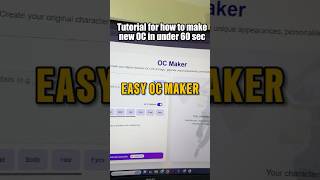
YouTube returned 5 videos for “Komiko”, and we withheld 4: 4 could not be judged, because “Komiko” is a single word that other videos use for other things. Showing the 1 we can prove is about Komiko.
Official links
Tools that pair well with Komiko
Common stack mates teams adopt alongside Komiko, with the specific reason each pairing earns its keep.

Runway Gen-4
Runway Gen-4: AI video generation and frame-level editing in one credit-based studio, now with plugin access inside Adobe, Resolve and MCP agents.

SeaArt.AI
SeaArt AI turns text prompts into AI images, videos, and character chat in one browser tab

Vidu AI
Vidu AI generates character-consistent video from text, images, and reference clips — anime and 2D animation are its specialty.
Featured Head-to-Head Comparisons
Komiko vs Splice
Splice wins for music producers who want a vast royalty-free sample library with flexible credit plans and the ability to rent-to-own premium plugins like Serum 2, now enhanced with a DAW plugin beta and MCP integration. Komiko is the better choice for artists focused exclusively on anime/comic creation with AI-powered tools like OC Maker and animation, but lacks music production features. Your pick depends on creative medium: music vs. anime/illustration.
Komiko vs The New Black
Choose The New Black if you're a fashion brand needing production-ready designs with tech packs and virtual try-on. Choose Komiko if you're creating anime-style art, comics, or animations with a wide range of AI models. They serve different creative domains.
Komiko vs Storyfile
StoryFile is the clear choice for museums, legacy projects, and organizations needing authentic, interactive video avatars from real people—proven by notable deployments at the National WWII Museum and CNN. Komiko is better for individuals and creators who want to generate anime-style art and animations quickly and affordably. Choose based on whether your priority is historical accuracy or creative flexibility.
Alternatives to Komiko
View all
Runway Gen-4
Runway Gen-4: AI video generation and frame-level editing in one credit-based studio, now with plugin access inside Adobe, Resolve and MCP agents.


Frequently Asked Questions
Used Komiko? Help shape our editorial sentiment research.