Luma AI Genie
Luma Genie: AI agents that generate and refine brand-consistent video, image, and audio
Pick Luma when brand consistency across dozens of assets outweighs per-clip cost. Uni-1's reference system and Skills reruns are why agencies stay, and Ray 3.2's frame-level control plus HDR/EXR finishing sits above prompt-to-clip generators. Watch the meter: Ray3.2 1080p text-to-video runs 400 credits per five seconds, HDR costs 2x base, and HDR+EXR 3x.
Verified 31m ago · liveness 75/100 · cite: rightaichoice.com/tools/luma-ai-genie
- Creative agencies producing brand-consistent video ad variants at volume
- In-house marketing teams that need multiple campaign directions before a morning standup
- Content studios that want cinematic finishing with directorial camera control
- Enterprise teams needing shared credits, SSO, and usage analytics across a creative org
- Casual users who want a free, simple text-to-video generator
- Single-project creators with no brand guidelines to hold consistent
- Teams that need basic prompt-to-clip output without agent or reference workflows
We scan live Reddit threads, YouTube comments, X posts, G2 reviews and other communities — and hand you an honest verdict in under a minute.
- Honest verdict, not marketing
- Real pros & cons from real users
- Attributed quotes with receipts
3 free scans · no card needed
Skip Luma if you only need occasional prompt-to-clip video and won't use brand references, reusable Skills workflows, or per-second video-to-video work — the credit meter makes it expensive for one-offs.
HDR finishing costs 2x the base generation rate and HDR+EXR costs 3x, so cinematic output roughly triples your effective per-clip price.
Luma's individual pricing starts at $30/mo (Plus, 10,000 credits) and scales to $300/mo (Ultra, 150,000 credits), with Team and Enterprise on request. That's above the entry price of simple text-to-video tools but includes brand-reference models, agent workflows, and third-party models in one balance. For solo creators generating a few clips a month, cheaper standalone generators cost less; for agencies running hundreds of credits a day on retainer work, Ultra or Team is the realistic tier.
In short
Luma AI Genie — Luma Genie: AI agents that generate and refine brand-consistent video, image, and audio. Best for Creative agencies producing brand-consistent video ad variants at volume, In-house marketing teams that need multiple campaign directions before a morning standup, Content studios that want cinematic finishing with directorial camera control. Plans from $30/mo.
What's new in Luma AI Genie
Checked todayAcross the latest 1 update: 1 launch.
What people actually say about Luma AI Genie — is it worth it?
We scanned public community sources for Luma AI Genie on Aug 18, 2026 and could not establish that the discussion we found is about this tool rather than something else sharing its name. Our own analysis of that scan says the posts were off-subject. Rather than publish a sentiment score built on the wrong subject, we publish nothing here and re-run the scan.
Viability Score
How well maintained and how widely used is Luma AI Genie? Built from what the vendor actually publishes (docs, changelog, tutorials, integrations, pricing), whether the site is live, and how much real users discuss it. How we calculate this
Last calculated: October 2026
How we score →Key Features
- Ray 3.2 frame-by-frame video direction with continuity across cuts
- Ray 3.2 cinematic finishing with HDR and EXR output
- Uni-1 brand intelligence carrying style and character references into every asset
- Luma Agents research, generate, and refine across video, image, audio, and text
- Luma Variants: generate multiple directions from one asset
- Luma Skills: build a creative workflow once and rerun it (June 2026)
- Luma Scenes: organize and manage AI-generated scenes (August 2026)
- Modify Video: video-to-video editing that preserves motion while changing environment, style, and elements
- Reframe: outpainting for images and video resizing to any platform aspect ratio
- Layers compositing control at 1K, 2K, and 4K
- Camera Motion Concepts and Camera Angle Concepts: natural-language camera controls
- Third-party models inside Luma: Kling 3.0, Veo 3.1, Seedance 2.5, Minimax H3, Nano Banana 2, GPT Image 2, Flux 3
- Audio generation: ElevenLabs v3 text-to-speech, SFX, music, audio isolation, and stem separation
- Utilities: background removal, image blending, Reframe image, and video upscaling to 1080p or 4K
- API access for Ray 3.2 and the Uni-1.1 image model
About Luma AI Genie
Luma is a creative platform where AI agents research, generate, and refine work across video, image, audio, and text while your brand stays consistent. The model layer is built in-house rather than resold: Ray 3.2 gives frame-by-frame directorial control, holds continuity across cuts, and finishes with HDR and EXR output, while Uni-1 acts as brand intelligence at the model level, carrying style and character references into every new asset. The production stack has grown well past prompt-to-clip. Luma Skills, introduced June 16, 2026, lets teams build a creative workflow once and rerun it; Luma Scenes organizes generated material into production-ready sequences; and the newest release, Luma Variants, pushes out multiple directions of the same asset without rebuilding each one. Modify Video swaps environment, style, and elements while preserving motion, Reframe handles outpainting and resizing to any platform aspect ratio, and Layers composites at 1K through 4K. Camera Motion and Camera Angle Concepts give you natural-language camera control instead of sliders. You are not locked into Luma's own models. Kling 3.0 and Omni, Veo 3.1, Seedance 2.0 and 2.5, Minimax H3, Nano Banana 2 and Pro, GPT Image 2, and Flux 3 all run inside the same credit system, and ElevenLabs handles text-to-speech, sound effects, music, and stem separation. An API exposes Ray 3.2 and the Uni-1.1 image model for teams wiring Luma into their own pipelines, and Team plans add shared credits, projects, usage analytics, and SSO. It's built for agencies, in-house marketing teams, and content studios shipping many variants a day rather than one hero spot a quarter. If you only need a single clip, cheaper prompt-to-video tools are fine — Luma's case rests on reference consistency and rerunnable workflows, which cost credits to exercise.
Behind the Verdict
In practice Luma has stopped being a video generator and become a production layer. The tell is the pricing page: alongside its own Ray 3.2 and Uni-1 models it resells Kling 3.0, Veo 3.1, Seedance 2.5, Minimax H3, Flux 3, and several Nano Banana and GPT Image variants, all billed in the same credits. If your team already argues about which model to use per shot, that's a genuine reason to consolidate here rather than juggle five subscriptions. Where it earns its keep is repeat work. Skills turns a workflow into something you rerun instead of rebuild, and Variants extends that logic to producing multiple directions from one asset. Agencies shipping fifty ad variants a week will feel that; someone making a single explainer video will not. The cost model is the real caveat, and it's not small. Ray3.2 at 1080p is 400 credits per five seconds of text-to-video, video-to-video runs 144 credits per second at 1080p, and HDR doubles the base rate while HDR+EXR triples it. Plus gives you 10,000 credits, Pro 40,000, Ultra 150,000. Open the cost table before you commit a campaign to a resolution and finishing format, because the jump from 540p to 1080p is roughly eightfold, not incremental. Compared with Runway or Pika, Luma asks more of your budget but gives you reference consistency, rerunnable workflows, and third-party models in one bill. Compared with a pure API play like Replicate, it gives you an actual editing surface. The middle ground is where it wins. We'd reach for Luma when a brand has guidelines worth protecting and a team large enough to share credits. We'd pass when the job is a one-off clip, when nobody maintains reference assets, or when the output resolution can stay low and a cheaper generator would do the same work. One honest gap: the sources document
Researching Luma AI Genie? Get your full AI stack in 60 seconds.
Free, no signup — tell us your goal and get tools matched to your budget & existing stack.
Real-world workflow fit
Concrete scenarios for the personas Luma AI Genie actually fits — and what changes day-one when you adopt it.
A client sends a brief at 5pm for a product hero video plus paid social variants. The director builds the brand references in Uni-1, generates hero shots with Ray3.2, then reruns the setup as a Luma Skill to produce vertical and square cuts.
Outcome: Ten directions are ready before the morning standup and the brand holds across every variant, instead of the team rebuilding the look from scratch for each aspect ratio.
A campaign needs the same 30-second spot resized for five platforms plus a version with swapped on-set product styling. The team uses Reframe for the aspect ratios and Modify Video to change environment and elements while keeping the actor's motion intact.
Outcome: One shoot yields every placement, and the team avoids a re-edit pass in a separate NLE.
A generated sequence needs audio and finishing. The producer adds ElevenLabs voiceover, sound effects, and music inside Luma, composites overlays with Layers at 4K, and exports HDR for the color pass.
Outcome: Audio and finishing stay in the same project as the footage, cutting a round trip to separate audio and compositing tools.
Use Cases
- Create brand-consistent product videos for e-commerce from text or images
- Generate concept art and game assets using text-to-image
- Produce cinematic social media clips with frame-by-frame control via Ray3.2
- Edit videos by transforming styles or adding effects via Modify Video
- Remove backgrounds from images for marketing materials
- Generate sound effects or music for video projects using ElevenLabs
- Outpaint images and reframe videos for multi-platform formats
- Build reusable creative workflows with Luma Skills for repetitive campaign work
Models Under the Hood
as of 2026-09-14
Limitations
- Luma bills on credits, and generation cost varies by model, resolution, duration, and audio.
- Individual plans run Plus at $30/month (10,000 credits), Pro at $90/month (40,000 credits), and Ultra at $300/month (150,000 credits); yearly billing saves up to 20%.
- Ray3.2 1080p text-to-video costs 400 credits per 5 seconds, HDR costs 2x the base rate, and HDR+EXR costs 3x; video-to-video on Ray3.2 1080p costs 144 credits/sec and Reframe video 120 credits/sec at 1080p.
- Third-party models are priced per second too — Veo 3.1 1080p with audio is 280 credits/sec, and Kling 3.0 at 2160p is 147 credits/sec.
- Layers compositing runs 75 credits/image at 1K up to 175 at 4K.
- API access is limited to specific models such as Ray3.2 and the Uni-1.1 image model, and Team and Enterprise plans require contacting sales rather than self-serve purchase.
as of 2026-09-14
Verification history
We have re-verified Luma AI Genie 19 times since . Each pass re-reads the vendor's own pages and re-checks every listed field against that evidence; passes where nothing had changed are marked as such.
- — re-verified summary, description, our verdict, our analysis, pricing model, pricing tiers, features, integrations, who it suits, who should skip it
- — re-verified summary, description, our verdict, our analysis, pricing model, pricing tiers, features, integrations, who it suits, who should skip it
- — re-verified summary, description, our verdict, our analysis, pricing model, pricing tiers, features, integrations, who it suits, who should skip it
- — re-verified summary, description, our verdict, our analysis, pricing model, pricing tiers, features, integrations, who it suits, who should skip it
- — re-verified summary, description, our verdict, our analysis, pricing model, pricing tiers, features, integrations, who it suits, who should skip it
- — re-verified summary, description, our verdict, our analysis, pricing model, pricing tiers, features, integrations, who it suits, who should skip it
Showing the 6 most recent of 19 verification passes.
Free to cite with attribution — this page re-verifies continuously.
12-month cost
Project the real annual outlay, including the implied monthly cost when only an annual tier is published.
Vendor list price only. Add-on usage, seat overages, and contract minimums are surfaced under Hidden costs & gotchas.
Plans compared
For each published Luma AI Genie tier: who it actually fits, and what it adds vs. the previous tier. Cross-reference the cost calculator above for projected annual outlay.
Plus
$30/mo
Ideal for
Solo creator or small studio doing a handful of brand-consistent clips a month with guest collaborators
What this tier adds
Starting paid tier: 10,000 credits, access to Luma and third-party image and video models, guest edit access, and commercial use rights
Pro
$90/mo
Ideal for
Working creative running daily generation who needs noticeably more headroom on agent runs
What this tier adds
Adds 40,000 credits (up from 10,000) and 4x usage with the Luma Agents over Plus
Ultra
$300/mo
Ideal for
High-volume studio or in-house team shipping dozens of variants a day on a standing pipeline
What this tier adds
Adds 150,000 credits and 15x usage with the Luma Agents, up from Pro's 40,000 credits and 4x
Team
Contact us
Ideal for
Agency or in-house creative org that needs multiple seats, shared credits, and security controls
What this tier adds
Adds team member management, shared projects and credits, usage analytics, and SSO on top of the individual plans
Enterprise
Contact us
Ideal for
Large organizations requiring commitments, procurement terms, and tuned models
What this tier adds
Adds enterprise commitments, dedicated education and training, and custom fine-tuning beyond the Team plan
Where the pricing makes sense
The company stage and team size where Luma AI Genie's pricing actually pencils out — and where peers do it cheaper.
Luma's individual pricing starts at $30/mo (Plus, 10,000 credits) and scales to $300/mo (Ultra, 150,000 credits), with Team and Enterprise on request. That's above the entry price of simple text-to-video tools but includes brand-reference models, agent workflows, and third-party models in one balance. For solo creators generating a few clips a month, cheaper standalone generators cost less; for agencies running hundreds of credits a day on retainer work, Ultra or Team is the realistic tier.
Setup time & first value
How long it actually takes to get something useful out of Luma AI Genie — broken out by persona, not the marketing-page minute.
An individual can sign up and generate a first clip from the browser in under 15 minutes on the free trial path. First value for a brand workflow takes longer — building Uni-1 references and a repeatable Luma Skill is a half-day exercise for one person. Teams that need SSO, shared credits, and analytics should plan on a sales conversation for the Team plan before rollout.
Switching to or from Luma AI Genie
How to bring data in from common predecessors and how to get it back out — written for the switcher, not the buyer.
- →From Pika or Runway: keep your existing prompts and re-render hero shots in Ray3.2, then layer in Uni-1 brand references so variants stop drifting
- →From a standalone audio tool: move ElevenLabs text-to-speech, SFX, and music generation into Luma so audio shares the project's credit balance
- →From manual NLE resizing: replace hand-cropped deliverables with Reframe outpainting at the target aspect ratio
- →From an ad-hoc prompt library: convert your repeatable campaign setups into Luma Skills so they rerun instead of being rebuilt
- ↗To a cheaper prompt-to-clip generator: export finished assets and accept losing brand-reference consistency across variants
- ↗To a dedicated NLE and color suite: export HDR and EXR output from Ray3.2 for a finishing-only workflow
- ↗To a self-hosted model stack: move to a direct API integration if per-second credit pricing stops fitting your volume
Integrations
Resources & Guides
- Resourcelumalabs.ai
Luma Learning Center | Luma
Tutorials, guides, and inspiration to help you get the most out of Luma.
- Resourcelumalabs.ai
News | Luma
Get the latest Luma AI news, updates, and innovations. Stay informed on new features, AI advancements, and industry trends in video and 3D creation. Subscribe to Press Updates
- Resourcelumalabs.ai
Changelog | Luma
Your creative team becomes prolific with Luma Agents
Tutorials & Learning
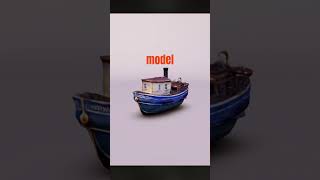
AI generated 3D Models - Luma AI - Genie
3DLemon
How to Use Luma AI Genie to Create 3D Objects from Text 2026 | Step-by-Step Guide
Funded Frog

Luma AI Dream Machine Got Even Better! Full Ai video generator Tutorial
Dan Kieft
YouTube returned 6 videos for “Luma AI Genie”, and we withheld 3: 3 did not mention Luma AI Genie. Showing the 3 we can prove are about Luma AI Genie.
Official links
Tools that pair well with Luma AI Genie
Common stack mates teams adopt alongside Luma AI Genie, with the specific reason each pairing earns its keep.
Kling AI
Kling AI generates native 4K AI video with synchronized audio, Multi-Shot control, and a 4.0 model built for shot direction.

Envato Elements
Envato Elements is an unlimited-download creative asset subscription with built-in AI video, image, audio and voice generation.

Kaiber
Kaiber turns a track plus your raw images or clips into finished, beat-synced music videos in minutes — no prompting required.
Featured Head-to-Head Comparisons
Mmaudio vs Luma Ai Genie
Choose MMAudio if you need free, high-quality sound effects from silent video and are comfortable with open-source, batch processing. Choose Luma AI Genie if you're a creative team needing brand-consistent, high-volume video ads with cinematic quality and tight schedule. For most professional production workflows, Luma's speed and control justify its cost.
Ailora Ai vs Luma Ai Genie
These two only look alike on the surface. Ailora AI is a broad, budget-friendly toolbox: one dashboard for text, images, code, voiceovers, and speech, aimed at freelancers and small businesses who want to stop juggling subscriptions. Luma AI Genie is a specialist production platform for teams whose problem is brand consistency at volume — Ray3.2 direction, Uni-1 brand intelligence, Luma Skills and Luma Scenes are built for campaign work, and credit-based costs at the Ray3.2 1080p rate of 400 credits per five seconds reflect that. If you need a cheap multi-tool, pick Ailora. If you are producing branded video variants for clients, pick Luma. Someone who mostly writes code or needs voiceovers will find Luma's video-first stack and credit economics a poor fit.
Alternatives to Luma AI Genie
View allKling AI
Kling AI generates native 4K AI video with synchronized audio, Multi-Shot control, and a 4.0 model built for shot direction.

Envato Elements
Envato Elements is an unlimited-download creative asset subscription with built-in AI video, image, audio and voice generation.

Frequently Asked Questions
Used Luma AI Genie? Help shape our editorial sentiment research.