
MakeHub.ai
OpenAI-compatible API load balancer that routes each LLM request to the fastest, cheapest provider in real time.
If you already run multi-provider LLM workloads, MakeHub is worth a serious test — routing on live price, latency, and uptime, plus failover, is the part teams usually build badly by hand. The 50% cost-cut claim and 99.99% uptime testimonials are vendor-sourced, so treat them as targets to verify against your own traffic. Budget an afternoon to confirm what the paid tier actually costs before you migrate production.
Verified 21h ago · liveness 73/100 · cite: rightaichoice.com/tools/makehub-ai
- Developers running coding agents like Cline or Roo Code at volume
- Teams juggling multiple LLM providers and wanting one endpoint
- Builders who want cost-aware routing without hand-tuning provider choice
- Engineers who need latency-sensitive workloads to fail over automatically
- Teams intentionally locked to a single provider under a negotiated contract
- Deployments requiring offline or on-premise inference
- Solo devs who need a published Pro price before they can budget
We scan live Reddit threads, YouTube comments, X posts, G2 reviews and other communities — and hand you an honest verdict in under a minute.
- Honest verdict, not marketing
- Real pros & cons from real users
- Attributed quotes with receipts
3 free scans · no card needed
Skip MakeHub.ai if you run a single LLM provider, need published self-serve production pricing without a sales call, or require offline/on-prem inference.
The Pro tier is 'Contact sales' — meaning you cannot budget production spend without a procurement conversation, and the cheapest paid move is a quote, not a checkout page.
MakeHub fits developers and small teams running multi-provider LLM workloads who can justify a sales conversation for Pro. Solo devs who want a self-serve price will find the Contact-sales wall awkward compared to gateways that publish per-token rates. Enterprises needing customized SLAs beyond routing are better served by a direct provider contract with a router layered on top.
In short
MakeHub.ai — OpenAI-compatible API load balancer that routes each LLM request to the fastest, cheapest provider in real time. Best for Developers running coding agents like Cline or Roo Code at volume, Teams juggling multiple LLM providers and wanting one endpoint, Builders who want cost-aware routing without hand-tuning provider choice. Free to use.
What people actually say about MakeHub.ai — is it worth it?
We ran a structured research pass across product reviews, community discussions, and post-purchase forum threads to surface the patterns vendors won't publish themselves. Below: the recurring strengths, the hidden costs people mention most, and the cohort that consistently regrets adopting this tool.
13 mentions across 3 sources (Hacker News, YouTube, Product Hunt) · researched Jul 3, 2026.
Average across the 3 sources that answered — each source counts once, not each post.
- +Real-time cost and latency optimization across multiple LLM providers.
- +Single API endpoint replaces multiple provider keys and accounts.
- +Supports both open-source and proprietary models in one gateway.
- +Easy integration with OpenAI SDK and coding assistants like Cline.
- +Transparent model listing including family and specific versions.
- −Closed-model cost fixed, reducing arbitrage value to speed only.
- −Very few independent reviews or benchmarks from real users.
- −Limited community presence beyond launch announcements.
- −Model compatibility issues across providers remain unaddressed.
- −No clarity on performance at scale under concurrent requests.
- • Real-time benchmarking may introduce minor per-request overhead
- • Closed-model costs are fixed, so savings only from speed
Viability Score
How well maintained and how widely used is MakeHub.ai? Built from what the vendor actually publishes (docs, changelog, tutorials, integrations, pricing), whether the site is live, and how much real users discuss it. How we calculate this
Last calculated: October 2026
How we score →Key Features
- OpenAI-compatible API endpoint for drop-in provider swaps
- Real-time routing across 33 providers on price, latency, and uptime
- Instant failover when a provider degrades
- Smart provider routing across GCP, Anthropic, and AWS Bedrock
- 40 SOTA models available through one unified API
- Model version selection by family or specific version
- Native tool calling for agentic workloads
- Universal tool compatibility across coding agents
- Live performance monitoring for routed requests
- Cline by MakeHub distribution for coding agents
- Roo by MakeHub distribution for coding agents
- Python, TypeScript, and cURL integration guides
- Langchain and n8n workflow integrations
About MakeHub.ai
MakeHub.ai is a universal API load balancer for LLM traffic. You point your app or coding agent at one OpenAI-compatible endpoint, name the model you want, and MakeHub decides which provider actually runs it — chosen from 33 providers on live price, latency, and uptime signals rather than a static table. It's built for developers who are tired of holding separate keys for OpenAI, Anthropic, Mistral, and Llama and guessing which one is cheapest this week. The model catalog is 40 SOTA models, and the company claims cost cuts up to 50% versus going direct, with instant failover when a provider degrades. Routing is the whole product: smart provider routing across GCP, Anthropic, and AWS Bedrock, real-time performance monitoring, and a unified API so you don't rewrite code per vendor. Tooling is native, not bolted on — universal tool compatibility means agents get tool calling without extra glue. Coding agents are first-class: vendor-branded Cline by MakeHub and Roo by MakeHub distributions exist alongside integration guides for Python, TypeScript, cURL, Langchain, and n8n. A models and families browser lets you pick by family or pin a specific version. Positioning-wise, this competes with OpenRouter and similar multi-model gateways, but MakeHub markets speed and reliability over pure cost — a deliberate contrast with rivals that optimize the bill alone. Where it's thinner than it should be is published commercial detail: the on-file tiers show a Free plan and a Pro plan that reads as contact-sales.
Behind the Verdict
The pitch is straightforward: stop babysitting four provider dashboards. Point your agent at api.makehub.ai, name the model, and let the router chase the best price-to-speed ratio. That's genuinely useful if your traffic is bursty or your provider mix shifts week to week — the kind of workload where a hardcoded provider choice quietly becomes the wrong one. We'd reach for this when running coding agents like Cline or Roo Code at volume, or when you want tool-calling agents with cost-aware routing underneath. The vendor even ships its own Cline by MakeHub and Roo by MakeHub builds, which tells you where the team thinks its users live. Pass if your stack is intentionally locked to one provider with a negotiated enterprise contract — the router adds a hop and a dependency for little gain. Same if you need on-prem or offline inference, since routing only works while providers are reachable. The obvious comparison is OpenRouter, another multi-model gateway. MakeHub differentiates on speed and reliability first, cost second — rivals tend to lead with price and treat latency as a footnote. Which framing is better depends on whether your users complain about timeouts or about invoices. Caveats worth knowing. The 50% savings figure is a vendor claim and will vary wildly by model and time of day; live arbitrage helps most when you're not pinned to a single expensive model. Failover protects against provider outages, not against your own bad prompt or rate-limit storms. And the commercial picture is incomplete. The tiers on file show a Free plan plus a Pro plan that points to sales, with no published number we can stand behind today. That's friction for solo devs — ask what Pro costs and whether usage is metered before you commit.
Researching MakeHub.ai? Get your full AI stack in 60 seconds.
Free, no signup — tell us your goal and get tools matched to your budget & existing stack.
Real-world workflow fit
Concrete scenarios for the personas MakeHub.ai actually fits — and what changes day-one when you adopt it.
Create an API key at makehub.ai/api-keys, drop MakeHub's OpenAI-compatible endpoint into Cline's settings per the Cline integration guide, and let routing pick the fastest provider for each coding-assistant call.
Outcome: One key replaces multiple provider keys, and Cline stays responsive as provider latency shifts during the day.
Wire the Python SDK into an agent loop that needs tool calling, enable native tool calling and the MakeHub Tools Layer, and add performance constraints so latency-critical calls don't get routed to a slow provider.
Outcome: Agent calls route to the cheapest acceptable provider by default, with hard latency bounds where the app requires them.
Follow the n8n integration guide to point workflow LLM nodes at the MakeHub endpoint, then restrict routing to a specific provider set for the steps that need predictable behavior.
Outcome: Existing n8n workflows get multi-provider cost routing without rewriting each node's credentials.
Use Cases
- Route all LLM calls through one OpenAI-compatible endpoint so the gateway picks the cheapest provider for each model.
- Wire Cline or Roo Code to MakeHub so your coding assistant stays on the fastest provider without swapping API keys.
- Ship production apps with performance constraints configured so latency-critical calls are steered, not left to chance.
- Add cost-efficient LLM inference into n8n or Langchain workflows via the documented integration guides.
- Use real-time metrics to compare provider pricing and latency across the models you actually call.
Limitations
- The scrape is honest about what MakeHub doesn't publish.
- Pricing beyond the Free tier is opaque — Pro shows "Contact sales" with no number, so you cannot budget production usage from the public docs.
- Rate-limit ceilings for the Free tier are described as "rate-limited" without figures.
- The docs don't list which specific providers sit behind each model, so you can't verify redundancy or a provider's regional presence ahead of time.
- Cost model for the routing itself is not published, so you'll want a sales conversation before committing volume.
- The tool is also explicitly not for offline/on-prem LLM use, and not for users who aren't comfortable integrating an API.
- Feature-wise, native tool calling and the MakeHub Tools Layer are documented, but examples in the scrape are thin.
as of 2026-09-14
Verification history
We have re-verified MakeHub.ai 7 times since . Each pass re-reads the vendor's own pages and re-checks every listed field against that evidence; passes where nothing had changed are marked as such.
- — re-verified summary, description, our verdict, our analysis, pricing model, pricing tiers, features, integrations, who it suits, who should skip it
- — re-checked, vendor evidence unchanged
- — re-checked, vendor evidence unchanged
- — re-checked, vendor evidence unchanged
- — re-checked, vendor evidence unchanged
- — re-checked, vendor evidence unchanged
Showing the 6 most recent of 7 verification passes.
Free to cite with attribution — this page re-verifies continuously.
12-month cost
Project the real annual outlay, including the implied monthly cost when only an annual tier is published.
Vendor list price only. Add-on usage, seat overages, and contract minimums are surfaced under Hidden costs & gotchas.
Plans compared
For each published MakeHub.ai tier: who it actually fits, and what it adds vs. the previous tier. Cross-reference the cost calculator above for projected annual outlay.
Free
$0
Ideal for
Solo developer evaluating MakeHub or prototyping a coding-assistant setup before committing to a paid arrangement.
What this tier adds
Free entry point: access to a limited model set, rate-limited requests, standard routing, and standard support.
Pro
Contact sales
Ideal for
Production teams running multi-provider LLM workloads that need higher throughput and provider-level routing control.
What this tier adds
Adds unlimited models, higher rate limits, priority routing, performance constraints, native tool calling, and integration support — priced only via "Contact sales."
Where the pricing makes sense
The company stage and team size where MakeHub.ai's pricing actually pencils out — and where peers do it cheaper.
MakeHub fits developers and small teams running multi-provider LLM workloads who can justify a sales conversation for Pro. Solo devs who want a self-serve price will find the Contact-sales wall awkward compared to gateways that publish per-token rates. Enterprises needing customized SLAs beyond routing are better served by a direct provider contract with a router layered on top.
Setup time & first value
How long it actually takes to get something useful out of MakeHub.ai — broken out by persona, not the marketing-page minute.
For a Cline or Roo Code user: minutes — create an API key at makehub.ai/api-keys and paste the https://api.makehub.ai/v1 endpoint into the assistant's settings per the Cline/Roo Code guide. For a Python/TypeScript app: under an hour to swap the base URL and confirm tool calling. For n8n or Langchain: roughly half a day to wire the guide's steps and test routing constraints.
Switching to or from MakeHub.ai
How to bring data in from common predecessors and how to get it back out — written for the switcher, not the buyer.
- →From OpenAI direct: swap base_url to https://api.makehub.ai/v1 and reuse the OpenAI SDK per the Python/TypeScript guides.
- →From Cline with individual provider keys: replace each provider key with a MakeHub API key per the Cline integration guide.
- →From Roo Code with individual provider keys: replace each provider key with a MakeHub API key per the Roo Code integration guide.
- →From Langchain LLM configs: point the LLM client at MakeHub's endpoint per the Langchain guide.
- →From n8n LLM nodes: repoint node credentials to MakeHub per the n8n guide.
- ↗To a direct provider: swap base_url back to that provider's OpenAI-compatible endpoint and reinstate its API key.
- ↗To another OpenAI-compatible gateway: base_url swap; SDK code unchanged if the replacement supports the OpenAI spec.
- ↗To self-hosted routing: replicate the cheapest/fastest heuristic with your own price/latency table — no export path is documented.
Integrations
Resources & Guides
Tutorials & Learning
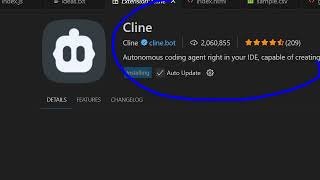
YouTube returned 6 videos for “MakeHub.ai”, and we withheld 5: 5 could not be judged, because “MakeHub.ai” is a single word that other videos use for other things. Showing the 1 we can prove is about MakeHub.ai.
Official links
Tools that pair well with MakeHub.ai
Common stack mates teams adopt alongside MakeHub.ai, with the specific reason each pairing earns its keep.

OpenRouter Agents
One OpenAI-compatible API that routes any request across 500+ text, image, video, and audio models from 80+ providers.

OrcaRouter
One OpenAI-compatible endpoint in front of 200+ models, with per-prompt grading that routes each call — and no markup on tokens.

Gateway
Portkey's AI Gateway routes, secures, and observes 3000+ LLMs through one OpenAI-compatible endpoint.
Featured Head-to-Head Comparisons
Makehub Ai vs Spider Cloud
For AI teams needing real-time web data for RAG or agentic workflows, Spider Cloud’s Rust-powered scraping, Browser AI commands, and ultra-low cost make it the clear choice. MakeHub.ai shines when you’re juggling multiple LLM providers and want automatic cost/speed optimization, but it lacks real-time web data capabilities. Pick Spider Cloud for data ingestion; pick MakeHub for model routing.
Makehub Ai vs Temporal Ai
Temporal AI and MakeHub.ai serve fundamentally different needs: Temporal is a durable execution platform for building reliable, long-running AI workflows, while MakeHub is a lightweight routing API for cutting LLM costs. If your priority is fault-tolerant agent orchestration with retries and human-in-the-loop, choose Temporal. If you need a simple way to reduce LLM spend across providers with minimal integration effort, choose MakeHub.
Makehub Ai vs Voyage Ai
Choose Voyage AI if your core need is high-accuracy retrieval on domain-specific documents (finance, legal, code) and you have enterprise budget. Choose MakeHub.ai if you want to reduce LLM costs/latency across multiple providers with a single API endpoint, especially if you use Cline or Roo Code.
Alternatives to MakeHub.ai
View all
OpenRouter Agents
One OpenAI-compatible API that routes any request across 500+ text, image, video, and audio models from 80+ providers.

OrcaRouter
One OpenAI-compatible endpoint in front of 200+ models, with per-prompt grading that routes each call — and no markup on tokens.

Frequently Asked Questions
Categories
Best-of guides
Used MakeHub.ai? Help shape our editorial sentiment research.