
Manus Browser Operator
Manus Browser Operator runs the Manus AI agent inside your own logged-in Chrome or Edge session instead of a cloud sandbox.
If your workflow dies at a Crunchbase or PitchBook login wall, this is the cleanest bridge available — a per-task Authorize step and a kill switch you close a tab on, instead of a brittle scraper. The trust ask is real: you're handing an agent your authenticated browser, so authorize task by task and never blanket-approve. Skip it if Safari or Firefox is non-negotiable, or if drag-and-drop-heavy forms are the whole job.
Verified 5d ago · liveness 78/100 · cite: rightaichoice.com/tools/manus-browser-operator
- Market researchers with paid Crunchbase, PitchBook, or SimilarWeb subscriptions who need automation past login walls
- Sales ops teams extracting account data from authenticated CRM systems without manual exports
- Business analysts cross-referencing gated market data across several subscription platforms
- Power users who want live visibility into agent actions and an instant kill switch
- Users who want zero local setup and only cloud-sandbox automation — the cloud browser is still the default
- Safari or Firefox users — Chrome and Edge are the currently recommended browsers
- Workflows built on complex drag-and-drop or multi-step web forms that may not execute cleanly yet
We scan live Reddit threads, YouTube comments, X posts, G2 reviews and other communities — and hand you an honest verdict in under a minute.
- Honest verdict, not marketing
- Real pros & cons from real users
- Attributed quotes with receipts
3 free scans · no card needed
Skip Manus Browser Operator if you need Safari or Firefox support today, or if the core of your job is drag-and-drop-heavy or multi-step web forms the vendor says may not execute cleanly yet.
Running this on the Free tier burns through the core agent task allowance quickly once you add gated research runs, so most regular users end up on Pro at $19/mo.
Manus runs Free, Pro at $19/mo, and Team at $39/mo. For one seat automating gated research, Pro undercuts assembling your own headless-browser stack plus the engineering hours to maintain it. Team at $39/mo includes SSO and API access. Compare against scripted frameworks, which are cheaper in licence terms but shift cost into setup and maintenance.
In short
Manus Browser Operator — Manus Browser Operator runs the Manus AI agent inside your own logged-in Chrome or Edge session instead of a cloud sandbox. Best for Market researchers with paid Crunchbase, PitchBook, or SimilarWeb subscriptions who need automation past login walls, Sales ops teams extracting account data from authenticated CRM systems without manual exports, Business analysts cross-referencing gated market data across several subscription platforms. Free to start; paid plans from $19/mo.
What's new in Manus Browser Operator
Checked 5 days agoAcross the latest 6 updates: 3 feature updates, 1 launch and 2 news mentions.
Manus Partners with OPPO to Bring Agentic AI Experiences to Smartphones
Manus announced an OPPO partnership to bring agentic AI experiences to smartphones.
Introducing Game Dev: Enabling Everyone to Make the Games They Want to Play
Game Dev added to Manus for building and playing games directly from the workspace.
Introducing Video Editor in Manus 2.0
Video Editor ships in Manus 2.0, letting users produce publishable video from chat.
Introducing Manus Flex: Use your own API key in the Manus workspace
Manus Flex lets users bring their own API key inside the Manus workspace.
Introducing Manus 2.0
Manus 2.0 launches with the Cascade agent harness, Cloud Computer, Automations, Manus Studio, and Cue app.
Manus Resumes Independent Operations
Manus resumes independent operations, per a product post on the vendor blog.
What people actually say about Manus Browser Operator — is it worth it?
We ran a structured research pass across product reviews, community discussions, and post-purchase forum threads to surface the patterns vendors won't publish themselves. Below: the recurring strengths, the hidden costs people mention most, and the cohort that consistently regrets adopting this tool.
7 mentions across 2 sources (Product Hunt, Lemmy) · researched Jul 3, 2026.
Average across the 2 sources that answered — each source counts once, not each post.
- +Avoids CAPTCHAs and login interruptions by using your existing sessions.
- +Works directly in premium SaaS tools like Crunchbase, PitchBook, SEMrush.
- +Hybrid architecture combines cloud AI with local browser trust.
- +One-time authorization per task with transparent monitoring tab.
- +Organizes tasks in named tab groups for easy tracking.
- −Very few reviews (8 on PH) — no large-scale reliability validation.
- −Pricing is not public yet, creating adoption hesitation.
- −Limited to Manus AI ecosystem — no standalone use.
- −Cannot run offline; requires Manus cloud backend.
- −Complex multi-step tasks may still fail unpredictably.
- • No hidden costs reported yet due to early stage
Viability Score
How well maintained and how widely used is Manus Browser Operator? Built from what the vendor actually publishes (docs, changelog, tutorials, integrations, pricing), whether the site is live, and how much real users discuss it. How we calculate this
Last calculated: October 2026
How we score →Key Features
- Operates inside your local Chrome or Edge browser via extension
- Uses your trusted local IP and live session to avoid CAPTCHAs
- Works with logged-in premium sites including Crunchbase and PitchBook
- Activates through the "My Browser" connector toggle
- One-time authorization granted per task via the Authorize button
- Opens each task in a tab group named after the task
- Real-time monitoring of the agent's actions in the tab
- Click into the tab to take over manually mid-run
- Stop a task instantly by closing its tab
- Logs every action for an audit trail
- Initiate and monitor tasks from phone while host desktop is online
- Executes multi-step workflows: cross-referencing market data, synthesizing reports, extracting insights
- Runs tasks in your authenticated CRM or proprietary data tools
- Complements the Manus cloud browser sandbox rather than replacing it
- Available since 22 November 2025 to all Manus users
About Manus Browser Operator
Manus Browser Operator is a browser extension that lets the Manus AI agent work inside your local Chrome or Edge browser rather than its cloud sandbox. Manus has always run tasks through a cloud browser — a sandboxed environment that handles research, site builds, and data analysis with no local setup. This extension adds a second path for the category of work where local access changes the outcome: tools you're already signed into. Because activity originates from your machine's already-authenticated session and trusted local IP, the vendor's stated behavior is that tasks clear standard access barriers without unfamiliar login attempts, CAPTCHA interruptions, or session expirations. That matters if your job depends on gated platforms the vendor names directly — Crunchbase, PitchBook, SimilarWeb, Semrush, Ahrefs, Financial Times — or on an authenticated CRM a cloud agent can't reach. Inside those pages Manus executes multi-step work: cross-referencing market data, synthesizing reports, extracting insights. Setup is deliberately narrow. You toggle on the "My Browser" connector, click Authorize to grant one-time permission for a specific task, and Manus opens a new tab in a tab group named after that task. Watch the run live, click into the tab to take over, or close it to stop the job. Every action is logged for an audit trail, and because execution is local, you can kick off and monitor tasks from your phone while the host desktop stays online. Since 22 November 2025 the extension has been available to all users. The vendor is upfront about limits: Chrome and Edge are the recommended browsers, additional browser support is coming, and complex interactions like drag-and-drop or multi-step forms may not work perfectly yet. It complements the cloud browser rather than replacing it — anyone on a Free, Pro, or Team Manus plan can install it.
Behind the Verdict
Most browser-agent launches in the last year try to replace your browser. This one plugs into it, and that's the entire reason it's useful. The structural argument is simple. A cloud agent hits a login wall and stops; your local session doesn't have that wall, because you were already behind it. The vendor explicitly names the affected category — paid Crunchbase, PitchBook, SimilarWeb, Semrush, Ahrefs, Financial Times subscriptions, plus proprietary CRM and internal data tools. We'd reach for this when the data you need sits behind a subscription you already pay for and the alternative is hours of manual clicking and CSV exports. Sales ops pulling account history out of an authenticated CRM without an export is the same story. The permission model is the part I actually like. Authorization is one-time and per task, not a standing grant, and the run happens in a named tab group you can watch or take over. Closing the tab is the kill switch. If you were burned by an agent wandering through your accounts unattended, this is a noticeably tighter leash. Where it bites: Chrome and Edge only right now, with other browsers promised but not shipped, and the vendor itself warns that drag-and-drop and complex multi-step forms may not execute perfectly. If your core workflow is filling a gnarly internal web form, test before you commit. There's also an unavoidable trust cost — you are granting an agent access to live authenticated sessions, and the vendor's own advice is to review what Manus will access before authorizing on sensitive sites. The closest alternative isn't another AI product, it's a scraper or a manual VA process: both brittle against login walls and CAPTCHAs, and neither gives you a live view with an instant stop. Against the cloud-browser default inside Manus,
Researching Manus Browser Operator? Get your full AI stack in 60 seconds.
Free, no signup — tell us your goal and get tools matched to your budget & existing stack.
Real-world workflow fit
Concrete scenarios for the personas Manus Browser Operator actually fits — and what changes day-one when you adopt it.
Toggle on the My Browser connector, assign a competitive-landscape task covering six named competitors, and click Authorize so Manus opens a tab group named after the task and pulls funding, headcount and traffic data from your already-logged-in sessions.
Outcome: A synthesized market brief lands without a single CAPTCHA prompt, and the audit log records every page Manus touched.
Point Manus at Sales Navigator and your CRM inside your own Chrome session, extract a target account list, and log the activity records — watching the run in the tab and clicking in to correct anything mid-flight.
Outcome: Account data moves into the CRM without a manual export or a re-login, and you can stop the job instantly if a record looks wrong.
Use Scheduled Tasks 2.0 alongside Plan Mode so Manus outlines the multi-step run first, then executes it against gated sources in your local browser each week while you monitor from your phone.
Outcome: A recurring report ships on schedule with the host desktop online; Branch lets you spin a second research path from the same context.
Use Cases
- Automate competitive research: pull data from Crunchbase and SimilarWeb, then synthesize a market report.
- Streamline CRM updates: extract leads from Sales Navigator and log activities automatically.
- Perform SEO audits: use Semrush to analyze keywords, export findings, and generate a dashboard.
- Aggregate financial data: cross-reference PitchBook and Financial Times for investment summaries.
- Maintain webinars: log into Zoom, extract the attendee list, and sync it with HubSpot.
- Manage Supabase databases: build, migrate, and operate directly from chat.
- Design workflows: use the Mobbin connector to generate designs from chat.
- Schedule recurring tasks: use Scheduled Tasks 2.0 for automated reports.
Limitations
- Manus Browser Operator is a browser extension that enables Manus to operate directly within your local Chrome and Edge browser, automating authenticated services by leveraging your trusted local IP and session.
- To use it, you must grant browser access and share session data, so review what Manus will access before authorizing.
- The vendor states complex interactions such as drag-and-drop or multi-step forms may not work perfectly yet, and that Chrome and Edge are currently recommended with support for additional browsers coming soon.
- Access from your phone or another device is available while the host machine is online.
as of 2026-10-03
Verification history
We have re-verified Manus Browser Operator 9 times since . Each pass re-reads the vendor's own pages and re-checks every listed field against that evidence; passes where nothing had changed are marked as such.
- — re-verified summary, description, our verdict, our analysis, pricing model, pricing tiers, features, integrations, who it suits, who should skip it
- — re-verified summary, description, our verdict, our analysis, pricing model, pricing tiers, features, integrations, who it suits, who should skip it
- — re-verified summary, description, our verdict, our analysis, pricing model, pricing tiers, features, integrations, who it suits, who should skip it
- — re-verified summary, description, our verdict, our analysis, pricing model, pricing tiers, features, integrations, who it suits, who should skip it
- — re-verified summary, description, our verdict, our analysis, pricing model, pricing tiers, features, integrations, who it suits, who should skip it
- — re-verified summary, description, our verdict, our analysis, pricing model, pricing tiers, features, integrations, who it suits, who should skip it
Showing the 6 most recent of 9 verification passes.
Free to cite with attribution — this page re-verifies continuously.
12-month cost
Project the real annual outlay, including the implied monthly cost when only an annual tier is published.
Vendor list price only. Add-on usage, seat overages, and contract minimums are surfaced under Hidden costs & gotchas.
Plans compared
For each published Manus Browser Operator tier: who it actually fits, and what it adds vs. the previous tier. Cross-reference the cost calculator above for projected annual outlay.
Free
$0/mo
Ideal for
Solo user or evaluator who wants to test the Browser Operator against a couple of gated sources before committing
What this tier adds
Starting tier at $0/mo — core agent tasks in the cloud sandbox with Browser Operator available to all users
Pro
$19/mo
Ideal for
Individual researcher or analyst running regular gated-source workflows against Crunchbase, PitchBook, or a CRM
What this tier adds
$19/mo adds higher task and usage allowances, local Browser Operator workflows, Plan Mode, Branch, Auto-Publish, and connectors including Zoom, ElevenLabs and Supabase
Team
$39/mo
Ideal for
Collaborative sales ops or research teams that need shared task visibility and centralized access control
What this tier adds
$39/mo adds a team workspace, shared task visibility, SSO, and API access on top of everything in Pro
Where the pricing makes sense
The company stage and team size where Manus Browser Operator's pricing actually pencils out — and where peers do it cheaper.
Manus runs Free, Pro at $19/mo, and Team at $39/mo. For one seat automating gated research, Pro undercuts assembling your own headless-browser stack plus the engineering hours to maintain it. Team at $39/mo includes SSO and API access. Compare against scripted frameworks, which are cheaper in licence terms but shift cost into setup and maintenance.
Setup time & first value
How long it actually takes to get something useful out of Manus Browser Operator — broken out by persona, not the marketing-page minute.
Extension setup is a three-step routine and takes minutes: toggle the "My Browser" connector, click Authorize per task, and work runs in a named tab group. First useful output depends on the task — a single gated-source pull is near-immediate; a multi-source research report takes the run time of the agent plus your review. Installation of the Manus desktop app on macOS or Windows is a
Switching to or from Manus Browser Operator
How to bring data in from common predecessors and how to get it back out — written for the switcher, not the buyer.
- →From manual copy-paste research: toggle the My Browser connector and assign the task in Manus, letting the agent read the gated pages your subscription already unlocks.
- →From a cloud-only agent that stalls on logins: keep the sandbox for general work and route gated sources through Browser Operator instead.
- →From a scripted scraper: replace brittle selectors with an agent run you supervise, accepting less DOM-level control in exchange for far less maintenance.
- ↗To a scripted automation framework: rebuild each flow as explicit steps if you need DOM-level control over every interaction.
- ↗To cloud-only agent runs: drop the extension and accept that gated and authenticated sources stay out of reach.
- ↗To another browser-automation assistant: export your task descriptions and re-authorize access in the new tool, since session permissions do not transfer.
Integrations
Resources & Guides
Tutorials & Learning
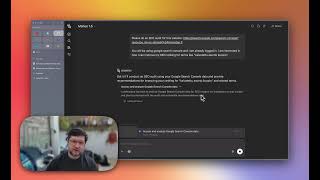
Tools that pair well with Manus Browser Operator
Common stack mates teams adopt alongside Manus Browser Operator, with the specific reason each pairing earns its keep.


Featured Head-to-Head Comparisons
Manus Browser Operator vs Truleo
Truleo is purpose-built for law enforcement, automating data connection and lead generation from siloed systems like RMS and jail calls. Manus Browser Operator is tailored for market researchers and sales teams who need to automate tasks in authenticated platforms like Crunchbase and Semrush. Your choice hinges on sector: choose Truleo for policing intelligence, Manus for market research automation with premium integrations.
Manus Browser Operator vs Locus Robotics
These tools solve entirely different problems. Locus Robotics is a physical automation system for warehouses needing 2-3x productivity gains, while Manus Browser Operator is a digital assistant for automating premium web tools. Choose based on domain: if you move boxes, Locus; if you move data, Manus.
Manus Browser Operator vs Presto Voice
The choice hinges on use case: Manus Browser Operator is for knowledge workers automating authenticated, premium web tools (e.g., Crunchbase, Canva) with real-time monitoring, while Presto Voice is purpose-built for QSR chains to automate drive-thru ordering via voice AI. They serve completely different domains—pick the one that matches your business function.
Alternatives to Manus Browser Operator
View all
Hyperbrowser
Cloud Chrome sessions, code sandboxes, and a web-data API on one credit balance for AI agents.
Popular in Browser & Computer-Use Agents

Spider Cloud
Spider Cloud is a web scraping, crawling, and search API that streams live pages as markdown or JSON for AI agents and RAG pipelines.
Frequently Asked Questions
Categories
Topics
Used Manus Browser Operator? Help shape our editorial sentiment research.