
Mistral OCR
Mistral OCR is a document extraction API that turns PDFs, scans, forms, and handwriting into markdown or structured JSON.
At $1 per 1,000 pages through the Batch API, Mistral OCR is one of the cheapest credible ways to get structured text out of messy real-world documents, and the 74% win rate over OCR 2 was measured on customer business documents rather than a clean benchmark corpus. Build new work against the current model listing and keep OCR 3 only if you've already validated it and don't want to re-run your evals. Skip it if your application needs on-device inference with no server call, or you want a
Verified 1h ago · liveness 71/100 · cite: rightaichoice.com/tools/mistral-ocr
- Developers building document pipelines for agentic AI, RAG, and knowledge systems
- Enterprises digitizing invoices, receipts, compliance forms, and government documents at volume
- Teams running asynchronous backfills where the Batch API's $1 per 1,000 pages changes the math
- Archivists digitizing handwritten, historical, or degraded scanned material
- Applications requiring on-device inference with no API or server call
- Real-time streaming video OCR — not the target workload
- Teams wanting a prebuilt connector ecosystem; this is an API plus a playground
We scan live Reddit threads, YouTube comments, X posts, G2 reviews and other communities — and hand you an honest verdict in under a minute.
- Honest verdict, not marketing
- Real pros & cons from real users
- Attributed quotes with receipts
3 free scans · no card needed
Skip Mistral OCR if your application must run inference on-device with no server call, or if you need real-time streaming video OCR rather than document parsing.
Annotations are billed separately at $3 per 1,000 pages on top of the extraction charge, so heavy annotation handling costs more than the headline page rate suggests.
At $2 per 1,000 pages on-demand and $1 per 1,000 pages via Batch API, Mistral OCR undercuts per-page enterprise document-processing contracts and sits well below many managed OCR platforms for volume work. Solo developers and small teams absorb the cost easily; enterprises with strict data-residency rules pay a custom-scoped self-hosting premium instead. If your volume is tiny and bursty, the per-page maths may not beat a bundled platform you already pay for.
In short
Mistral OCR — Mistral OCR is a document extraction API that turns PDFs, scans, forms, and handwriting into markdown or structured JSON. Best for Developers building document pipelines for agentic AI, RAG, and knowledge systems, Enterprises digitizing invoices, receipts, compliance forms, and government documents at volume, Teams running asynchronous backfills where the Batch API's $1 per 1,000 pages changes the math. Free to start; paid plans from $1.
What's new in Mistral OCR
Checked 9 days agoAcross the latest 4 updates: 4 news mentions.
Mistral Opens German Hub in Munich to Advance Industrial AI
Mistral opened a Munich hub targeting industrial AI in Germany, its largest European market.
Mistral and Mozilla Partner to Bring Open, Private, Multilingual AI to Firefox
Mozilla and Mistral are partnering to bring open, private and multilingual AI to Firefox Smart Window.
Cloudera and Mistral Partner to Bring Sovereign Intelligence to Enterprise Data
Cloudera and Mistral partnered to bring specialized, sovereign intelligence to enterprise data.
Mistral Raises €3B Series D at Over €21B Post-Money Valuation
Mistral raised €3B in a Series D at a post-money valuation above €21B to fund sovereign, open-weight AI.
What people actually say about Mistral OCR — is it worth it?
We ran a structured research pass across product reviews, community discussions, and post-purchase forum threads to surface the patterns vendors won't publish themselves. Below: the recurring strengths, the hidden costs people mention most, and the cohort that consistently regrets adopting this tool.
60 mentions across 4 sources (Hacker News, Product Hunt, GitHub, Lemmy) · researched Jul 3, 2026.
Average across the 4 sources that answered — each source counts once, not each post.
- +Lightning-fast text and image extraction from scanned documents.
- +Excellent accuracy on handwriting, tables, and low-quality scans.
- +Industry-leading pricing: $2 per 1000 pages; $1 with batch API.
- +Outputs clean, structured markdown and HTML for tables.
- +Integrates with Mistral AI Studio for no-code document parsing.
- −Some users unable to make it work reliably in practice.
- −Generic vision models like Claude can match quality at lower cost.
- −A small percentage of handwritten forms still need human review.
- −Rapid version updates cause confusion about pricing and features.
- −Lack of free tier limits experimentation for budget-conscious users.
- • No free tier; batch discount requires async processing; no monthly subscription for predictable costs.
Viability Score
How well maintained and how widely used is Mistral OCR? Built from what the vendor actually publishes (docs, changelog, tutorials, integrations, pricing), whether the site is live, and how much real users discuss it. How we calculate this
Last calculated: October 2026
How we score →Key Features
- Extract text and embedded images from PDFs and images
- Handwriting recognition for cursive and mixed annotations over printed forms
- Form detection for invoices, receipts, compliance and government documents
- Complex table reconstruction with HTML colspan/rowspan tags
- Handles compression artifacts, skew, distortion, low DPI, and background noise
- Markdown output enriched with HTML table markup
- Structured JSON output via the Document AI Playground
- Document AI Playground drag-and-drop PDF and image parsing in Mistral AI Studio
- Batch API delivers 50% cost reduction at $1 per 1,000 pages
- API access via the mistral-ocr-latest model alias
- Self-hosting option for strict data privacy requirements
- Backward compatible with Mistral OCR 2
- 74% overall win rate over Mistral OCR 2 on forms, scans, tables, and handwriting
- Covers all languages and document form factors per Mistral's release notes
About Mistral OCR
Mistral OCR is Mistral AI's document-extraction model line and API. You send a PDF or an image — a photographed invoice, a scanned compliance form, a page of cursive layered over printed text — and it returns the text plus embedded images as markdown with HTML table markup, or as structured JSON through the drag-and-drop Document AI Playground in Mistral AI Studio. It's aimed at developers and platform teams wiring document understanding into agentic AI, RAG, enterprise search, or archive digitization, not at someone who wants a point-and-click desktop app. The model line has moved fast. OCR 3 (mistral-ocr-2512) shipped December 17, 2025 and posted a 74% overall win rate over OCR 2 on forms, scanned documents, complex tables, and handwriting, and it stays backward compatible with OCR 2. Pricing has held steady through the $2 per 1,000 pages on-demand rate, with the Batch API halving that to $1 per 1,000 pages; annotations bill separately at $3 per 1,000 pages, and self-hosted deployment is scoped with sales. Shorter and longer documents both work against the same mistral-ocr-latest alias. Where it earns its keep: reconstructing tables with headers, merged cells, multi-row blocks, and column hierarchies using colspan/rowspan tags so downstream systems see structure instead of a wall of characters. Form detection picks up boxes, labels, and handwritten entries on invoices, receipts, compliance forms, and government documents. The model is tuned to shrug off compression artifacts, skew, distortion, low DPI, and background noise — the failure modes that break a naive pipeline on real-world scans. Against Azure Document Intelligence and other AI-native OCR services, Mistral competes on cost per page, breadth of document types handled by one model, and the option to self-host sensitive material. It doesn't sell a connector catalog or a desktop app; it sells an API, a playground, and page economics.
Behind the Verdict
Start with the workload, not the model name. If you're pushing invoices, receipts, compliance forms, or handwritten archives through a pipeline and paying per page, the math here is unusually friendly: $2 per 1,000 pages on demand, $1 per 1,000 through the Batch API, $3 per 1,000 for annotations. Teams doing overnight backfills of a decade of scanned PDFs should price the async path first — the 50% discount is the whole reason some of these projects get funded. We'd reach for Mistral OCR when the documents are ugly. Skew, compression artifacts, low DPI, background noise, cursive over printed form fields — that's the stated design target, and the 74% win rate over OCR 2 was measured on real customer business documents using a fuzzy-match accuracy metric against ground truth. That's a more useful signal than a spotless benchmark corpus, though it's still Mistral's own eval. Where it bites: this is an API and a playground, not a platform. There's no prebuilt connector ecosystem to plug into your ERP, no desktop app, and nothing for on-device inference. If your compliance team needs independently reproduced accuracy numbers before signing off on a model upgrade, you'll be running your own evals. And the version cadence is real work — backward compatibility with earlier generations softens the migration, but someone still has to decide when to move. Handwriting and tables are the two capabilities that separate the serious OCR options, and Mistral's table output is the detail worth testing first: HTML table tags with colspan and rowspan preserve merged cells, multi-row blocks, and column hierarchies. If your downstream system needs to know which cell belongs to which header, run your three worst spreadsheets through the playground before you commit. The closest
Researching Mistral OCR? Get your full AI stack in 60 seconds.
Free, no signup — tell us your goal and get tools matched to your budget & existing stack.
Real-world workflow fit
Concrete scenarios for the personas Mistral OCR actually fits — and what changes day-one when you adopt it.
You need last quarter's scanned supplier invoices parsed into structured fields for the AP system. You upload the batch to the Batch API using the mistral-ocr-latest alias and get markdown with HTML table markup for the line items at $1 per 1,000 pages.
Outcome: Invoice tables arrive with row and column structure intact, so the downstream parser maps fields without a regex cleanup pass, and the asynchronous batch keeps the per-page cost at half the on-demand rate.
You are ingesting technical and scientific PDFs into a vector store and need text plus embedded images preserved. You call the API, take markdown output with HTML table tags, and chunk on the reconstructed structure.
Outcome: Retrieved passages keep their table context instead of losing it, so agent answers quote the right figures rather than an unlabelled column of numbers.
You are digitizing a collection of historical manuscripts with cursive handwriting and degraded scans. You test OCR 4.1 on a sample, then run the full set through the Batch API.
Outcome: Handwritten pages convert to machine-readable markdown at a predictable per-page cost, and the degraded scans hold up better than they did in the library's previous OCR pass.
Use Cases
- Digitize handwritten patient intake forms and medical records
- Extract tabular data from financial statements and invoices into automated accounting
- Process scanned contracts into searchable text for e-discovery
- Convert historical manuscripts into machine-readable markdown for digital humanities
- Parse multilingual logistics forms to automate data entry
- Reprocess degraded, low-DPI scans that fail a naive OCR pipeline
- Preprocess documents into clean markdown for RAG and agentic knowledge systems
- Turn technical and scientific reports into structured fields for enterprise search
Models Under the Hood
as of 2026-09-24
Limitations
- The API is cloud-only; there is no offline or on-device path.
- Page limits and rate throttles apply based on your plan, and high-volume users may need to contact sales for custom quotas.
- The version cadence is fast — OCR 3 (December 2025), OCR 4, then OCR 4.1 in August 2026 — so anyone pinning a model version for reproducibility has to re-run evals periodically.
- Accuracy figures such as the 74% win rate over OCR 2 come from Mistral's internal benchmarks built on customer business documents rather than a third-party-reproduced suite.
- Annotations are billed separately from text-to-text extraction at $3 per 1,000 pages.
as of 2026-09-21
Verification history
We have re-verified Mistral OCR 8 times since . Each pass re-reads the vendor's own pages and re-checks every listed field against that evidence; passes where nothing had changed are marked as such.
- — re-verified summary, description, our verdict, our analysis, pricing model, pricing tiers, features, integrations, who it suits, who should skip it
- — re-verified summary, description, our verdict, our analysis, pricing model, pricing tiers, features, integrations, who it suits, who should skip it
- — re-verified summary, description, our verdict, our analysis, pricing model, pricing tiers, features, integrations, who it suits, who should skip it
- — re-verified summary, description, our verdict, our analysis, pricing model, pricing tiers, features, integrations, who it suits, who should skip it
- — re-verified summary, description, our verdict, our analysis, pricing model, pricing tiers, features, integrations, who it suits, who should skip it
- — re-verified summary, description, our verdict, our analysis, pricing model, pricing tiers, features, integrations, who it suits, who should skip it
Showing the 6 most recent of 8 verification passes.
Free to cite with attribution — this page re-verifies continuously.
12-month cost
Project the real annual outlay, including the implied monthly cost when only an annual tier is published.
Vendor list price only. Add-on usage, seat overages, and contract minimums are surfaced under Hidden costs & gotchas.
Plans compared
For each published Mistral OCR tier: who it actually fits, and what it adds vs. the previous tier. Cross-reference the cost calculator above for projected annual outlay.
OCR (Batch API)
$1 / 1,000 pages
OCR (on-demand)
$2 / 1,000 pages
Annotations
$3 / 1,000 pages
Ideal for
Teams that need annotation handling on parsed pages rather than plain text extraction alone.
What this tier adds
Adds $3 per 1,000 pages on top of text-to-text extraction and is billed as a separate line item.
Self-hosting / Enterprise deployment
Custom
Ideal for
Organizations with regulatory, security, or data-residency constraints that prohibit sending sensitive or classified documents to a multi-tenant endpoint.
What this tier adds
Runs inside your own infrastructure under a custom-scoped agreement rather than published per-page pricing; contact sales to scope the deployment.
Where the pricing makes sense
The company stage and team size where Mistral OCR's pricing actually pencils out — and where peers do it cheaper.
At $2 per 1,000 pages on-demand and $1 per 1,000 pages via Batch API, Mistral OCR undercuts per-page enterprise document-processing contracts and sits well below many managed OCR platforms for volume work. Solo developers and small teams absorb the cost easily; enterprises with strict data-residency rules pay a custom-scoped self-hosting premium instead. If your volume is tiny and bursty, the per-page maths may not beat a bundled platform you already pay for.
Setup time & first value
How long it actually takes to get something useful out of Mistral OCR — broken out by persona, not the marketing-page minute.
A developer with an API key can send a first document in under 30 minutes — the surface is a single model alias. Teams wiring table structure into an existing parser should budget a day to validate output shapes. Non-developers get to first value in minutes via the Document AI Playground drag-and-drop interface, but that path is for spot checks, not pipeline work. Self-hosted enterprise
Switching to or from Mistral OCR
How to bring data in from common predecessors and how to get it back out — written for the switcher, not the buyer.
- →From Tesseract or an open-source OCR stack: keep your PDF splitting and image preprocessing, swap the recognition call for the mistral-ocr-latest API, and compare table output on a sample before cutting over.
- →From Azure Document Intelligence: map your existing field extraction to markdown plus HTML table output, and re-run your accuracy evals because the field-level schema and confidence reporting differ.
- →From a legacy on-prem OCR server: use the Batch API for the historical backfill, then move steady-state traffic to on-demand calls.
- →From Mistral OCR 2 or 3: OCR 4.1 is backward compatible with earlier generations, so upgrade the model version and re-run your evals rather than rewriting the integration.
- ↗To Azure Document Intelligence: if you need prebuilt connectors and a platform around the model, expect to rebuild extraction around their field schema.
- ↗To an open-source OCR engine: you gain offline and on-device deployment but give up the table reconstruction fidelity and handwriting handling.
- ↗To a bundled document platform: viable when your volume is low enough that per-page pricing no longer beats what you already pay for.
- ↗To a self-hosted Mistral OCR deployment: the middle path if the blocker is where documents are processed rather than which vendor processes them.
Resources & Guides
Tutorials & Learning
Dify、PDFアップロード→処理するワークフローのトライ ①テキストだけなら「テキスト抽出」でOK ②画像含まれてるとMistral OCRでも厳しく別対応が必要
池田朋弘のワーク実況_いけともサブチャンネル
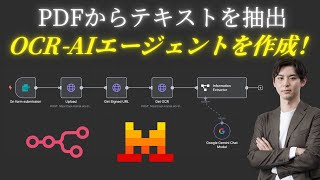
PDF内のテキストを読み取るOCR-AIエージェントを構築!【n8n×Mistral】
生成AIマーケティング総研【株式会社アドカル】

Mistral OCR 4の紹介
Mistral
YouTube returned 6 videos for “Mistral OCR”, and we withheld 3: 3 did not mention Mistral OCR. Showing the 3 we can prove are about Mistral OCR.
Official links
Tools that pair well with Mistral OCR
Common stack mates teams adopt alongside Mistral OCR, with the specific reason each pairing earns its keep.

LlamaIndex
LlamaParse turns messy PDFs, tables, charts and handwriting into clean, LLM-ready structured data for RAG and extraction pipelines.

Knowhere
API-first document parsing that turns PDFs, spreadsheets, and slides into source-linked structured JSON for AI agents and RAG pipelines.

PDF Dino
PDF Dino turns messy PDFs into structured JSON, Excel, CSV, or text using AI vision extraction with plain-language instructions instead of templates.
Featured Head-to-Head Comparisons
Mistral Ocr vs Screenplayiq
ScreenplayIQ is a niche tool for feature film screenwriters needing marketability predictions, while Mistral OCR is a versatile document processing API. If you're writing a script, ScreenplayIQ's structural analysis and box office forecasting are unique. For extracting text from invoices, handwriting, or scanned forms, Mistral OCR (especially the newly launched v4) is more suitable and cost-effective. Choose based on your domain: film vs. document digitization.
Mistral Ocr vs Praktika
Praktika is your go-to if you want to practice speaking a language with AI tutors that correct you in real time. Mistral OCR is the better choice if you need to extract text from scanned documents, handwriting, or complex tables at scale. They serve completely different needs — pick based on whether you're learning a language or processing paperwork.
Alternatives to Mistral OCR
View all
LlamaIndex
LlamaParse turns messy PDFs, tables, charts and handwriting into clean, LLM-ready structured data for RAG and extraction pipelines.


Frequently Asked Questions
Categories
Used Mistral OCR? Help shape our editorial sentiment research.