
Mobirise AI Website Builder
Free AI website builder that turns text prompts or images into exportable HTML/CSS/JS sites you can host anywhere.
Pick Mobirise AI Website Builder if owning your HTML/CSS/JS source is the priority and you don't want a subscription lock-in to a hosted builder. The image-to-website conversion — uploading a sketch or mockup and getting an editable page back — is the strongest thing here, and the export path to static code is a real structural advantage over closed SaaS builders. It is not the right tool if you need built-in e-commerce, membership systems, or deep custom-code integration; for those, Webflow or WordPress remain the better route. Treat the AI output as a fast starting draft, not a finished site.
Verified 12h ago · liveness 75/100 · cite: rightaichoice.com/tools/mobirise-ai-website-builder
- Small business owners who want a professional site quickly
- Entrepreneurs launching a brand or landing page
- Freelancers and creatives building portfolio sites
- Non-technical users who want to own their site code
- Developers who want to hand-write and integrate custom code throughout
- Teams needing a complex e-commerce storefront
- Projects requiring multi-language site versions
We scan live Reddit threads, YouTube comments, X posts, G2 reviews and other communities — and hand you an honest verdict in under a minute.
- Honest verdict, not marketing
- Real pros & cons from real users
- Attributed quotes with receipts
3 free scans · no card needed
Skip Mobirise AI Website Builder if you need built-in e-commerce, membership or login systems, multi-language site versions, or advanced SEO controls that go beyond meta descriptions and title tags.
The free tier includes Mobirise branding on your published site, so removing it means moving up a plan.
Mobirise's free entry point is genuinely usable for a single small site, which makes it cheaper to try than hosted SaaS builders that gate everything behind a subscription. For a freelancer or small business that only needs a handful of brochure or portfolio pages plus code ownership, it is a low-cost route compared with subscription-only platforms. Teams needing e-commerce, memberships, or managed hosting should budget for Webflow, WordPress with hosting, or a developer instead.
In short
Mobirise AI Website Builder — Free AI website builder that turns text prompts or images into exportable HTML/CSS/JS sites you can host anywhere. Best for Small business owners who want a professional site quickly, Entrepreneurs launching a brand or landing page, Freelancers and creatives building portfolio sites. Free to use.
What people actually say about Mobirise AI Website Builder — is it worth it?
We ran a structured research pass across product reviews, community discussions, and post-purchase forum threads to surface the patterns vendors won't publish themselves. Below: the recurring strengths, the hidden costs people mention most, and the cohort that consistently regrets adopting this tool.
23 mentions across 1 source (YouTube) · researched Aug 7, 2026.
Average across the 1 source that answered — each source counts once, not each post.
- +Websites built in under 15 seconds, far faster than WordPress setup.
- +No account or email required to start testing—privacy-friendly.
- +Code export to HTML/CSS/JS means no vendor lock-in.
- +Fast subdomain hosting included, great for quick previews.
- +One-time payment option ($149) for lifetime updates after initial purchase.
- −Recurring complaints about undisclosed downsides in 'what they don't tell you' videos.
- −Free tier limits, with advanced features locked behind Pro subscription.
- −Unclear if exported sites retain 'Made with Mobirise' branding.
- −Limited community feedback on support and reliability—unknown territory.
- −AI handling of 'weird prompts' unverified, raising creative limits questions.
- • Potential 'Made with Mobirise' branding on free exports—users are unsure if removable
- • Advanced features like AI video generation or custom domain support may require Pro
Viability Score
How well maintained and how widely used is Mobirise AI Website Builder? Built from what the vendor actually publishes (docs, changelog, tutorials, integrations, pricing), whether the site is live, and how much real users discuss it. How we calculate this
Last calculated: October 2026
How we score →Key Features
- AI text-to-website generation from a prompt in any language
- AI image-to-website conversion from screenshot, mockup, or sketch
- Repeated AI design generation with new layouts, palettes, and typography
- AI text content generation
- AI image generation
- AI video generation
- AI edit and customization through chat prompts
- One-click AI website redesign
- Export to HTML/CSS/JS source code
- Drag-and-drop block builder
- Responsive, mobile-friendly output
- SEO settings for meta descriptions and title tags
- Custom domain and subdomain connection
- Pre-built themes and blocks library
- Social media account connection
About Mobirise AI Website Builder
Mobirise AI Website Builder is a no-code tool that generates complete websites from a text prompt in any language or from an uploaded image — a screenshot, mockup, or sketch. You describe your industry, brand, and tone; the builder produces a full layout with colors, typography, and content, and you refine it by chatting with the AI or by editing blocks with a drag-and-drop editor. The documented workflow runs from online signup through prompt, refinement, AI content and media, SEO settings, and finally publishing or exporting the source. The distinguishing feature is code export: rather than locking your site inside a hosted platform, you can take the full HTML/CSS/JS source and host it on your own servers. The feature set covers AI text-to-website, AI image-to-website, repeated AI design generation, AI-written content, AI-generated images, AI video, prompt-based editing, one-click redesign, a pre-built themes and blocks library, responsive output, and SEO settings for meta tags and descriptions. It best suits small business owners, entrepreneurs, and freelancers who want a custom-looking site without code and want to keep the files.
Behind the Verdict
The core argument for Mobirise is portability. Most AI site builders generate a site that only lives inside their hosting; Mobirise generates one you can export as static HTML/CSS/JS and put on your own servers, which removes both the runtime dependency and the recurring platform fee. For a freelancer or small business building a landing page or brochure site, that matters — you can hand a client real files. The second differentiator is AI image-to-website. The vendor documents converting a screenshot, mockup, or sketch into a live, editable page by analyzing the uploaded image's structure, color palette, and component elements. That is a genuinely useful path when you already have a visual reference and want to skip the blank-canvas stage. Where it gets weaker: this is a no-code generator, and the output reflects that. There is no built-in e-commerce, no membership system, and no advanced SEO control surface beyond meta descriptions and title tags. Multi-language site support is not available. The generation quality depends heavily on how clearly you write the prompt, and the honest expectation is that you will manually refine layout, spacing, and copy after the first pass. The vendor's own process describes iterating "until you obtain a version that satisfies your expectations" — which is a fair warning that this is a draft-first tool, not a one-shot finished product. The audience fit is narrow and clear. Non-technical owners, entrepreneurs launching a brand, and creatives building portfolios get the most value. Developers who want to hand-write components, teams needing complex storefronts, and anyone planning high-traffic enterprise deployment should look at Webflow, WordPress, or a developer-built stack instead. One practical note on the content features: AI-written copy and AI-generated images and video are bundled in, which saves time, but you should review everything before publishing. AI copy is a starting point for structure and tone, not a substitute for knowing your own customers.
Researching Mobirise AI Website Builder? Get your full AI stack in 60 seconds.
Free, no signup — tell us your goal and get tools matched to your budget & existing stack.
Real-world workflow fit
Concrete scenarios for the personas Mobirise AI Website Builder actually fits — and what changes day-one when you adopt it.
You receive a flat mockup image from a client and need a working page to show before development. You upload the mockup to the AI image-to-website feature, review the generated layout, adjust the color palette and typography, and ask the AI to rewrite the placeholder copy for the client's industry.
Outcome: A live, editable page matching the mockup's structure that you can present the same day, and later export as HTML/CSS/JS to hand off.
You sign up online, type a prompt describing your business, target audience, and the sections you want, then connect your existing domain, fill in the meta description and title tags, and link your Instagram account.
Outcome: A published, responsive site on your own domain with AI-written copy and AI-generated images, plus a code export you can move to another host later.
You use the documented component format — template.html, style.less, and params.json — to build a theme with custom parameters, directives, and card events, then test it inside the builder before shipping it.
Outcome: A packaged Mobirise theme installed through the builder, with the underlying HTML/CSS/JS exportable to your own infrastructure.
Use Cases
- Generate a complete landing page for a startup from a text description of the industry, brand, and tone.
- Convert a sketch or mood board into an editable website layout with AI image-to-website.
- Build a portfolio site with AI-written copy and AI-generated imagery.
- Export a static HTML/CSS/JS site and host it on your own servers.
- Iterate through multiple AI-generated designs until the visual identity fits the brand.
- Publish a responsive personal blog with AI-generated content.
- Prototype a client concept from a screenshot before committing to full build.
- Build a component or custom theme using the documented template and params.json format.
Limitations
- Generated quality depends on how clearly you write your prompt, and the vendor's own described workflow has you iterating and manually adjusting layout, colors, fonts, and copy after the first AI pass.
- This is a no-code site generator, and it shows at the edges: there is no built-in e-commerce, no membership system, and SEO control stops at meta descriptions and title tags — there is no advanced SEO control surface.
- Multi-language site support is not available.
- Code export gives you static HTML/CSS/JS, so anything requiring a server-side application, user accounts, or dynamic data will need a different tool or added development.
as of 2026-09-22
Verification history
We have re-verified Mobirise AI Website Builder 9 times since . Each pass re-reads the vendor's own pages and re-checks every listed field against that evidence; passes where nothing had changed are marked as such.
- — re-checked, vendor evidence unchanged
- — re-checked, vendor evidence unchanged
- — re-checked, vendor evidence unchanged
- — re-checked, vendor evidence unchanged
- — re-checked, vendor evidence unchanged
- — re-checked, vendor evidence unchanged
Showing the 6 most recent of 9 verification passes.
Free to cite with attribution — this page re-verifies continuously.
12-month cost
Project the real annual outlay, including the implied monthly cost when only an annual tier is published.
Vendor list price only. Add-on usage, seat overages, and contract minimums are surfaced under Hidden costs & gotchas.
Plans compared
For each published Mobirise AI Website Builder tier: who it actually fits, and what it adds vs. the previous tier. Cross-reference the cost calculator above for projected annual outlay.
Free
$0/mo
Ideal for
A single small brochure, portfolio, or landing page where you're testing the AI generation and don't mind Mobirise branding.
What this tier adds
Starting tier — includes AI text-to-website and image-to-website generation, unlimited AI design iterations, and limited AI text, image, and page-export allowances.
Premium
Paid (one-time or subscription)
Ideal for
Freelancers and small businesses running a real site who need code ownership, a custom domain, and no vendor branding.
What this tier adds
Unlocks the free-tier limits: unlimited AI image, text, and video generation, full HTML/CSS/JS export without a page cap, custom domain connection, and Mobirise branding removal.
Where the pricing makes sense
The company stage and team size where Mobirise AI Website Builder's pricing actually pencils out — and where peers do it cheaper.
Mobirise's free entry point is genuinely usable for a single small site, which makes it cheaper to try than hosted SaaS builders that gate everything behind a subscription. For a freelancer or small business that only needs a handful of brochure or portfolio pages plus code ownership, it is a low-cost route compared with subscription-only platforms. Teams needing e-commerce, memberships, or managed hosting should budget for Webflow, WordPress with hosting, or a developer instead.
Setup time & first value
How long it actually takes to get something useful out of Mobirise AI Website Builder — broken out by persona, not the marketing-page minute.
For a non-technical owner starting from a text prompt, expect roughly 15–30 minutes to a first publishable draft, plus an hour or more of refinement on copy and layout. Converting an existing mockup through AI image-to-website is faster to first output but still needs a manual pass. Developers building custom components or themes should plan days, since it involves template files, style.less, and
Switching to or from Mobirise AI Website Builder
How to bring data in from common predecessors and how to get it back out — written for the switcher, not the buyer.
- →From Wix or Squarespace: export or recreate your key pages in Mobirise's block editor, then export the result as HTML/CSS/JS to remove the platform dependency.
- →From a static HTML template: use the drag-and-drop block builder to rebuild sections visually, then keep your existing host and deployment.
- →From WordPress: rebuild brochure-style pages as static blocks and host the exported code separately, leaving the CMS only if you don't need dynamic content.
- →From a hand-coded portfolio site: paste your copy into the AI content fields, upload screenshots of your old layout to AI image-to-website, and refine from there.
- ↗To a static host (Netlify, Cloudflare Pages, any shared host): export the full HTML/CSS/JS source and upload it directly.
- ↗To Webflow: rebuild the design in Webflow's visual editor when you need e-commerce or CMS-driven pages Mobirise doesn't provide.
- ↗To WordPress: reimplement the exported static pages as a theme when you need plugins, memberships, or multi-language support.
- ↗To a custom codebase: take the exported HTML/CSS/JS as a starting front end and wire in your own backend.
Integrations
Resources & Guides
Tutorials & Learning
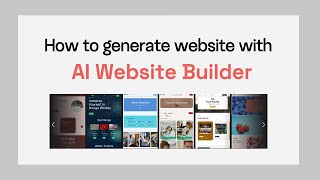
YouTube returned 6 videos for “Mobirise AI Website Builder”, and we withheld 5: 5 did not mention Mobirise AI Website Builder. Showing the 1 we can prove is about Mobirise AI Website Builder.
Official links
Tools that pair well with Mobirise AI Website Builder
Common stack mates teams adopt alongside Mobirise AI Website Builder, with the specific reason each pairing earns its keep.

Playcode
Playcode AI app builder turns a plain-English brief into a hosted app with a real backend and database

Webflow AI Site Builder
Webflow's AI site builder generates full websites from a prompt inside the Webflow platform you already publish on.
Webflow
Webflow builds, manages, and optimizes AI-ready websites on an agentic visual canvas.
Featured Head-to-Head Comparisons
Mobirise Ai Website Builder vs Polycam
Polycam and Mobirise serve entirely different needs: Polycam is a professional 3D scanning and floor plan tool for AEC, forensics, and media — while Mobirise is a no-code AI website builder for small business owners and creatives. Choose Polycam if you need reality capture and 3D models; choose Mobirise if you need a quick, code-exportable website.
Mobirise Ai Website Builder vs Cognition Ai
Cognition AI's Devin is built for enterprise engineering teams that need an autonomous coding agent handling complex, multi-step tasks like bug triage, PR creation, and legacy modernization. Mobirise AI Website Builder is a simpler no-code tool for non-technical users who want quick, exportable websites. Choose Devin if you're a large team with production code; choose Mobirise if you need a fast website without coding.
Mobirise Ai Website Builder vs Bito
If you're an engineering team using AI coding agents across multi-repo projects, Bito provides critical system-wide context that agents lack, with recent Slack-Jira integration. If you're a non-technical user wanting a quick, exportable website from text or image prompts, Mobirise AI Website Builder is the straightforward choice. They serve completely different needs and are not direct competitors.
Alternatives to Mobirise AI Website Builder
View all
Playcode
Playcode AI app builder turns a plain-English brief into a hosted app with a real backend and database

Webflow AI Site Builder
Webflow's AI site builder generates full websites from a prompt inside the Webflow platform you already publish on.
Frequently Asked Questions
Categories
Used Mobirise AI Website Builder? Help shape our editorial sentiment research.