
Motionit
Motionit turns keywords or uploaded documents into structured slide decks with auto-selected images, then exports them to Google Slides, PowerPoint, or PDF.
Motionit is worth trying if your slide workflow ends in Google Slides or PowerPoint and you mostly need structure plus images fast. The export path is the real differentiator here: a public testimonial on the vendor's own homepage picks Motionit over Tome specifically because "the slides can be exported to PPT and Google Slides." The seven template styles keep a generated deck visually consistent without design work. What you give up is control — for a final investor deck where every element is deliberate, expect to spend the refinement time you saved on generation. If your priority is a live, collaborative canvas rather than a downloadable file, this is the wrong tool.
Verified 4d ago · liveness 46/100 · cite: rightaichoice.com/tools/motionit
- Students preparing class presentations quickly
- Teachers building lecture slides without design work
- Business professionals drafting pitch decks under time pressure
- Conference speakers converting notes into a deck fast
- Designers needing element-level control over every slide
- Teams that need to edit a deck together in a live shared canvas
- Enterprise buyers requiring SSO, admin controls, or security review artifacts
We scan live Reddit threads, YouTube comments, X posts, G2 reviews and other communities — and hand you an honest verdict in under a minute.
- Honest verdict, not marketing
- Real pros & cons from real users
- Attributed quotes with receipts
3 free scans · no card needed
Skip Motionit if you need to co-edit a deck live with teammates in one shared canvas, or if you want element-level control over typography, spacing, and image placement rather than a generated draft you refine elsewhere.
Refinement time is the real cost: the generated deck is a draft, so budget editing hours in Google Slides or PowerPoint before anything is presentation-ready.
Motionit's pricing fits teams whose volume aligns with the published tiers. Compare against the alternatives listed below for stage-specific value.
In short
Motionit — Motionit turns keywords or uploaded documents into structured slide decks with auto-selected images, then exports them to Google Slides, PowerPoint, or PDF. Best for Students preparing class presentations quickly, Teachers building lecture slides without design work, Business professionals drafting pitch decks under time pressure. Free to use.
Viability Score
How well maintained and how widely used is Motionit? Built from what the vendor actually publishes (docs, changelog, tutorials, integrations, pricing), whether the site is live, and how much real users discuss it. How we calculate this
Last calculated: October 2026
How we score →Key Features
- AI slide generation from a keyword or topic prompt
- AI slide generation from an uploaded document
- Auto-selected images for every slide
- Automatic layout and formatting applied across the deck
- Seven template styles: Nebula, Lagoon, Sunset, Frost, Shadow, Amethyst, Grid
- Export to Google Slides
- Export to PowerPoint
- Export to PDF
- Alpha-stage video generation from prompts
- Consistent formatting maintained slide to slide
- No design skills required
- Browser-based interface
- No installation or desktop app needed
About Motionit
Motionit is an AI presentation generator built for people who need a usable draft deck fast. You enter a topic or upload a document, pick one of seven template styles (Nebula, Lagoon, Sunset, Frost, Shadow, Amethyst, Grid), and the tool produces a structured deck with auto-selected images and consistent layouts instead of leaving you to search for pictures and hand-place text boxes. The intended workflow is draft-then-refine: generate in the browser, export to Google Slides, PowerPoint, or PDF, and do last-mile content edits in the editor you already use. The vendor says the tool is used by 5k+ people, and public testimonials cite decks of around 11 slides produced from a single prompt. An alpha-stage video feature generates short presentation videos from prompts. Motionit is explicitly aimed at students, teachers, and business professionals who want speed and a consistent look over granular design control — it is a drafting tool, not a design system.
Behind the Verdict
Motionit attacks a specific, real bottleneck: the hours between "I have an idea" and "I have a deck I can show." Its homepage names the three things it removes — image search, layout definition, and formatting — and the product follows through by generating structure, images, and layout together from either a keyword prompt or an uploaded document. The document path matters more than the marketing suggests: turning a long report into a structured deck is the use case where manual slide-building hurts most. Public testimonials describe a prompt like "Impact of AI on the industry" returning a presentation of roughly 11 slides with varied layouts, and users consistently call out export to Google Slides, PowerPoint, and PDF as the reason they pick it over Tome. The template set (Nebula, Lagoon, Sunset, Frost, Shadow, Amethyst, Grid) is broad enough to cover academic, corporate, and casual contexts without requiring any design decision from you. The honest weaknesses, stated on the vendor's own site and testimonials: this is an alpha product, the video feature is experimental, and design control is deliberately minimal. There is no self-hosted or offline path — it runs in a browser. That tradeoff — consistency and speed in exchange for fine-grained control — is the whole product. Where it fits: students turning a topic into a class deck, teachers building lecture slides, founders and sellers producing a pitch draft under time pressure, speakers converting an outline into visuals. Where it does not: designers who need element-level control, and anyone who needs a deck built collaboratively in a shared live canvas rather than generated then exported. For those, generate in Motionit and finish in Google Slides or Canva — the export exists precisely for that handoff.
Researching Motionit? Get your full AI stack in 60 seconds.
Free, no signup — tell us your goal and get tools matched to your budget & existing stack.
Real-world workflow fit
Concrete scenarios for the personas Motionit actually fits — and what changes day-one when you adopt it.
Has a class presentation due tomorrow and a topic but no slides. Enters the topic, picks a template style such as Nebula, and gets a structured deck with images already placed.
Outcome: A complete draft deck in minutes, then exported to Google Slides for content edits and citations instead of hours of layout work.
Has a pitch narrative in a doc and needs investor-facing slides. Uploads the document and lets Motionit generate structure, images, and consistent layouts across the deck.
Outcome: A pitch deck draft ready to export to PowerPoint and polish, with the narrative order preserved from the source document.
Has a talk outline in bullet notes and wants visuals that look coherent without hiring a designer. Converts the outline into slides using a single template style so every slide matches.
Outcome: A consistent deck the speaker can export to PDF for distribution, plus the option to test the alpha video feature for a short promo clip.
Use Cases
- Enter a business idea and key points to get a first-draft pitch deck
- Generate a 10-slide presentation on 'Climate Change' for a class project
- Turn a conference talk outline into a deck with consistent visuals
- Convert a lengthy report into a structured deck for a meeting
- Create a short video summary of a presentation for social sharing
- Produce lecture slides for a class without doing layout or image search by hand
Limitations
- Motionit is in alpha release, so features are still maturing and the company says so on its own site.
- Video generation is experimental and limited in polish.
- Design control is deliberately minimal — you choose a template style and the AI handles layout and images, which is the point but also the ceiling.
- AI-generated content and images should be reviewed for accuracy and fit before you present.
- It runs in the browser, so there is no offline mode.
- Because you refine in an exported file, version control across a Google Slides copy and the Motionit original is on you.
as of 2026-10-03
Verification history
We have re-verified Motionit 8 times since . Each pass re-reads the vendor's own pages and re-checks every listed field against that evidence; passes where nothing had changed are marked as such.
- — re-checked, vendor evidence unchanged
- — re-checked, vendor evidence unchanged
- — re-checked, vendor evidence unchanged
- — re-checked, vendor evidence unchanged
- — re-checked, vendor evidence unchanged
- — re-checked, vendor evidence unchanged
Showing the 6 most recent of 8 verification passes.
Free to cite with attribution — this page re-verifies continuously.
Where the pricing makes sense
The company stage and team size where Motionit's pricing actually pencils out — and where peers do it cheaper.
Motionit's pricing fits teams whose volume aligns with the published tiers. Compare against the alternatives listed below for stage-specific value.
Setup time & first value
How long it actually takes to get something useful out of Motionit — broken out by persona, not the marketing-page minute.
Students and teachers: minutes — type a topic or upload a document, pick one of the seven template styles, and a draft deck appears immediately. Business users: expect roughly 30-60 minutes end to end, because the value comes from generating fast and then spending your time on last-mile content edits after exporting to Google Slides or PowerPoint.
Switching to or from Motionit
How to bring data in from common predecessors and how to get it back out — written for the switcher, not the buyer.
- →From Google Slides: upload your source document or outline to Motionit to generate a fresh structured draft, then export back to Google Slides for final edits.
- →From PowerPoint: start from a keyword prompt or document rather than importing an existing .pptx, then export the new deck to PowerPoint and port across any slides you want to keep.
- →From Tome: rebuild the deck in Motionit from the same prompt or document, then export to Google Slides or PowerPoint — the export step is the reason users cite for switching.
- ↗To Google Slides: use the built-in Google Slides export, then continue editing natively in Slides.
- ↗To PowerPoint: use the PowerPoint export and refine in PowerPoint, accepting that later Motionit regeneration will not merge back into the exported file.
- ↗To PDF: export to PDF when the deck is final and you need a fixed, shareable file rather than an editable one.
Integrations
Resources & Guides
Tutorials & Learning
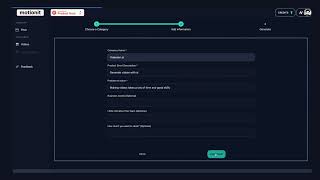
YouTube returned 6 videos for “Motionit”, and we withheld 5: 5 could not be judged, because “Motionit” is a single word that other videos use for other things. Showing the 1 we can prove is about Motionit.
Official links
Tools that pair well with Motionit
Common stack mates teams adopt alongside Motionit, with the specific reason each pairing earns its keep.
Beautiful.ai
AI presentation software where Smart Slides auto-align your content and Create with AI builds decks from an outline you approve first.

Plus AI
AI presentation maker that runs natively inside Google Slides and PowerPoint

Dokie AI
AI presentation generator that turns text, PDFs, and docs into structured, on-brand slides
Featured Head-to-Head Comparisons
Motionit vs Splice
Splice and Motionit serve completely different needs. Splice is a must for music producers needing royalty-free samples and rent-to-own plugins, while Motionit is a time-saver for anyone creating presentation slides from text or documents. Choose based on your primary task—music production vs. slide creation; they are not direct competitors.
Motionit vs Polycam
Polycam and Motionit serve completely different needs: Polycam is a professional 3D scanning and floor plan tool for AEC, forensics, and product design, while Motionit is a quick AI presentation generator for students and professionals. Choose Polycam if you need accurate 3D captures and measurements; choose Motionit if you want to create slides or short videos from text or documents in minutes.
Motionit vs Storyfile
StoryFile and Motionit serve completely different needs. Choose StoryFile if you need an authentic, human-based conversational AI avatar for museum exhibits or legacy preservation—its real-footage approach is unique and proven at institutions like the Japanese American National Museum and CNN. Choose Motionit if you want a quick, no-fuss AI slide generator from text or documents, ideal for students or professionals who need a draft deck fast. They are not competitors.
Alternatives to Motionit
View allBeautiful.ai
AI presentation software where Smart Slides auto-align your content and Create with AI builds decks from an outline you approve first.


Frequently Asked Questions
Topics
Used Motionit? Help shape our editorial sentiment research.