Mureka is live · free plan, paid from $8/mo · last verified 22 Oct 2026 · viability healthy

Mureka
Mureka turns text prompts into royalty-free songs with vocals, lyrics and DAW-ready stems.
Mureka earns a place when you need one particular soundtrack — a themed intro, a podcast bed, a TikTok hook — and you're willing to write a decent prompt to get it. The lyrics generator, vocal integration and stem export into Ableton or Logic Pro are what separate it from one-click music generators, and tempo/key/arrangement controls give you somewhere to steer when the first take misses. Pass if you'd rather audition finished tracks from a library than direct the composition yourself, or if you need first-try repeatability.
Verdict generatedVerified 7d ago · liveness 81/100 · cite: rightaichoice.com/tools/mureka
- Content creators needing fast, royalty-free background music and soundscapes for video and podcasts
- Musicians and producers who want to export stems and mix in DAWs like Ableton or Logic Pro
- Creators producing theme songs, intro tracks or full tracks for TikTok, podcasts and Spotify
- Users who want precise control over genre, mood, tempo, key and instrumentation from a prompt
- Professional composers chasing emotionally complex, human-level compositions
- Users who want a large curated catalog of pre-made tracks to browse instead of generative output
- Anyone wanting a set-and-forget one-click track with no parameter tuning
We scan live Reddit threads, YouTube comments, X posts, G2 reviews and other communities — and hand you an honest verdict in under a minute.
- Honest verdict, not marketing
- Real pros & cons from real users
- Attributed quotes with receipts
3 free scans · no card needed
Skip Mureka if you want to audition a shelf of finished tracks and license one, rather than write a brief and iterate on generation to get the soundtrack you need.
Generation runs on a Gold currency layered on top of the subscription, so heavy iteration can burn through an allowance before the billing period ends.
Per the seed data, Mureka runs a free entry point, a low-cost Basic tier for creators who need commercial rights and stems, a Pro tier that adds advanced customization, voice cloning and Studio Tools video, and a custom-quoted Enterprise tier for volume licensing. That ladder sits in the same band as other AI music generators aimed at solo creators; the real cost question isn't the sticker price but how many Gold you burn per finished track.
In short
Mureka — Mureka turns text prompts into royalty-free songs with vocals, lyrics and DAW-ready stems. Best for Content creators needing fast, royalty-free background music and soundscapes for video and podcasts, Musicians and producers who want to export stems and mix in DAWs like Ableton or Logic Pro, Creators producing theme songs, intro tracks or full tracks for TikTok, podcasts and Spotify. Free to start; paid plans from $8/mo.
What is Mureka?
Mureka — Mureka turns text prompts into royalty-free songs with vocals, lyrics and DAW-ready stems. Best for Content creators needing fast, royalty-free background music and soundscapes for video and podcasts, Musicians and producers who want to export stems and mix in DAWs like Ableton or Logic Pro, Creators producing theme songs, intro tracks or full tracks for TikTok, podcasts and Spotify. Free to start; paid plans from $8/mo.
Mureka is an AI music generator: you describe a track, set genre, mood, tempo and instrumentation, and it returns an original composition you can download as MP3, WAV or MP4. It covers everything from atmospheric background beds and soundscapes to full songs with vocals for TikTok, podcasts and Spotify. A lyrics generator (write your own or import them) pairs with vocal integration, so you can ship a sung track or keep it instrumental, and voice cloning builds a custom vocal identity when stock voices don't fit. Control is where it differs from one-click music toys: adjust tempo and key for emotional weight, choose instruments and arrangements, tune melodic complexity from intricate lines down to a simple hook, and cap track length to fit a spot. Stem management lets you pull individual parts into a DAW, and the vendor names Ableton, FL Studio, Logic Pro, Pro Tools, Cubase, GarageBand, Adobe Audition, Final Cut Pro, Premiere Pro and DaVinci Resolve as compatible. Studio Tools adds a create-video option, and an audio library with editing rounds out the workspace. The vendor describes a transformer model trained on a large music corpus that models melody, harmony, rhythm and instrumentation together, with natural-language parsing that turns words like "upbeat" or "atmospheric" into musical parameters. Mureka suits creators who want generative control over a specific soundtrack rather than a shelf of pre-made tracks. If you want a catalog to browse, or expect a perfect track from the first prompt, look elsewhere.
Key features
- Text-to-music generation from natural language prompts
- Lyrics generator plus import of your own lyrics
- Vocal integration — add vocals or keep tracks instrumental
- Voice cloning for custom vocal identities
- Stem management and export for DAW mixing
- Genre and style selection across pop, jazz, electronic, classical
- Advanced instrumentation and arrangement control
- Tempo and key control for emotional impact
- Melody customization from complex lines to simple hooks
- Track length and duration settings
- Background music and soundscape generation
- MP3, WAV and MP4 output formats
- Royalty-free downloads with full commercial rights on paid plans
- Studio Tools with a create-video feature
- Audio library with editing
Behind the verdict
The pitch here is control, not convenience. Mureka's homepage spends most of its words on parameters — genre, mood, tempo, key, instrumentation, arrangement, melodic complexity, track length — and that tells you who it's built for: someone who already knows roughly what the track should sound like and wants to describe it rather than browse for it. The lyrics generator plus vocal integration and voice cloning is the combination most competitors treat as an afterthought, and stem export is the feature that actually matters if you plan to finish a track yourself. Pull the drums into Ableton, replace the synth line with your own, keep the vocal — that workflow is what separates a generator you use in production from a generator you use for placeholder beds. The vendor's own pipeline description (prompt processing in 1–3 seconds, composition in 30–120 seconds, multi-track synthesis in 15–45 seconds) is realistic rather than magical, and matches the iteration loop you should expect: generate, listen, adjust a parameter, regenerate. The honest weakness is variance. AI music output quality moves with prompt specificity and genre, so the same setup that nails a lo-fi bed can miss on a dense orchestral piece, and there is no documented guarantee of a usable take on the first pass. Budget your time for three or four rounds, not one. Secondary friction: full commercial rights, voice cloning and stem export are gated to paid plans per the seed data, and the site runs a Gold currency alongside subscriptions — before you plan production volume, confirm what your plan's generation allowance actually covers, because running out mid-project is the most common complaint pattern for credit-based creative tools. Finally, the vendor names DAWs and video editors as 'compatible', which means downloadable files that open in those tools, not native plugins or a sync integration. Treat it as an export-and-import workflow. Where it fits: content creators, podcasters and indie producers who need original music tied to a specific brief and have the mixing skills to finish it. Where it doesn't: composers chasing emotionally complex, human-level work; anyone who wants a curated catalog to audition; teams that need identical output from identical inputs every time.
Models under the hood
as of 2026-10-22
Limitations
- Quality varies with prompt and genre, so expect iteration rather than guaranteed first-try results.
- Per the seed data, full commercial rights, voice cloning and stem export sit on paid tiers, and the site runs a Gold currency system alongside subscriptions — check what your plan's generation allowance covers before planning production volume.
- The named DAW and video 'integrations' mean downloadable files (MP3, WAV, MP4), not native plugins or two-way sync.
- This refresh drew mainly on the vendor's marketing homepage; pricing pages, docs and release notes were not reached, so treat unlisted specifics — including exact allowances and current prices — as unverified.
as of 2026-10-22
Researching Mureka? Get your full AI stack in 60 seconds.
Free, no signup — tell us your goal and get tools matched to your budget & existing stack.
Is Mureka still active?
Mureka is live · free plan, paid from $8/mo · last verified 22 Oct 2026 · viability healthy.
Viability score
How well maintained and how widely used is Mureka? Built from what the vendor actually publishes (docs, changelog, tutorials, integrations, pricing), whether the site is live, and how much real users discuss it. How we calculate this
Last calculated: October 2026
How we score →What do users say about Mureka?
What people actually say about Mureka — is it worth it?
We ran a structured research pass across product reviews, community discussions, and post-purchase forum threads to surface the patterns vendors won't publish themselves. Below: the recurring strengths, the hidden costs people mention most, and the cohort that consistently regrets adopting this tool.
Researched36 mentions across 3 sources (Hacker News, Product Hunt, App Store), 3 more we could not attribute · researched Oct 8, 2026.
Weighted by the 39 posts each of 3 sources contributed.
- +Audio-prompt song generation is a real differentiator versus Suno's text-only input
- +Expand/rewrite feature praised for tailoring tracks to a specific creative vision
- +Hacker News developer generated five original tracks a day for a shipped game
- +Stem export into Ableton, Logic, FL Studio and other DAWs is a concrete workflow win
- +Lyrics-first generation lets writers start from words rather than a style description
- −Repeated App Store claims of subscription traps and no in-app cancellation option
- −Vocal output sometimes sings gibberish or drops the lyrics you supplied
- −Wrong voice gender and forced regeneration wastes credits, per one reviewer
- −Songs after the first repeat the same style with distortion and glitches
- −No in-app stem separation or mastering suite despite the creator-focused pitch
- • Users report unexpected recurring charges without clear consent
- • No visible in-app or web cancellation path, per multiple App Store reviews
- • One reviewer alleges $18/day billing after a yearly purchase
- • Regenerating due to wrong gender or garbled vocals burns paid credits
How we verified this
Every listed fact about Mureka— pricing, features, links, status — is re-read from the vendor's own pages by our verification pipeline and each change is logged with a date; the last pass ran on 22 Oct 2026. Pages mix model-assisted synthesis with human review; see how we verify.
Verification history
We have re-verified Mureka 22 times since . Each pass re-reads the vendor's own pages and re-checks every listed field against that evidence; passes where nothing had changed are marked as such.
- — changed limitations, pricing page, switching out, pricing tiers, hidden costs, who it suits, setup time, pricing fit, features, description, switching in, summary, who should skip it, our verdict
- — changed limitations, pricing page
- — changed description, who it suits, who should skip it, summary, our verdict, features, pricing tiers
- — changed pricing page, limitations
- — changed use cases, description, our verdict, features, hidden costs, limitations, switching in, switching out, who should skip it, pricing fit, setup time
- — changed who should skip it, pricing tiers, features, our verdict, who it suits, description, summary, limitations, pricing page
Showing the 6 most recent of 22 verification passes.
Free to cite with attribution — this page re-verifies continuously.
How much does Mureka cost in 2026?
Mureka: Free to start; paid plans from $8/mo. Pricing last verified 22 Oct 2026.
Plans compared
Every published Mureka tier, its price as the vendor publishes it, who it fits, and what it adds over the tier below. The 12-month cost projection follows.
| Plan | Price | Billing | Who it's for |
|---|---|---|---|
| Free | Free | — | A creator testing whether prompt-driven generation fits their workflow before committing budgetAdds: Free entry point: basic generation and audio library access with limited monthly generations |
| Basic | $8/mo | monthly | Solo content creator or podcaster publishing music-backed video and audio regularlyAdds: Adds full commercial rights, stem export and higher generation limits over Free |
| Pro | $24/mo | monthly | Producers and creators who need custom vocals or video output from the same toolAdds: Adds advanced customization, voice cloning and Studio Tools including create-video over Basic |
| Enterprise | Custom | quote | Teams or agencies running volume generation across many projects under negotiated termsAdds: Custom licensing terms, volume generation and dedicated support over Pro |
12-month cost
Project the real annual outlay, including the implied monthly cost when only an annual tier is published.
Vendor list price only. Add-on usage, seat overages, and contract minimums are surfaced under Hidden costs & gotchas.
Where the pricing makes sense
The company stage and team size where Mureka's pricing actually pencils out — and where peers do it cheaper.
Per the seed data, Mureka runs a free entry point, a low-cost Basic tier for creators who need commercial rights and stems, a Pro tier that adds advanced customization, voice cloning and Studio Tools video, and a custom-quoted Enterprise tier for volume licensing. That ladder sits in the same band as other AI music generators aimed at solo creators; the real cost question isn't the sticker price but how many Gold you burn per finished track.
Has Mureka's pricing changed?
No plan price for Mureka has moved since we began logging in Aug 2026; the pricing page is re-read on every verification pass.
Who should pick Mureka?
Pick Mureka if you are Content creators needing fast, royalty-free background music and soundscapes for video and podcasts, Musicians and producers who want to export stems and mix in DAWs like Ableton or Logic Pro, Creators producing theme songs, intro tracks or full tracks for TikTok, podcasts and Spotify, Users who want precise control over genre, mood, tempo, key and instrumentation from a prompt.
Look elsewhere if you are Professional composers chasing emotionally complex, human-level compositions, Users who want a large curated catalog of pre-made tracks to browse instead of generative output, Anyone wanting a set-and-forget one-click track with no parameter tuning, Teams that need a fixed, repeatable output on the first prompt every time.
Skip it if Skip Mureka if you want to audition a shelf of finished tracks and license one, rather than write a brief and iterate on generation to get the soundtrack you need.
GeneratedReal-world workflow fit
Concrete scenarios for the personas Mureka actually fits — and what changes day-one when you adopt it.
You need a 30-second intro bed with a specific mood and no vocals. You prompt a genre and tempo, set the track length to 30 seconds, keep it instrumental, then regenerate twice until the energy curve fits your voice-over.
Outcome: A cleared intro track and a saved prompt you can reuse for future episodes without re-briefing.
You generate a full arrangement, keep the vocal, then export stems and drop the drums and bass into Ableton to replace them with your own parts.
Outcome: A finished track that is part generated, part yours, with the mixing chain you already trust.
You score a 3-minute YouTube video with a custom thematic track, then use Studio Tools' create-video option to pair the track with visuals for the same upload.
Outcome: Video and audio produced from one workspace instead of two separate toolchains.
Use cases
- Score a 3-minute YouTube video with a custom thematic track in under 10 minutes.
- Generate a Mandarin-language pop song for a Chinese-market campaign.
- Prototype 20 song ideas in an afternoon before deciding which to record properly.
- Produce royalty-free background music for an indie game across multiple regional locales.
- Create a custom jingle for a podcast intro using a style reference from existing tracks.
- Export stems into Ableton to finish a generated track with your own mixing chain.
Setup time & first value
How long it actually takes to get something useful out of Mureka — broken out by persona, not the marketing-page minute.
First track: a few minutes once you've signed up and written a prompt — generation itself is the slow part, at 30–120 seconds for composition. Realistic time to a usable take is longer: budget an afternoon for the first project while you learn how genre, tempo and instrumentation prompts map to output. Producers with a DAW get to a finished mix faster, since stem export is the only handoff step.
Switching to or from Mureka
How to bring data in from common predecessors and how to get it back out — written for the switcher, not the buyer.
- →From a stock music library: reuse the mood and tempo brief you searched with as a prompt, then generate a bespoke version instead of licensing a catalog track.
- →From a one-click AI music generator: bring your existing track briefs and add genre, instrumentation and arrangement parameters Mureka exposes.
- →From manual composition: sketch the hook and chord feel first, prompt to match, then export stems and replace parts in your DAW.
- ↗To a stock music library: if you need a browsable catalog with simple licensing, license pre-made tracks rather than generating.
- ↗To a full AI music suite: export finished WAVs and stems before switching so you keep mixable assets.
- ↗To a DAW-first workflow: download stems early, since that's the portable part of any generated track.
Integrations
Resources & guides
Tutorials & Learning
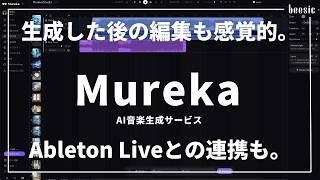
YouTube returned 6 videos for “Mureka”, and we withheld 5: 5 could not be judged, because “Mureka” is a single word that other videos use for other things. Showing the 1 we can prove is about Mureka.
Official links
What are the best Mureka alternatives?
The closest alternatives to Mureka we list are AI Song Maker, Musicfy and AI Jingle Maker. Ranked by direct product-type match, not category overlap.
| Alternative | Pricing | Starts at | Last verified |
|---|---|---|---|
| AI Song Maker | Freemium | Pricing not published | — |
| Musicfy | Freemium | Pricing not published | — |
| AI Jingle Maker | Freemium | Pricing not published | — |
Alternatives to Mureka
View all
AI Song Maker
AI song maker that turns a prompt or your lyrics into a royalty-free track with vocals in about a minute.
Musicfy
Musicfy turns typed lyrics or your own vocal takes into finished songs with AI voices, including custom voice models trained on your own recordings.

AI Jingle Maker
AI jingle generator that turns 125 characters into a finished royalty-free radio jingle, DJ drop or podcast intro in about ten seconds.
Tools that pair well with Mureka
Common stack mates teams adopt alongside Mureka, with the specific reason each pairing earns its keep.

AI Song Maker
AI song maker that turns a prompt or your lyrics into a royalty-free track with vocals in about a minute.
Musicfy
Musicfy turns typed lyrics or your own vocal takes into finished songs with AI voices, including custom voice models trained on your own recordings.

AI Jingle Maker
AI jingle generator that turns 125 characters into a finished royalty-free radio jingle, DJ drop or podcast intro in about ten seconds.
Mureka vs its closest rival
Mureka's closest head-to-head is with Udio — If you need deep editing and collaborative tools with major label backing, Udio is your pick. For producers who want stem exports and DAW integration out of the box, Mureka is the stronger choice. Verdict generated
Frequently asked questions
Categories
Used Mureka? Help shape our editorial sentiment research.