
MyVocal.ai
Free web-based AI voice cloning, text-to-speech in 100+ languages, and AI singing covers.
MyVocal.ai is the rare voice AI tool whose free tier actually covers voice cloning, 100+ language text-to-speech, and AI singing covers, with the V3 engine (launched January 2026) adding auto language detection. If you're a solo creator, YouTuber, streamer, or small team needing multilingual voiceovers at no cost, start here. If you need an API, mobile apps, granular pronunciation control, or studio-grade fidelity, go to ElevenLabs or Respeecher instead—MyVocal.ai deliberately trades those for price.
Verified 8d ago · liveness 50/100 · cite: rightaichoice.com/tools/myvocal-ai
- Solo content creators needing multilingual voiceovers at zero cost
- Voice actors wanting to clone and license their own voice
- Streamers and YouTubers producing narration in many languages
- Small teams needing a consistent brand voice across regions on a tight budget
- Developers needing an API for automated pipelines
- Studios requiring high-end studio-grade voice fidelity
- Teams needing granular pronunciation control or SSML support
We scan live Reddit threads, YouTube comments, X posts, G2 reviews and other communities — and hand you an honest verdict in under a minute.
- Honest verdict, not marketing
- Real pros & cons from real users
- Attributed quotes with receipts
3 free scans · no card needed
Skip MyVocal.ai if you need an API, mobile apps, or SSML-level pronunciation control for automated production pipelines — its strength is manual, browser-based generation on a free tier.
Only a Free plan is published, so if you later need higher quality or throughput there is no documented paid upgrade path to buy—you would have to move to another vendor.
MyVocal.ai sits at the very bottom of the voice AI price ladder: the published Free plan is $0/mo with no per-character fees, versus ElevenLabs and Respeecher which charge ongoing subscription or usage fees for higher fidelity and integrations. It fits hobbyists, solo creators, and small teams with no voice budget. Teams that need an API, SLAs, or studio-grade output should expect to pay a paid vendor instead.
In short
MyVocal.ai — Free web-based AI voice cloning, text-to-speech in 100+ languages, and AI singing covers. Best for Solo content creators needing multilingual voiceovers at zero cost, Voice actors wanting to clone and license their own voice, Streamers and YouTubers producing narration in many languages. Free to use.
What's new in MyVocal.ai
Checked 8 days agoAcross the latest 1 update: 1 feature update.
Viability Score
How well maintained and how widely used is MyVocal.ai? Built from what the vendor actually publishes (docs, changelog, tutorials, integrations, pricing), whether the site is live, and how much real users discuss it. How we calculate this
Last calculated: September 2026
How we score →Key Features
- AI voice cloning from a short audio sample
- Text-to-speech in 100+ languages
- AI singing covers using your cloned voice
- V3 engine (launched January 2026)
- Automatic input language detection
- Multilingual voice cloning from a single sample
- Web-based interface with no installation
- Free tier with no subscription required
- No per-character fees
- Account sign-in for saved voices and projects
- Real-time speech synthesis in the browser
About MyVocal.ai
MyVocal.ai is a browser-based AI voice generator that clones your voice from a short audio sample, then turns text into speech or into sung AI covers. The V3 engine, launched in early 2026, expanded the platform to 100+ languages with automatic language detection, so you can produce voiceovers in multiple languages without re-recording. The core workflows—voice cloning, multilingual text-to-speech, and AI covers—are free, with no per-character fees or subscription required. It is aimed at content creators, voice actors, streamers, YouTubers, and small teams that need consistent multilingual narration on a zero budget. It differs from paid rivals like ElevenLabs or Respeecher by trading advanced controls and integrations for a genuinely free tier, and by being usable entirely in a browser with no installation.
Behind the Verdict
The core value of MyVocal.ai is that it removes the paywall from the three workflows people actually want: cloning your own voice from a short sample, converting text into speech across 100+ languages, and generating AI singing covers. The V3 engine, which went live on 2026-01-01, is what makes the multilingual side of that promise viable, adding automatic language detection so you don't have to manually tag input language. Everything runs in the browser, so there is no install step and no per-character billing. The trade-offs are structural, not cosmetic. The site presents a single Free plan and no documented integrations, so MyVocal.ai is not a piece you can drop into an automated content pipeline. There is no API surface described, no mobile app, and no SSML or fine-grained pronunciation controls mentioned anywhere in the source material—meaning this is a manual, click-to-generate tool, great for one-off voiceovers and covers, awkward for batch localization at scale. The exact usage limits of the free tier are also not disclosed on the homepage. Where it fits: individual creators repurposing their own voice across languages, streamers wanting narration in many tongues, and budget-constrained teams that need consistent voice output without a subscription. Where it doesn't: developers building automated workflows, studios requiring granular control, or teams that need to keep voice data off third-party servers.
Researching MyVocal.ai? Get your full AI stack in 60 seconds.
Free, no signup — tell us your goal and get tools matched to your budget & existing stack.
Real-world workflow fit
Concrete scenarios for the personas MyVocal.ai actually fits — and what changes day-one when you adopt it.
You record a short sample of your own voice, then paste an English script and generate the same voiceover in Spanish, Hindi, and Japanese using V3's auto language detection.
Outcome: Three localized narration tracks from one recording session, at no per-character cost.
You clone your voice once, then generate AI singing covers and narration clips for highlight reels straight from the browser.
Outcome: Reusable voice asset you can apply to new clips without re-recording.
You clone a single brand voice, then produce e-learning narration and product voiceovers across multiple languages in the web editor.
Outcome: Consistent brand voice across regions without paying per-character fees.
Use Cases
- Generate voiceovers for YouTube videos in multiple languages from a single cloned voice
- Create a digital twin of your own voice for repurposing existing content
- Produce AI sung covers of songs using your cloned voice
- Localize e-learning modules with consistent narration across languages
- Add multilingual narration to stream highlights without re-recording
Models Under the Hood
as of 2026-09-01
Limitations
- MyVocal.ai is browser-only—no desktop or mobile app is documented.
- The exact usage limits of the free tier are not disclosed on the homepage, so you cannot budget headroom before signing up.
- No API or SDK is documented, so automated or batch pipelines are out.
- No SSML or fine-grained pronunciation controls are mentioned.
- Voice quality may vary, and the source material makes no claims about studio-grade fidelity.
- Note also that voice cloning means your audio samples are stored on MyVocal.ai's servers.
as of 2026-09-14
Verification history
We have re-verified MyVocal.ai 7 times since . Each pass re-reads the vendor's own pages and re-checks every listed field against that evidence; passes where nothing had changed are marked as such.
- — re-checked, vendor evidence unchanged
- — re-verified summary, description, our verdict, our analysis, pricing model, pricing tiers, features, integrations, who it suits, who should skip it
- — re-verified summary, description, our verdict, our analysis, pricing model, pricing tiers, features, integrations, who it suits, who should skip it
- — re-checked, vendor evidence unchanged
- — re-checked, vendor evidence unchanged
- — re-verified summary, description, our verdict, our analysis, pricing model, pricing tiers, features, integrations, who it suits, who should skip it
Showing the 6 most recent of 7 verification passes.
Free to cite with attribution — this page re-verifies continuously.
12-month cost
Project the real annual outlay, including the implied monthly cost when only an annual tier is published.
Vendor list price only. Add-on usage, seat overages, and contract minimums are surfaced under Hidden costs & gotchas.
Plans compared
For each published MyVocal.ai tier: who it actually fits, and what it adds vs. the previous tier. Cross-reference the cost calculator above for projected annual outlay.
Free
$0/mo
Ideal for
Solo creators, hobbyists, streamers, and small teams who need voice cloning, multilingual TTS, and AI covers without any budget.
What this tier adds
Starting tier and the only published plan: $0/mo with no per-character fees or subscription, covering voice cloning, 100+ language TTS, and AI covers.
Where the pricing makes sense
The company stage and team size where MyVocal.ai's pricing actually pencils out — and where peers do it cheaper.
MyVocal.ai sits at the very bottom of the voice AI price ladder: the published Free plan is $0/mo with no per-character fees, versus ElevenLabs and Respeecher which charge ongoing subscription or usage fees for higher fidelity and integrations. It fits hobbyists, solo creators, and small teams with no voice budget. Teams that need an API, SLAs, or studio-grade output should expect to pay a paid vendor instead.
Setup time & first value
How long it actually takes to get something useful out of MyVocal.ai — broken out by persona, not the marketing-page minute.
You sign in with an account, record a short voice sample, and can generate your first text-to-speech clip the same session—realistically under 15 minutes to first output. Multilingual work is faster because V3 auto-detects the input language, so there is no language configuration step before generating.
Switching to or from MyVocal.ai
How to bring data in from common predecessors and how to get it back out — written for the switcher, not the buyer.
- →From manual recording: record one short voice sample in MyVocal.ai and reuse it for all future voiceovers instead of booking studio time.
- →From a per-character TTS vendor: paste the same scripts into MyVocal.ai's free web editor and regenerate them at no per-character charge.
- ↗To ElevenLabs: move when you need an API, higher-fidelity voices, or SSML-level pronunciation control for automated pipelines.
- ↗To Respeecher: move when you need studio-grade voice conversion and professional production controls rather than a free web tool.
Resources & Guides
Tutorials & Learning
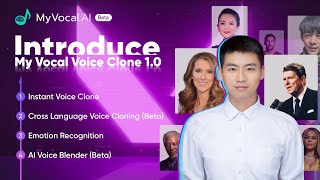
Revolutionize Your Audio with MyVocal.AI - The Future of Vocal Technology!
MyVocal
AI Tools - MyVocal.AI #shorts
AI Tools Shorts
YouTube returned 6 videos for “MyVocal.ai”, and we withheld 4: 4 could not be judged, because “MyVocal.ai” is a single word that other videos use for other things. Showing the 2 we can prove are about MyVocal.ai.
Official links
Tools that pair well with MyVocal.ai
Common stack mates teams adopt alongside MyVocal.ai, with the specific reason each pairing earns its keep.

AIAI.com
All-in-one AI creation suite: images, video, audio, text & music.

Mureka
Mureka's AI music generator turns text prompts into royalty-free songs with vocals, stems, and video.

AirMusic
AirMusic turns text or lyrics into full AI songs, then renders the music video to match — 50+ styles, royalty-free.
Featured Head-to-Head Comparisons
Myvocal Ai vs Landr Mastering
Choose LANDR Mastering if you need professional, streaming-ready audio mastering with proven results and stem control (now on Pro). Pick MyVocal.ai only if your primary need is voice cloning for multilingual TTS – it's free, but limited in quality and lacks music mastering. They serve entirely different use cases.
Myvocal Ai vs Splice
Splice is for music producers needing a vast library of royalty-free samples and rent-to-own plugins, while MyVocal.ai is a free tool for content creators who want to clone their voice and generate speech in 100+ languages. Choose Splice if you produce beats or songs; choose MyVocal.ai if you need multilingual voiceovers without spending money.
Myvocal Ai vs Storyfile
These aren't competitors and nobody shortlists them against each other. If your problem is a museum exhibit, survivor testimony archive, or a consented digital twin of a real person, StoryFile is built for that — filmed interviews, indexing, HOLOGLASS, and the Digital Likeness Directive. If your problem is multilingual voiceover or a sung cover for a video, MyVocal.ai's free V3 engine does it in a browser today. Pick by the deliverable you need (interactive video vs. audio track), not by comparing the two.
Alternatives to MyVocal.ai
View all

Frequently Asked Questions
Categories
Best-of guides
Used MyVocal.ai? Help shape our editorial sentiment research.