
NaturalReaders
AI text-to-speech with LLM-trained voices for personal, commercial, and EDU use
NaturalReader is a solid choice for individuals, educators, and content creators needing high-quality TTS with added AI comprehension tools. Its LLM-trained voices sound natural and the bundled AI features (Podcast, Recap, Quizzes) genuinely aid studying. However, the lack of a public API and no on-prem deployment are major gaps for developers and strict enterprises. If you need API access, consider ElevenLabs or Azure TTS; if you prioritize realistic voices and EDU discounts, NaturalReader delivers.
Verified 19d ago · liveness 64/100 · cite: rightaichoice.com/tools/naturalreaders
- Students
- Content creators
- Professionals with accessibility needs
- Educators
- Developers needing an API
- Enterprises requiring on-premises deployment
- Users needing unlimited free usage
We scan live Reddit threads, YouTube comments, X posts, G2 reviews and other communities — and hand you an honest verdict in under a minute.
- Honest verdict, not marketing
- Real pros & cons from real users
- Attributed quotes with receipts
3 free scans · no card needed
Skip NaturalReader if you need a developer API for custom integrations, require on-premises deployment for data residency, or rely on ultra-low-latency streaming under 500ms—alternatives like ElevenLabs or Azure TTS are better suited.
The free plan has limited listening time, which runs out quickly if you listen to long documents—you'll need a paid plan for unlimited use.
NaturalReader's Personal Plus at $9.99/mo is affordable for individuals, while Commercial at $79/mo is mid-range for creators. EDU plans offer volume discounts. Compared to ElevenLabs (starts ~$5/mo but charges per character), NaturalReader's flat fee is better for unlimited listening. For enterprise API needs, Azure TTS is cheaper at scale but lacks the AI features.
In short
NaturalReaders — AI text-to-speech with LLM-trained voices for personal, commercial, and EDU use. Best for Students, Content creators, Professionals with accessibility needs. Free to start; paid plans from $9.99/mo.
What people actually say about NaturalReaders — is it worth it?
We ran a structured research pass across product reviews, community discussions, and post-purchase forum threads to surface the patterns vendors won't publish themselves. Below: the recurring strengths, the hidden costs people mention most, and the cohort that consistently regrets adopting this tool.
2 mentions across 1 source (Hacker News) · researched Jul 2, 2026.
Average across the 1 source that answered — each source counts once, not each post.
- +Ultra-realistic AI voices with content-aware intonation.
- +Supports 90+ languages for broad multilingual use.
- +Generous free tier available for basic TTS needs.
- +Voice cloning enables personalized narration.
- +AI podcast, recap, quizzes add learning versatility.
- −No API—impossible for developer integration or automation.
- −Very thin community feedback—hard to validate performance claims.
- −Voice cloning likely costs extra, limiting access.
- −Mobile apps may lack advanced features of web version.
- −Free tier probably restricts commercial use or high-volume TTS.
- • Voice cloning likely separate purchase
- • Commercial use may require higher tier than free
Viability Score
How well maintained and how widely used is NaturalReaders? Built from what the vendor actually publishes (docs, changelog, tutorials, integrations, pricing), whether the site is live, and how much real users discuss it. How we calculate this
Last calculated: September 2026
How we score →Key Features
- Text-to-speech with LLM-trained voices
- Content-aware intonation
- Multilingual support in 90+ languages
- Voice Cloning
- Voice Design (prompt/presets)
- AI Podcast generation
- AI Recap (summaries)
- AI Screenshot analysis
- AI Chat with documents
- AI Quizzes
- OCR camera scanner
- Immersive Reader with highlighted text
- MP3 export
- Chrome extension
- Mobile apps (iOS/Android)
About NaturalReaders
NaturalReader is an AI-powered text-to-speech platform that transforms text, PDFs, images, webpages, and physical books (via OCR) into natural-sounding audio. Its voices, trained on large language models, deliver content-aware intonation across 90+ languages. The platform serves three main audiences: Personal users for reading assistance or accessibility; Commercial users creating voiceovers for videos, eLearning, podcasts, and ads; and EDU institutions with discounted group or site licenses. Key features include Voice Cloning (create a multilingual AI voice from recordings), Voice Design (customize tone, emotion, accent via prompts or presets), and AI tools like Podcast (turn documents into audio episodes), Recap (instant summaries), Screenshot (analyze captured content), Chat (ask questions about documents), and Quizzes (generate practice tests). NaturalReader also offers mobile apps (iOS/Android), a Chrome extension, and cross-device sync. It prioritizes data privacy with encryption and is trusted by over 10 million users. Compared to alternatives, NaturalReader stands out for its combination of ultra-realistic voices, comprehensive AI features, and dedicated EDU plans, though it lacks a developer API and on-premise deployment.
Behind the Verdict
NaturalReader stands out in the crowded TTS market with its content-aware voices trained on large language models. The audio quality is genuinely impressive—voices adjust intonation based on context, making long-form listening less robotic. The bundled AI features elevate it beyond a simple reader: AI Podcast converts dry PDFs into engaging audio episodes, AI Recap gives instant summaries, AI Quizzes help test comprehension, and AI Chat lets you interrogate a document. This makes it a powerful study companion for students and a practical tool for professionals who need to digest reports. For commercial users, the Commercial plan (at $79/mo) is a cost-effective alternative to hiring voice actors or using more expensive services. Voice Cloning and Voice Design let you create a consistent brand voice across languages, which is valuable for eLearning or YouTube channels. The EDU plans are particularly attractive for schools, offering group and site licenses with management tools at discounted rates. Weaknesses: The free plan is quite limited, with restricted listening time and basic voices—likely enough only for testing. There's no API, which locks out developers who want to integrate TTS into their own apps. The absence of on-prem deployment means enterprises with strict data residency policies can't use it. Also, while the mobile apps are handy, they include ads on the free tier. Overall, NaturalReader is best for individuals and organizations that prioritize natural voice quality and AI-assisted comprehension over deep customization or programmatic control. It's not a developer tool, but it's an excellent end-user product. If you're a student, educator, or content creator, it's worth the price. If you're a developer, look elsewhere.
Researching NaturalReaders? Get your full AI stack in 60 seconds.
Free, no signup — tell us your goal and get tools matched to your budget & existing stack.
Real-world workflow fit
Concrete scenarios for the personas NaturalReaders actually fits — and what changes day-one when you adopt it.
You upload a dense textbook chapter to NaturalReader and use AI Quizzes to generate practice questions, then use AI Recap to summarize key points, and finally listen to the chapter via the mobile app on your commute.
Outcome: Quizzes reinforce learning, summaries save time, and audio lets you study hands-free.
You write a script, convert it to voiceover using Commercial plan, apply Voice Design for a consistent tone, and export MP3s for editing in your video software.
Outcome: High-quality voiceover without hiring voice actors, saving time and money.
Your school buys an EDU site license, you upload class documents to the shared library, and students use the mobile app to listen and follow along with Immersive Reader.
Outcome: Improved reading accessibility for diverse learners.
Use Cases
- Convert textbooks and articles into audio for studying on the go.
- Create professional voiceovers for YouTube videos or eLearning modules.
- Generate podcast episodes from lengthy reports or research papers.
- Use AI Chat to ask questions and get explanations from your documents.
- Quickly summarize key points from a document with AI Recap.
- Scan physical books with OCR and listen to them.
- Create custom quizzes to test yourself before exams.
Models Under the Hood
as of 2026-09-24
Limitations
- Free plan has limited listening time and features.
- Voice Cloning is gated behind paid plans (Personal Plus and above).
- Commercial use requires a paid plan.
- No public API.
- No on-premise deployment.
as of 2026-09-09
Verification history
We have re-verified NaturalReaders 8 times since . Each pass re-reads the vendor's own pages and re-checks every listed field against that evidence; passes where nothing had changed are marked as such.
- — re-checked, vendor evidence unchanged
- — re-checked, vendor evidence unchanged
- — re-checked, vendor evidence unchanged
- — re-checked, vendor evidence unchanged
- — re-checked, vendor evidence unchanged
- — re-verified summary, description, our verdict, our analysis, pricing model, pricing tiers, features, integrations, who it suits, who should skip it
Showing the 6 most recent of 8 verification passes.
Free to cite with attribution — this page re-verifies continuously.
12-month cost
Project the real annual outlay, including the implied monthly cost when only an annual tier is published.
Vendor list price only. Add-on usage, seat overages, and contract minimums are surfaced under Hidden costs & gotchas.
Plans compared
For each published NaturalReaders tier: who it actually fits, and what it adds vs. the previous tier. Cross-reference the cost calculator above for projected annual outlay.
Free
$0/mo
Ideal for
Casual users who occasionally need to listen to short documents and want to test the voice quality before committing.
What this tier adds
Starter plan with limited listening time, basic voices, web app access, Chrome extension, and mobile app with ads.
Personal Plus
$9.99/mo
Ideal for
Individuals who read frequently and want unlimited listening, premium voices, and AI tools like summaries and quizzes for personal study.
What this tier adds
Adds unlimited listening, premium voices, Voice Cloning (1 voice), Voice Design, all AI features, MP3 export, and no ads.
Commercial
$79/mo
Ideal for
Content creators and businesses producing voiceovers for YouTube, eLearning, or ads who need a commercial license and multiple cloned voices.
What this tier adds
Adds commercial usage rights, multiple Voice Cloning instances, priority support, and high-quality MP3 export.
EDU
Contact for pricing
Ideal for
Educational institutions needing discounted TTS for classrooms with management tools and shared libraries.
What this tier adds
Offers group licenses (5+ users) or site licenses, student management, shared library, and discounted rates.
Where the pricing makes sense
The company stage and team size where NaturalReaders's pricing actually pencils out — and where peers do it cheaper.
NaturalReader's Personal Plus at $9.99/mo is affordable for individuals, while Commercial at $79/mo is mid-range for creators. EDU plans offer volume discounts. Compared to ElevenLabs (starts ~$5/mo but charges per character), NaturalReader's flat fee is better for unlimited listening. For enterprise API needs, Azure TTS is cheaper at scale but lacks the AI features.
Setup time & first value
How long it actually takes to get something useful out of NaturalReaders — broken out by persona, not the marketing-page minute.
Personal: ~5 minutes to set up account and start listening. Commercial: ~10 minutes to choose voice and generate first voiceover. EDU: ~30 minutes for administrator to set up group licenses and invite students.
Switching to or from NaturalReaders
How to bring data in from common predecessors and how to get it back out — written for the switcher, not the buyer.
- →From Google Text-to-Speech or built-in screen readers: Export your documents as PDFs and upload them to NaturalReader for higher-quality voices and AI features.
- →From Audible or audiobooks: Use AI Podcast to turn research papers into podcast-style episodes you can listen to like audiobooks.
Integrations
Resources & Guides
Tutorials & Learning
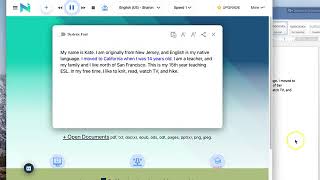
YouTube returned 6 videos for “NaturalReaders”, and we withheld 5: 5 could not be judged, because “NaturalReaders” is a single word that other videos use for other things. Showing the 1 we can prove is about NaturalReaders.
Official links
Tools that pair well with NaturalReaders
Common stack mates teams adopt alongside NaturalReaders, with the specific reason each pairing earns its keep.

Speaktor
Speaktor converts text to speech in 55+ languages with 200+ AI voices and instant MP3 or WAV downloads.

Krisp Voice AI
Real-time noise cancellation, accent conversion and AI meeting notes in one app

NoteGPT
NoteGPT is an AI learning assistant for summarizing YouTube videos, transcribing audio, and building slides from a single subscription.
Featured Head-to-Head Comparisons
Naturalreaders vs Soniox
If you're a developer building real-time multilingual voice apps with compliance needs, Soniox is the clear choice—its unified STT/TTS/translation API with sub-200ms latency and HIPAA/SOC 2 certification is unmatched. If you're an individual or educator needing high-quality TTS for reading, voiceovers, or accessible learning, NaturalReaders offers a wider range of voices, voice cloning, and AI study tools at a low price, including a generous free tier.
Naturalreaders vs Retell Ai
NaturalReaders and Retell AI serve completely different use cases. NaturalReaders is a document-to-speech platform ideal for students, content creators, and accessibility, while Retell AI is a phone call automation platform for enterprises handling high-volume voice interactions. Choose NaturalReaders for flexible TTS with voice cloning and AI study tools, or Retell AI for low-latency, scalable phone agents integrated with CRM and telephony stacks.
Naturalreaders vs Voiceitt
Choose Voiceitt if you or your audience has non‑standard speech (impairments, heavy accents) and needs dictation / voice control; choose NaturalReaders if you need high‑quality text‑to‑speech for reading, studying, or content creation. They solve opposite problems, so your specific use case dictates the winner.
Alternatives to NaturalReaders
View all
Speaktor
Speaktor converts text to speech in 55+ languages with 200+ AI voices and instant MP3 or WAV downloads.

Krisp Voice AI
Real-time noise cancellation, accent conversion and AI meeting notes in one app

Frequently Asked Questions
Categories
Best-of guides
Used NaturalReaders? Help shape our editorial sentiment research.